
$0.89
$0.45
49% Off
Vibrant Mandala Analog
ChronoHarvest

About the App
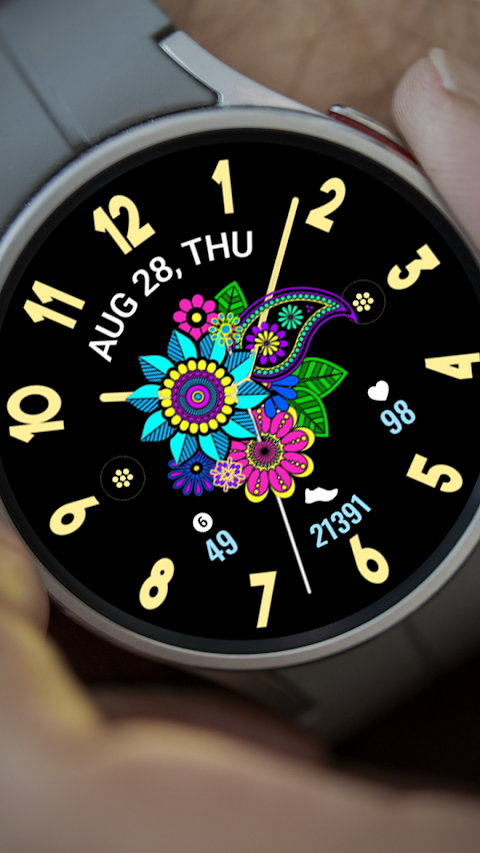
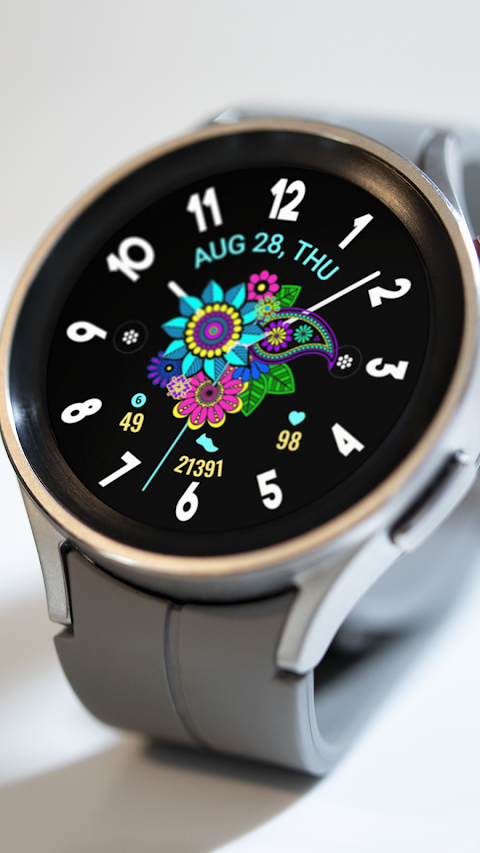
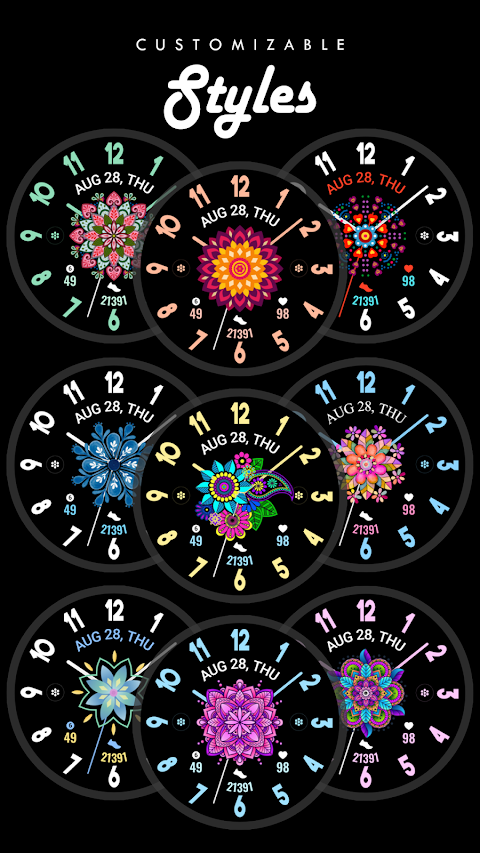
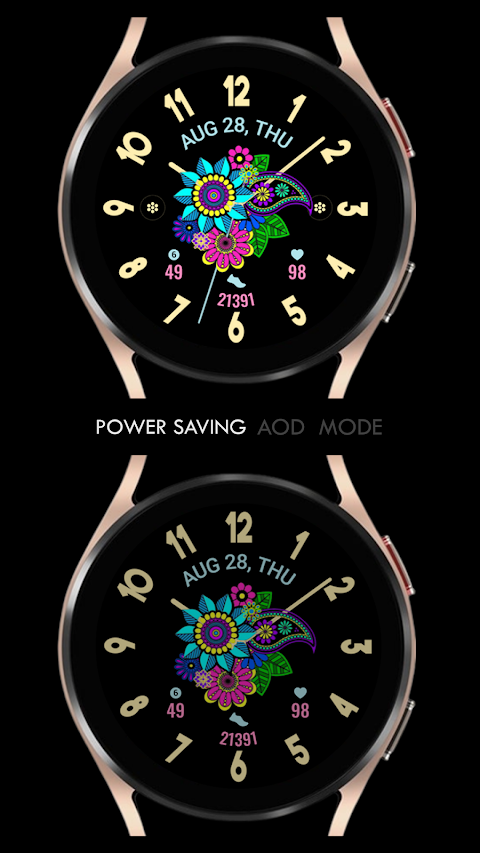
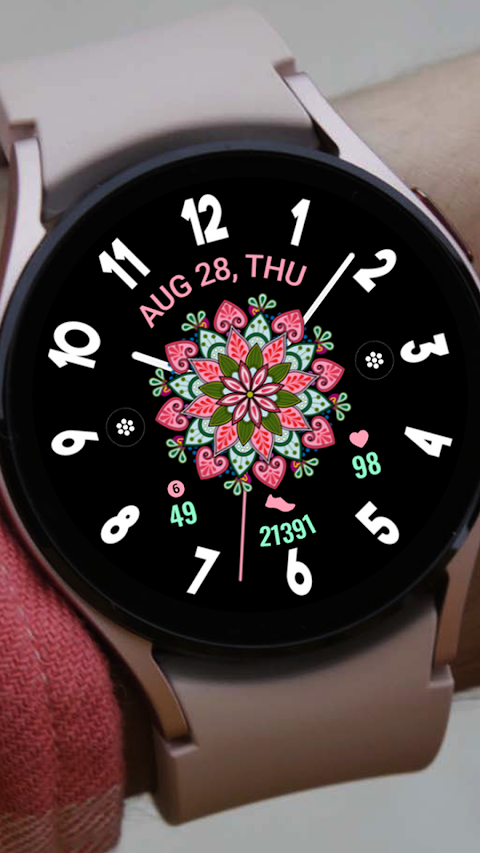
The Vibrant Mandala Analog app is a beautifully designed watch face for Wear OS devices, offering a captivating artistic mandala-themed analog clock. It’s perfect for anyone who wants to personalize their watch experience. This watch face is compatible with all Wear OS devices that run API Level 34 and Wear OS 4 or later.
If you're using a Galaxy Watch, there are a few things to keep in mind. The watch face editor in the Samsung Wearable app often struggles to sync and load complex watch faces. It's best to customize the watch face directly on your watch until Samsung fixes this issue.
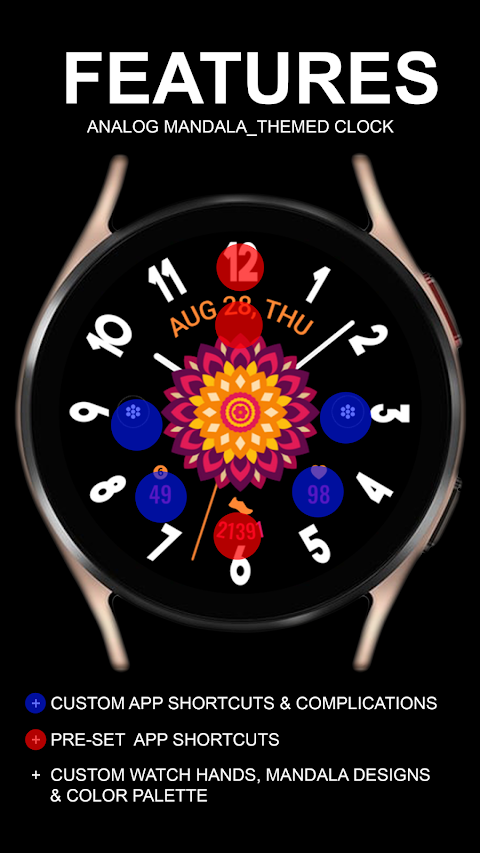
Vibrant Mandala Analog includes several features to enhance your daily routine. It has a pre-set app shortcut for quick access to an Alarm, Calendar, and Steps Tracker. You can also add two custom app shortcuts and two custom complications that allow you to choose the data you want displayed. For instance, you could select information such as the Date, Weather Information, Steps, World Clock, Sunset/Sunrise Times, Next Appointment, or Distance Walked. Keep in mind that you might need to install additional third-party complications to use all features.
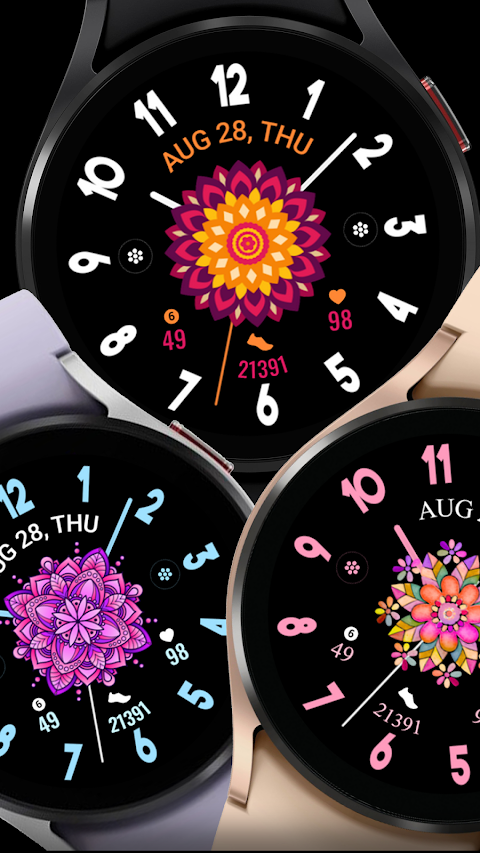
Customization is easy with this app. You can choose your Custom Watch Hands and select colors for your Color Palette Customization. This makes it simple to create a watch face that suits your style.
When you install the watch face, it should automatically transfer to your Wear OS watch. Make sure your watch is synced to your phone using the same email address for a seamless installation process. After downloading, wait a few minutes for the watch face to transfer. You’ll receive a notification for installation once it’s complete.
If you don’t see the notification, you can manually check by going to the Google Playstore on your watch. Just type "Vibrant Mandala Analog" in the search box. After installation, if the watch face doesn’t automatically display, go back to your home display. Tap and hold your display, swipe until the end, and tap the plus sign to add the watch face. You can rotate the bezel or scroll to find it.
Make sure to allow all permissions by going into settings, then applications, and finally permissions management. This will ensure that the app functions smoothly on your watch.
Please note that if you're not satisfied, there is a refund policy that allows you to request a refund only within 24 hours of purchase.
For more help, you can contact us at ajgearbusiness@gmail.com. If you need assistance setting up the app, check out our setup tutorial video linked above. Enjoy customizing your watch with Vibrant Mandala Analog!
If you're using a Galaxy Watch, there are a few things to keep in mind. The watch face editor in the Samsung Wearable app often struggles to sync and load complex watch faces. It's best to customize the watch face directly on your watch until Samsung fixes this issue.
Vibrant Mandala Analog includes several features to enhance your daily routine. It has a pre-set app shortcut for quick access to an Alarm, Calendar, and Steps Tracker. You can also add two custom app shortcuts and two custom complications that allow you to choose the data you want displayed. For instance, you could select information such as the Date, Weather Information, Steps, World Clock, Sunset/Sunrise Times, Next Appointment, or Distance Walked. Keep in mind that you might need to install additional third-party complications to use all features.
Customization is easy with this app. You can choose your Custom Watch Hands and select colors for your Color Palette Customization. This makes it simple to create a watch face that suits your style.
When you install the watch face, it should automatically transfer to your Wear OS watch. Make sure your watch is synced to your phone using the same email address for a seamless installation process. After downloading, wait a few minutes for the watch face to transfer. You’ll receive a notification for installation once it’s complete.
If you don’t see the notification, you can manually check by going to the Google Playstore on your watch. Just type "Vibrant Mandala Analog" in the search box. After installation, if the watch face doesn’t automatically display, go back to your home display. Tap and hold your display, swipe until the end, and tap the plus sign to add the watch face. You can rotate the bezel or scroll to find it.
Make sure to allow all permissions by going into settings, then applications, and finally permissions management. This will ensure that the app functions smoothly on your watch.
Please note that if you're not satisfied, there is a refund policy that allows you to request a refund only within 24 hours of purchase.
For more help, you can contact us at ajgearbusiness@gmail.com. If you need assistance setting up the app, check out our setup tutorial video linked above. Enjoy customizing your watch with Vibrant Mandala Analog!
KTbw
KocaTurk Watch Faces
$0.99
$0.50

Pastel Light Icon Pack
PizzApp Design
$0.99
$0.69

S4U Macau Pilot watch face
styles4you
$1.49
$0.37