
$1.49
$0.37
75% Off
S4U Macau Pilot watch face
styles4you





About the App
The S4U Macau Pilot watch face is designed for smartwatches using Wear OS 5. This means it works well with devices like the Samsung Galaxy Watch 8 and the Google Pixel Watch Series. Before you start, make sure your watch is running Wear OS 5 or higher. If you have any trouble with installation or downloading, check that your watch is up to date and follow the steps in the companion app provided with your purchase. If you still need help, feel free to reach out by email at wear@s4u-watches.com.
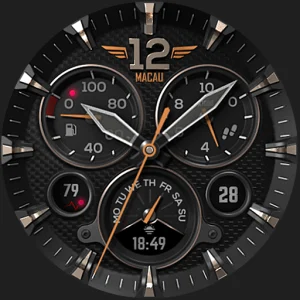
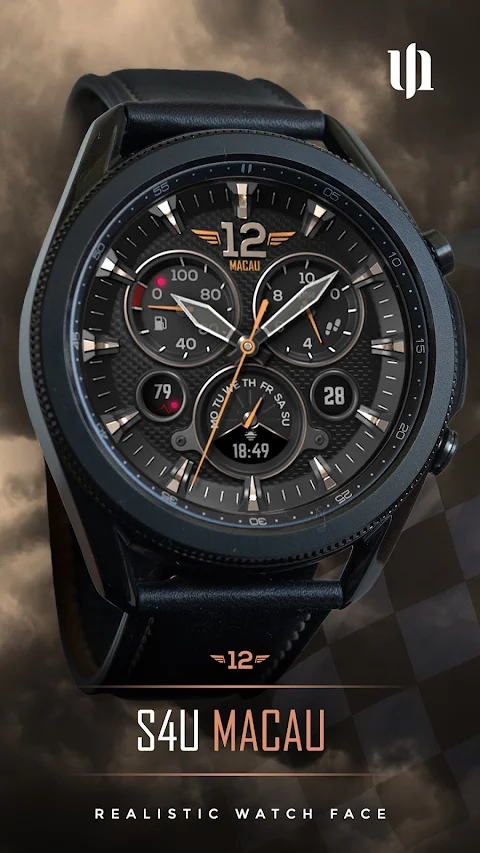
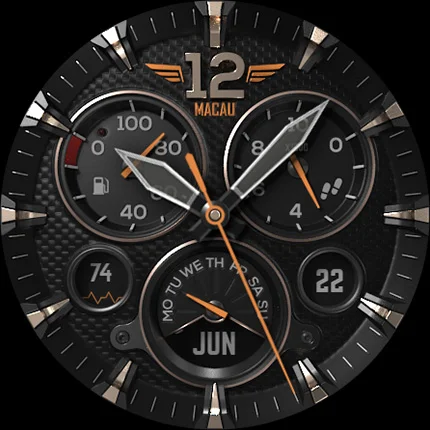
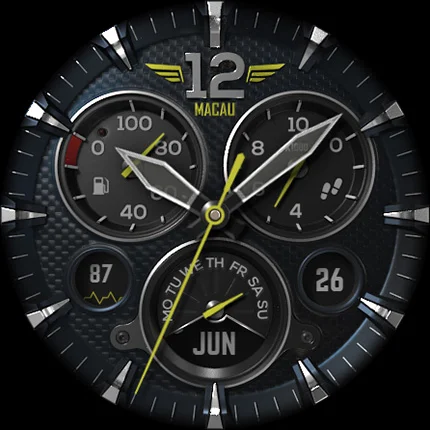
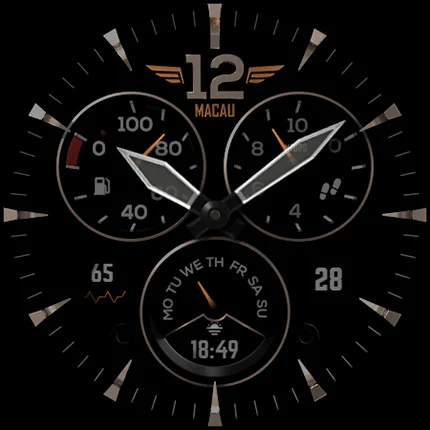
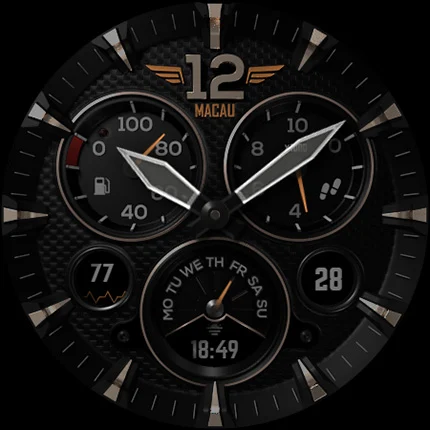
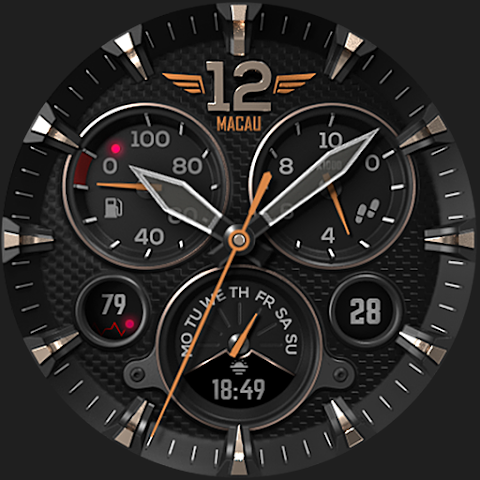
This watch face features a very realistic analog dial design, perfect for those who appreciate classic watch aesthetics. With impressive light and shadow effects, the S4U Macau offers a beautiful look that feels lifelike. You can easily see the time, your step count, your heart rate, battery status, the current weekday, and the day of the month. Additionally, there are color customization options that allow you to personalize the watch face to fit your style.
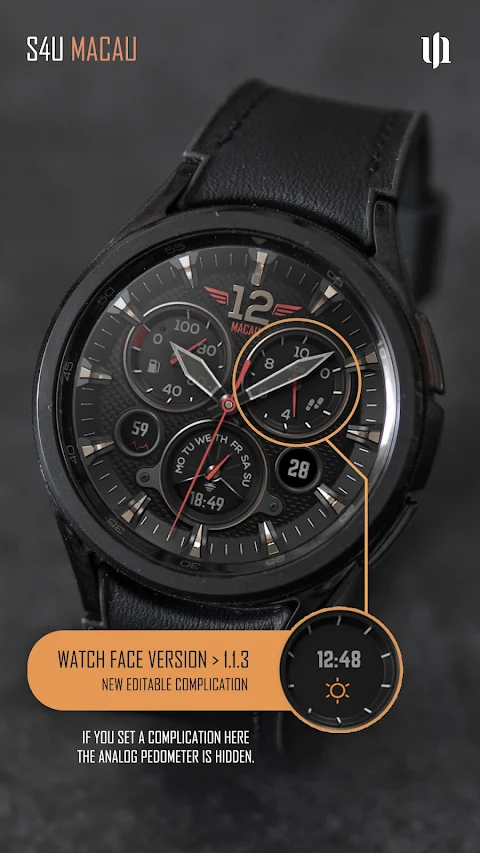
The S4U Macau also includes customizable complications and custom shortcuts for your apps. It comes with two visible display complications and four custom shortcuts, making it easy to reach your favorite apps or widgets with just one click. This adds a fun and engaging design to your smartwatch experience.
When it comes to the data displayed on the watch, you’ll find the analog pedometer on the right side, showing your step count multiplied by 1000, up to a maximum of 49,999. The battery status display appears on the left, showing your battery level from 0 to 100%. At the bottom, you can see the weekday along with a user-defined complication, while the bottom left shows your heart rate and the bottom right displays the day of the month. You can even click on the day to change the background color.
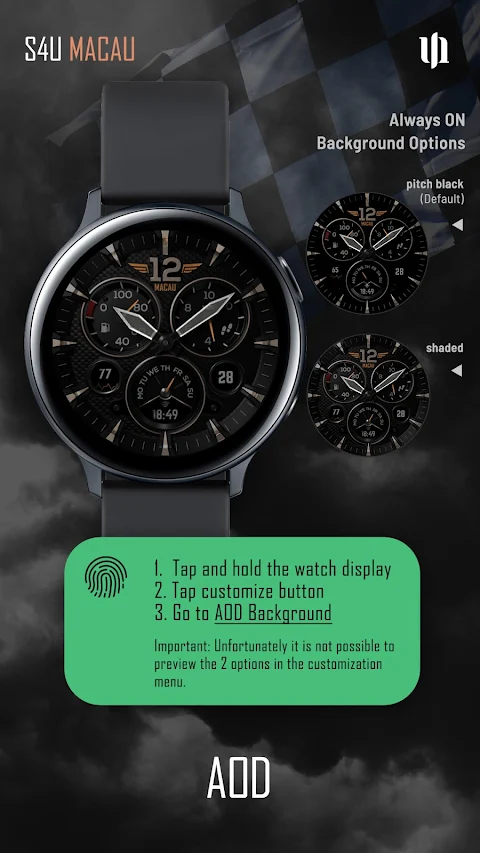
The S4U Macau features an Always-On Display (AOD) for continuous timekeeping. The AOD customizable colors adapt based on the design of your watch face, keeping a pure black background. Do note that using AOD will reduce battery life depending on your smartwatch's settings, and some smartwatches may dim the AOD display based on ambient light conditions.
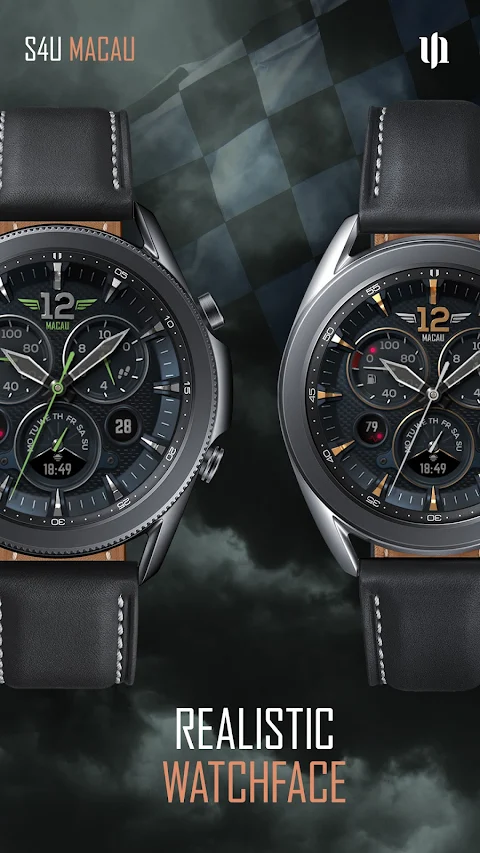
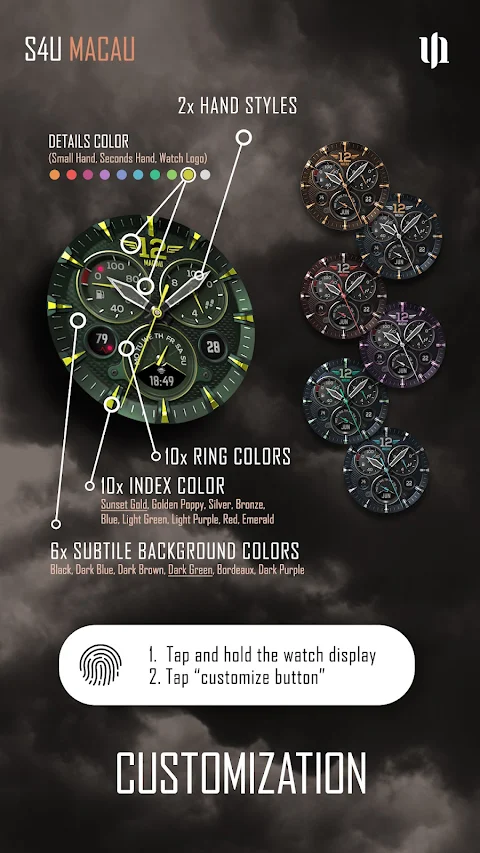
Customizing your S4U Macau watch face is simple. Just press and hold the center of the display, tap the customize button, and you can swipe left or right to navigate through different options. You can also swipe up or down to change the colors of the background, index, ring, and details. There are multiple ring and detail colors available, along with six background color options, three shadow border options, and even different language options for displaying the weekday. You can also choose from two hand styles to further personalize your watch face.
Setting up complications and shortcuts is easy too. Press and hold the watch display, tap the customize button, then swipe until you reach the complications section. Here you can choose from four app shortcuts and two custom complications for quick access to your favorite widgets and applications.
If you're enjoying the S4U Macau, make sure to explore our other watch faces as well! We’re constantly working on new designs for Wear OS to enhance your wearable technology experience.
We welcome your feedback! Your suggestions help us improve the S4U Macau and other creations. Please consider leaving a review on the Play Store, and feel free to email us with your thoughts at wear@s4u-watches.com. You can also stay connected with us through our social media channels on Instagram, Facebook, YouTube, and X to see what’s new in our watch face gallery.
This watch face features a very realistic analog dial design, perfect for those who appreciate classic watch aesthetics. With impressive light and shadow effects, the S4U Macau offers a beautiful look that feels lifelike. You can easily see the time, your step count, your heart rate, battery status, the current weekday, and the day of the month. Additionally, there are color customization options that allow you to personalize the watch face to fit your style.
The S4U Macau also includes customizable complications and custom shortcuts for your apps. It comes with two visible display complications and four custom shortcuts, making it easy to reach your favorite apps or widgets with just one click. This adds a fun and engaging design to your smartwatch experience.
When it comes to the data displayed on the watch, you’ll find the analog pedometer on the right side, showing your step count multiplied by 1000, up to a maximum of 49,999. The battery status display appears on the left, showing your battery level from 0 to 100%. At the bottom, you can see the weekday along with a user-defined complication, while the bottom left shows your heart rate and the bottom right displays the day of the month. You can even click on the day to change the background color.
The S4U Macau features an Always-On Display (AOD) for continuous timekeeping. The AOD customizable colors adapt based on the design of your watch face, keeping a pure black background. Do note that using AOD will reduce battery life depending on your smartwatch's settings, and some smartwatches may dim the AOD display based on ambient light conditions.
Customizing your S4U Macau watch face is simple. Just press and hold the center of the display, tap the customize button, and you can swipe left or right to navigate through different options. You can also swipe up or down to change the colors of the background, index, ring, and details. There are multiple ring and detail colors available, along with six background color options, three shadow border options, and even different language options for displaying the weekday. You can also choose from two hand styles to further personalize your watch face.
Setting up complications and shortcuts is easy too. Press and hold the watch display, tap the customize button, then swipe until you reach the complications section. Here you can choose from four app shortcuts and two custom complications for quick access to your favorite widgets and applications.
If you're enjoying the S4U Macau, make sure to explore our other watch faces as well! We’re constantly working on new designs for Wear OS to enhance your wearable technology experience.
We welcome your feedback! Your suggestions help us improve the S4U Macau and other creations. Please consider leaving a review on the Play Store, and feel free to email us with your thoughts at wear@s4u-watches.com. You can also stay connected with us through our social media channels on Instagram, Facebook, YouTube, and X to see what’s new in our watch face gallery.
Night Moon ZKin Watch
ZKin
$2.99
$0.99
Hexanet – Neon Icon Pack
GomoTheGom
$1.49
FREE

Earth – Lines Icon Pack
Panoto Gomo
$0.99
$0.29