
$1.49
FREE
100% Off
Material You Square Icon Pack
GomoTheGom





About the App
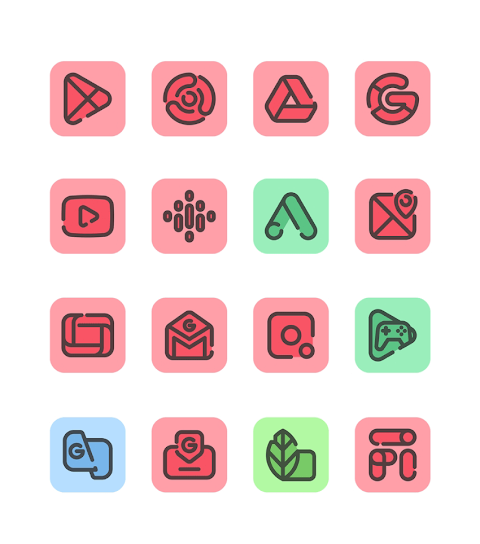
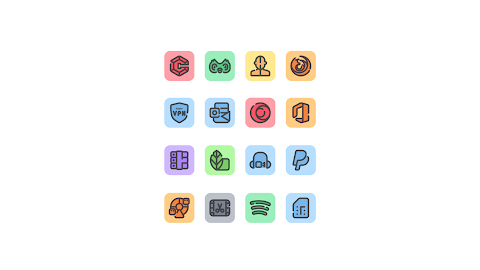
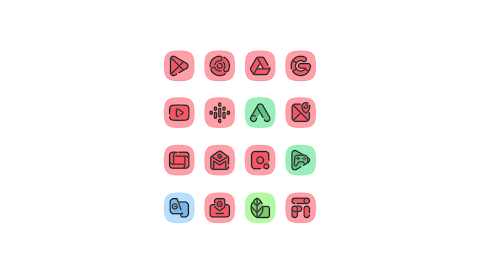
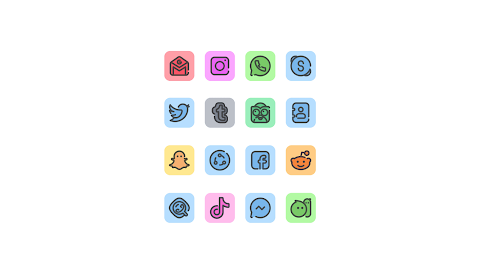
Material You Square Icon Pack is a beautifully designed Square icon pack inspired by the Material You design. It features bright pastel color icons that stand out, with darker color accents in the middle. This combination sets it apart from other similar icon packs.
With over 3,500 high-quality icons at 254x254 pixels, this icon pack is continually growing as updates are rolled out. You will also find downloadable high-quality wallpapers to complement your icons. One of the standout features is the icon request feature, allowing you to request icons for any missing apps easily.
To get started with Material You Square Icon Pack, you'll need a compatible launcher. Nova Launcher and Lawnchair Launcher are suggested, but many others are supported as well. Once you've installed a launcher, open the Material You Square Icon Pack, and apply it directly. If your launcher is not listed, you can change the icon pack from your phone's launcher theme or icon change screen. The Material You Square icon pack will appear in the list for easy selection.
The app provides a user-friendly interface with a nice dashboard for icon pack management. You can quickly preview how the icons look against your current wallpaper using the dashboard preview pane. This feature makes it easy to visualize your setup.
Frequent updates ensure that the icon pack stays fresh and relevant over time. Long-term support is also a priority, so you can expect ongoing improvements and new features. If you run into any issues or need assistance, help is just an email away. The team is dedicated to providing full support in a short turnaround time.
Material You Square Icon Pack works well with a wide range of launchers, including Action Launcher, Evie Launcher, Z Launcher, and Apex Launcher, among others. The app is compatible with Poco Launcher, giving users even more options for customization. When using Nova Launcher, keep in mind that icons may be rounded automatically. You can adjust icon shapes from the Nova theme menu.
Customization goes beyond just the icons. The themed launcher settings allow for personal touches to your overall setup. You can easily make icon shape adjustments to fit your style, enhancing the look of your home screen. With versatile user options, this icon pack accommodates a variety of preferences and tastes.
Overall, the Material You Square Icon Pack offers a unique and stylish way to refresh your device's look. With its mix of high-quality icons, user-friendly features, and robust support, it’s a great choice for anyone looking to customize their device. Enjoy exploring the many possibilities with Material You Square Icon Pack.
With over 3,500 high-quality icons at 254x254 pixels, this icon pack is continually growing as updates are rolled out. You will also find downloadable high-quality wallpapers to complement your icons. One of the standout features is the icon request feature, allowing you to request icons for any missing apps easily.
To get started with Material You Square Icon Pack, you'll need a compatible launcher. Nova Launcher and Lawnchair Launcher are suggested, but many others are supported as well. Once you've installed a launcher, open the Material You Square Icon Pack, and apply it directly. If your launcher is not listed, you can change the icon pack from your phone's launcher theme or icon change screen. The Material You Square icon pack will appear in the list for easy selection.
The app provides a user-friendly interface with a nice dashboard for icon pack management. You can quickly preview how the icons look against your current wallpaper using the dashboard preview pane. This feature makes it easy to visualize your setup.
Frequent updates ensure that the icon pack stays fresh and relevant over time. Long-term support is also a priority, so you can expect ongoing improvements and new features. If you run into any issues or need assistance, help is just an email away. The team is dedicated to providing full support in a short turnaround time.
Material You Square Icon Pack works well with a wide range of launchers, including Action Launcher, Evie Launcher, Z Launcher, and Apex Launcher, among others. The app is compatible with Poco Launcher, giving users even more options for customization. When using Nova Launcher, keep in mind that icons may be rounded automatically. You can adjust icon shapes from the Nova theme menu.
Customization goes beyond just the icons. The themed launcher settings allow for personal touches to your overall setup. You can easily make icon shape adjustments to fit your style, enhancing the look of your home screen. With versatile user options, this icon pack accommodates a variety of preferences and tastes.
Overall, the Material You Square Icon Pack offers a unique and stylish way to refresh your device's look. With its mix of high-quality icons, user-friendly features, and robust support, it’s a great choice for anyone looking to customize their device. Enjoy exploring the many possibilities with Material You Square Icon Pack.

Plush Iconpack – Premium Icons
Stark Designs
$1.39
$0.70

Field Watch 2 Wear OS 5+
OQ Watchfaces
$0.99
$0.49
LineX Icon Pack
JustNewDesigns
$1.59
$0.19