

$7.99
$2.99
63% Off
Inkflow Plus Visual Notebook
Qrayon, LLC

About the App
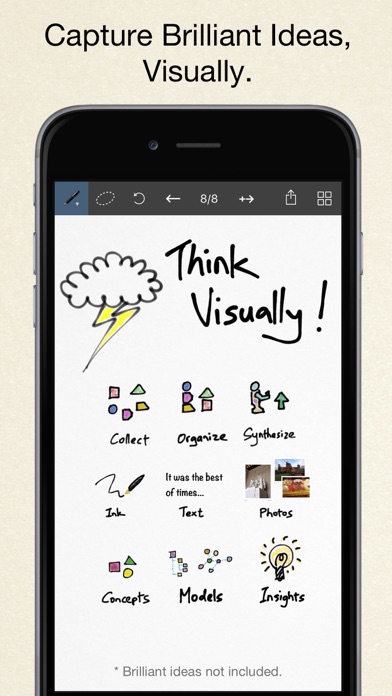
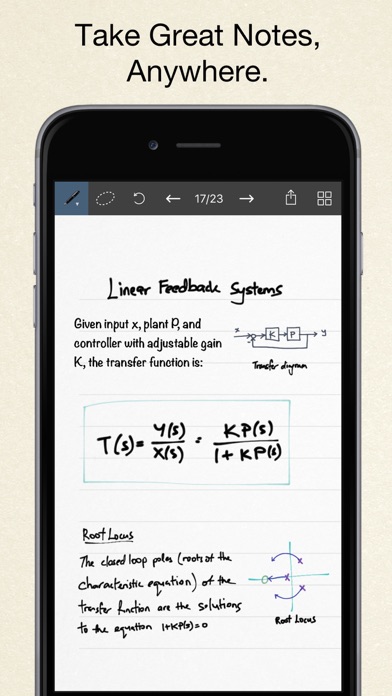
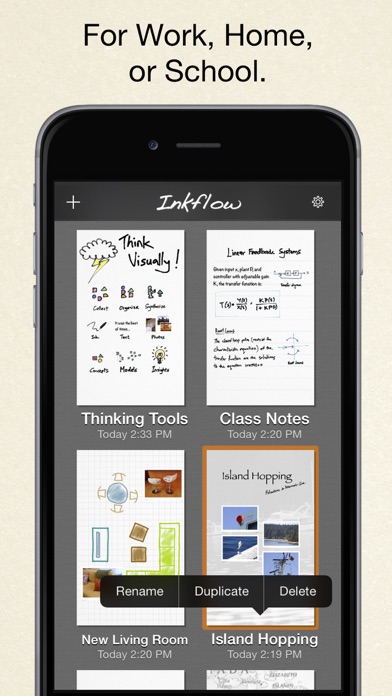
Inkflow Plus Visual Notebook is designed for visual thinkers who want to capture and organize their ideas easily. This app functions like a word processor specifically for digital writing, allowing you to jot down thoughts as if you were using pen and paper. With a simple touch, you can arrange and rearrange your ideas, turning your thoughts into a structured layout.
In this Plus Edition, you will find all the features of the basic version, and more! If you haven't upgraded yet, this version offers everything you need to enhance your workflow.
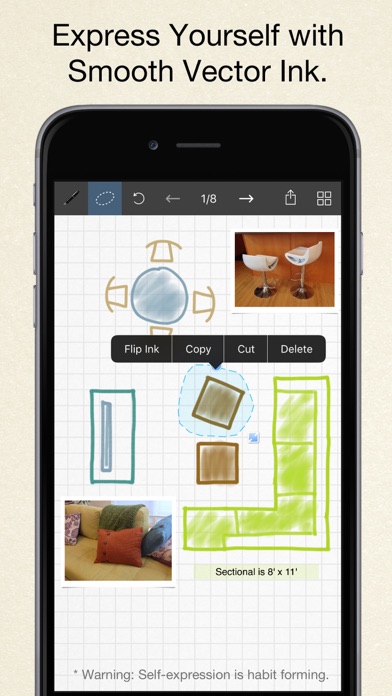
One of the hallmarks of Inkflow is its smooth ink, which feels like using a fountain pen. This makes it perfect for expressive writing or sketching your thoughts. You can quickly scale or move any element you select. This flexibility changes how you think about ink, allowing you to jot down lists and rearrange them effortlessly to see the bigger picture. It’s ideal for brainstorming tools, planning, or even prototyping layouts.
Inkflow Plus includes a full resolution zoom feature. You can zoom in and pan with two fingers while keeping everything sharp. This means that whether you are writing or drawing, you can add fine details without losing quality. The app operates quickly and without lag, which is great for users who want to write or draw with precision, even when using a stylus.
A standout feature of Inkflow Plus is the innovative Inkport tool. With Inkport, you can use your iPad's camera to convert your handwritten notes and sketches into Inkflow's native vector ink. This paper to iPad conversion happens seamlessly, allowing you to integrate materials from multiple sources easily. It dramatically changes the way you can incorporate paper into your workflow.
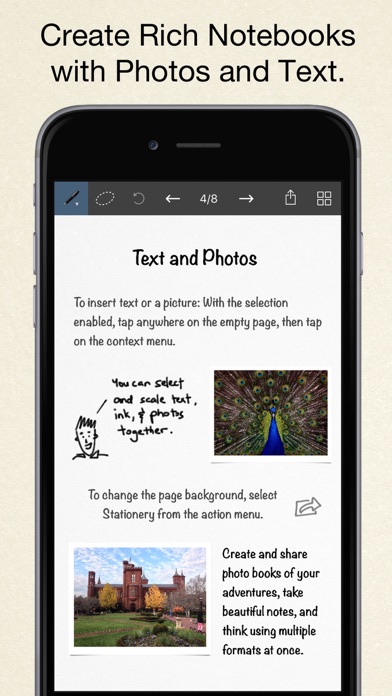
The app also allows for note-taking that extends beyond just writing. You can insert text boxes and photos anywhere on your pages. These elements can be resized seamlessly with your handwritten ink, making it easy to create dynamic layouts. You can also select different custom paper backgrounds to enhance your pages.
Sharing your work is also simple with Inkflow Plus. You can export your notebooks as PDFs or high-resolution JPEGs. Sharing can be done easily via email, Twitter, or other apps, giving you versatile sharing capabilities that make it easy to collaborate or send your work to others.
This Plus Edition comes packed with expanded features. You get access to a customizable color palette, various tools like the Pencil tool, Eraser tool, and Paint Brush tool, as well as the ability to rotate, cut, copy, and paste ink. Page management is straightforward, and you can create notebooks with unlimited pages. Furthermore, you can choose from more than 50 additional fonts available on the iPad, as well as custom paper backgrounds for more personalized designs.
Inkflow Plus is a universal app. Once you upgrade, you can use it on all compatible devices linked to your iTunes account, including the iPad, iPhone, and iPod Touch.
This app is also great for classes, as we developed a standalone Plus Edition to meet the needs of educational institutions. Schools can utilize the volume purchase program, providing easy access for students and educators.
At its core, Inkflow is not just meant for consuming content; it’s a platform for creativity. We are committed to building tools that enhance your creative processes, and we hope that Inkflow helps you unleash your imagination. Enjoy using Inkflow Plus Visual Notebook to bring your ideas to life!
In this Plus Edition, you will find all the features of the basic version, and more! If you haven't upgraded yet, this version offers everything you need to enhance your workflow.
One of the hallmarks of Inkflow is its smooth ink, which feels like using a fountain pen. This makes it perfect for expressive writing or sketching your thoughts. You can quickly scale or move any element you select. This flexibility changes how you think about ink, allowing you to jot down lists and rearrange them effortlessly to see the bigger picture. It’s ideal for brainstorming tools, planning, or even prototyping layouts.
Inkflow Plus includes a full resolution zoom feature. You can zoom in and pan with two fingers while keeping everything sharp. This means that whether you are writing or drawing, you can add fine details without losing quality. The app operates quickly and without lag, which is great for users who want to write or draw with precision, even when using a stylus.
A standout feature of Inkflow Plus is the innovative Inkport tool. With Inkport, you can use your iPad's camera to convert your handwritten notes and sketches into Inkflow's native vector ink. This paper to iPad conversion happens seamlessly, allowing you to integrate materials from multiple sources easily. It dramatically changes the way you can incorporate paper into your workflow.
The app also allows for note-taking that extends beyond just writing. You can insert text boxes and photos anywhere on your pages. These elements can be resized seamlessly with your handwritten ink, making it easy to create dynamic layouts. You can also select different custom paper backgrounds to enhance your pages.
Sharing your work is also simple with Inkflow Plus. You can export your notebooks as PDFs or high-resolution JPEGs. Sharing can be done easily via email, Twitter, or other apps, giving you versatile sharing capabilities that make it easy to collaborate or send your work to others.
This Plus Edition comes packed with expanded features. You get access to a customizable color palette, various tools like the Pencil tool, Eraser tool, and Paint Brush tool, as well as the ability to rotate, cut, copy, and paste ink. Page management is straightforward, and you can create notebooks with unlimited pages. Furthermore, you can choose from more than 50 additional fonts available on the iPad, as well as custom paper backgrounds for more personalized designs.
Inkflow Plus is a universal app. Once you upgrade, you can use it on all compatible devices linked to your iTunes account, including the iPad, iPhone, and iPod Touch.
This app is also great for classes, as we developed a standalone Plus Edition to meet the needs of educational institutions. Schools can utilize the volume purchase program, providing easy access for students and educators.
At its core, Inkflow is not just meant for consuming content; it’s a platform for creativity. We are committed to building tools that enhance your creative processes, and we hope that Inkflow helps you unleash your imagination. Enjoy using Inkflow Plus Visual Notebook to bring your ideas to life!

SwiftDocs: PDF Document Maker
The Basic Software Company
$14.99
$0.99

Invoice Manager
iCubemedia Inc.
$29.99
Salon & Barber Booking Manager
iCubemedia Inc.
$29.99