
$14.99
$0.99
93% Off
SwiftDocs: PDF Document Maker
The Basic Software Company




About the App
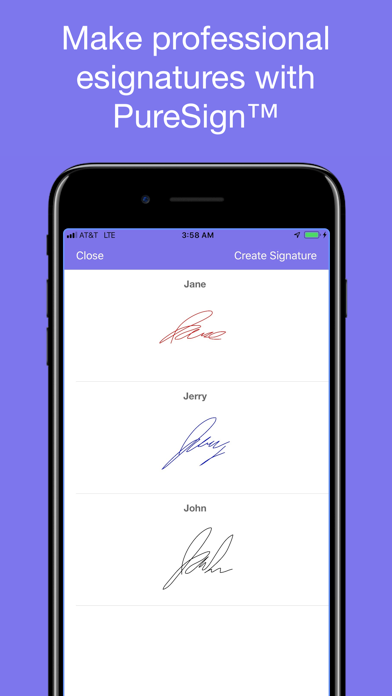
With SwiftDocs, you can easily sign, markup, scan, and convert documents to PDF. This powerful PDF Document Maker gives you the ability to handle documents right from your phone. One of its standout features is the PureSign™ system, which smooths out signatures for a clean and professional look, mimicking the appearance of ink on paper.
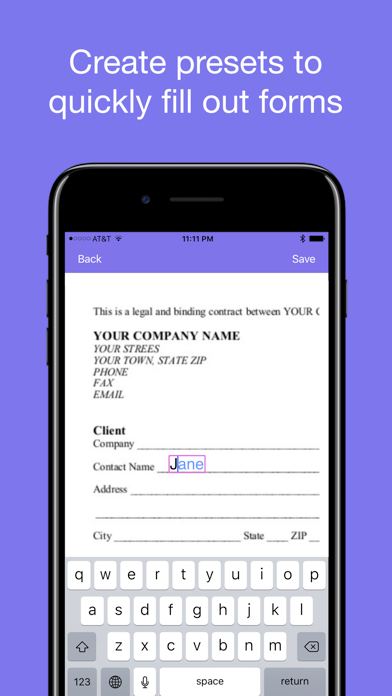
SwiftDocs puts a desktop document management workflow in your pocket. You can quickly markup documents, sign them in just seconds, and avoid the shakiness that often comes with eSignatures. The PureSign™ system ensures that your signature looks professional, so you can sign with confidence. You can also overlay text onto PDFs to fill out forms more efficiently. Using presets for forms allows you to skip typing your name, address, and other repeated information, saving you valuable time.
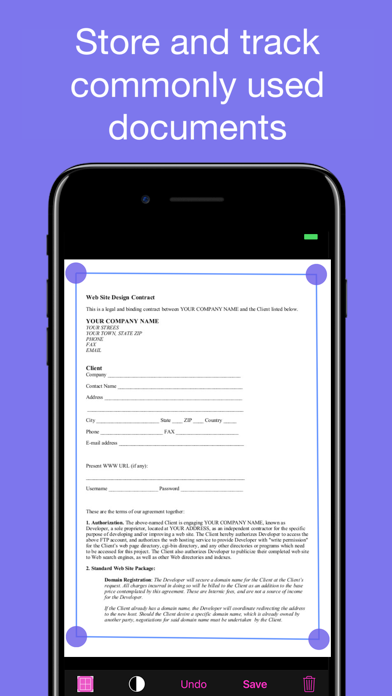
One of the core features of SwiftDocs is its ability to manage documents seamlessly. You can import PDF documents from your email directly into the app. Upon import, you’ll be taken straight to the markup area, allowing for instant document markup. Whether you need to sign important papers or quickly add notes, SwiftDocs supports your needs with Quick Document Signatures. Also, you can create and store signatures digitally, including options for signature color customization.
SwiftDocs makes document scanning simple. You can scan documents and create PDFs that are ready for printing, emailing, or Airdrop document functionality. If you have multiple documents to work with, the SwiftMarkup feature assists you in marking up a one-page document quickly. This means you can scan and send documents right away, making the app an excellent portable document solution for anyone on the go.
For even more convenience, SwiftDocs supports iCloud storage for documents. This lets you store your files securely and access them whenever needed. If you want to read a longer document, you can save it to iBooks with just one tap. The app is designed for mobile document editing, so you can handle your paperwork without the hassle of a computer, printer, or scanner.
In summary, SwiftDocs enhances your document editing convenience. From quick signing to efficient form filling and portable PDF conversion, it streamlines the entire process for you. You have instant access to signatures and important documents, enabling you to stay productive wherever you are. Plus, you can use the app without creating an account, which means one less password to remember and no personal data stored with the app.
Make your mark with SwiftDocs and experience the convenience of on-the-go document management. Whether it’s signing, marking up, or sharing documents, SwiftDocs is here to simplify your life. Download the app today and discover how it can meet the needs of your busy day!
SwiftDocs puts a desktop document management workflow in your pocket. You can quickly markup documents, sign them in just seconds, and avoid the shakiness that often comes with eSignatures. The PureSign™ system ensures that your signature looks professional, so you can sign with confidence. You can also overlay text onto PDFs to fill out forms more efficiently. Using presets for forms allows you to skip typing your name, address, and other repeated information, saving you valuable time.
One of the core features of SwiftDocs is its ability to manage documents seamlessly. You can import PDF documents from your email directly into the app. Upon import, you’ll be taken straight to the markup area, allowing for instant document markup. Whether you need to sign important papers or quickly add notes, SwiftDocs supports your needs with Quick Document Signatures. Also, you can create and store signatures digitally, including options for signature color customization.
SwiftDocs makes document scanning simple. You can scan documents and create PDFs that are ready for printing, emailing, or Airdrop document functionality. If you have multiple documents to work with, the SwiftMarkup feature assists you in marking up a one-page document quickly. This means you can scan and send documents right away, making the app an excellent portable document solution for anyone on the go.
For even more convenience, SwiftDocs supports iCloud storage for documents. This lets you store your files securely and access them whenever needed. If you want to read a longer document, you can save it to iBooks with just one tap. The app is designed for mobile document editing, so you can handle your paperwork without the hassle of a computer, printer, or scanner.
In summary, SwiftDocs enhances your document editing convenience. From quick signing to efficient form filling and portable PDF conversion, it streamlines the entire process for you. You have instant access to signatures and important documents, enabling you to stay productive wherever you are. Plus, you can use the app without creating an account, which means one less password to remember and no personal data stored with the app.
Make your mark with SwiftDocs and experience the convenience of on-the-go document management. Whether it’s signing, marking up, or sharing documents, SwiftDocs is here to simplify your life. Download the app today and discover how it can meet the needs of your busy day!
PDF Reader Pro Edition®
iTECH DEVELOPMENT SYSTEMS INC.
$1.99

SwiftCall: Auto Dialer & CRM
The Basic Software Company
$7.99
$3.99
PDF Studio Editor: Scan & Sign
MULTI MOBILE Ltd
$0.99