
$0.99
FREE
100% Off
PDF Studio Editor: Scan & Sign
MULTI MOBILE Ltd

About the App
With PDF Studio Editor: Scan & Sign, you can create, scan, and edit PDFs right on your iPhone and iPad. This app is designed to help you manage your documents in a modern workspace. You can bring together documents, scans, photos, templates, and markup into one editable PDF project. The beauty of this app is that when you import PDF pages, they stay intact as backgrounds while you add your edits on top.
You can start your work by choosing from various options. Whether you want a blank page in A4, US Letter, or Legal size, you have the freedom to create custom pages too. For those who prefer to use templates, there are great options for notes, reports, presentations, and checklists. If you have multi-page documents, the app provides powerful features for multi-page document scanning. You can also scan your documents using on-device OCR, which makes supported scans searchable, ensuring you always find what you need. Additionally, PDF Studio Editor allows you to turn your photos into ordered PDF pages, making photo to PDF conversion simple.
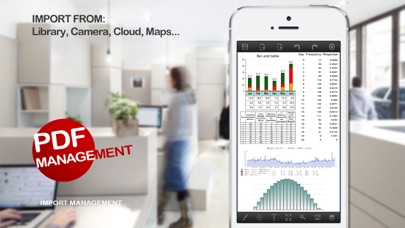
Importing PDFs is also a breeze. You can easily import your PDFs through various sources such as Files, iCloud Drive, Google Drive, OneDrive, Dropbox, and other installed File Providers. This flexibility ensures that your important documents are always at your fingertips.
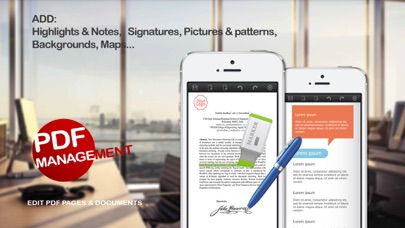
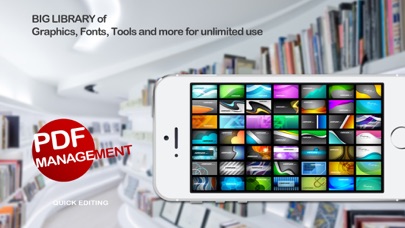
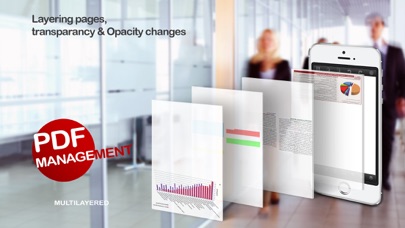
When it comes to editing and annotation, PDF Studio Editor excels. You can highlight and annotate your documents using a pen or Apple Pencil. The app includes document markup features that let you draw lines, arrows, shapes, and even use whiteout. There are also movable text boxes that allow you to customize font, color, alignment, and opacity to fit your needs. If you want to add personal touches, you can import and save signatures locally, making signatures editing a quick task. You can also add photos, stamps, map snapshots, templates, and backgrounds, giving you full control over your document’s look. Furthermore, you can move, resize, rotate, duplicate, lock, hide, and reorder editable layers easily.
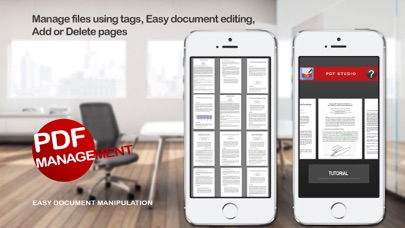
Organizing your pages is simple with PDF Studio Editor. You can reorder PDF pages, rotate, duplicate, delete, and insert new pages as needed. This includes adding blank pages, templates, scans, photos, or pages from imported PDFs. For those who have multiple pages, you can add bookmarks and select multiple pages for batch actions, streamlining your workflow.
When you’re ready to share your work, PDF Studio Editor offers various export options. You can export a standard PDF that maintains compatible annotations or choose to create a flattened PDF for consistent viewing across devices. There's also the option to save an editable PDF Studio project for later changes. You can export selected pages or even all pages as PNG or JPEG files. Sharing your work is straightforward, whether you prefer to use Files, Mail, AirDrop, printing, or other installed apps.
One of the standout features of PDF Studio Editor is its reliability during local work. Your projects are auto-saved, and recovery support ensures you don't lose your progress. All document processing tasks, including OCR and stored signatures, remain on your device until you decide to export or share them.
In summary, PDF Studio Editor: Scan & Sign is an all-in-one solution for your PDF needs. Whether you're creating, organizing, editing, or sharing documents, this iPhone and iPad app makes everything easy and efficient. With its powerful features and user-friendly interface, you can manage your documents effortlessly.
You can start your work by choosing from various options. Whether you want a blank page in A4, US Letter, or Legal size, you have the freedom to create custom pages too. For those who prefer to use templates, there are great options for notes, reports, presentations, and checklists. If you have multi-page documents, the app provides powerful features for multi-page document scanning. You can also scan your documents using on-device OCR, which makes supported scans searchable, ensuring you always find what you need. Additionally, PDF Studio Editor allows you to turn your photos into ordered PDF pages, making photo to PDF conversion simple.
Importing PDFs is also a breeze. You can easily import your PDFs through various sources such as Files, iCloud Drive, Google Drive, OneDrive, Dropbox, and other installed File Providers. This flexibility ensures that your important documents are always at your fingertips.
When it comes to editing and annotation, PDF Studio Editor excels. You can highlight and annotate your documents using a pen or Apple Pencil. The app includes document markup features that let you draw lines, arrows, shapes, and even use whiteout. There are also movable text boxes that allow you to customize font, color, alignment, and opacity to fit your needs. If you want to add personal touches, you can import and save signatures locally, making signatures editing a quick task. You can also add photos, stamps, map snapshots, templates, and backgrounds, giving you full control over your document’s look. Furthermore, you can move, resize, rotate, duplicate, lock, hide, and reorder editable layers easily.
Organizing your pages is simple with PDF Studio Editor. You can reorder PDF pages, rotate, duplicate, delete, and insert new pages as needed. This includes adding blank pages, templates, scans, photos, or pages from imported PDFs. For those who have multiple pages, you can add bookmarks and select multiple pages for batch actions, streamlining your workflow.
When you’re ready to share your work, PDF Studio Editor offers various export options. You can export a standard PDF that maintains compatible annotations or choose to create a flattened PDF for consistent viewing across devices. There's also the option to save an editable PDF Studio project for later changes. You can export selected pages or even all pages as PNG or JPEG files. Sharing your work is straightforward, whether you prefer to use Files, Mail, AirDrop, printing, or other installed apps.
One of the standout features of PDF Studio Editor is its reliability during local work. Your projects are auto-saved, and recovery support ensures you don't lose your progress. All document processing tasks, including OCR and stored signatures, remain on your device until you decide to export or share them.
In summary, PDF Studio Editor: Scan & Sign is an all-in-one solution for your PDF needs. Whether you're creating, organizing, editing, or sharing documents, this iPhone and iPad app makes everything easy and efficient. With its powerful features and user-friendly interface, you can manage your documents effortlessly.

Super Investor
John Mirochnik
$9.99
Air Share Wifi File Transfer
Dropouts Technologies LLP
$1.99
Free

Solid Calendar
Solid Apps S.R.L.
$4.99