
$1.99
$1.00
50% Off
CELEST5616 Retro Digital Watch
CELEST Watches

About the App
The CELEST5616 Retro Digital Watch is a rugged digital watch designed for those who appreciate tough and functional designs. This watch features a command-center layout inspired by legendary digital watches, with segmented compartments and a high-density LCD readout. It is compatible with Wear OS 5+ devices, including the Galaxy Watch and Pixel Watch.
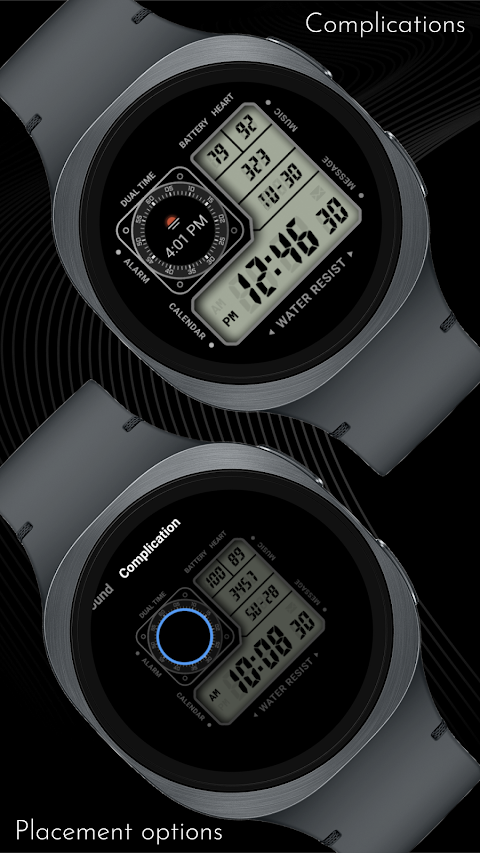
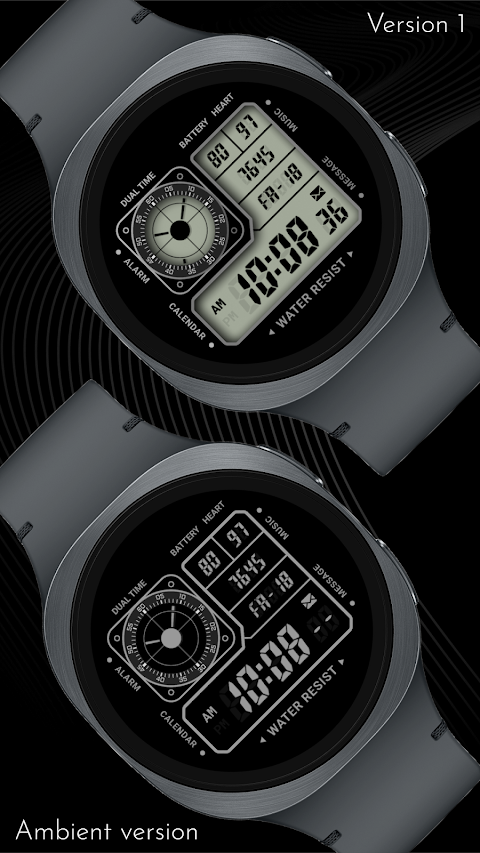
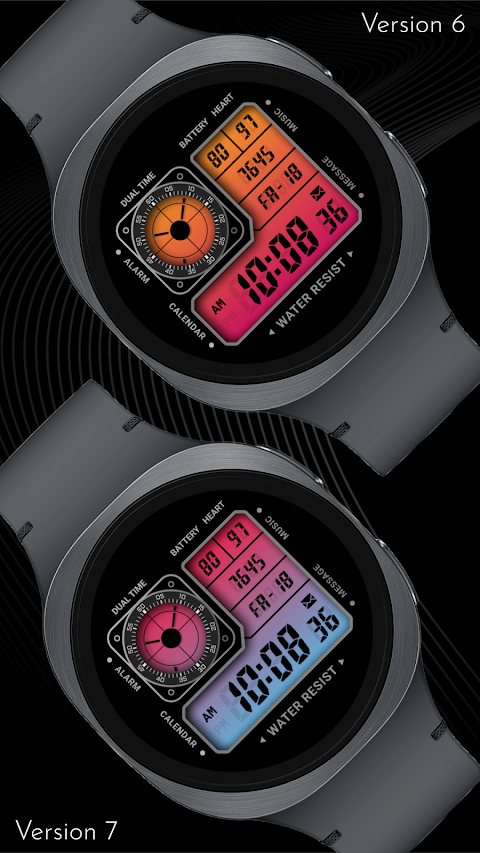
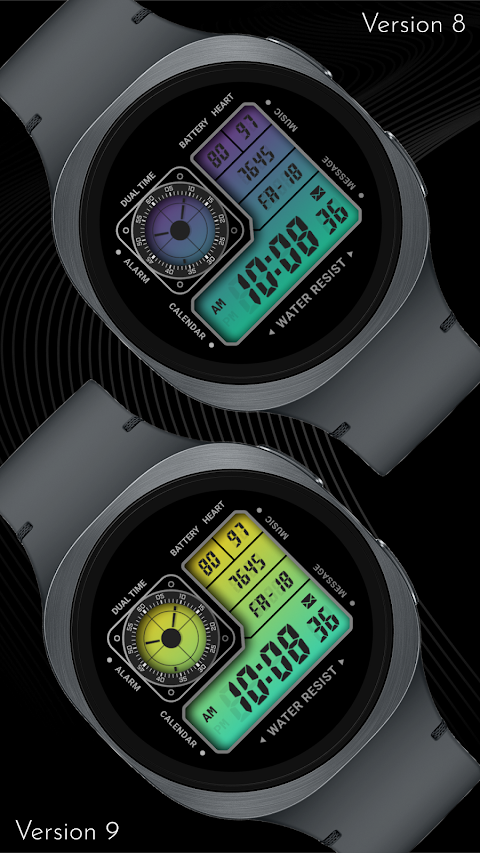
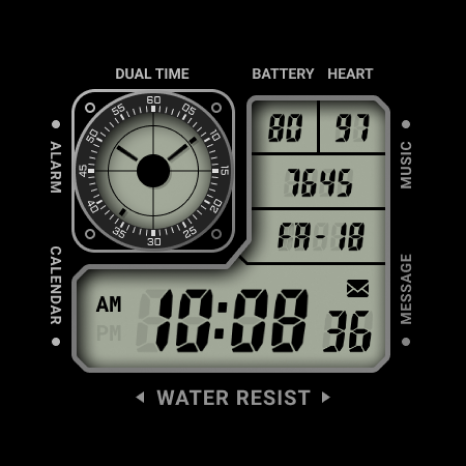
The watch's dial is divided into distinct panels. One panel includes an analog dual-time window, which is positioned at the top left behind a compass-style rotating scale. Right next to it, you have a panel that shows your battery status, heart rate, step count, and the current day and date in clear segmented digits. The main LCD panel at the bottom displays the AM/PM time, seconds, and even has a message indicator. You can access important functions quickly thanks to tappable shortcuts for Alarm, Calendar, Music, and Messages that are printed around the rim of the watch.
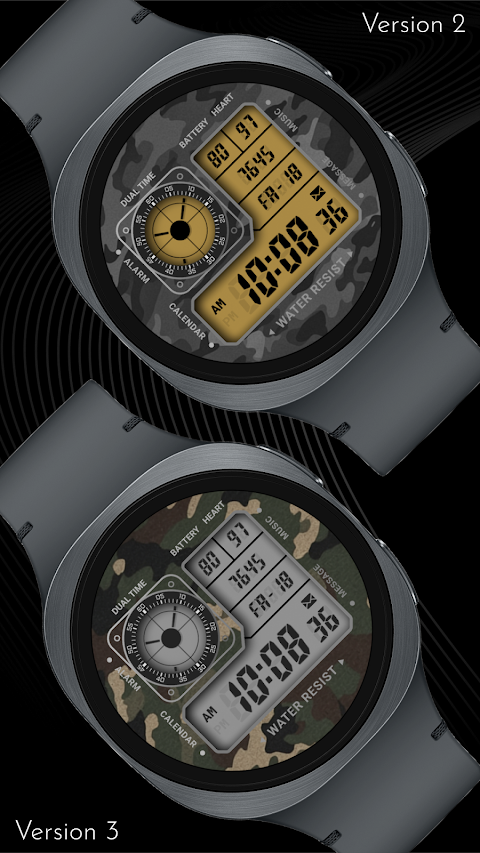
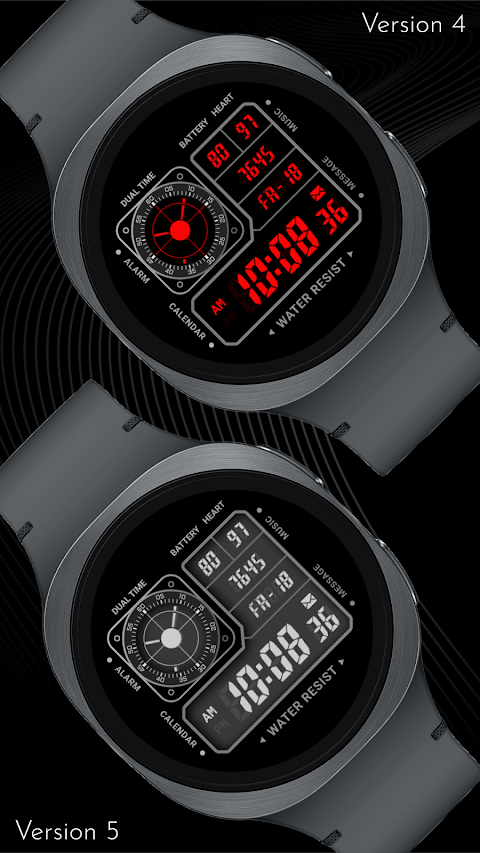
Customization is a major feature of the CELEST5616 Retro Digital Watch. You have nine camo background options to choose from, along with ten different LCD colors and nine LCD gradient options. There are also two choices for LCD divider colors and 22 text colors. This means you can easily mix and match these features to match your gear or express your mood.
The CELEST5616 Retro Digital Watch is compatible with a wide range of devices. This includes Google Pixel Watch models 1 through 5, OnePlus Watch models 2 through 4, Oppo Watch X2 and X3, and several models in the Samsung Galaxy Watch series—from the Galaxy Watch 4 to 8, including Classic and Ultra versions. It even works with the Xiaomi Watch 2, 2 Pro, and 5.
Another handy feature is the option to hide the analog dual-time display if you wish to add a circular complication in its place. This gives you even more ways to personalize your watch face.
If you're looking to explore more about the CELEST5616 Retro Digital Watch or the rest of the CELEST collection, you can use our CELEST catalog app. This app showcases all available watch faces, including those for Wear OS, HUAWEI, and Apple Watch, along with other tools.
If you have any trouble installing the watch face, we’re here to help. You can use the dropdown menu next to "Install" on your phone to choose your watch model or install directly from your watch's Play Store app. If your watch face displays weather data, keep in mind that it might take some time to update after installation. A good tip is to switch to another watch face and back again or restart both the watch and your phone.
For further assistance, check our installation troubleshooting guide, where you can find useful tips. You can also reach out to us at info@celest-watches.com for quick support.
Join our support community by following @celestwatches on Instagram, and don't forget to subscribe to our newsletter to be updated on new releases and exclusive deals. The CELEST5616 Retro Digital Watch is more than just a watch; it’s a tool that combines style and functionality for those who appreciate thoughtful design.
The watch's dial is divided into distinct panels. One panel includes an analog dual-time window, which is positioned at the top left behind a compass-style rotating scale. Right next to it, you have a panel that shows your battery status, heart rate, step count, and the current day and date in clear segmented digits. The main LCD panel at the bottom displays the AM/PM time, seconds, and even has a message indicator. You can access important functions quickly thanks to tappable shortcuts for Alarm, Calendar, Music, and Messages that are printed around the rim of the watch.
Customization is a major feature of the CELEST5616 Retro Digital Watch. You have nine camo background options to choose from, along with ten different LCD colors and nine LCD gradient options. There are also two choices for LCD divider colors and 22 text colors. This means you can easily mix and match these features to match your gear or express your mood.
The CELEST5616 Retro Digital Watch is compatible with a wide range of devices. This includes Google Pixel Watch models 1 through 5, OnePlus Watch models 2 through 4, Oppo Watch X2 and X3, and several models in the Samsung Galaxy Watch series—from the Galaxy Watch 4 to 8, including Classic and Ultra versions. It even works with the Xiaomi Watch 2, 2 Pro, and 5.
Another handy feature is the option to hide the analog dual-time display if you wish to add a circular complication in its place. This gives you even more ways to personalize your watch face.
If you're looking to explore more about the CELEST5616 Retro Digital Watch or the rest of the CELEST collection, you can use our CELEST catalog app. This app showcases all available watch faces, including those for Wear OS, HUAWEI, and Apple Watch, along with other tools.
If you have any trouble installing the watch face, we’re here to help. You can use the dropdown menu next to "Install" on your phone to choose your watch model or install directly from your watch's Play Store app. If your watch face displays weather data, keep in mind that it might take some time to update after installation. A good tip is to switch to another watch face and back again or restart both the watch and your phone.
For further assistance, check our installation troubleshooting guide, where you can find useful tips. You can also reach out to us at info@celest-watches.com for quick support.
Join our support community by following @celestwatches on Instagram, and don't forget to subscribe to our newsletter to be updated on new releases and exclusive deals. The CELEST5616 Retro Digital Watch is more than just a watch; it’s a tool that combines style and functionality for those who appreciate thoughtful design.
EXD204: Personal Watch Face
Executive Design Watch Face
$1.49
ZKin Watch Bright Function
ZKin
$2.99
$1.49

Engine Watch Face
amoledwatchfaces™
$1.49
$0.75