
$1.99
$1.00
50% Off
CELEST5593 Retro Digital Watch
CELEST Watches

About the App
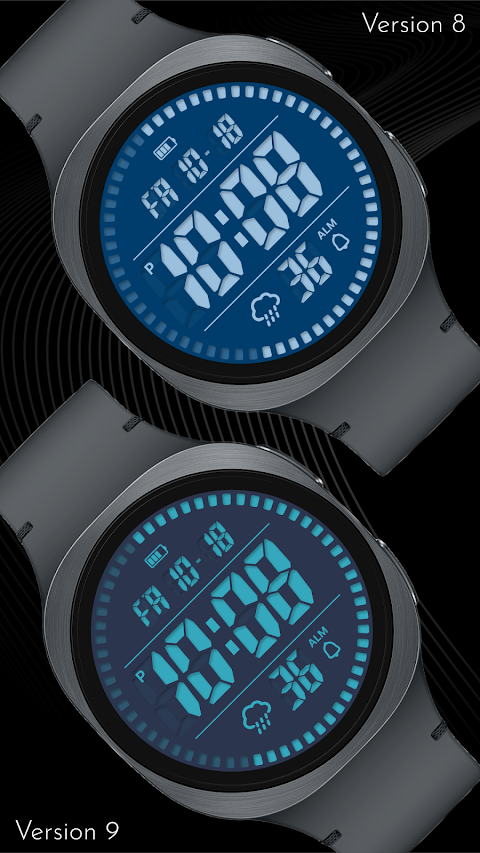
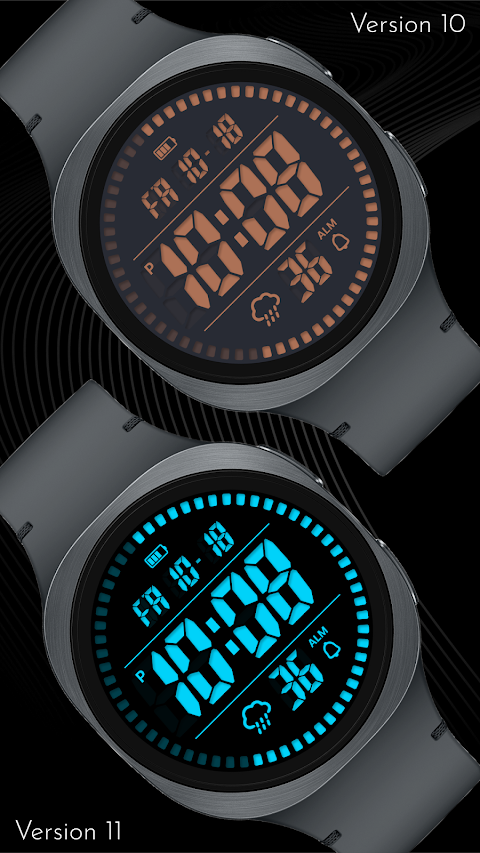
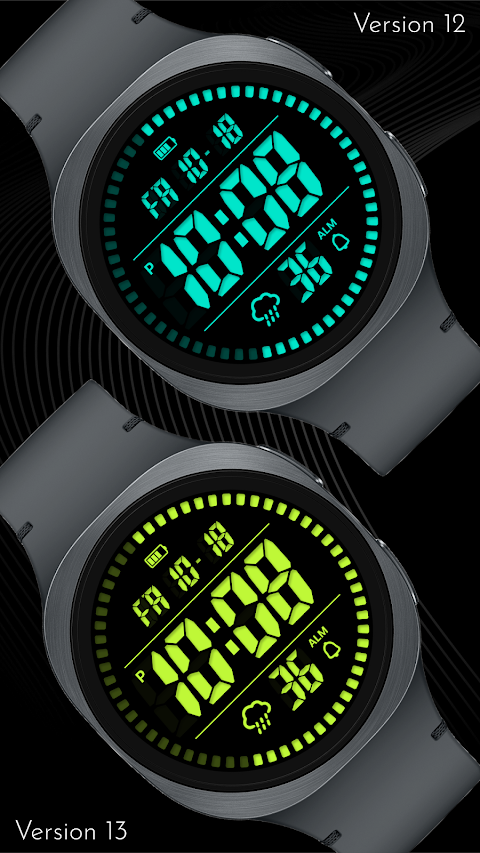
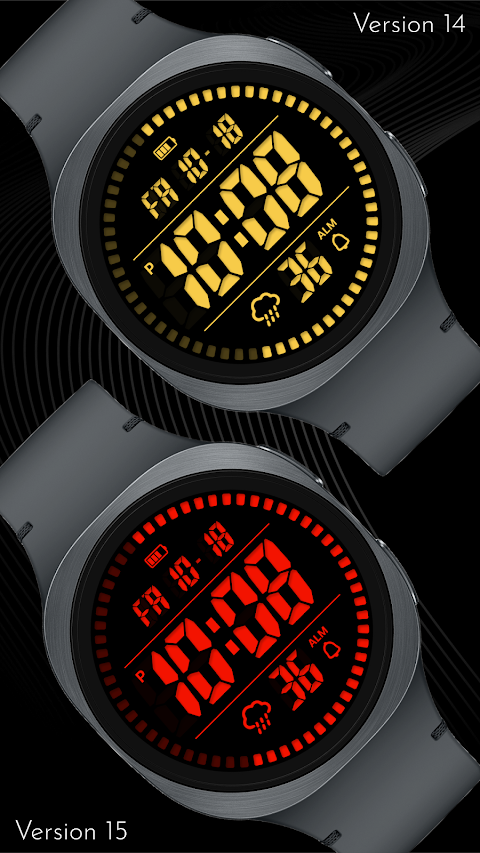
The CELEST5593 Retro Digital Watch takes a modern spin on classic timekeeping. It features tall LCD digits, giving you a clear view of the time while keeping some unlit segments visible, just like how a liquid-crystal panel appears in daylight. To enjoy the weather functions, you'll need a device with Wear OS 5+—this includes popular options like the Galaxy Watch, Pixel Watch, and other compatible Wear OS devices.
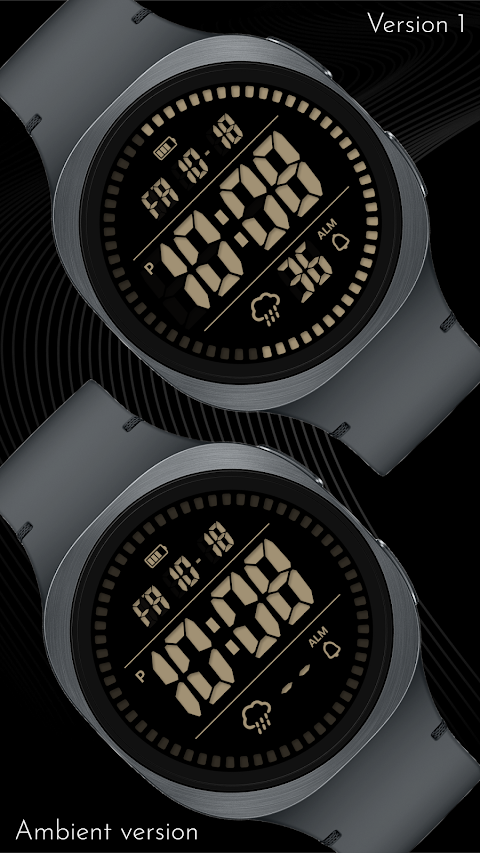
The watch face divides into three bands. At the top, you’ll find a battery indicator and the date. The middle section shows the hours and minutes, along with an AM/PM marker on the left. At the bottom, there’s a weather icon, a seconds counter, and an alarm indicator. The design includes an animated outer ring of markers that advances with the seconds, creating a dynamic look while seamlessly displaying the time. You can easily switch between a 12-hour time format with AM/PM and a 24-hour time format, depending on your preference. The date can also be viewed in either US (MM-DD) or European (DD-MM) format.
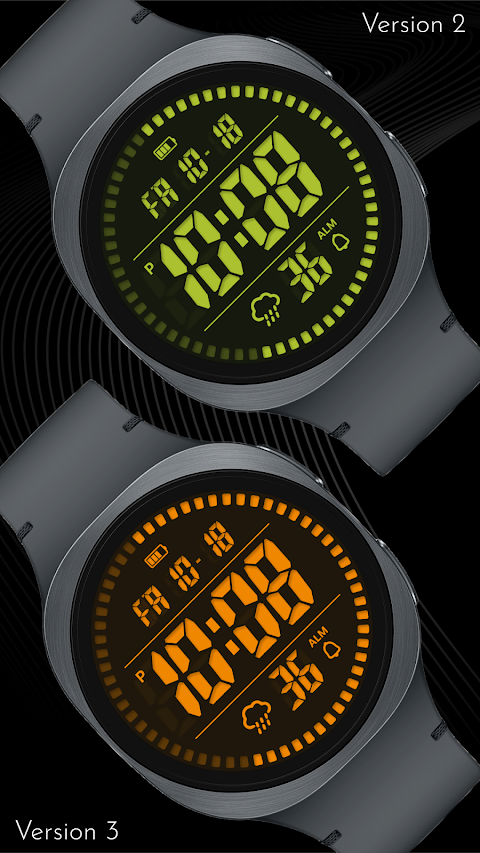
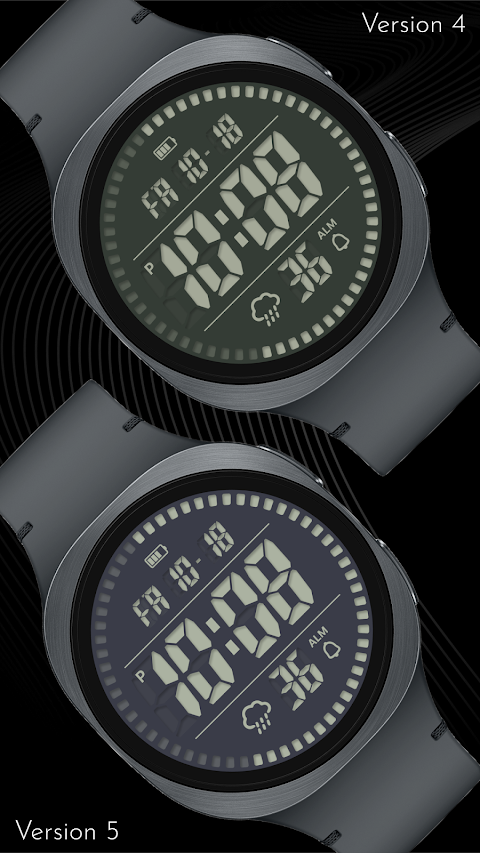
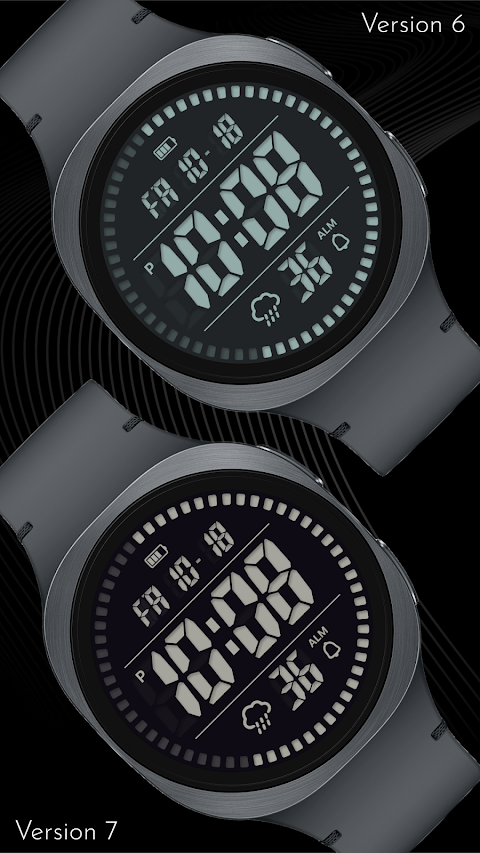
One of the standout features of the CELEST5593 is the variety of customization options available. With 30 color combinations, you can match the watch face to your style or mood. There is also a slot above the weather icon that lets you set a shortcut for your favorite weather app. However, there are no additional customizable complications, ensuring that the segmented layout stays intact.
For ease of use, the watch offers several tap shortcuts. Tapping the battery icon opens your battery details. The date opens your calendar, while the weather icon connects you to the latest forecast. The alarm indicator lets you quickly check or set your alarms.
The CELEST5593 is compatible with a range of smartwatches, including the Google Pixel Watch and its models 2 through 5, the OnePlus Watch 2 series, the Oppo Watch X2, and the Samsung Galaxy Watch 4, among others like the Xiaomi Watch 2 Pro. This wide compatibility means that many users can enjoy the retro digital watch.
If you're newly installing the CELEST5593 or encountering issues, we offer installation help. Just use the dropdown menu next to the "Install" button on your phone to select your specific watch model, or install directly from the Play Store on your watch. It’s important to note that updating weather data may take a little while after installation, but switching to a different watch face for a moment and then returning usually resolves this problem. For detailed installation troubleshooting, please visit our guide online.
If you need assistance, our support team is ready to help. You can contact us at info@celest-watches.com for quick support options. Make sure to follow @celestwatches on Instagram and subscribe to our newsletter for updates on new releases and special deals, including our current Bogo promotion.
Explore the complete CELEST collection effortlessly. The dedicated CELEST Catalog app lets you browse all available Wear OS faces along with other tools. Enjoy a blend of modern technology and retro charm with the CELEST5593 Retro Digital Watch, designed to cater to every user's needs and preferences.
The watch face divides into three bands. At the top, you’ll find a battery indicator and the date. The middle section shows the hours and minutes, along with an AM/PM marker on the left. At the bottom, there’s a weather icon, a seconds counter, and an alarm indicator. The design includes an animated outer ring of markers that advances with the seconds, creating a dynamic look while seamlessly displaying the time. You can easily switch between a 12-hour time format with AM/PM and a 24-hour time format, depending on your preference. The date can also be viewed in either US (MM-DD) or European (DD-MM) format.
One of the standout features of the CELEST5593 is the variety of customization options available. With 30 color combinations, you can match the watch face to your style or mood. There is also a slot above the weather icon that lets you set a shortcut for your favorite weather app. However, there are no additional customizable complications, ensuring that the segmented layout stays intact.
For ease of use, the watch offers several tap shortcuts. Tapping the battery icon opens your battery details. The date opens your calendar, while the weather icon connects you to the latest forecast. The alarm indicator lets you quickly check or set your alarms.
The CELEST5593 is compatible with a range of smartwatches, including the Google Pixel Watch and its models 2 through 5, the OnePlus Watch 2 series, the Oppo Watch X2, and the Samsung Galaxy Watch 4, among others like the Xiaomi Watch 2 Pro. This wide compatibility means that many users can enjoy the retro digital watch.
If you're newly installing the CELEST5593 or encountering issues, we offer installation help. Just use the dropdown menu next to the "Install" button on your phone to select your specific watch model, or install directly from the Play Store on your watch. It’s important to note that updating weather data may take a little while after installation, but switching to a different watch face for a moment and then returning usually resolves this problem. For detailed installation troubleshooting, please visit our guide online.
If you need assistance, our support team is ready to help. You can contact us at info@celest-watches.com for quick support options. Make sure to follow @celestwatches on Instagram and subscribe to our newsletter for updates on new releases and special deals, including our current Bogo promotion.
Explore the complete CELEST collection effortlessly. The dedicated CELEST Catalog app lets you browse all available Wear OS faces along with other tools. Enjoy a blend of modern technology and retro charm with the CELEST5593 Retro Digital Watch, designed to cater to every user's needs and preferences.
MJ152 Classic Analog
MJ Watchfaces
$0.99
$0.69

DADAM56: Digital Watch Face
DADAM Watch Faces
$1.89
$0.95
ZKin Watch Minimalist Black
ZKin
$2.99
$1.49