
$2.99
$1.99
33% Off
eXtra Voice Recorder Pro
Denys Ievenko

About the App
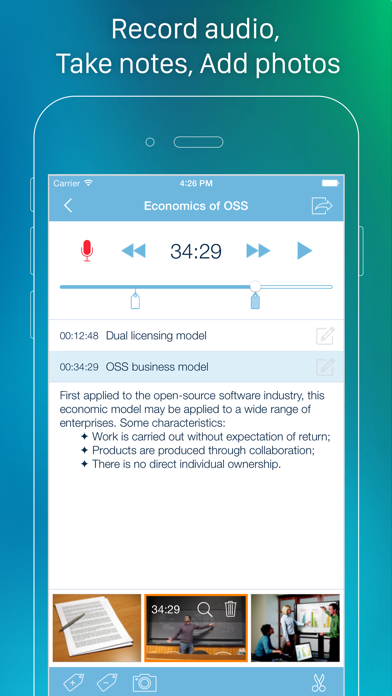
eXtra Voice Recorder Pro is a versatile app that combines an audio recorder, a multi-functional audio editor, and an easy-to-use audio files manager. With eXtra Voice Recorder Pro, you can keep all your recordings neatly organized and easily accessible. This app is designed for those who need to capture audio on the go, whether for meetings, lectures, interviews, or personal notes.
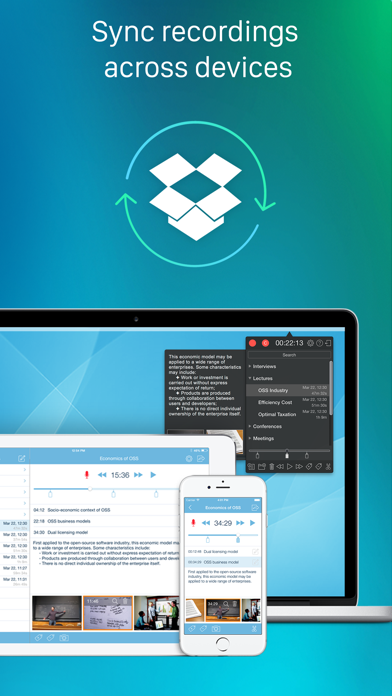
One of the standout features of eXtra Voice Recorder Pro is its cloud storage integration. This means you can save your recordings directly to the cloud, making them available from any device whenever you need them. You also have the ability to sync recordings across devices, including your iPhone, iPad, and Mac. This ensures all your recordings are up-to-date and ready for you, no matter where you are.
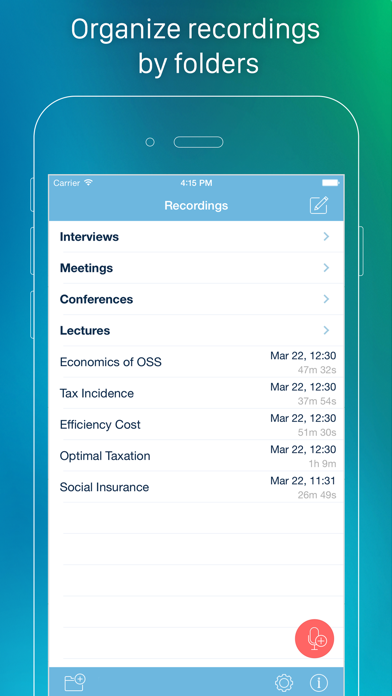
Navigating your recordings is simple. The app allows for recording bookmarking, so you can mark important sections for easy access later. You can also add voice recording notes and use metadata tags for recordings, which can be helpful for categorizing and finding your files later. The built-in search functionality lets you quickly locate recordings by their titles or comments.
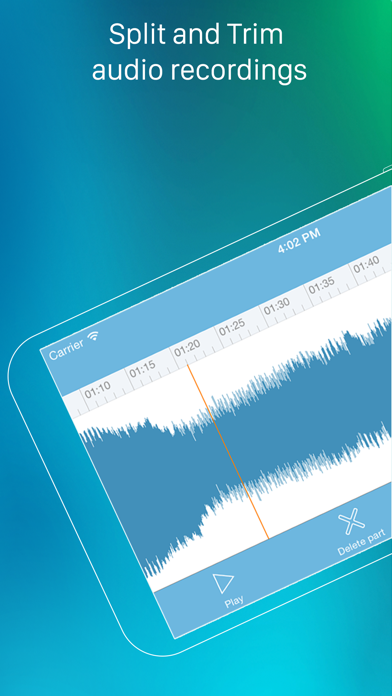
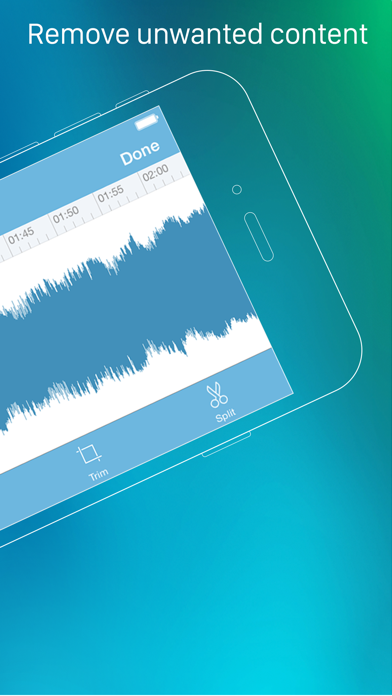
eXtra Voice Recorder Pro supports recording in high-quality m4a files, ensuring that your audio comes out clear and crisp. Plus, you have control over recording quality adjustment depending on your needs. When it comes to editing, you can easily split and trim audio clips, allowing you to keep only the parts that matter most.
Sharing your recordings is a breeze thanks to instant file sharing options. You can send files via Wi-Fi recording sharing, AirDrop, Messages, Email, or even use iTunes File Sharing. Whether you want to share a lecture with classmates or a meeting with colleagues, it's just a few taps away.
Another helpful feature is the ability to attach photos to your recordings. This means you can keep relevant visuals synced with your audio files, enhancing your notes. The app also allows you to import recordings from other apps, making it easy to consolidate all your audio content.
For those times you need to record on the go, eXtra Voice Recorder Pro has a background recording feature. You can record even when your device is locked or when using other applications, ensuring you don’t miss any important audio.
The app also offers variable speed audio scrubbing, allowing you to adjust playback speed when reviewing your recordings. This can be especially useful for transcribing lengthy audio or understanding fast-paced dialogue.
eXtra Voice Recorder Pro includes compatibility with iPod touch and supports various cloud services like Dropbox and Google Drive. You can even upload your recordings to Evernote for further organization.
Lastly, the app supports 3D Touch Menu for quick access to key features, making it even easier to use. Overall, eXtra Voice Recorder Pro is a comprehensive tool for anyone who needs a reliable and efficient way to record, manage, and share audio. With its user-friendly design and powerful features, it is ideal for students, professionals, and anyone looking to capture high-quality audio effortlessly.
One of the standout features of eXtra Voice Recorder Pro is its cloud storage integration. This means you can save your recordings directly to the cloud, making them available from any device whenever you need them. You also have the ability to sync recordings across devices, including your iPhone, iPad, and Mac. This ensures all your recordings are up-to-date and ready for you, no matter where you are.
Navigating your recordings is simple. The app allows for recording bookmarking, so you can mark important sections for easy access later. You can also add voice recording notes and use metadata tags for recordings, which can be helpful for categorizing and finding your files later. The built-in search functionality lets you quickly locate recordings by their titles or comments.
eXtra Voice Recorder Pro supports recording in high-quality m4a files, ensuring that your audio comes out clear and crisp. Plus, you have control over recording quality adjustment depending on your needs. When it comes to editing, you can easily split and trim audio clips, allowing you to keep only the parts that matter most.
Sharing your recordings is a breeze thanks to instant file sharing options. You can send files via Wi-Fi recording sharing, AirDrop, Messages, Email, or even use iTunes File Sharing. Whether you want to share a lecture with classmates or a meeting with colleagues, it's just a few taps away.
Another helpful feature is the ability to attach photos to your recordings. This means you can keep relevant visuals synced with your audio files, enhancing your notes. The app also allows you to import recordings from other apps, making it easy to consolidate all your audio content.
For those times you need to record on the go, eXtra Voice Recorder Pro has a background recording feature. You can record even when your device is locked or when using other applications, ensuring you don’t miss any important audio.
The app also offers variable speed audio scrubbing, allowing you to adjust playback speed when reviewing your recordings. This can be especially useful for transcribing lengthy audio or understanding fast-paced dialogue.
eXtra Voice Recorder Pro includes compatibility with iPod touch and supports various cloud services like Dropbox and Google Drive. You can even upload your recordings to Evernote for further organization.
Lastly, the app supports 3D Touch Menu for quick access to key features, making it even easier to use. Overall, eXtra Voice Recorder Pro is a comprehensive tool for anyone who needs a reliable and efficient way to record, manage, and share audio. With its user-friendly design and powerful features, it is ideal for students, professionals, and anyone looking to capture high-quality audio effortlessly.
Image to PDF – PNG to PDF
TAPUNIVERSE
$2.99
$0.15

Roster-Calendar Pro
Michael Heinz
$5.99
$4.49

iWriter Pro
Serpensoft Group
$5.99
$2.99