

$5.99
$2.99
50% Off
iWriter Pro
Serpensoft Group



About the App
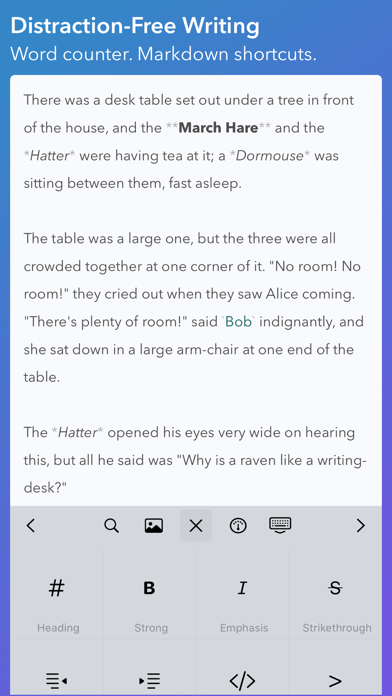
iWriter Pro is a sleek and minimalist text editor designed for users who appreciate a clean interface. It focuses on providing a distraction-free writing experience without any subscription fees. Whether you are working on a blog post, a story, or any kind of document, this app offers the essential features you need.
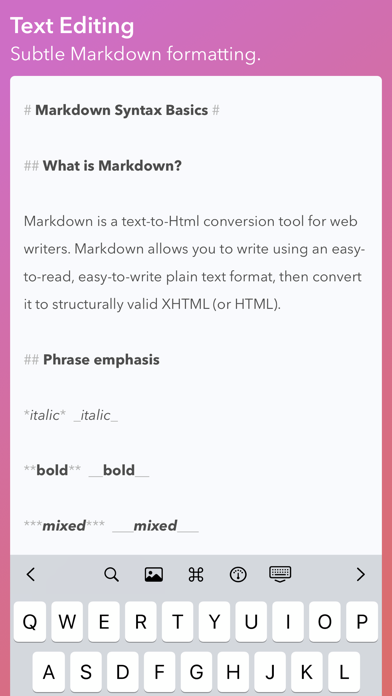
One standout feature of iWriter Pro is its built-in Markdown support, allowing you to format your text easily. As you type, you can see live Markdown syntax highlighting. This feature helps you understand how your text will look once formatted. Additionally, it includes an HTML preview for both Markdown and multiMarkdown documents, making it simple to visualize your work.
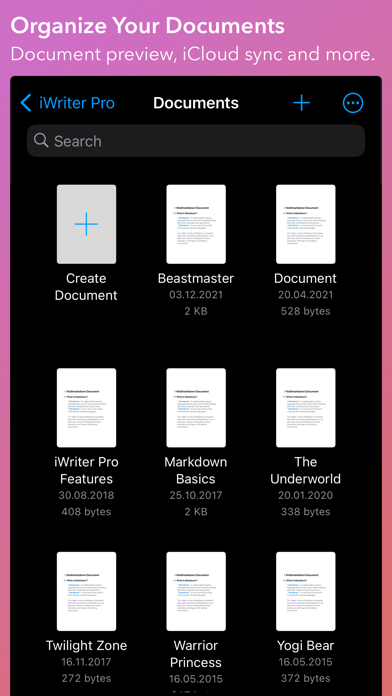
iWriter Pro supports iCloud sync across your iPad, iPhone, and Mac devices. This means you can start a document on one device and finish it on another without losing your progress. The seamless integration ensures your files are always up to date and accessible wherever you go.
For those who like to concentrate, iWriter Pro offers a typewriter mode. This mode helps you focus on a single line, sentence, or paragraph, minimizing distractions. It also has a powerful document browser that supports tags, making it easier to organize your files. You’ll find integrated word counters that track your words, symbols, sentences, and paragraphs as you write. Its responsive editing ensures that even large files load quickly, so you can work without interruptions.
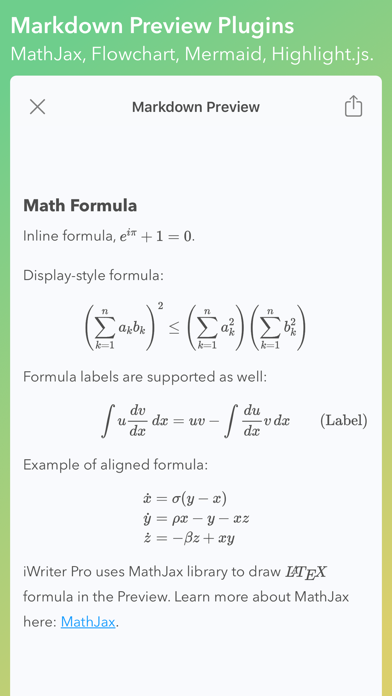
The app also has special capabilities for those who use LaTeX. It highlights LaTeX equations, which can be particularly useful for students and professionals in technical fields. If you need to create diagrams, iWriter Pro accommodates flowchart and Mermaid diagrams as well. Moreover, it allows source code highlighting in the HTML preview, enhancing readability for programmers.
Exporting documents is straightforward with iWriter Pro. You can easily export your work as HTML, PDF, RTF, EPUB, LaTeX, or DOCX files. This versatility ensures that you can share your documents in various formats, depending on your needs.
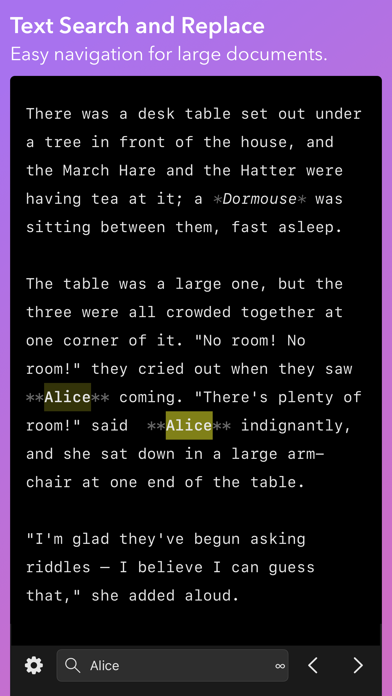
For efficient text formatting and navigation, the app supports keyboard shortcuts, which make it easier to access features quickly. You can also use the search and replace function to edit your documents effectively. iWriter Pro provides both light and dark layouts, which automatically switch based on your preference. Additionally, it formats bullet points and task lists automatically, streamlining your writing process.
While the iPad version provides both typewriter and focus modes, it is essential to remember that Mac document editing requires a separate purchase. When it comes to file management, iWriter Pro can connect with Dropbox and Google Drive, although editing files from other third-party storage providers may not always be reliable.
Overall, iWriter Pro offers an excellent minimalist editing experience for anyone who values a clean interface combined with powerful features. Whether you are a casual writer or someone who needs a reliable platform for Markdown file editing, this app has the tools you need for efficient document creation and management.
One standout feature of iWriter Pro is its built-in Markdown support, allowing you to format your text easily. As you type, you can see live Markdown syntax highlighting. This feature helps you understand how your text will look once formatted. Additionally, it includes an HTML preview for both Markdown and multiMarkdown documents, making it simple to visualize your work.
iWriter Pro supports iCloud sync across your iPad, iPhone, and Mac devices. This means you can start a document on one device and finish it on another without losing your progress. The seamless integration ensures your files are always up to date and accessible wherever you go.
For those who like to concentrate, iWriter Pro offers a typewriter mode. This mode helps you focus on a single line, sentence, or paragraph, minimizing distractions. It also has a powerful document browser that supports tags, making it easier to organize your files. You’ll find integrated word counters that track your words, symbols, sentences, and paragraphs as you write. Its responsive editing ensures that even large files load quickly, so you can work without interruptions.
The app also has special capabilities for those who use LaTeX. It highlights LaTeX equations, which can be particularly useful for students and professionals in technical fields. If you need to create diagrams, iWriter Pro accommodates flowchart and Mermaid diagrams as well. Moreover, it allows source code highlighting in the HTML preview, enhancing readability for programmers.
Exporting documents is straightforward with iWriter Pro. You can easily export your work as HTML, PDF, RTF, EPUB, LaTeX, or DOCX files. This versatility ensures that you can share your documents in various formats, depending on your needs.
For efficient text formatting and navigation, the app supports keyboard shortcuts, which make it easier to access features quickly. You can also use the search and replace function to edit your documents effectively. iWriter Pro provides both light and dark layouts, which automatically switch based on your preference. Additionally, it formats bullet points and task lists automatically, streamlining your writing process.
While the iPad version provides both typewriter and focus modes, it is essential to remember that Mac document editing requires a separate purchase. When it comes to file management, iWriter Pro can connect with Dropbox and Google Drive, although editing files from other third-party storage providers may not always be reliable.
Overall, iWriter Pro offers an excellent minimalist editing experience for anyone who values a clean interface combined with powerful features. Whether you are a casual writer or someone who needs a reliable platform for Markdown file editing, this app has the tools you need for efficient document creation and management.

Craft Pricing Helper
Ducky Planet LLC
$1.99
$0.99

SwiftCall: Auto Dialer & CRM
The Basic Software Company
$7.99
$3.99

Sign Up Events
Principal LA LLC
$5.99