
$9.99
FREE
100% Off
PDF Max Pro – Edit, Sign PDFs
Mobeera


About the App
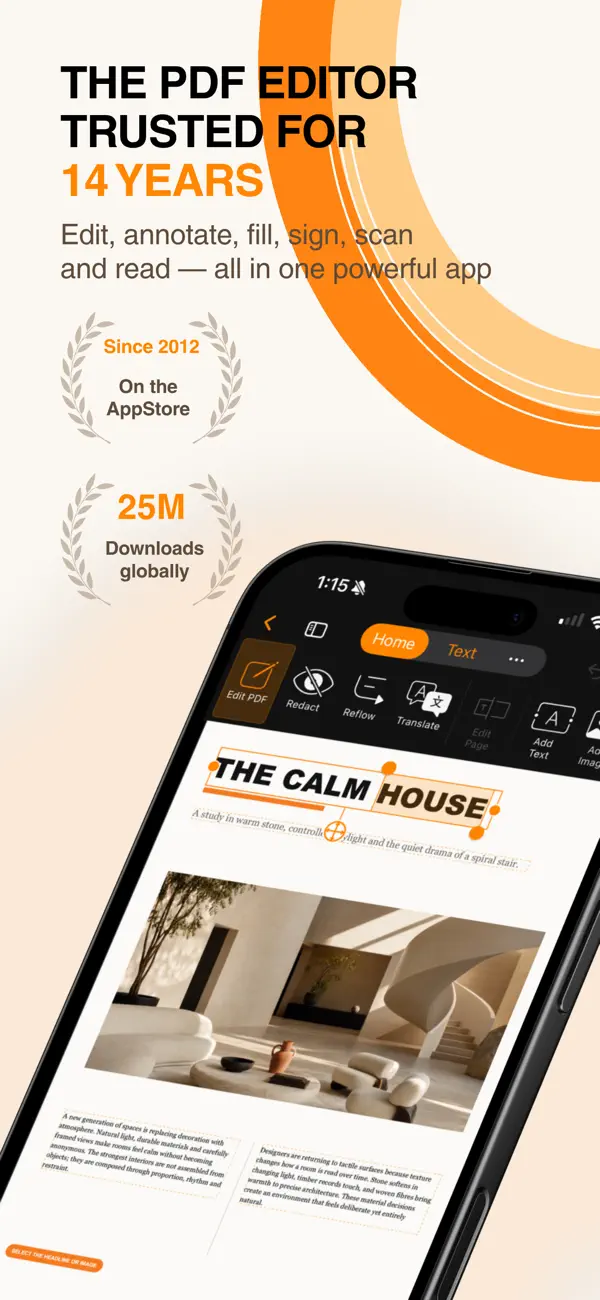
PDF Max Pro is a powerful PDF editor for iPhone and iPad, trusted by millions since 2012. Whether you need to sign a simple form or completely redesign an entire document, PDF Max Pro provides all the tools you need to manage your PDFs effortlessly. With this app, you can edit existing text, annotate PDFs, and organize PDF documents in one focused space.
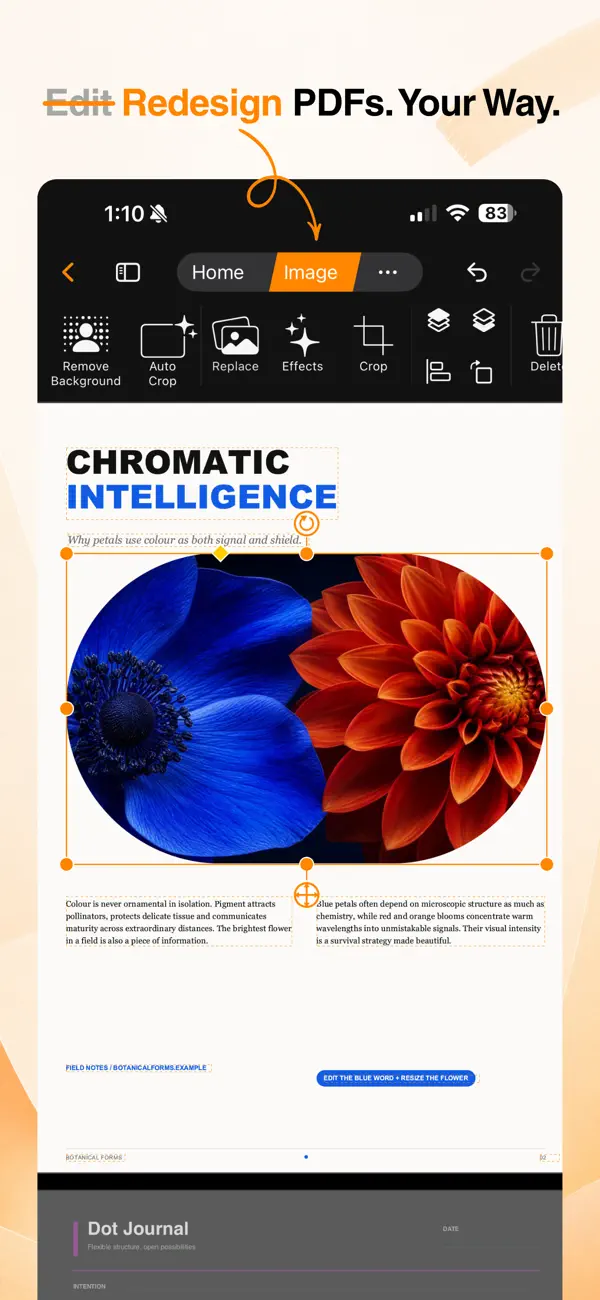
When it comes to editing, PDF Max Pro lets you easily edit existing text and change typography. You can add images, shapes, links, and tables to your documents. If you’re working with pictures, you can replace, crop, align, or rotate them as needed. The app also allows you to remove image backgrounds and apply effects like shadows, glows, and reflection effects.
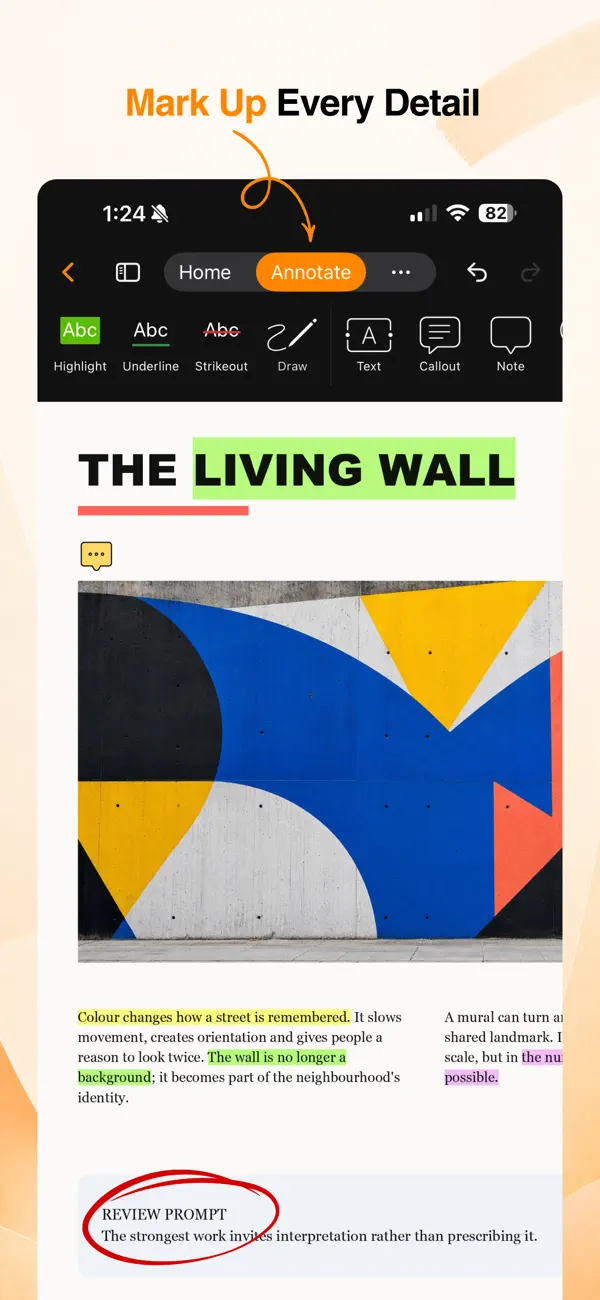
Annotation is made simple. You can highlight, underline, or strike through text. The app supports customizable pens and highlighters for drawing, as well as adding text boxes, callouts, notes, shapes, and stamps. You can easily manage threaded conversations by adding comments, and customize colors, borders, and opacity to suit your style.
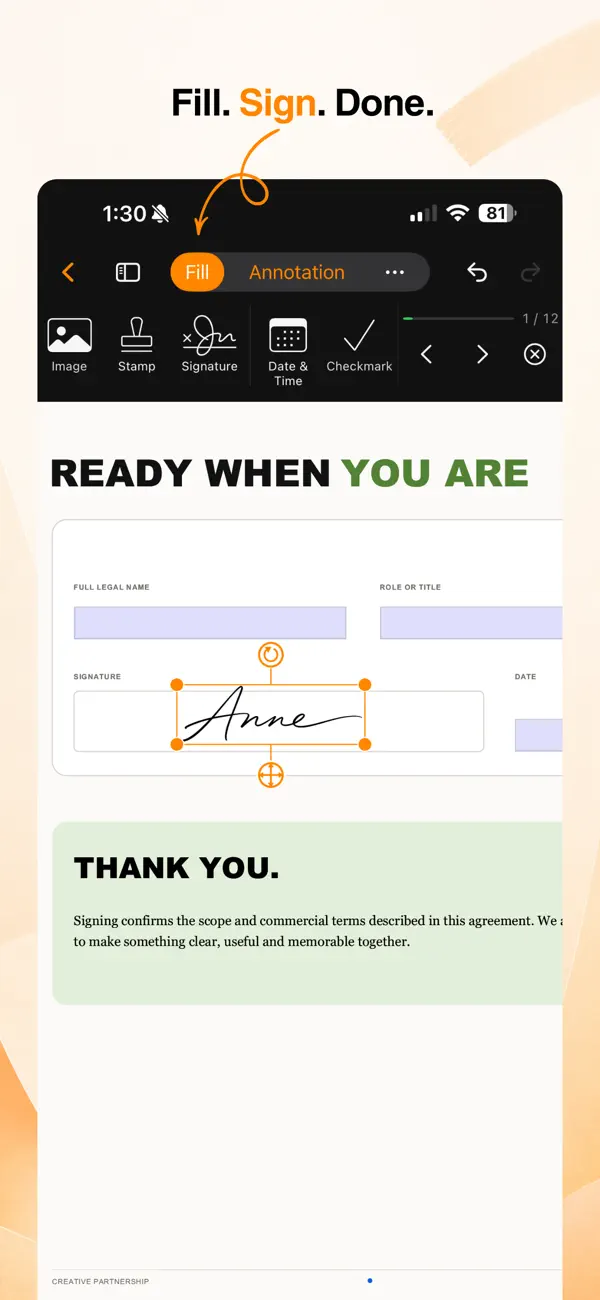
Filling out forms is a breeze with PDF Max Pro. You can complete interactive PDF forms by adding signatures, dates, images, and checkmarks. The app allows you to save and manage reusable signatures, navigate directly to the next unfilled field, and review missing required fields before finishing. You can create fillable form fields like text, checkboxes, radio buttons, dropdowns, and signature fields with ease.
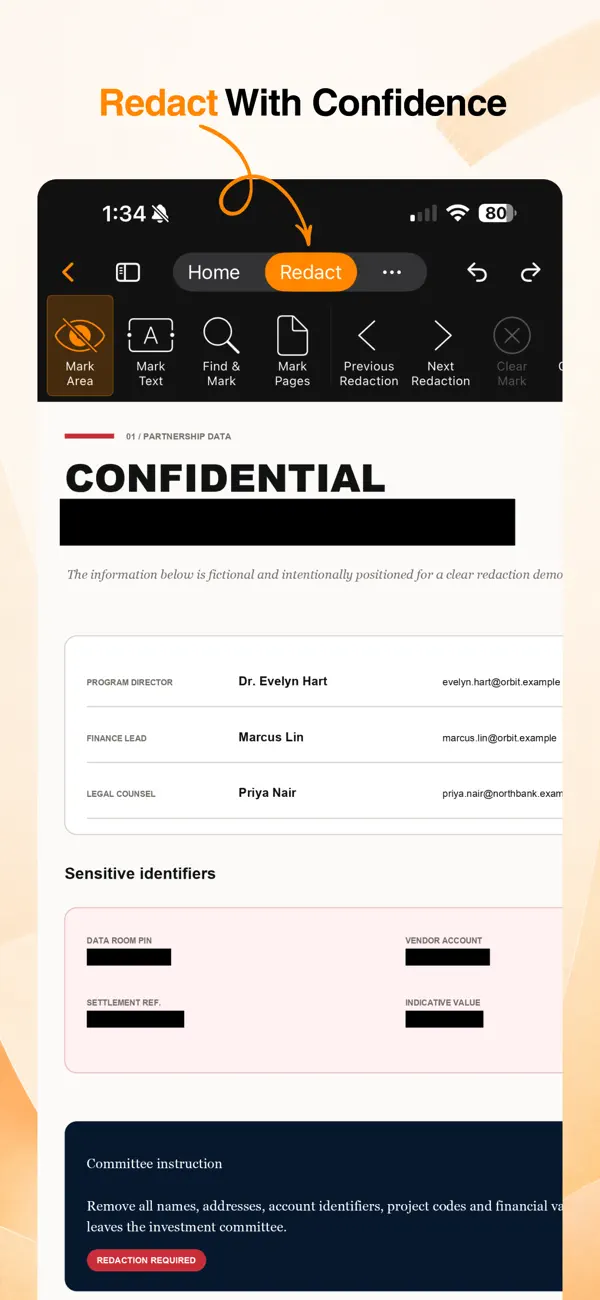
If you need to handle sensitive information, PDF Max Pro provides features for redacting sensitive information. You can mark text, areas, pages, or search results for redaction. Before applying any redaction, you can review all pending changes. The app allows you to add custom colors, overlay text, and provide reasons for redaction. You can permanently remove sensitive content whenever you’re ready.
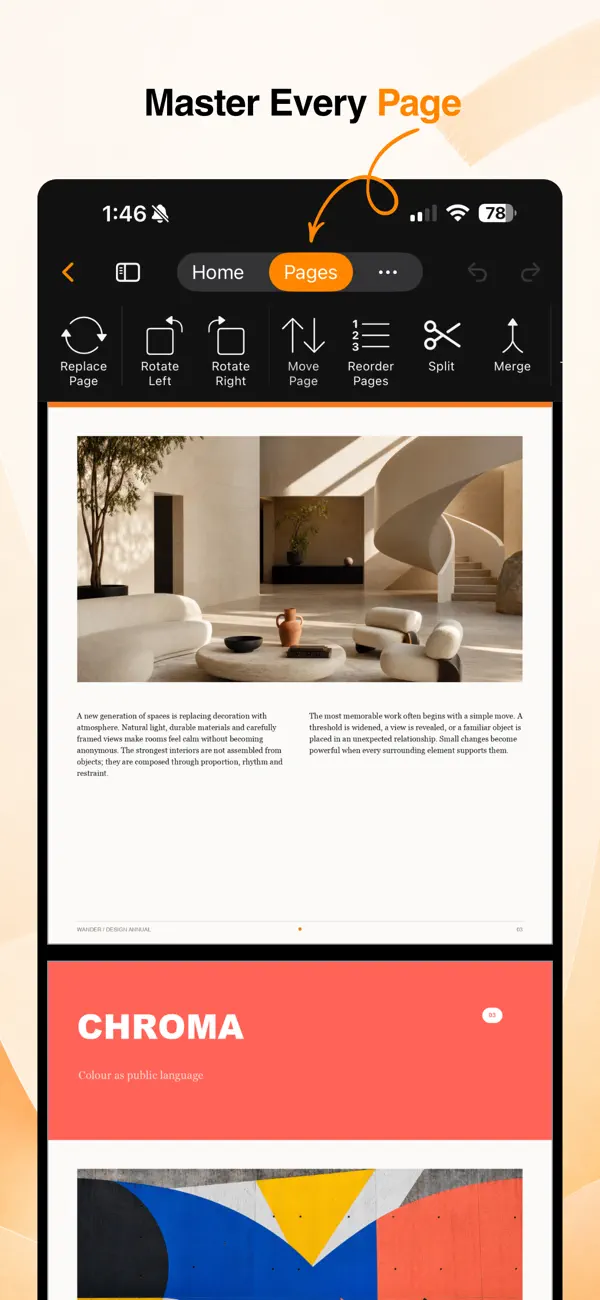
Managing pages in your PDF is straightforward. You can reorder, rotate, insert, duplicate, replace, or delete pages as needed. If you've selected certain pages to keep, you can even extract them into a new PDF. The app also allows you to merge PDF documents or split one PDF file into several smaller files, making it easy to handle multiple documents. Navigate your PDFs easily with thumbnails, outlines, bookmarks, and a search feature.
For reading and translating documents, PDF Max Pro transforms fixed PDF pages into a comfortable, reflowed reading experience. You can customize your reading themes, including font, size, spacing, and alignment. The app provides natural Read Aloud voices that you can listen to, and you have the option to adjust the voice playback speed to your liking. This helps in making the reading experience more enjoyable. Plus, you can translate documents directly inside the Reflow Reader.
Creating and converting files is also simple with PDF Max Pro. You can recognize text in scanned PDFs using OCR text recognition. The app enables you to convert Word documents to PDF format or create blank PDFs from professional paper templates. You have choices from notes, planners, journals, graph paper, project canvases, and more to meet your creative needs.
Join over 25 million users worldwide and discover a faster, more flexible way to work with PDFs using PDF Max Pro. Some advanced editing features require a PDF Max Premium subscription. If you decide to subscribe, payment will be charged to your Apple Account upon confirmation of your purchase. Subscriptions will automatically renew unless canceled at least 24 hours before the end of the current subscription period. You can manage or cancel your subscription in your Apple Account settings. Please note that any unused part of a free trial will be forfeited when a subscription is purchased, where applicable.
For more information, please refer to our Privacy Policy and Terms.
When it comes to editing, PDF Max Pro lets you easily edit existing text and change typography. You can add images, shapes, links, and tables to your documents. If you’re working with pictures, you can replace, crop, align, or rotate them as needed. The app also allows you to remove image backgrounds and apply effects like shadows, glows, and reflection effects.
Annotation is made simple. You can highlight, underline, or strike through text. The app supports customizable pens and highlighters for drawing, as well as adding text boxes, callouts, notes, shapes, and stamps. You can easily manage threaded conversations by adding comments, and customize colors, borders, and opacity to suit your style.
Filling out forms is a breeze with PDF Max Pro. You can complete interactive PDF forms by adding signatures, dates, images, and checkmarks. The app allows you to save and manage reusable signatures, navigate directly to the next unfilled field, and review missing required fields before finishing. You can create fillable form fields like text, checkboxes, radio buttons, dropdowns, and signature fields with ease.
If you need to handle sensitive information, PDF Max Pro provides features for redacting sensitive information. You can mark text, areas, pages, or search results for redaction. Before applying any redaction, you can review all pending changes. The app allows you to add custom colors, overlay text, and provide reasons for redaction. You can permanently remove sensitive content whenever you’re ready.
Managing pages in your PDF is straightforward. You can reorder, rotate, insert, duplicate, replace, or delete pages as needed. If you've selected certain pages to keep, you can even extract them into a new PDF. The app also allows you to merge PDF documents or split one PDF file into several smaller files, making it easy to handle multiple documents. Navigate your PDFs easily with thumbnails, outlines, bookmarks, and a search feature.
For reading and translating documents, PDF Max Pro transforms fixed PDF pages into a comfortable, reflowed reading experience. You can customize your reading themes, including font, size, spacing, and alignment. The app provides natural Read Aloud voices that you can listen to, and you have the option to adjust the voice playback speed to your liking. This helps in making the reading experience more enjoyable. Plus, you can translate documents directly inside the Reflow Reader.
Creating and converting files is also simple with PDF Max Pro. You can recognize text in scanned PDFs using OCR text recognition. The app enables you to convert Word documents to PDF format or create blank PDFs from professional paper templates. You have choices from notes, planners, journals, graph paper, project canvases, and more to meet your creative needs.
Join over 25 million users worldwide and discover a faster, more flexible way to work with PDFs using PDF Max Pro. Some advanced editing features require a PDF Max Premium subscription. If you decide to subscribe, payment will be charged to your Apple Account upon confirmation of your purchase. Subscriptions will automatically renew unless canceled at least 24 hours before the end of the current subscription period. You can manage or cancel your subscription in your Apple Account settings. Please note that any unused part of a free trial will be forfeited when a subscription is purchased, where applicable.
For more information, please refer to our Privacy Policy and Terms.

Invoice Manager
iCubemedia Inc.
$29.99

Klipped
Andrew Drake
$9.99
Free
Roster-Calendar Pro
Michael Heinz
$5.99
$4.49