
$0.99
$0.49
51% Off
KTbm
KocaTurk Watch Faces






About the App
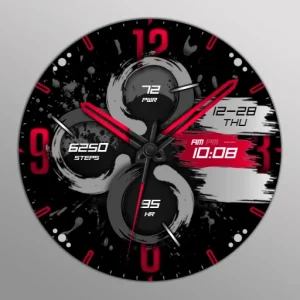
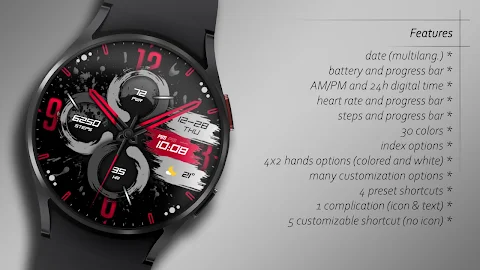
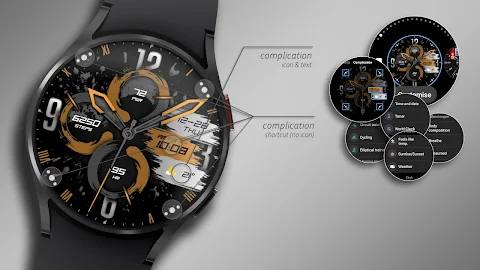
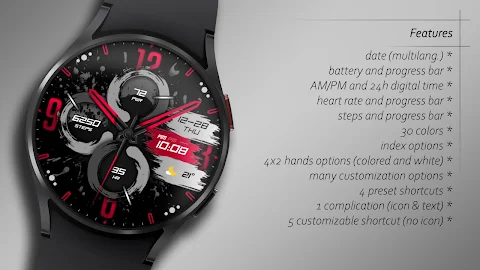
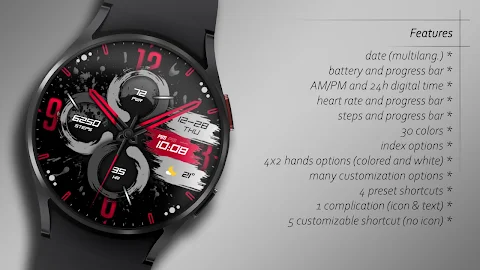
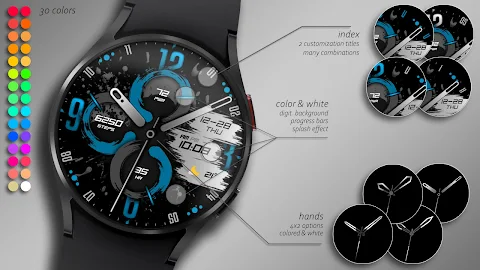
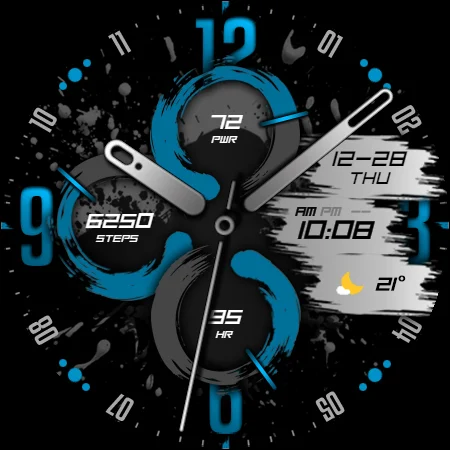
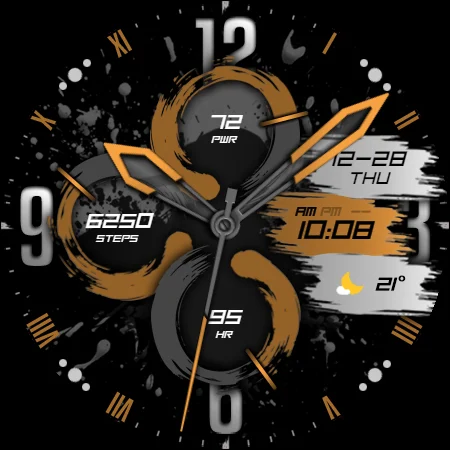
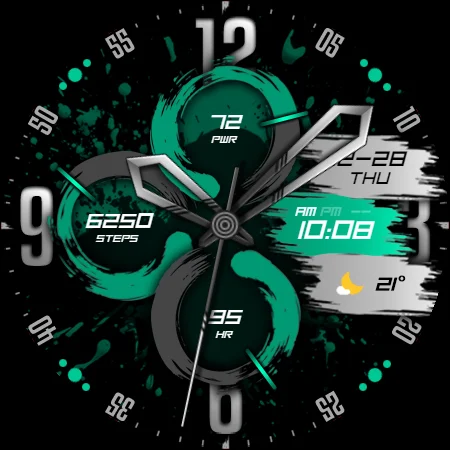
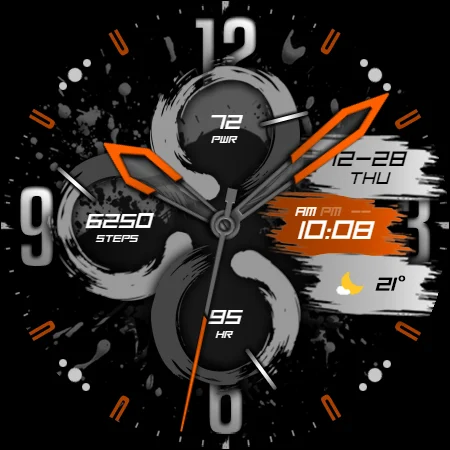
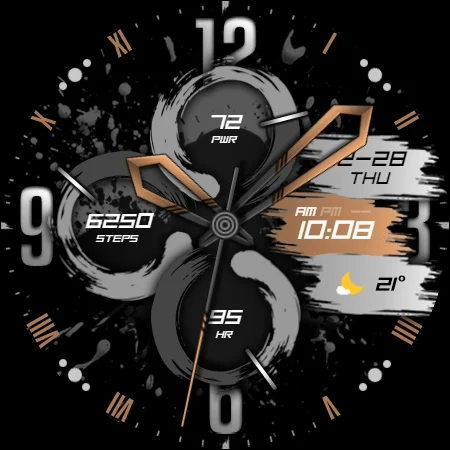
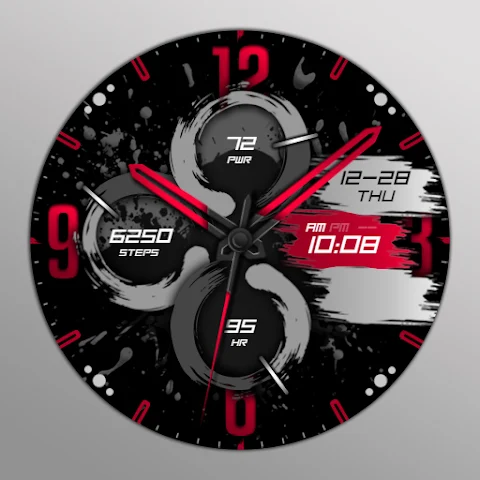
KTbm is a Wear OS hybrid watch face that offers a seamless experience for smartwatch users. Designed to be both functional and customizable, it displays important information such as the time in either 12 or 24-hour format, the date, battery progress monitoring, heart rate tracking, and step progress tracking.
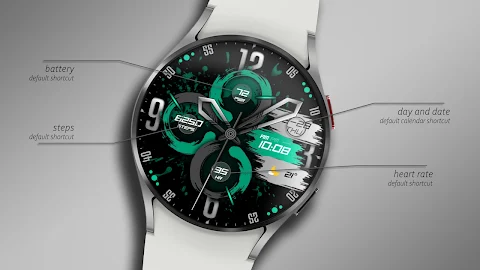
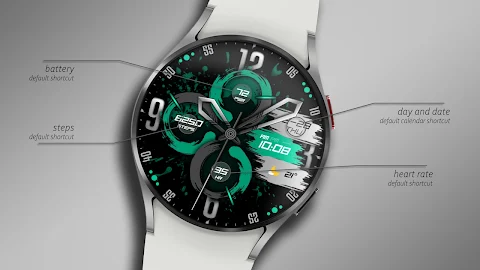
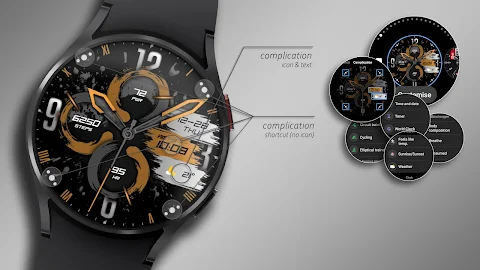
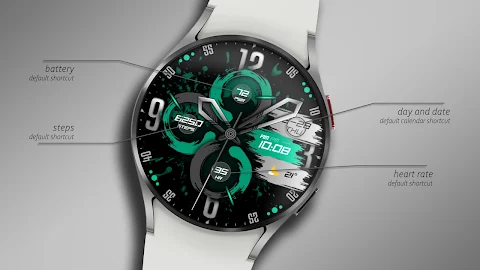
One of the standout features of KTbm is its 5 preset shortcuts. These shortcuts give quick access to your battery status, calendar events, daily steps, and heart rate. This makes it easy to stay informed and manage your daily routine right from your wrist.
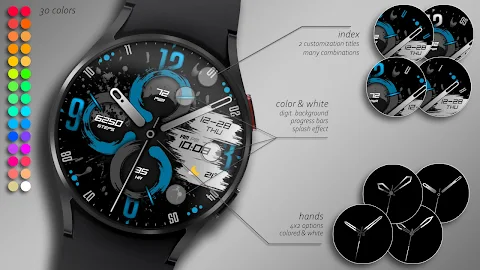
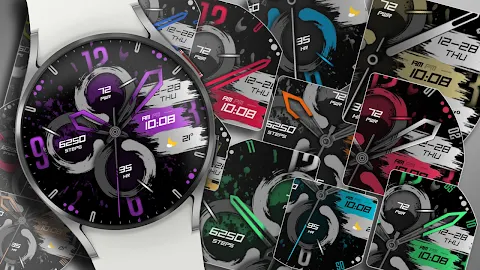
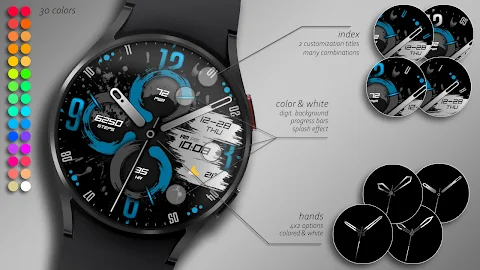
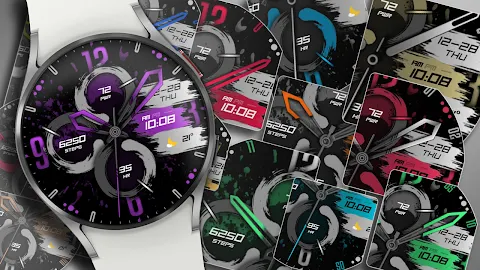
For those who love personalization, KTbm includes a variety of customization options for the watch. There are 30 color palettes available, allowing you to change the look of your watch face to suit your style. You can pick from 4 dial options and choose between 2 index options to make your watch unique. There are also 3 shortcut options that can be set to colored, white, or switched off.
When it comes to design, KTbm is flexible. You can choose custom background splash shapes and adjust color options for the watch hands. With AOD (Always-On Display) dim out settings available at 30%, 50%, or 75%, you can manage how your watch looks even when the screen is dimmed. Additionally, users have the option for digital time customization, ensuring that your time display fits your preference.
To make the personalization process easy, you can use the watch screen long-press function. This allows you to tap the Customize button and swipe left or right to navigate through the customizable elements. You can also swipe up or down to change colors or select options for each element. However, be aware that there may be glitches during customization, so it’s best to make these changes directly on your watch.
Before you install KTbm, it's important to note some installation steps for the watch face. Make sure your watch is selected from the devices listed in the drop-down menu next to the Buy button. If you forget to select your watch, the "Companion App" will be installed on your phone. Simply open it, tap the image, and follow the prompts to complete the download on your watch.
Once the download is finished, go back to the home screen of your watch. Long-press the screen to access the watch face selection, click on the "add" option, and find the watch face you purchased to activate it.
For users, it’s important to understand that there may be synchronization issues with devices, especially when connecting to Google servers. If you encounter a problem, waiting for a few minutes or restarting your watch can help resolve it. Rest assured, the developer does not control any issues related to the Play Store.
Lastly, KTbm does not currently support square watch models, and some features may not be available on all watch models. However, with its detailed setup instructions and smartwatch customization guide, KTbm makes it easy for users to enjoy a personalized experience tailored to their needs.
Stay connected and follow us on social media for discounts and promotions. You can find us on Facebook, Instagram, and Telegram. Thank you for choosing KTbm!
One of the standout features of KTbm is its 5 preset shortcuts. These shortcuts give quick access to your battery status, calendar events, daily steps, and heart rate. This makes it easy to stay informed and manage your daily routine right from your wrist.
For those who love personalization, KTbm includes a variety of customization options for the watch. There are 30 color palettes available, allowing you to change the look of your watch face to suit your style. You can pick from 4 dial options and choose between 2 index options to make your watch unique. There are also 3 shortcut options that can be set to colored, white, or switched off.
When it comes to design, KTbm is flexible. You can choose custom background splash shapes and adjust color options for the watch hands. With AOD (Always-On Display) dim out settings available at 30%, 50%, or 75%, you can manage how your watch looks even when the screen is dimmed. Additionally, users have the option for digital time customization, ensuring that your time display fits your preference.
To make the personalization process easy, you can use the watch screen long-press function. This allows you to tap the Customize button and swipe left or right to navigate through the customizable elements. You can also swipe up or down to change colors or select options for each element. However, be aware that there may be glitches during customization, so it’s best to make these changes directly on your watch.
Before you install KTbm, it's important to note some installation steps for the watch face. Make sure your watch is selected from the devices listed in the drop-down menu next to the Buy button. If you forget to select your watch, the "Companion App" will be installed on your phone. Simply open it, tap the image, and follow the prompts to complete the download on your watch.
Once the download is finished, go back to the home screen of your watch. Long-press the screen to access the watch face selection, click on the "add" option, and find the watch face you purchased to activate it.
For users, it’s important to understand that there may be synchronization issues with devices, especially when connecting to Google servers. If you encounter a problem, waiting for a few minutes or restarting your watch can help resolve it. Rest assured, the developer does not control any issues related to the Play Store.
Lastly, KTbm does not currently support square watch models, and some features may not be available on all watch models. However, with its detailed setup instructions and smartwatch customization guide, KTbm makes it easy for users to enjoy a personalized experience tailored to their needs.
Stay connected and follow us on social media for discounts and promotions. You can find us on Facebook, Instagram, and Telegram. Thank you for choosing KTbm!

Material You Square Icon Pack
GomoTheGom
$1.49
FREE
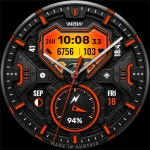
WAW042 Tactical Gear: Wear OS
WAW Watch Faces
$2.99
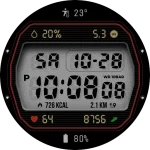
JW212 jwstudio
JWstudio
$1.49
$0.75