

$1.99
FREE
100% Off
Snap Markup – Annotation Tool
Raghvendra Bhargava




About the App
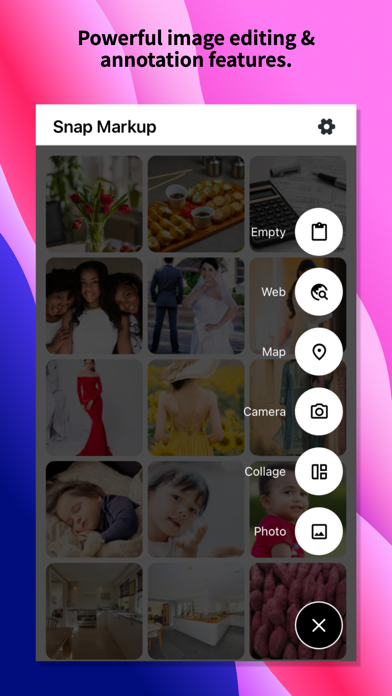
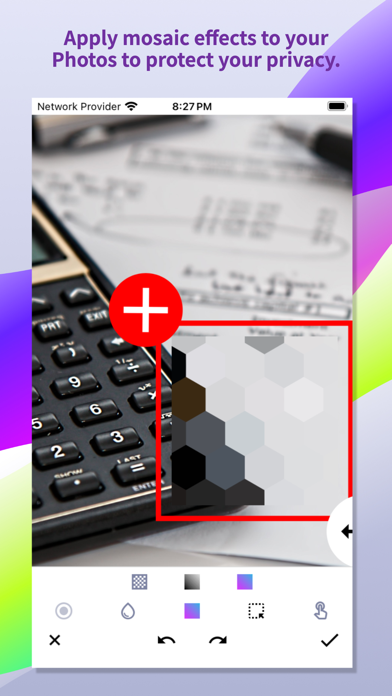
Snap Markup is a user-friendly photo markup tool designed to make editing and annotating images easy and fun. With various image annotation features, it lets you crop images and add text on photos effortlessly. You can also enhance your edits by pixelating images to cover sensitive parts or blur images for privacy.
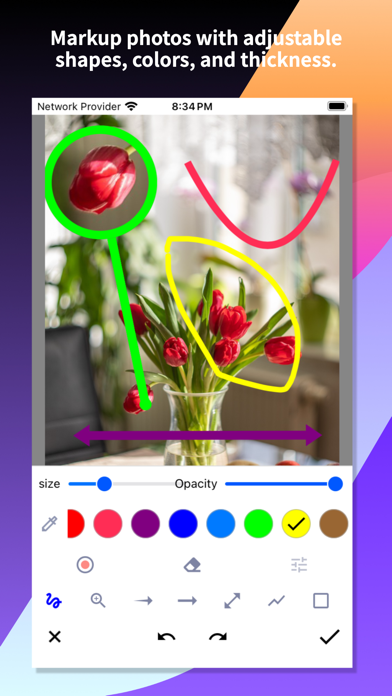
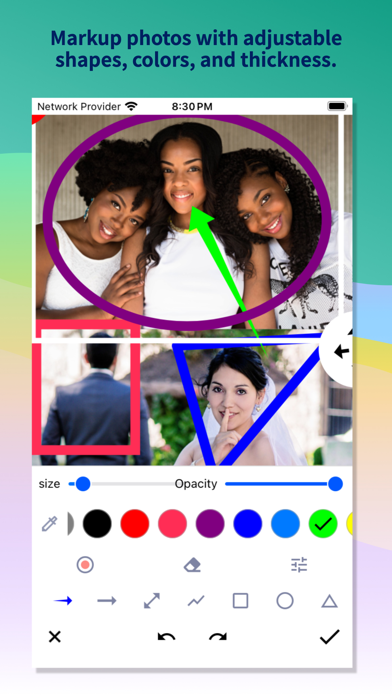
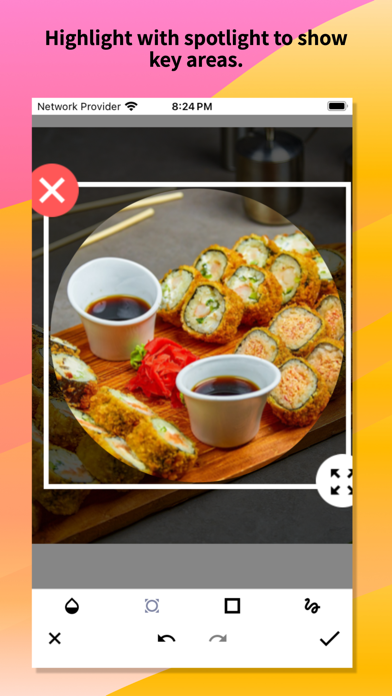
Drawing arrows, rectangles, circles, lines, and freehand drawing are just a few of the editing tools available. You can highlight key info in your photos, making important details stand out. If you want to get a closer look, Snap Markup allows for magnifying images, so you can zoom in on selected sections clearly.
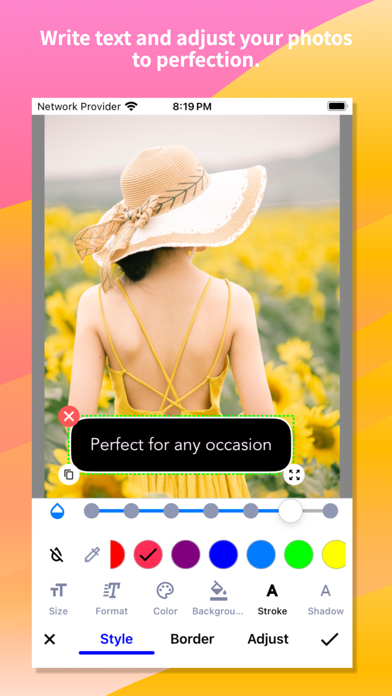
The app lets you add emoji stickers to your photos, bringing them to life and adding a personal touch. You can customize text colour, background, shadow, stroke, style, and size to create the perfect message on your images. This flexibility makes it easy to convey your ideas visually. Whether you're using the app for personal projects or professional tasks, the wide range of shapes for cropping—like rectangular, circular, star, and triangle—gives you plenty of options to work with.
Snap Markup supports high-quality image saving in both PNG format and JPG format, ensuring your edits look great. You can easily import photos from your gallery, making it simple to start your projects right away. After editing, sharing your photos with friends is quick and easy, allowing for seamless image sharing.
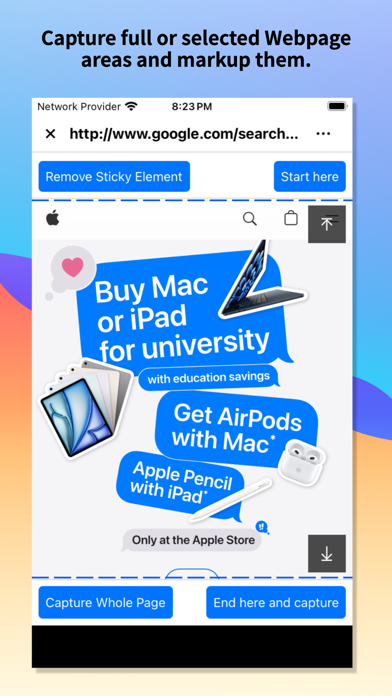
For those who enjoy creating panoramic images, Snap Markup makes stitching photos a breeze. Whether you want to connect images horizontally or vertically, the app can help you create stunning panoramic views. You can also use the app for webpage annotation and map annotation, allowing you to mark important locations or notes easily and share your thoughts with others.
Additionally, Snap Markup allows you to create blank images. This feature is perfect for starting fresh, so you can draw or create according to your needs. With multi-language support, users around the world can benefit from Snap Markup, making it accessible to more people.
Overall, Snap Markup is a flexible and powerful photo editing app that offers endless possibilities for creativity. With its direct annotation capabilities, the app lets you annotate pictures without needing to crop first. Whether you are a casual user or someone who needs professional-grade tools, Snap Markup has everything you need to enhance your photos and share your ideas effectively. If you have any comments or suggestions about Snap Markup, please feel free to reach out to us!
Drawing arrows, rectangles, circles, lines, and freehand drawing are just a few of the editing tools available. You can highlight key info in your photos, making important details stand out. If you want to get a closer look, Snap Markup allows for magnifying images, so you can zoom in on selected sections clearly.
The app lets you add emoji stickers to your photos, bringing them to life and adding a personal touch. You can customize text colour, background, shadow, stroke, style, and size to create the perfect message on your images. This flexibility makes it easy to convey your ideas visually. Whether you're using the app for personal projects or professional tasks, the wide range of shapes for cropping—like rectangular, circular, star, and triangle—gives you plenty of options to work with.
Snap Markup supports high-quality image saving in both PNG format and JPG format, ensuring your edits look great. You can easily import photos from your gallery, making it simple to start your projects right away. After editing, sharing your photos with friends is quick and easy, allowing for seamless image sharing.
For those who enjoy creating panoramic images, Snap Markup makes stitching photos a breeze. Whether you want to connect images horizontally or vertically, the app can help you create stunning panoramic views. You can also use the app for webpage annotation and map annotation, allowing you to mark important locations or notes easily and share your thoughts with others.
Additionally, Snap Markup allows you to create blank images. This feature is perfect for starting fresh, so you can draw or create according to your needs. With multi-language support, users around the world can benefit from Snap Markup, making it accessible to more people.
Overall, Snap Markup is a flexible and powerful photo editing app that offers endless possibilities for creativity. With its direct annotation capabilities, the app lets you annotate pictures without needing to crop first. Whether you are a casual user or someone who needs professional-grade tools, Snap Markup has everything you need to enhance your photos and share your ideas effectively. If you have any comments or suggestions about Snap Markup, please feel free to reach out to us!

HomeCare for HomeKit
Anthonin Cocagne
$9.99
$5.99

ConstruCalc Pro
Tresium Soluções
$3.49
$2.97
All Document Reader Premium
Premium Quality Apps
$1.49
$0.49