

$9.99
$5.99
40% Off
HomeCare for HomeKit
Anthonin Cocagne

About the App
HomeCare for HomeKit is your complete HomeKit troubleshooting toolkit, designed to help you keep your smart home running smoothly. Featured by 9to5Mac and MacStories, this app focuses on smart home reliability, ensuring your devices stay connected and your automations work without issues.
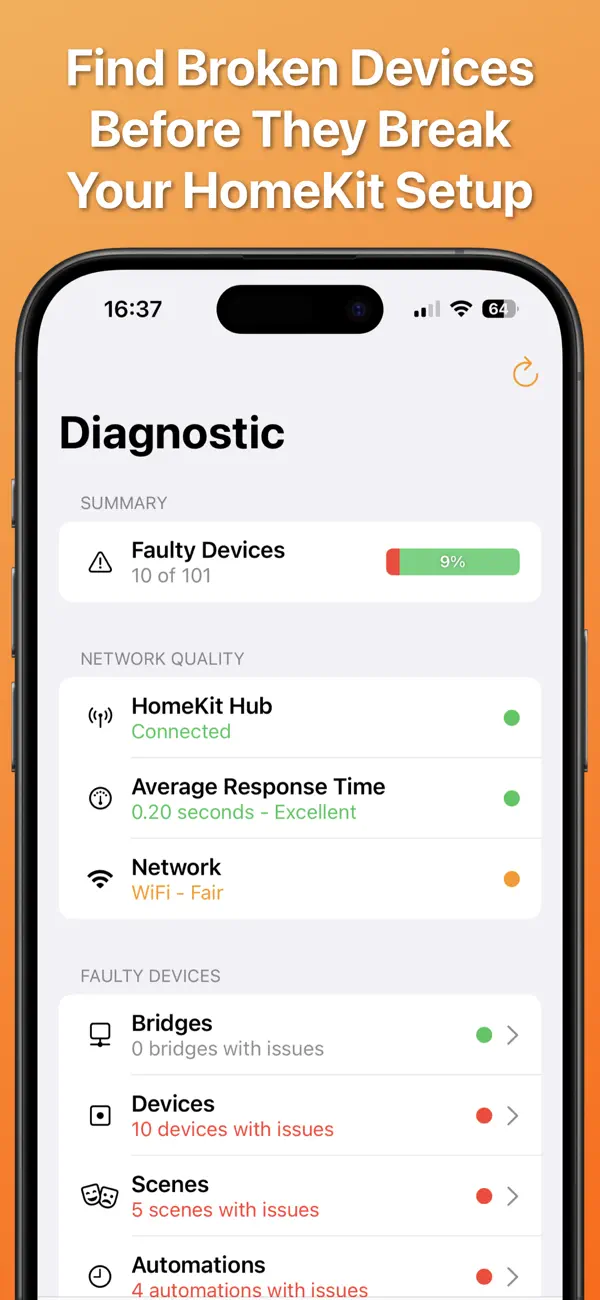
Do you often find your HomeKit devices failing unexpectedly? With HomeCare, you can quickly identify which devices aren't responding. The app offers powerful diagnostic tools to help you understand what's happening in your HomeKit setup. You'll no longer have to guess why your morning routine is disrupted or which device is causing the problem.
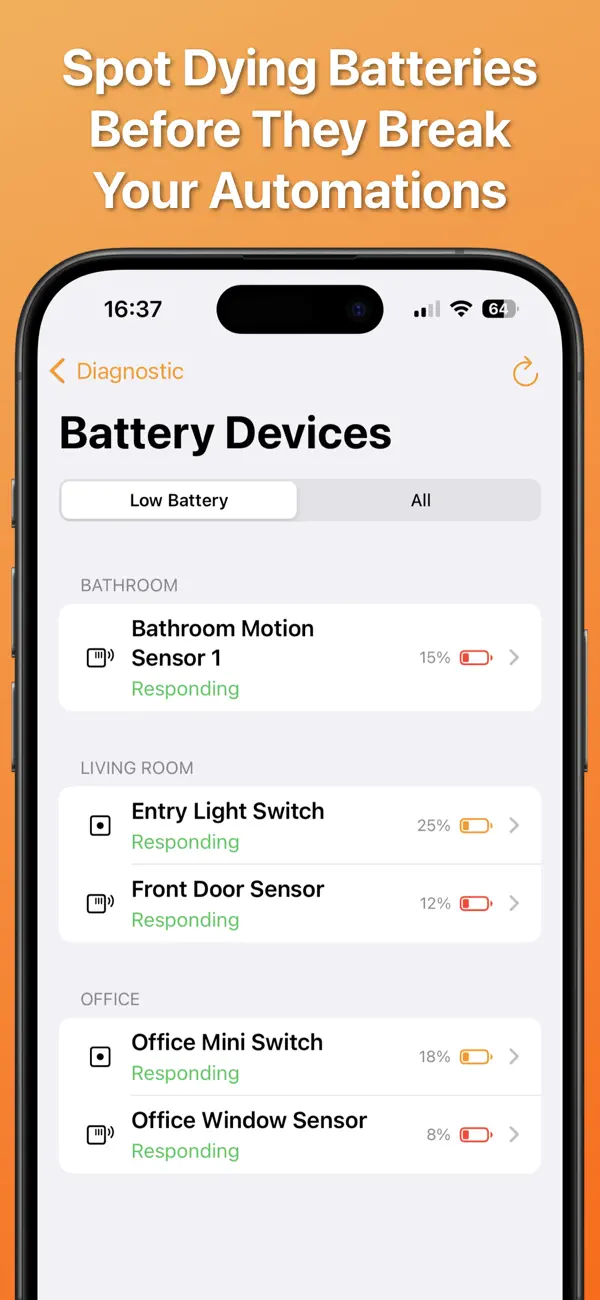
HomeCare allows for instant troubleshooting. You can scan your entire HomeKit setup to see which devices are not responding to commands. The app will test each device and show you what is broken, unreachable, or timing out. You can also see which devices have low batteries that may need replacement soon. For any failing devices, you can check the 'Last Time Online' to see when the issues began.
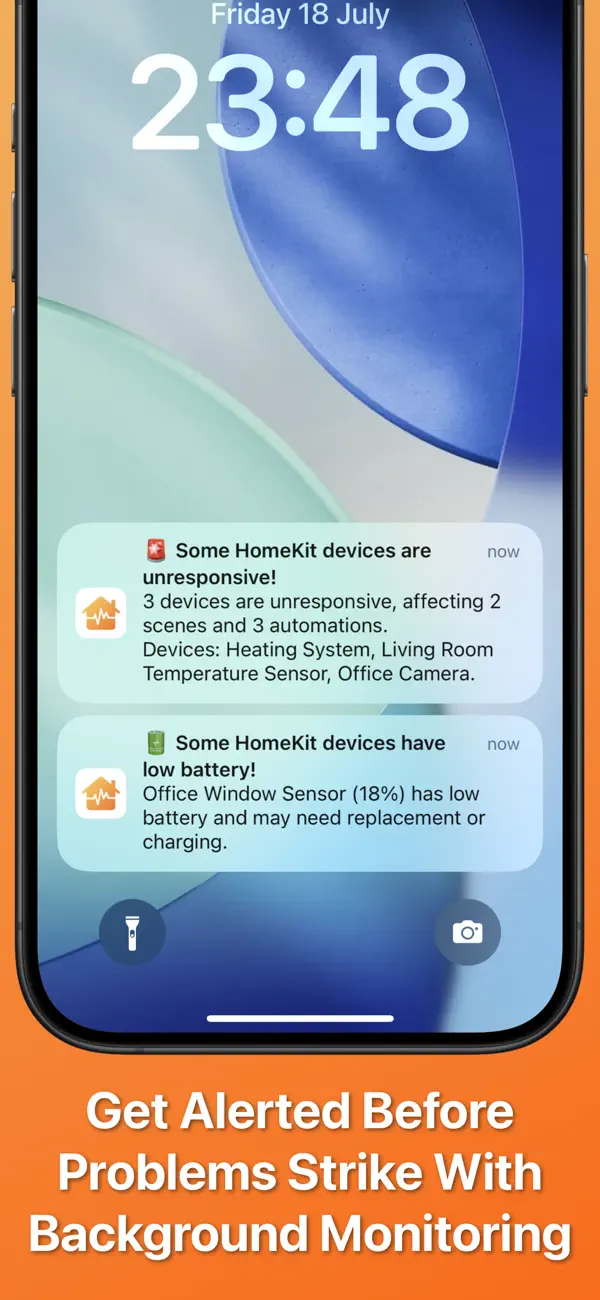
Proactive monitoring is another key feature of HomeCare. The app runs automated health checks in the background and sends push notifications for failures only when new problems arise. This way, you can catch device failures before they disrupt your daily routines. You'll also receive low battery alerts when your devices are nearing a critical battery level, thanks to customizable monitoring thresholds.
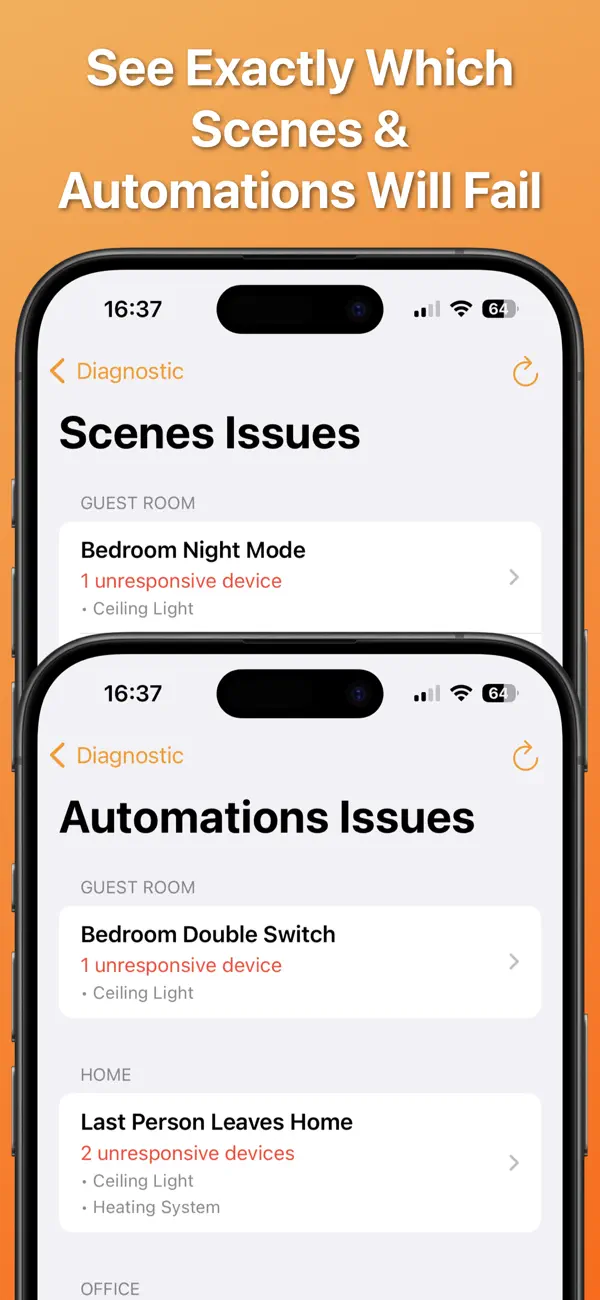
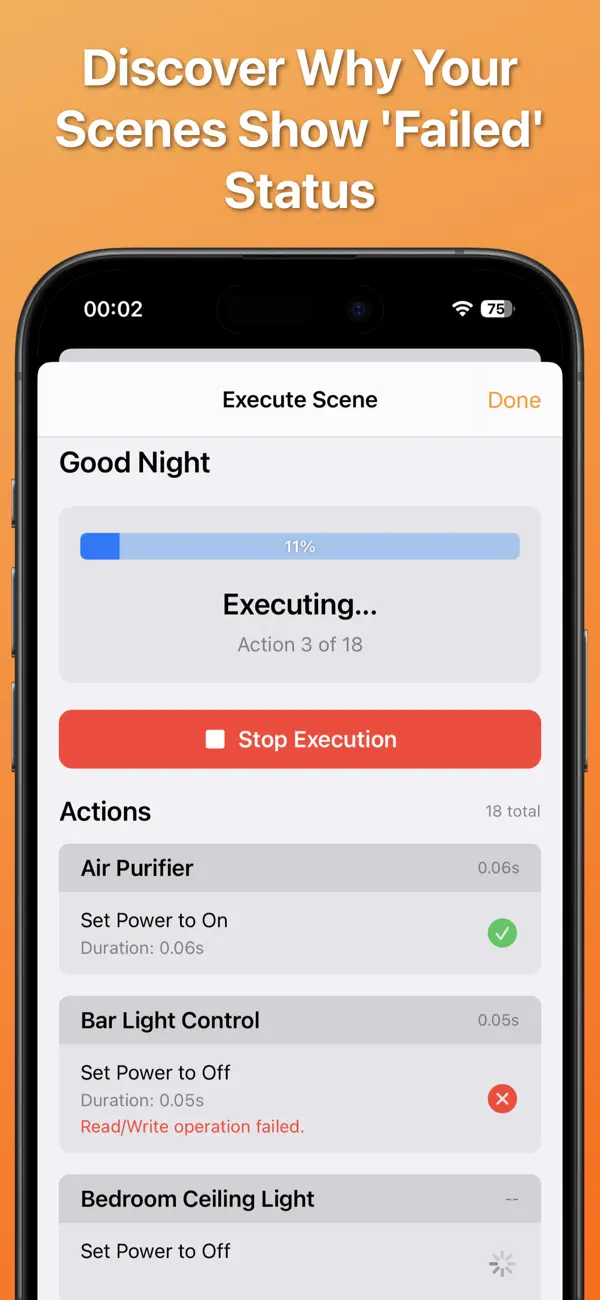
Scene and automation testing is also made easy. HomeCare allows you to test your scenes and automations step-by-step, helping you identify any actions causing a scene to fail in the Home app or when using Siri. This feature eliminates the mystery of automation issues and allows you to spot what’s breaking your routines.
With real-time logs monitoring, HomeCare keeps track of device state changes throughout your home. You can view when devices change states and track this timeline, which is essential for troubleshooting. Understanding device behavior becomes much simpler when you have clear logs.
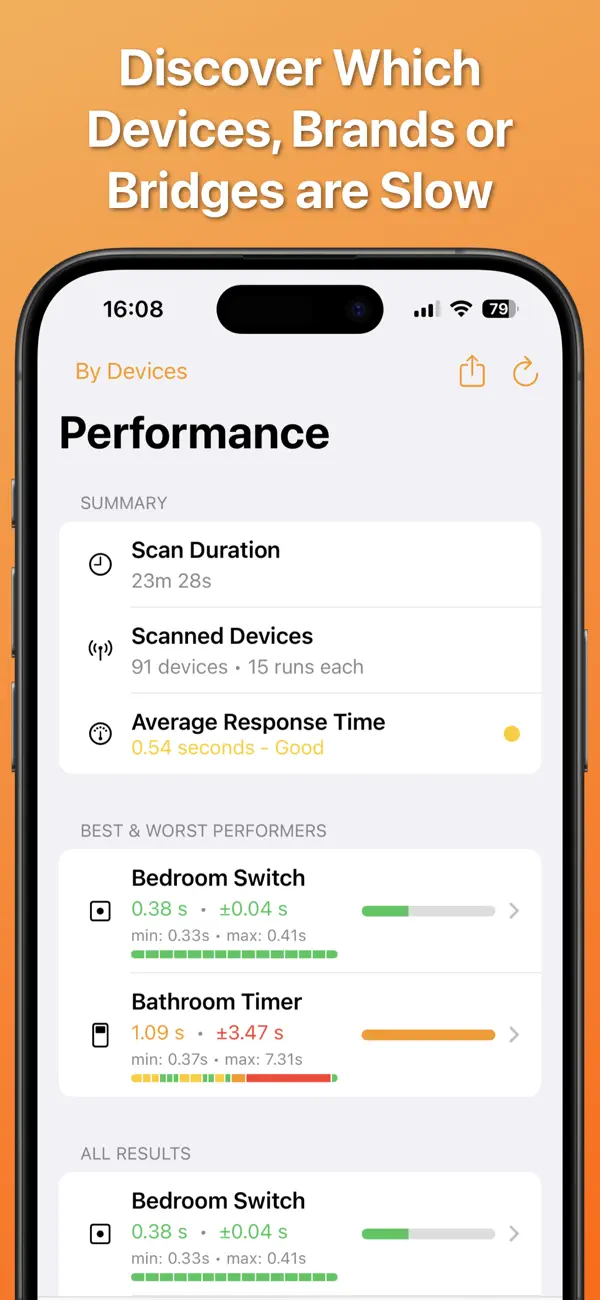
Performance analysis is another important aspect of HomeCare. You can run multiple test cycles on each device to build detailed statistics about response times and success rates. If you’ve ever wondered which brands perform better, this feature enables you to compare performance across various devices, manufacturers, bridges, and rooms. Comprehensive reports can be easily exported to PDF or CSV, making detailed analysis straightforward.
HomeCare also lets you export your HomeKit device list to CSV, with customizable data fields. This feature is perfect for keeping records, sharing your setup, or conducting a thorough analysis outside the app.
To help maintain a tidy setup, HomeCare includes an orphaned automations checker. This tool identifies automations with broken triggers that may be causing silent failures. Additionally, the empty scenes checker finds scenes without actions that don’t serve any purpose. Keeping your setup organized contributes to more reliable automations.
Shortcuts workflow integration is another handy feature of HomeCare. You can get reports of faulty devices directly in Shortcuts. This makes it easy to confirm if a specific device is responsive before sending commands. Your Shortcuts will execute actions only on devices that are active, preventing workflow failures caused by offline devices.
HomeCare offers comprehensive support for all HomeKit accessories, including bridge-connected devices like Aqara, Eve, Philips Hue, and LIFX. The app accurately identifies device types and uses appropriate testing methods for each one, ensuring thorough device monitoring.
Simply put, HomeCare makes smart home reliability easy to achieve. It helps you stop reactive troubleshooting by showing you what's broken, what's slow, and what's functioning perfectly. This way, your smart home can operate effortlessly every day.
Download HomeCare today, and take full control of your HomeKit setup's health.
Do you often find your HomeKit devices failing unexpectedly? With HomeCare, you can quickly identify which devices aren't responding. The app offers powerful diagnostic tools to help you understand what's happening in your HomeKit setup. You'll no longer have to guess why your morning routine is disrupted or which device is causing the problem.
HomeCare allows for instant troubleshooting. You can scan your entire HomeKit setup to see which devices are not responding to commands. The app will test each device and show you what is broken, unreachable, or timing out. You can also see which devices have low batteries that may need replacement soon. For any failing devices, you can check the 'Last Time Online' to see when the issues began.
Proactive monitoring is another key feature of HomeCare. The app runs automated health checks in the background and sends push notifications for failures only when new problems arise. This way, you can catch device failures before they disrupt your daily routines. You'll also receive low battery alerts when your devices are nearing a critical battery level, thanks to customizable monitoring thresholds.
Scene and automation testing is also made easy. HomeCare allows you to test your scenes and automations step-by-step, helping you identify any actions causing a scene to fail in the Home app or when using Siri. This feature eliminates the mystery of automation issues and allows you to spot what’s breaking your routines.
With real-time logs monitoring, HomeCare keeps track of device state changes throughout your home. You can view when devices change states and track this timeline, which is essential for troubleshooting. Understanding device behavior becomes much simpler when you have clear logs.
Performance analysis is another important aspect of HomeCare. You can run multiple test cycles on each device to build detailed statistics about response times and success rates. If you’ve ever wondered which brands perform better, this feature enables you to compare performance across various devices, manufacturers, bridges, and rooms. Comprehensive reports can be easily exported to PDF or CSV, making detailed analysis straightforward.
HomeCare also lets you export your HomeKit device list to CSV, with customizable data fields. This feature is perfect for keeping records, sharing your setup, or conducting a thorough analysis outside the app.
To help maintain a tidy setup, HomeCare includes an orphaned automations checker. This tool identifies automations with broken triggers that may be causing silent failures. Additionally, the empty scenes checker finds scenes without actions that don’t serve any purpose. Keeping your setup organized contributes to more reliable automations.
Shortcuts workflow integration is another handy feature of HomeCare. You can get reports of faulty devices directly in Shortcuts. This makes it easy to confirm if a specific device is responsive before sending commands. Your Shortcuts will execute actions only on devices that are active, preventing workflow failures caused by offline devices.
HomeCare offers comprehensive support for all HomeKit accessories, including bridge-connected devices like Aqara, Eve, Philips Hue, and LIFX. The app accurately identifies device types and uses appropriate testing methods for each one, ensuring thorough device monitoring.
Simply put, HomeCare makes smart home reliability easy to achieve. It helps you stop reactive troubleshooting by showing you what's broken, what's slow, and what's functioning perfectly. This way, your smart home can operate effortlessly every day.
Download HomeCare today, and take full control of your HomeKit setup's health.

roDex – Dicționar
RanduSoft SRL
$0.99

MagicKit Pro: AI Smart Toolbox
Roxwin Vietnam Technologies Company Limited
$3.99
ID Photo & Passport Portrait
Nuts Mobile Inc.
$5.99
$0.99