

$11.00
FREE
100% Off
Photo Frame Calendar & Clock
Eval'das Sichyunas






About the App
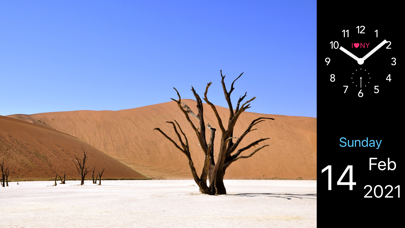
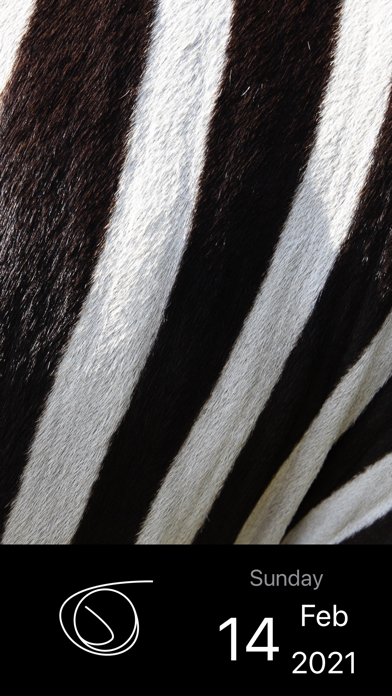
With Photo Frame Calendar & Clock, you can turn your device into a minimalistic digital photo frame. This app is designed to enhance your daily life with quality-of-life improvements, making it not just a tool but a companion you can enjoy.
Using Photo Frame Calendar & Clock is easy. Simply tap the current photo to show the next one from your selected albums. If you want to switch the crop modes for a specific album, just double-tap the current photo. This seamless album cycling helps to personalize your viewing experience.
When it comes to the calendar and clock features, you have full control. A long-press gesture on the current photo will let you hide or show the calendar and clock. You can tap either to cycle through their interactive faces. To enter or exit the full screen mode for a calendar or clock, just double-tap it. If you prefer to change their locations, simply long-press and drag them to your desired spot.
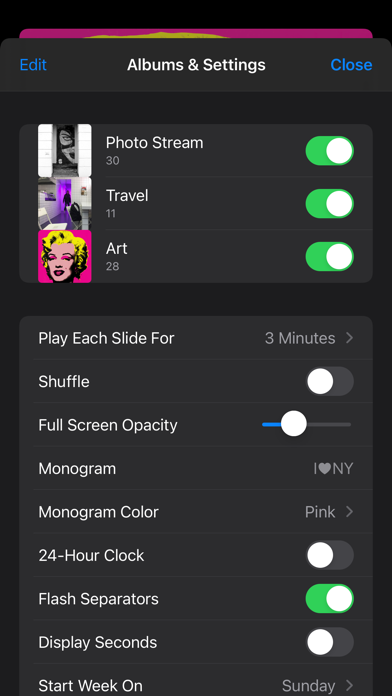
If you want to take a quick break, place your iPhone face down to put the app into sleep mode. You can also explore the Quick Actions menu to quickly open your albums and settings. This feature streamlines your access to what you use most.
If you're interested in customization, the app provides clock faces modifications. You can find these PDF vectors in your Files app under “On My Device” and then navigate to PhotoFrame > Clock Faces or access them via iTunes File Sharing. This is a great way to personalize your digital clock and make it your own.
Photo Frame Calendar & Clock now supports iPadOS / iOS 13, allowing you to select a preferred language for the app’s calendar and clock in the settings. This is especially helpful for educational purposes or if you prefer using multiple language options. Currently, you can choose from languages like 日本語, Français, Italiano, Português, Español, Українська, Русский, Deutsch, and English.
We are excited to celebrate over 100,000 downloads! Thank you for your support.
For those who want to enhance their experience further, there’s a monthly subscription option available. This auto-renewing subscription adds a bonus feature for random color settings. Remember, payments will be charged to your Apple ID when you confirm your purchase. The subscription renews automatically unless canceled at least 24 hours before the end of the current period. You can manage and cancel your subscriptions right from your account settings on the App Store after your purchase.
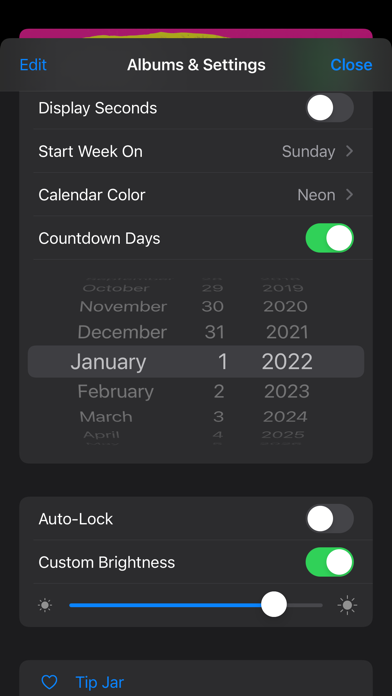
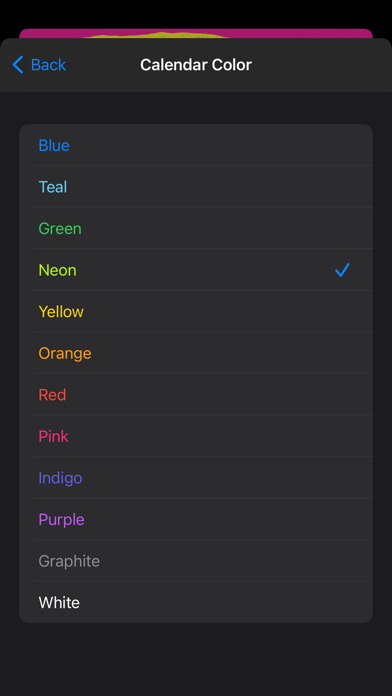
With a focus on user-friendly settings, customization features, and effective device management settings, Photo Frame Calendar & Clock is designed to enrich your daily routines. The app integrates smoothly with your device, making it a great addition to your lifestyle. Enjoy the interactive calendar faces and clock faces as part of this unique experience. The thoughtful design and engaging user features make a simple and pleasant way to display your cherished memories.
Using Photo Frame Calendar & Clock is easy. Simply tap the current photo to show the next one from your selected albums. If you want to switch the crop modes for a specific album, just double-tap the current photo. This seamless album cycling helps to personalize your viewing experience.
When it comes to the calendar and clock features, you have full control. A long-press gesture on the current photo will let you hide or show the calendar and clock. You can tap either to cycle through their interactive faces. To enter or exit the full screen mode for a calendar or clock, just double-tap it. If you prefer to change their locations, simply long-press and drag them to your desired spot.
If you want to take a quick break, place your iPhone face down to put the app into sleep mode. You can also explore the Quick Actions menu to quickly open your albums and settings. This feature streamlines your access to what you use most.
If you're interested in customization, the app provides clock faces modifications. You can find these PDF vectors in your Files app under “On My Device” and then navigate to PhotoFrame > Clock Faces or access them via iTunes File Sharing. This is a great way to personalize your digital clock and make it your own.
Photo Frame Calendar & Clock now supports iPadOS / iOS 13, allowing you to select a preferred language for the app’s calendar and clock in the settings. This is especially helpful for educational purposes or if you prefer using multiple language options. Currently, you can choose from languages like 日本語, Français, Italiano, Português, Español, Українська, Русский, Deutsch, and English.
We are excited to celebrate over 100,000 downloads! Thank you for your support.
For those who want to enhance their experience further, there’s a monthly subscription option available. This auto-renewing subscription adds a bonus feature for random color settings. Remember, payments will be charged to your Apple ID when you confirm your purchase. The subscription renews automatically unless canceled at least 24 hours before the end of the current period. You can manage and cancel your subscriptions right from your account settings on the App Store after your purchase.
With a focus on user-friendly settings, customization features, and effective device management settings, Photo Frame Calendar & Clock is designed to enrich your daily routines. The app integrates smoothly with your device, making it a great addition to your lifestyle. Enjoy the interactive calendar faces and clock faces as part of this unique experience. The thoughtful design and engaging user features make a simple and pleasant way to display your cherished memories.

Media Editor: by NS Apps
Xeniya Bykhova
Free
Free
PXL – mosaic art
Norikazu Muramoto
$3.99

Priime: Photo & Video Editor
ARTHUR CHANG
$2.99