
$1.29
FREE
100% Off
NotiVault – Notification log
Neelam Govind Bhanushali



About the App
With NotiVault – Notification log, you’ll never have to worry about losing an important notification again. This app keeps track of everything that comes through your phone.
Have you ever accidentally swiped away a crucial message or alert and wished you could see it again? NotiVault makes it easy for you to view past notifications from any app, even after they have been dismissed. Think of NotiVault as your personal notification assistant. It helps you keep a clean notification log, organized in a way that makes sense.
So, what exactly is NotiVault? It's a simple yet powerful tool that automatically logs all notifications from every app you have. You can view them in a neat, easy-to-read timeline. Whether it’s a WhatsApp message, a missed call, an Instagram alert, or a banking notification, NotiVault has your back with a backup you can refer to anytime.
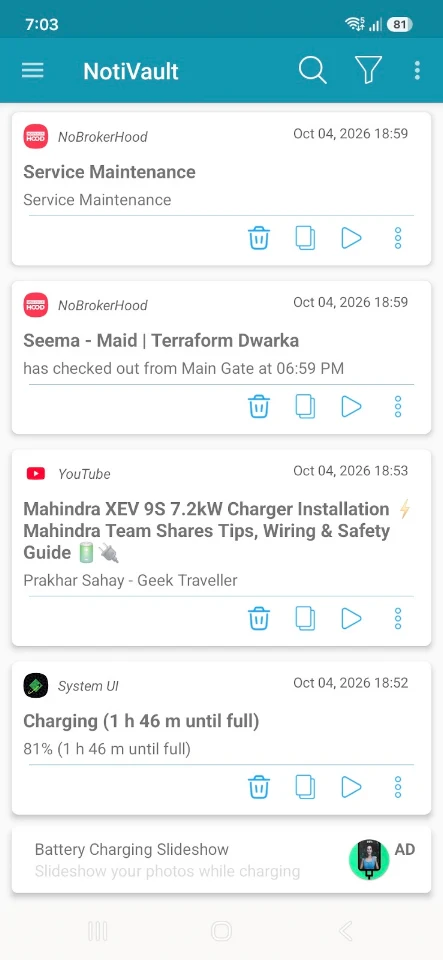
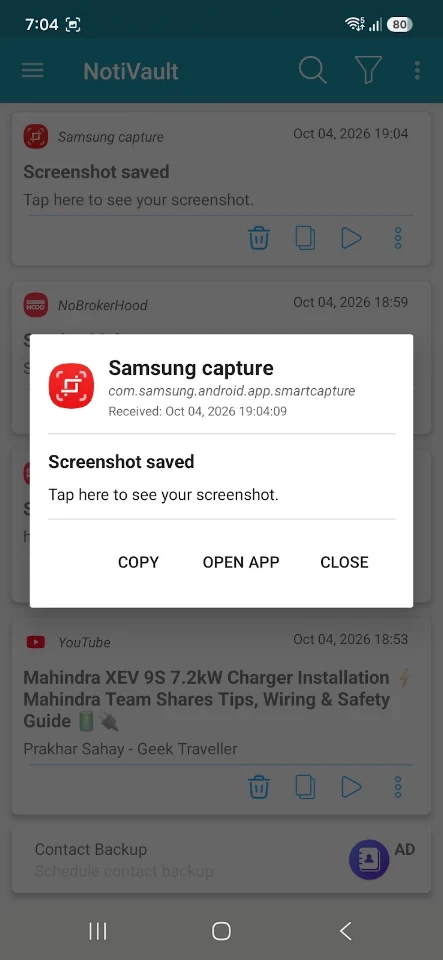
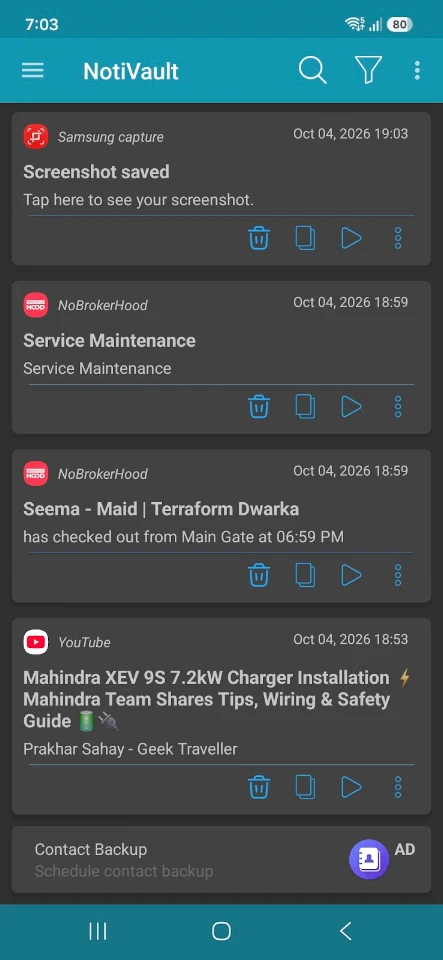
One of the standout features of NotiVault is its automatic notification logging. It records all incoming notifications in real-time. You can easily use the clean notification history viewer to see a detailed log that includes the time, app name, and content of each notification.
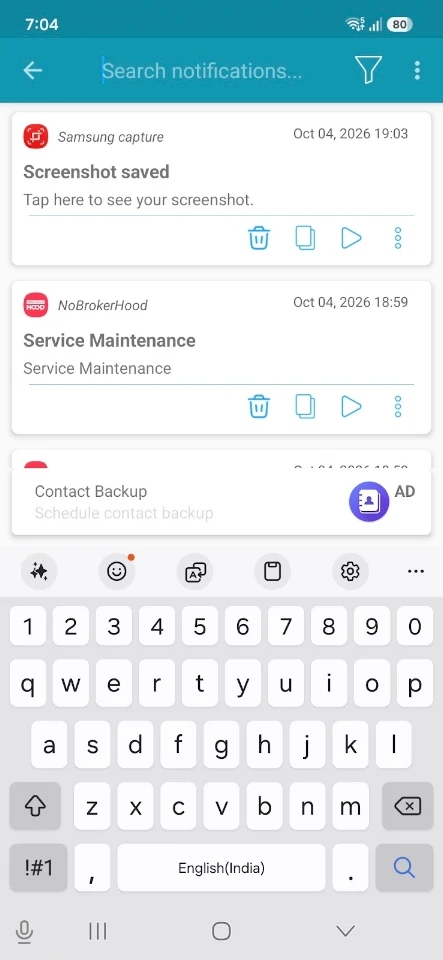
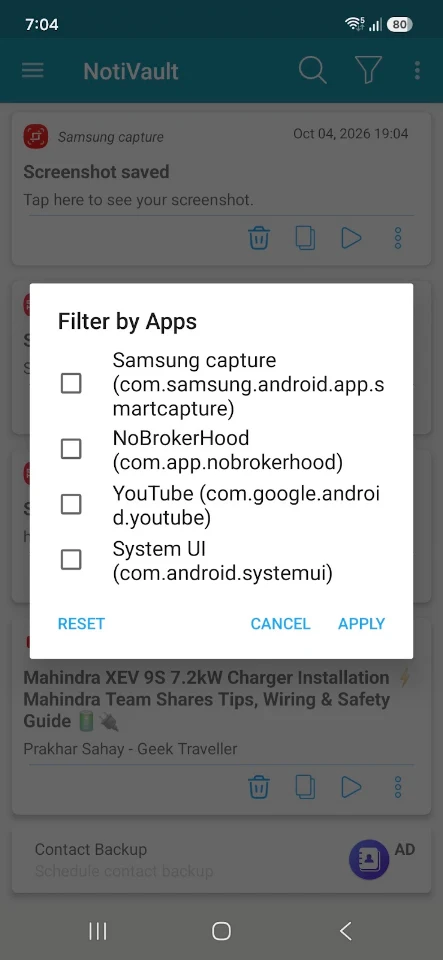
If you're looking for something specific, the app provides advanced search & filters. This allows you to quickly find notifications by keyword or app. Plus, you can restore missed notifications, checking alerts even after they’ve been swiped away or cleared from your screen.
Your notification history is also grouped by app, making it simple to navigate through your logs. With dark mode support, this lightweight application offers a sleek design that is easy on the eyes. It is also battery friendly, ensuring minimal impact on your phone’s performance.
When it comes to your privacy, NotiVault is 100% private and secure. Your data is never stored on any server. Instead, all notification logs are saved locally on your device. You have full data control, which means you can delete or clear logs whenever you wish.
So, who should use NotiVault? Anyone who often misses or dismisses notifications will find it invaluable. Professionals who rely on important app alerts will also benefit greatly. It’s perfect for users managing multiple app notifications or those looking for better control and insights into their device activity.
Using NotiVault is straightforward. First, you need to install and open the app. You’ll then need to grant notification access, which is required to read notifications. After that, let NotiVault run quietly in the background. It will handle the real-time logging of your notifications, and you can open the app whenever you like to view, search, or manage your notification history.
Why should you choose NotiVault? The app emphasizes simplicity, reliability, and data privacy. It helps you stay organized so that you never lose track of important alerts. Whether it’s an OTP notification, a social media alert, or an important message, your notifications are always just a tap away.
Download NotiVault today and start keeping track of every notification, including the ones you thought were lost forever!
Have you ever accidentally swiped away a crucial message or alert and wished you could see it again? NotiVault makes it easy for you to view past notifications from any app, even after they have been dismissed. Think of NotiVault as your personal notification assistant. It helps you keep a clean notification log, organized in a way that makes sense.
So, what exactly is NotiVault? It's a simple yet powerful tool that automatically logs all notifications from every app you have. You can view them in a neat, easy-to-read timeline. Whether it’s a WhatsApp message, a missed call, an Instagram alert, or a banking notification, NotiVault has your back with a backup you can refer to anytime.
One of the standout features of NotiVault is its automatic notification logging. It records all incoming notifications in real-time. You can easily use the clean notification history viewer to see a detailed log that includes the time, app name, and content of each notification.
If you're looking for something specific, the app provides advanced search & filters. This allows you to quickly find notifications by keyword or app. Plus, you can restore missed notifications, checking alerts even after they’ve been swiped away or cleared from your screen.
Your notification history is also grouped by app, making it simple to navigate through your logs. With dark mode support, this lightweight application offers a sleek design that is easy on the eyes. It is also battery friendly, ensuring minimal impact on your phone’s performance.
When it comes to your privacy, NotiVault is 100% private and secure. Your data is never stored on any server. Instead, all notification logs are saved locally on your device. You have full data control, which means you can delete or clear logs whenever you wish.
So, who should use NotiVault? Anyone who often misses or dismisses notifications will find it invaluable. Professionals who rely on important app alerts will also benefit greatly. It’s perfect for users managing multiple app notifications or those looking for better control and insights into their device activity.
Using NotiVault is straightforward. First, you need to install and open the app. You’ll then need to grant notification access, which is required to read notifications. After that, let NotiVault run quietly in the background. It will handle the real-time logging of your notifications, and you can open the app whenever you like to view, search, or manage your notification history.
Why should you choose NotiVault? The app emphasizes simplicity, reliability, and data privacy. It helps you stay organized so that you never lose track of important alerts. Whether it’s an OTP notification, a social media alert, or an important message, your notifications are always just a tap away.
Download NotiVault today and start keeping track of every notification, including the ones you thought were lost forever!

iperf – Bandwidth measurements
Banana Studio
$1.99
$1.39
Ringtone Scheduler
Neelam Govind Bhanushali
$0.99

Engineering Tools : Mechanical
TOLAN
$4.99
$0.99