

$1.99
$1.39
30% Off
iperf – Bandwidth measurements
Banana Studio


About the App
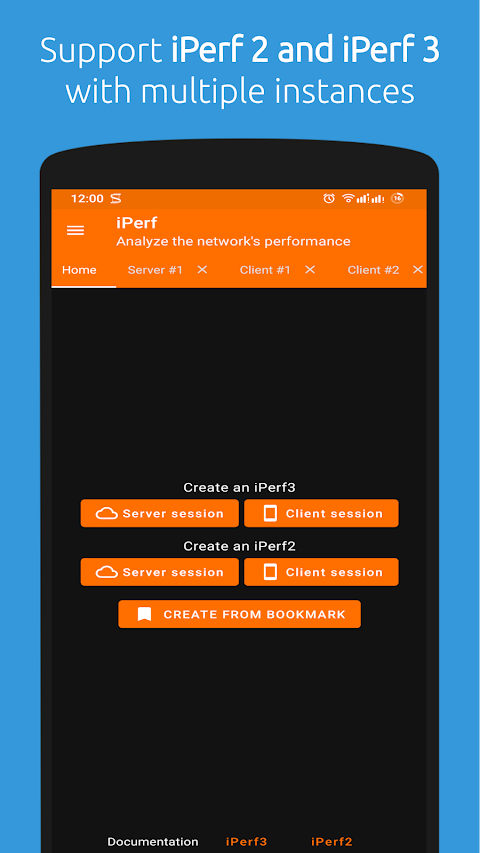
The iperf app is a powerful tool for measuring bandwidth. Available as both the iPerf3 tool and the iPerf2 tool, it is specially designed for Android devices. The latest versions include iPerf3: 3.17.1 and iPerf2: 2.1.9. It is recommended to use iPerf2 when testing network bandwidth for the best results.
iPerf allows users to conduct active measurements of the maximum achievable bandwidth on IP networks. This means you can easily check how much data your network can handle at its best. The app supports tuning various parameters, related to timing, buffer tuning, and protocols including TCP protocols, UDP protocols, and SCTP protocols. It works with both IPv4 support and IPv6 support, making it versatile for different network setups.
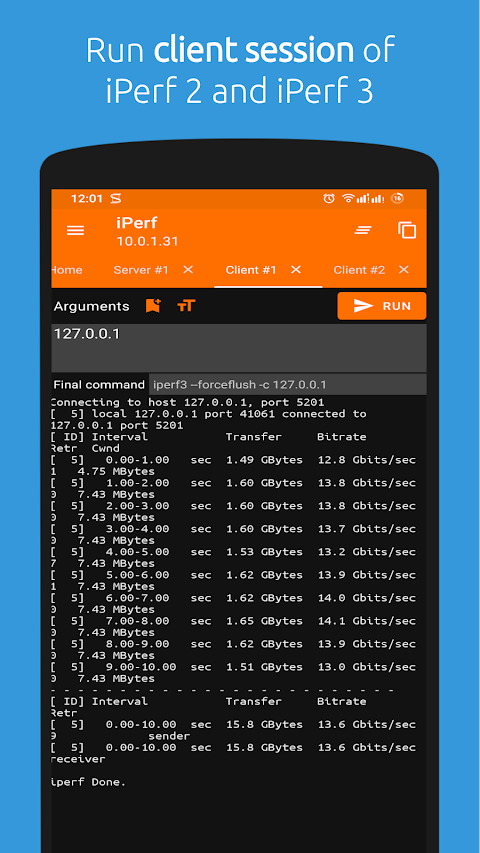
During each test, the iperf app reports important details like bandwidth, packet loss measurement, and delay jitter measurement. Users can also benefit from its multicast capabilities, allowing for efficient data distribution across multiple devices.
The iperf app stands out for its cross-platform support. It works smoothly on various operating systems, including Windows compatibility, Linux compatibility, Android compatibility, and MacOS compatibility. This means you can use it on whatever devices you have without issues.
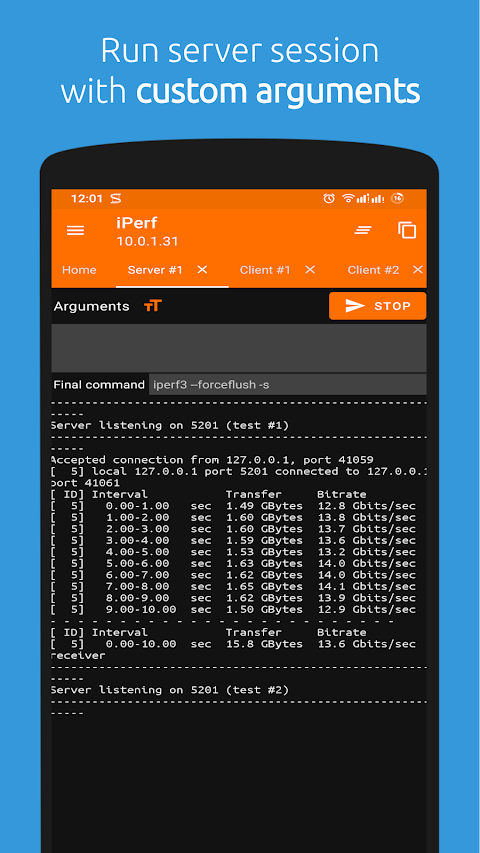
Users can utilize features such as multiple connections, which allows the client and server to handle several simultaneous connections. This functionality allows for thorough testing without interruptions. The server can also operate in server daemon mode, accepting multiple clients at the same time for iPerf2 and a single client for iPerf3.
For flexibility in testing, the iperf app allows you to run tests for a specified duration. You can also print periodic bandwidth reports and intermediate loss reports at intervals that you set. This capability helps you understand network performance over time.
Notably, users can create UDP stream creation to test specific bandwidth settings. You can adjust the target bandwidth settings for both UDP and TCP with ease. The app also supports MSS/MTU size reporting and allows users to ignore TCP slowstart for more adjusted measurements.
New features include the ability to set congestion control algorithms and create disk read tests and disk write tests. This makes the iperf app an even more comprehensive tool for network analysis. With JSON output format options, you can get clear and organized test results that are easy to read and understand.
Additionally, the iperf app can utilize representative streams to see how link layer compression impacts your achievable bandwidth. This feature helps you get a clearer picture of network performance under different conditions.
For anyone looking to measure bandwidth accurately and effectively, the iperf app is a reliable choice. Whether you're a network engineer or just someone interested in monitoring their home network, the iperf app provides the tools you need to get detailed insights into your bandwidth performance. If you need help or have any feedback, don't hesitate to reach out to support@xnano.net.
iPerf allows users to conduct active measurements of the maximum achievable bandwidth on IP networks. This means you can easily check how much data your network can handle at its best. The app supports tuning various parameters, related to timing, buffer tuning, and protocols including TCP protocols, UDP protocols, and SCTP protocols. It works with both IPv4 support and IPv6 support, making it versatile for different network setups.
During each test, the iperf app reports important details like bandwidth, packet loss measurement, and delay jitter measurement. Users can also benefit from its multicast capabilities, allowing for efficient data distribution across multiple devices.
The iperf app stands out for its cross-platform support. It works smoothly on various operating systems, including Windows compatibility, Linux compatibility, Android compatibility, and MacOS compatibility. This means you can use it on whatever devices you have without issues.
Users can utilize features such as multiple connections, which allows the client and server to handle several simultaneous connections. This functionality allows for thorough testing without interruptions. The server can also operate in server daemon mode, accepting multiple clients at the same time for iPerf2 and a single client for iPerf3.
For flexibility in testing, the iperf app allows you to run tests for a specified duration. You can also print periodic bandwidth reports and intermediate loss reports at intervals that you set. This capability helps you understand network performance over time.
Notably, users can create UDP stream creation to test specific bandwidth settings. You can adjust the target bandwidth settings for both UDP and TCP with ease. The app also supports MSS/MTU size reporting and allows users to ignore TCP slowstart for more adjusted measurements.
New features include the ability to set congestion control algorithms and create disk read tests and disk write tests. This makes the iperf app an even more comprehensive tool for network analysis. With JSON output format options, you can get clear and organized test results that are easy to read and understand.
Additionally, the iperf app can utilize representative streams to see how link layer compression impacts your achievable bandwidth. This feature helps you get a clearer picture of network performance under different conditions.
For anyone looking to measure bandwidth accurately and effectively, the iperf app is a reliable choice. Whether you're a network engineer or just someone interested in monitoring their home network, the iperf app provides the tools you need to get detailed insights into your bandwidth performance. If you need help or have any feedback, don't hesitate to reach out to support@xnano.net.

Bubble Level PRO
1 Bit
$2.99

Sound Meter – Decibel Meter
Tools Dev
$2.99

SunOnTrack: Sun Path & Shadows
Plan the sun
$9.99
$7.99