
$1.99
FREE
100% Off
Map Redirect for Map Links
Miao Wang

About the App
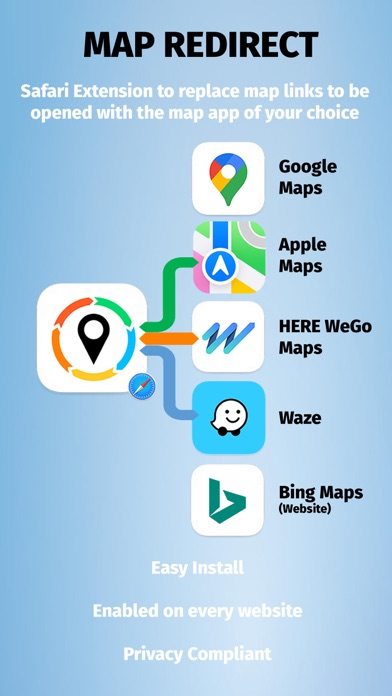
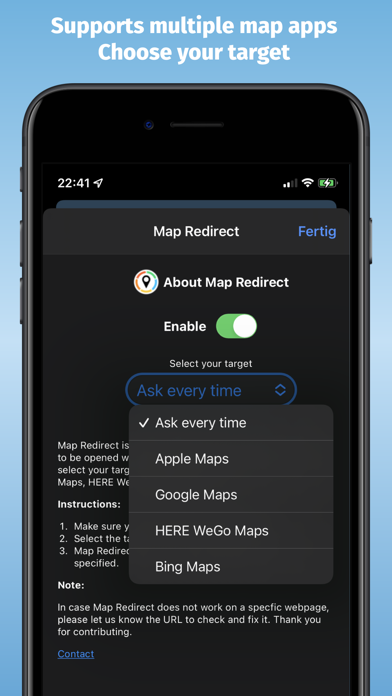
Map Redirect is a handy Safari Extension designed to make your online navigation easier. With this app, you can replace all map links on any webpage with the map app of your choice. Whether you prefer Apple Maps Integration, Google Maps Integration, HERE WeGo Maps, Bing Maps Integration, or Waze Integration, Map Redirect gives you the flexibility to choose your preferred option.
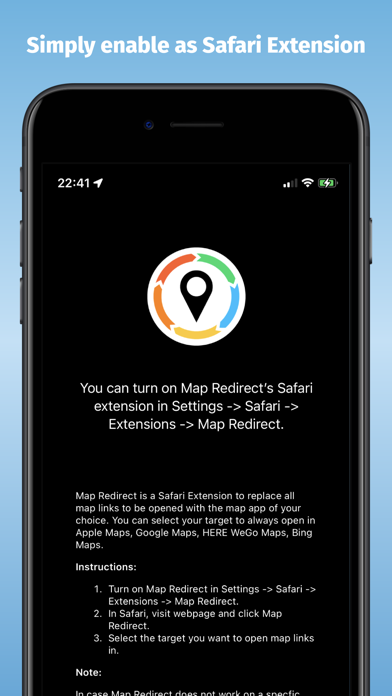
Using Map Redirect is simple. After you download Map Redirect from the App Store, you'll need to enable it. Just go to Settings, then Safari, and find your Extensions. Activate the Map Redirect as your Safari Extension to start using it. Now you're ready to browse locations online. For instance, you can search for "London" right in your Safari browser.
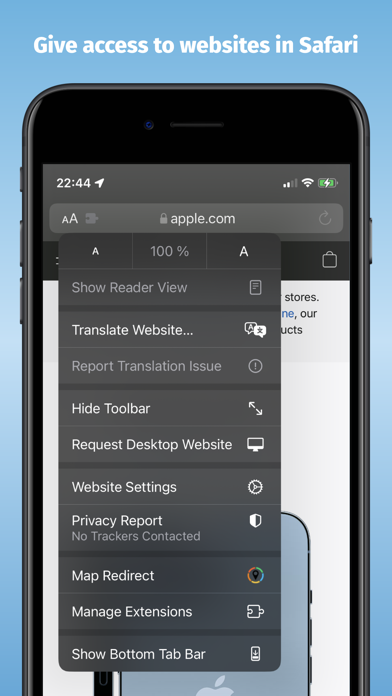
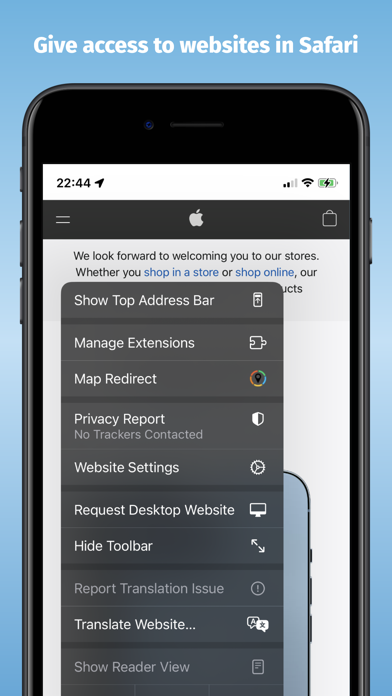
When you find a map link, click on the context menu, marked by the symbol "aA." This will allow you to give Map Redirect access to the webpage you're viewing. It’s essential for the extension to scan the webpage for map links and modify them accordingly. If the extension asks for access, you can choose to allow it for one day or always, depending on your preference.
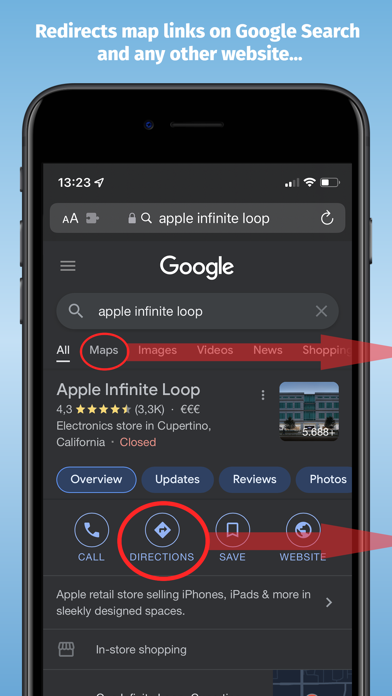
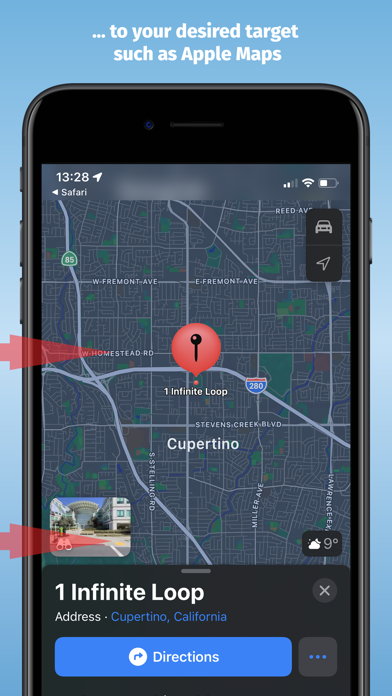
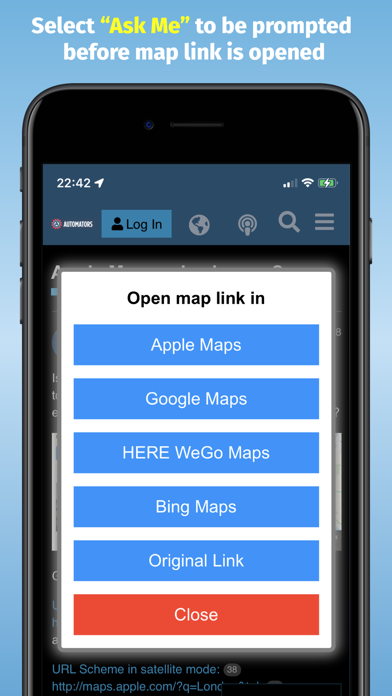
Once you set up your user-selected map app in the Map Redirect popup, like Apple Maps, Map Redirect will start its automatic map redirect function. The extension will scan the webpage for map links and replace them with links that open in your selected app. This means that when you click on any map link, Map Redirect will take you directly to your chosen app. For example, after clicking a link, you’ll be taken to London in Apple Maps without any hassle.
Map links can appear in various formats with different parameters, and Map Redirect aims to detect and convert them effectively. That’s why it requires permission to modify the webpage. If you find that Map Redirect does not work on a particular webpage, please feel free to contact us and provide the URL so we can check and improve it.
It's worth noting that while HERE WeGo’s deep linking support is limited to links with geo-coordinates, Bing Maps will use Apple Maps on iPhones. Additionally, Waze deeplinking has restrictions and mainly supports searching from your current location to nearby destinations.
Privacy is a key focus for Map Redirect. The app does not use trackers and does not keep, sell, rent, or share any personal information during your use. All processing happens locally on the webpage you visit while using the extension. No data is ever transferred to a central server.
In summary, Map Redirect offers a user-friendly map navigation experience by enabling map link redirection on your favorite websites. With one-click map access and customizable map openings, it eliminates the need for copy/pasting map links. Enjoy quick access to navigation apps, keeping your online experience smooth and efficient.
Using Map Redirect is simple. After you download Map Redirect from the App Store, you'll need to enable it. Just go to Settings, then Safari, and find your Extensions. Activate the Map Redirect as your Safari Extension to start using it. Now you're ready to browse locations online. For instance, you can search for "London" right in your Safari browser.
When you find a map link, click on the context menu, marked by the symbol "aA." This will allow you to give Map Redirect access to the webpage you're viewing. It’s essential for the extension to scan the webpage for map links and modify them accordingly. If the extension asks for access, you can choose to allow it for one day or always, depending on your preference.
Once you set up your user-selected map app in the Map Redirect popup, like Apple Maps, Map Redirect will start its automatic map redirect function. The extension will scan the webpage for map links and replace them with links that open in your selected app. This means that when you click on any map link, Map Redirect will take you directly to your chosen app. For example, after clicking a link, you’ll be taken to London in Apple Maps without any hassle.
Map links can appear in various formats with different parameters, and Map Redirect aims to detect and convert them effectively. That’s why it requires permission to modify the webpage. If you find that Map Redirect does not work on a particular webpage, please feel free to contact us and provide the URL so we can check and improve it.
It's worth noting that while HERE WeGo’s deep linking support is limited to links with geo-coordinates, Bing Maps will use Apple Maps on iPhones. Additionally, Waze deeplinking has restrictions and mainly supports searching from your current location to nearby destinations.
Privacy is a key focus for Map Redirect. The app does not use trackers and does not keep, sell, rent, or share any personal information during your use. All processing happens locally on the webpage you visit while using the extension. No data is ever transferred to a central server.
In summary, Map Redirect offers a user-friendly map navigation experience by enabling map link redirection on your favorite websites. With one-click map access and customizable map openings, it eliminates the need for copy/pasting map links. Enjoy quick access to navigation apps, keeping your online experience smooth and efficient.

All Document Reader Premium
Premium Quality Apps
$1.49
$0.49

iMonitor: System Monitor
UniversalWind
$1.99

Strongbox Pro
Phoebe Code Limited
$99.99
$74.99