
$0.99
$0.49
51% Off
Glass 27 Icons
NARIK DESIGN

About the App
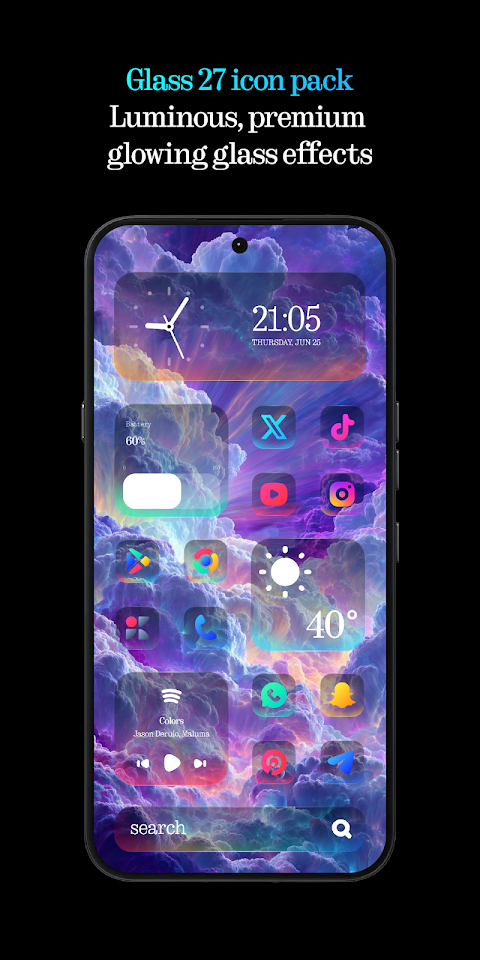
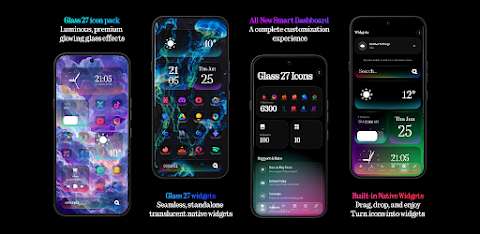
Transform your home screen with Glass 27 Icons, an app that brings a vibrant new look to your device. Featuring beautifully crafted glass effect icons, this app is perfect for those who enjoy a stylish aesthetic. It works exceptionally well on dark mode setups, where the icons really pop.
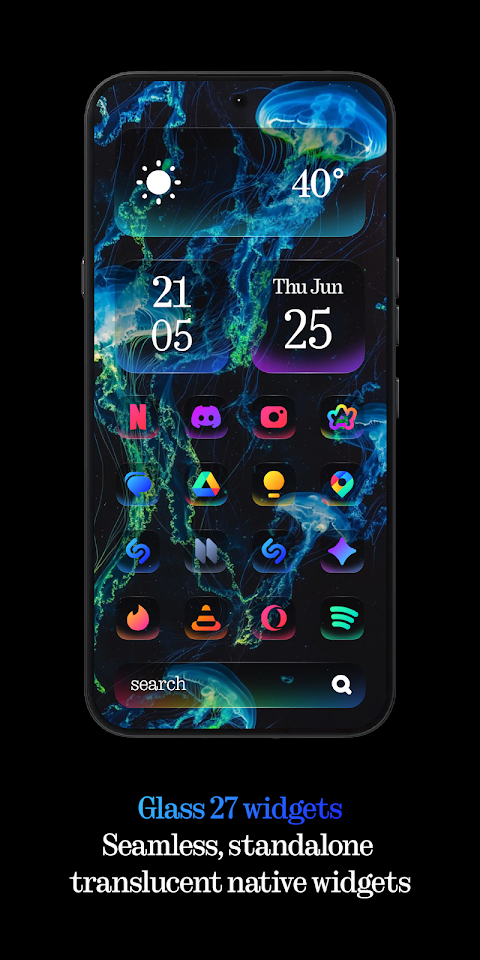
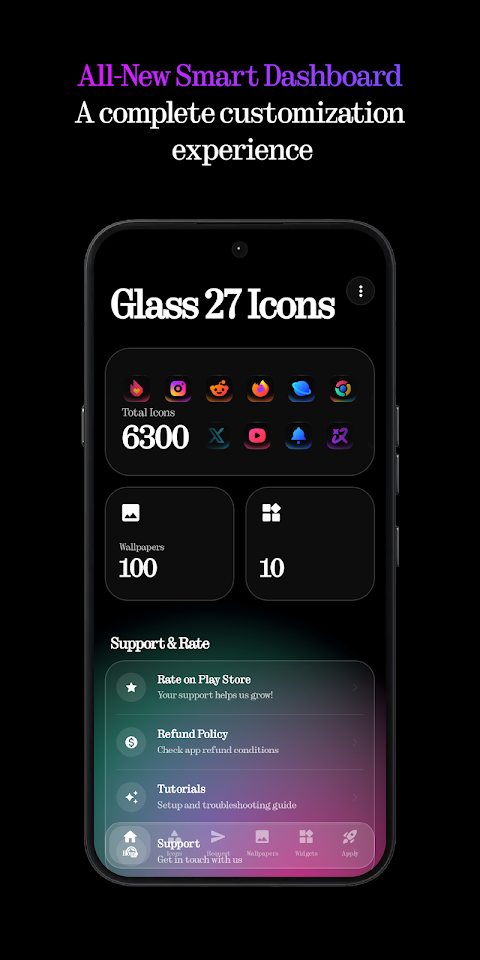
Glass 27 Icons offers an impressive collection of 6300 custom icons, each designed with attention to detail. Alongside these, you also get 8 native widgets that add functionality without needing any additional apps like KWGT. This means you can easily personalize your home screen and enjoy a fresh new look.
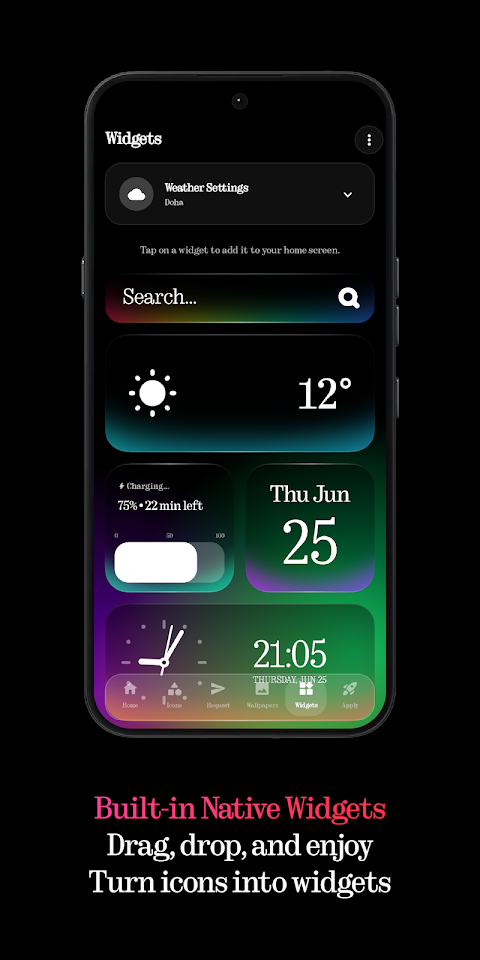
The app has a fully redesigned user interface that enhances the experience. Users can navigate the all-new dashboard smoothly. Within this app, you’ll find various custom-built widgets. These include a weather widget to stay updated on conditions, a clock widget for time management, a calendar widget for scheduling, a battery widget to monitor your device's power, and a music widget to control your tunes. Each widget is meticulously crafted to fit seamlessly into your home screen layout.
You can also add icon widgets directly, allowing for perfect app icon alignment on your home screen. For those who enjoy dynamic visuals, Glass 27 Icons includes animated live wallpapers as well as 100 cloud wallpapers that showcase stunning effects, designed especially for dark themes.
If you're missing any icons, Glass 27 offers a premium icon request feature, ensuring you can easily get the themed icons you want. There’s also a free icon request tool for those who need help finding specific icons. Plus, the app is regularly updated, meaning you will continuously receive new icons and fresh widgets to enhance your experience.
To use this icon pack, you will need to install a supported launcher. Glass 27 Icons is compatible with many popular launchers, including Nothing Launcher, Nova Launcher, Lawnchair Launcher, Niagara Launcher, and Smart Launcher 6. Once you have a supported launcher, simply open Glass 27 Icons, go to the apply section, and select your launcher to apply the new icons and widgets. If your launcher isn't listed, apply directly through your launcher settings.
It's important to note that all 8 widgets within the app are completely native, which means they work without requiring any third-party applications. There is also a handy TUTORIALS section inside the app that addresses common questions, so make sure to check it before reaching out for help.
For those curious about accessibility features, Glass 27 uses the AccessibilityService API to detect launcher states, like the home screen, app drawer, and recent apps. This helps in preventing visual overlap and accidental touches when interacting with live wallpapers. Rest assured, Glass 27 does not access personal data like messages or passwords. Data is processed locally and is kept private.
Overall, Glass 27 Icons is your go-to solution for home screen customization. With high-quality icons, native widgets, and regular updates, everyone can enjoy a modern, visually stunning user interface. Enjoy the beauty and functionality that Glass 27 Icons brings to your device today!
PRADO 85 Digital Watch Face
PRADO DESIGN ® Watch Faces
$1.99
$0.80

Everything Adaptive Icons
NARIK DESIGN
$1.99
$0.49

iMaterial Light Icon Pack
PashaPuma Design
$1.49
$0.80