

$1.49
$0.60
60% Off
iMaterial Light Icon Pack
PashaPuma Design


About the App
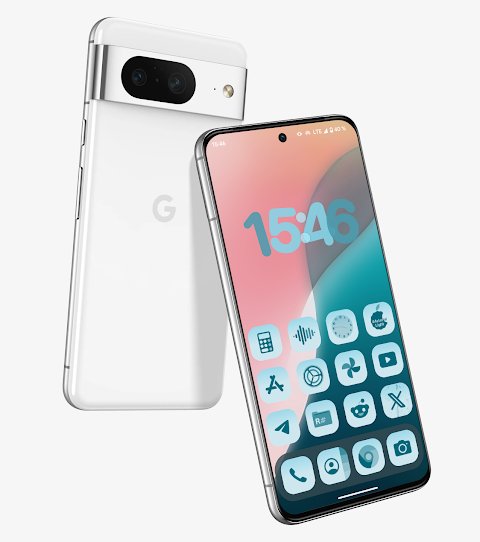
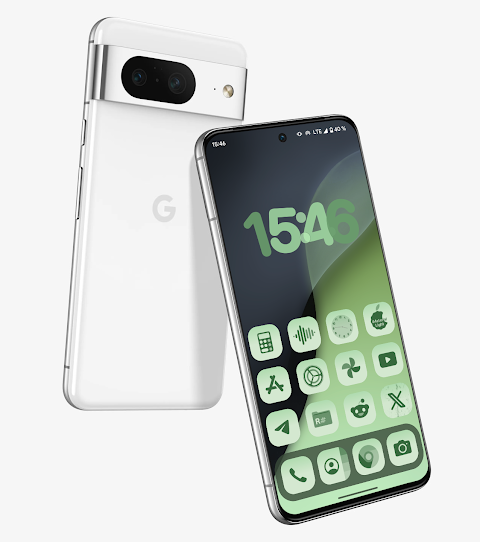
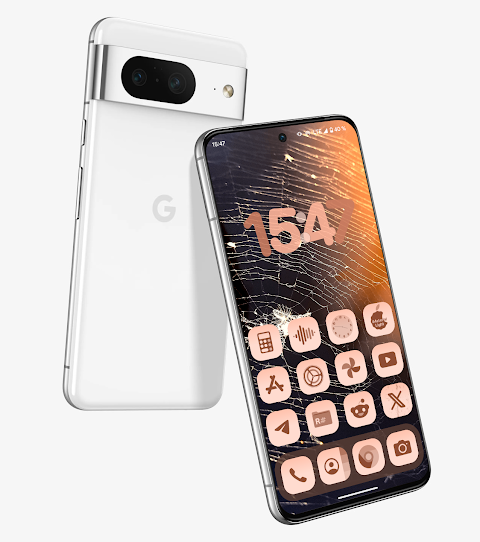
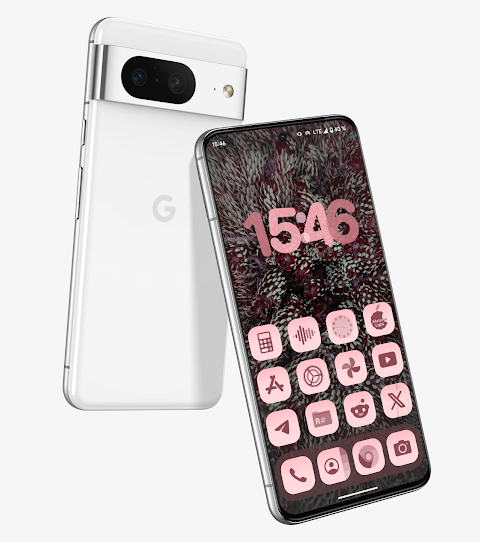
iMaterial Light Icon Pack is a unique app inspired by iOS18, specifically designed for Android 12 and above. This icon pack features beautiful gradient background icons that can transform the look of your device. These icons are perfect for custom launchers and can change color based on your wallpaper or the accent color of your system.
In total, the iMaterial Light Icon Pack offers over 27,000 adaptive icons. This vast collection allows you to choose the perfect icons that fit your style. Whether you want dynamic icons for Android or just to spice up your home screen, this app has you covered.
For the best experience, it is recommended to use certain launchers that support dynamic icons. The Hyperion beta launcher, for example, can change colors automatically to match your chosen theme. Other great options include the Niagara launcher, AIO launcher, Nova launcher beta, and Smart launcher beta, all of which can adapt their icon colors dynamically. You can also try Action launcher, Ruthless launcher, and Lawnchair for additional integration.
If you're using a Samsung device with the stock One UI launcher, you can still enjoy everything iMaterial Light Icon Pack has to offer. You just need to use the Theme Park customization tool to change colors accordingly.
If you ever encounter issues or if something does not work as expected, assistance is available. You can easily reach out to technical support via Telegram at the provided link.
Experience the beauty of customization with iMaterial Light Icon Pack, where you can enhance your Android device with high-quality adaptive icons that match perfectly with your style and preferences. Whether you’re into gradient icon themes or simply want to customize your Android experience, this icon pack is the perfect choice for you.
In total, the iMaterial Light Icon Pack offers over 27,000 adaptive icons. This vast collection allows you to choose the perfect icons that fit your style. Whether you want dynamic icons for Android or just to spice up your home screen, this app has you covered.
For the best experience, it is recommended to use certain launchers that support dynamic icons. The Hyperion beta launcher, for example, can change colors automatically to match your chosen theme. Other great options include the Niagara launcher, AIO launcher, Nova launcher beta, and Smart launcher beta, all of which can adapt their icon colors dynamically. You can also try Action launcher, Ruthless launcher, and Lawnchair for additional integration.
If you're using a Samsung device with the stock One UI launcher, you can still enjoy everything iMaterial Light Icon Pack has to offer. You just need to use the Theme Park customization tool to change colors accordingly.
If you ever encounter issues or if something does not work as expected, assistance is available. You can easily reach out to technical support via Telegram at the provided link.
Experience the beauty of customization with iMaterial Light Icon Pack, where you can enhance your Android device with high-quality adaptive icons that match perfectly with your style and preferences. Whether you’re into gradient icon themes or simply want to customize your Android experience, this icon pack is the perfect choice for you.
Ballozi LUXOS Watch Face
BALLOZI Watch Faces
$1.99
$0.40
Digital Basic 4 Wear OS 5+
OQ Watchfaces
$1.39
$0.49
Real3D – Icon Pack
Olivera Onias Design
$1.99
$1.00