

$9.99
FREE
100% Off
GitSync.md: Git Client
Cody Russell Bontecou

About the App
GitSync.md is a Git client designed specifically for iPhone and iPad users. It allows you to keep your Markdown notes and code organized in real Git repositories. With GitSync.md, you can easily edit your files, review changes, and push your updates to your remote repository.
One of the great features of GitSync.md is its Markdown notes management capability. You can use the built-in editor to make changes or open your repository files in third-party apps like Obsidian, iA Writer, 1Writer, Taio, or any other compatible iOS Files app. Your notes remain ordinary files within a real Git working copy, making it easy to manage your content.
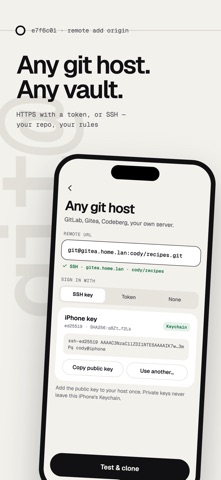
Connecting to GitHub is simple with GitHub OAuth integration or a Personal Access Token. You can also connect to other platforms such as GitLab, Bitbucket, and Gitea, or even to a self-hosted Git remote via HTTPS or SSH. This flexibility allows you to work seamlessly with your existing Git setup.
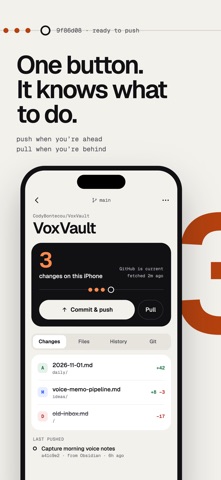
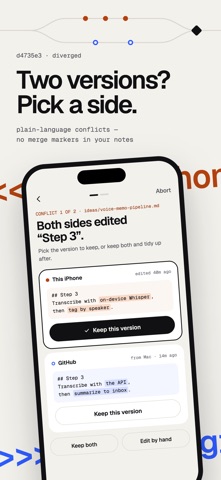
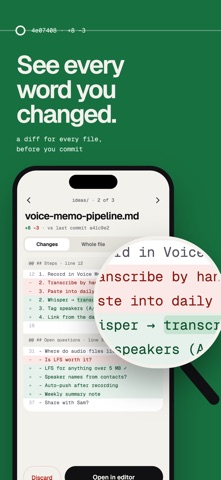
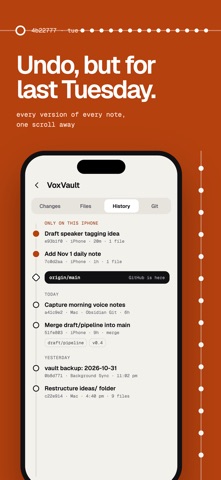
Before pushing your changes, GitSync.md lets you review all modified files and their text diffs. You can stage changes effectively, write custom commit messages, and push these changes to your remote repositories. The app also supports browsing commit history, managing branches, and stashing changes. If you encounter merge conflicts, you can easily resolve them within the app. The Pull with Rebase feature further helps you manage your branches smoothly.
Getting started with GitSync.md is easy, whether you want to clone an existing repository or open a local Git repository. If you prefer, you can even turn a local folder on your iPhone or iPad into a Git repository. When you publish a local folder, it creates a new private GitHub repository. This way, you can review your files before uploading them.
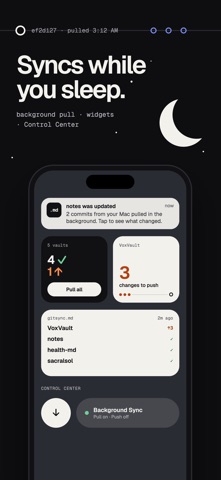
For those who like to streamline their workflow, GitSync.md offers Apple Shortcuts integration. You can run Pull, Push, or Sync actions quickly. The app also allows you to use syncmd:// callback links to perform repository actions directly from compatible apps and notes. An optional Background Sync feature helps pull remote changes and, with your consent, can automatically commit and push local edits. You can enable this feature in your settings and decide how pull and push actions work. Keep in mind that iOS controls when the background tasks run, so the delivery is best-effort, not guaranteed real-time.
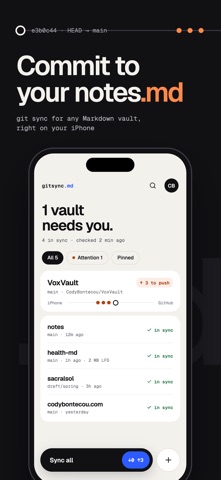
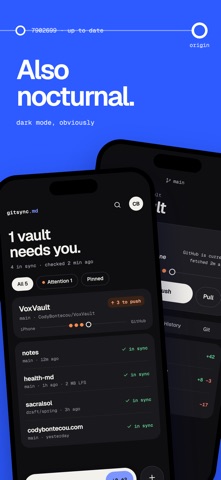
You can manage multiple repositories within GitSync.md, keeping your notes, documentation, and code projects organized in separate repositories. Each repository can have its own branch, author details, and documentation storage location, giving you complete control over your work.
GitSync.md uses libgit2 for on-device Git operations, which means your repositories have real .git directories. All Git traffic goes directly to your chosen remote, ensuring a smooth experience. Your Git credentials are securely stored in the iOS Keychain.
The app is free to download, and checking a vault is also free. However, cloning, linking, or publishing a vault will require a one-time Full Access purchase. There is no subscription model, making it easy for everyone to get started. If you previously purchased GitSync.md before it became free, rest assured that your app is already unlocked.
In summary, GitSync.md is a user-friendly Git client for iOS that simplifies managing your Markdown notes and code. With features like real-time repository updates, multiple repository management, and straightforward version control for notes, it provides a powerful toolset for anyone looking to streamline their workflow with Git on their mobile devices.

Designs for Google Slides Pro
Jumsoft
$19.99
$4.99

MyKeyboard Pro
FiveSheep OU
$9.99

Active 2: Watch face
amoledwatchfaces™
$1.49
$0.75