
$39.99
FREE
100% Off
File Explorer – Gold
AJ Developers Team

About the App
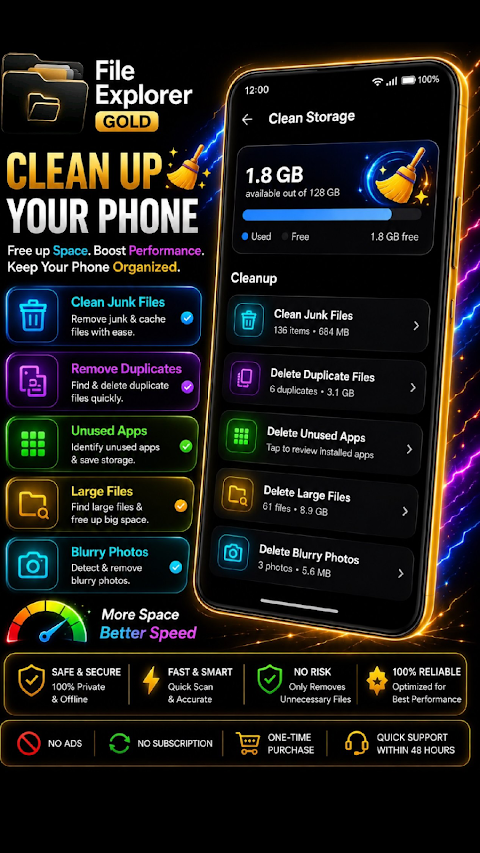
File Explorer - Gold is a powerful file manager designed to simplify how you manage your files. It offers built-in viewers and editors for videos, audio, photos, and PDF documents, all in one convenient app.
With File Explorer - Gold, you no longer need separate apps for different tasks. Everything is combined into this premium file management tool. Best of all, there are no ads, subscriptions, or in-app purchases. You make a one-time purchase and get to enjoy the full features of File Explorer - Gold for a lifetime.
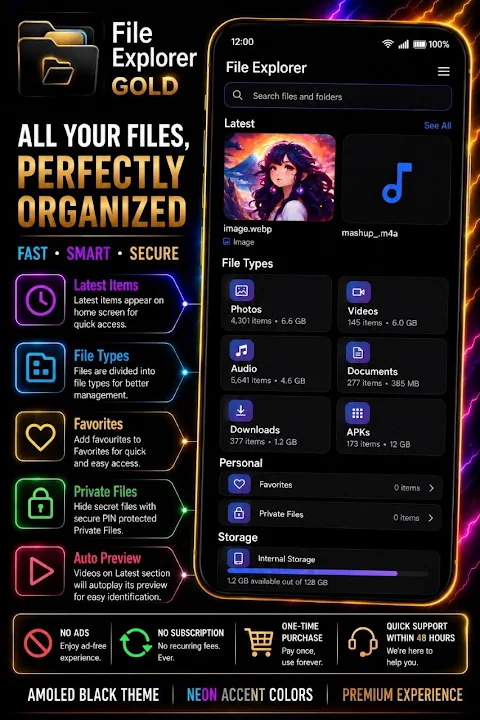
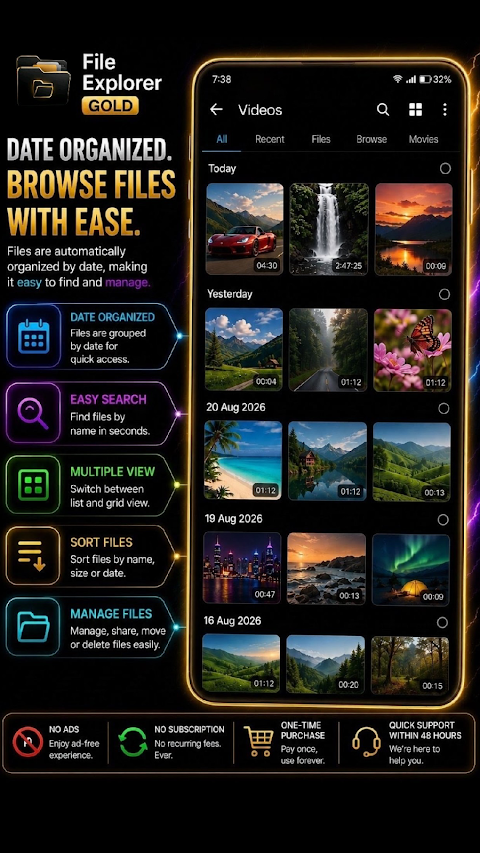
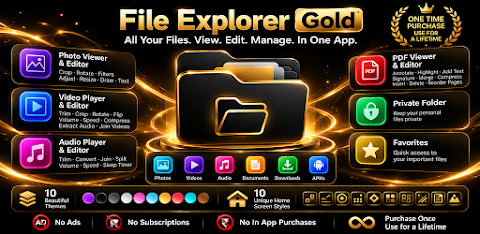
The app features smart file browsing, allowing you to quickly navigate your files. It categorizes your content into sections like Photos, Videos, Audio, Documents, Downloads, and APKs. The home screen is designed for easy access, displaying your latest files at the top. Videos in the Latest section can even autoplay, making it easier to watch them right away.
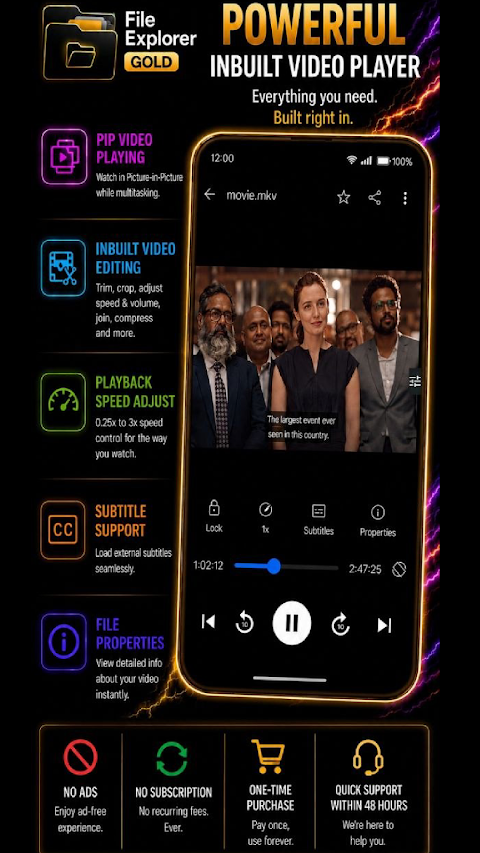
File Explorer - Gold includes a powerful video player and editor. You can watch and edit your videos without leaving the app. The video player lets you pinch to zoom in and out, and you can use Picture in Picture mode to keep watching while multitasking. It also supports subtitles and allows you to adjust video playback speed, from a slow 0.25x to a faster 3x, and includes background playback support.
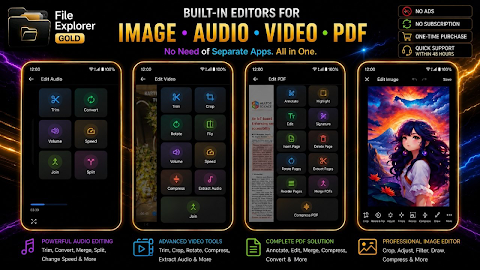
For editing, the video editor lets you trim, crop, rotate, and flip videos, as well as adjust volume and change playback speed. You can also compress videos and extract audio, or even join multiple videos together.
When it comes to audio, the app has an audio player and editor built in. The audio player offers playback speed controls and a sleep timer for convenience. You can listen to your favorite music easily. The audio editor allows you to trim audio files, convert audio formats, join or split audio files, and adjust the volume.
File Explorer - Gold also features a complete PDF viewer and editor. This allows you to read, edit, and manage all your PDF files without needing an additional app. You can annotate PDFs, highlight text, add text and signatures, insert or delete pages, rotate, extract, reorder, merge, and compress PDFs.
For managing your images, the app includes a photo viewer and editor. You can view and edit your photos using various photo editing tools. These tools let you crop, rotate, flip, and adjust your images, apply filters, resize, and compress them. You can also draw on your photos or add text.
Keeping your files secure is also important, and File Explorer - Gold has a private folder feature. This allows you to store personal files away from your regular file browsing experience, ensuring they remain private.
The task of accessing important files is made easier with the favorites section. You can add frequently used files to your favorites for quick access without needing to sift through folders repeatedly.
You can customize the appearance of File Explorer - Gold with ten beautiful custom themes, including options like Cosmic Purple, AMOLED Black, and Light Blue. Moreover, the app offers ten different home screen styles, so you can personalize your app's layout to your liking.
In summary, File Explorer - Gold is the all-in-one solution for managing files, playing media, editing videos and audio, handling photo adjustments, and working with PDFs— all from a single app. With its user-friendly features, you can take control of your files, enjoy media playback, and work efficiently.
File Explorer - Gold truly has everything you need in one app. Make a one-time purchase and enjoy all its features for a lifetime.
With File Explorer - Gold, you no longer need separate apps for different tasks. Everything is combined into this premium file management tool. Best of all, there are no ads, subscriptions, or in-app purchases. You make a one-time purchase and get to enjoy the full features of File Explorer - Gold for a lifetime.
The app features smart file browsing, allowing you to quickly navigate your files. It categorizes your content into sections like Photos, Videos, Audio, Documents, Downloads, and APKs. The home screen is designed for easy access, displaying your latest files at the top. Videos in the Latest section can even autoplay, making it easier to watch them right away.
File Explorer - Gold includes a powerful video player and editor. You can watch and edit your videos without leaving the app. The video player lets you pinch to zoom in and out, and you can use Picture in Picture mode to keep watching while multitasking. It also supports subtitles and allows you to adjust video playback speed, from a slow 0.25x to a faster 3x, and includes background playback support.
For editing, the video editor lets you trim, crop, rotate, and flip videos, as well as adjust volume and change playback speed. You can also compress videos and extract audio, or even join multiple videos together.
When it comes to audio, the app has an audio player and editor built in. The audio player offers playback speed controls and a sleep timer for convenience. You can listen to your favorite music easily. The audio editor allows you to trim audio files, convert audio formats, join or split audio files, and adjust the volume.
File Explorer - Gold also features a complete PDF viewer and editor. This allows you to read, edit, and manage all your PDF files without needing an additional app. You can annotate PDFs, highlight text, add text and signatures, insert or delete pages, rotate, extract, reorder, merge, and compress PDFs.
For managing your images, the app includes a photo viewer and editor. You can view and edit your photos using various photo editing tools. These tools let you crop, rotate, flip, and adjust your images, apply filters, resize, and compress them. You can also draw on your photos or add text.
Keeping your files secure is also important, and File Explorer - Gold has a private folder feature. This allows you to store personal files away from your regular file browsing experience, ensuring they remain private.
The task of accessing important files is made easier with the favorites section. You can add frequently used files to your favorites for quick access without needing to sift through folders repeatedly.
You can customize the appearance of File Explorer - Gold with ten beautiful custom themes, including options like Cosmic Purple, AMOLED Black, and Light Blue. Moreover, the app offers ten different home screen styles, so you can personalize your app's layout to your liking.
In summary, File Explorer - Gold is the all-in-one solution for managing files, playing media, editing videos and audio, handling photo adjustments, and working with PDFs— all from a single app. With its user-friendly features, you can take control of your files, enjoy media playback, and work efficiently.
File Explorer - Gold truly has everything you need in one app. Make a one-time purchase and enjoy all its features for a lifetime.

Contact Edge side bar
Yogesh Dama
$0.99
FREE

Sav PDF Viewer Pro – Read PDFs
Saverio Morelli
$3.49
FREE
Illuminance – Lux Light Pro
Phuongpn
$0.49
FREE