
$1.49
FREE
100% Off
Dock 3D – Icon Pack
GomoTheGom

About the App
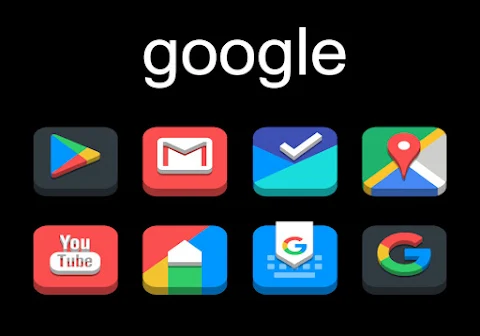
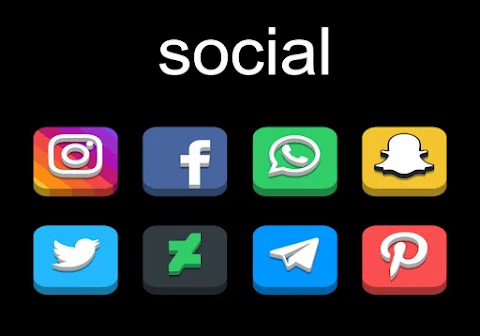
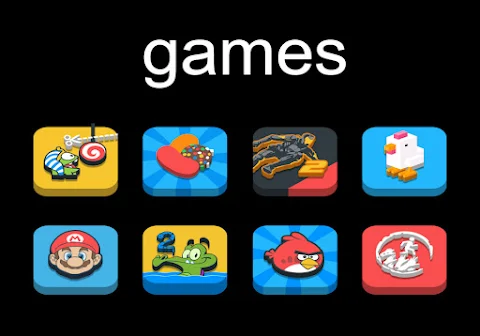
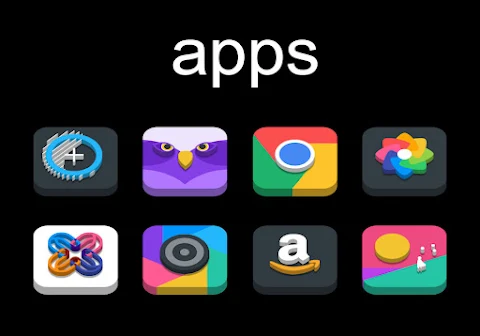
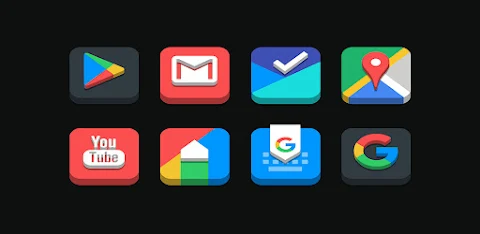
Dock 3D - Icon Pack is a special tool designed for customizing your device. With over 5000 icons, this icon pack makes it easy to give your phone a fresh look.
This icon pack is compatible with many popular launchers, including Nova Launcher, Evie Launcher, and Apex Launcher. To apply Dock 3D, just follow these simple steps:
1. Open the Dock 3D - Icon Pack app on your device.
2. Go to the "Apply Icon Pack" screen.
3. You’ll see a list of supported launchers. Choose Nova Launcher if you have it installed to start applying the icons.
4. The app will automatically set the icons from the Dock 3D - Icon Pack for your selected launcher.
If you can’t find your launcher in the app, you can also apply the icons directly from the launcher itself.
For users of the Sony Xperia Home Launcher, you can still use this icon pack. Here’s how:
1. Long press on your Home screen.
2. Open the settings.
3. Scroll down to the appearance icon settings.
4. Select the Dock 3D - Icon Pack.
5. Your icons will now be updated.
Please note that this icon pack supports Sony Xperia Home Launcher version 10.0.A.0.8 or higher.
Dock 3D - Icon Pack includes support for a variety of other launchers as well, such as ADW Launcher, ABC Launcher, Next Launcher, Holo Launcher, Lucid Launcher, M Launcher, Action Launcher, Aviate Launcher, Smart Launcher, Go Launcher, and Zero Launcher. Keep in mind that Go Launcher and Zero Launcher don’t support icon masking.
In addition to its extensive icon selection, Dock 3D - Icon Pack offers several features. You will find HD wallpapers—over 36 to choose from—that can complement your new icons. The icon resolution of 192x192px ensures that the icons look sharp and clear on your screen. If you come across any unthemed icons, the icon backing feature will help integrate them seamlessly into your theme.
You also have the option to request additional icons, making it easy to expand your icon collection. Alternate icons are available too, giving you even more choices for personalization.
Dock 3D - Icon Pack is all about customization for icons. You can change the look of your device easily with just a few taps. This app serves as a guide for applying your new themed icons and offers compatibility with many popular launchers.
If you want to explore more design ideas or keep up with updates, you can follow Dock 3D on social media platforms like Google+, Instagram, and Twitter. A special thanks goes to Dani Mahardika for the Candybar Dashboard, which makes this all possible.
With Dock 3D - Icon Pack, you have a powerful tool to refresh your device and make it stand out. Enjoy exploring the numerous customization options and transforming your everyday experience!
This icon pack is compatible with many popular launchers, including Nova Launcher, Evie Launcher, and Apex Launcher. To apply Dock 3D, just follow these simple steps:
1. Open the Dock 3D - Icon Pack app on your device.
2. Go to the "Apply Icon Pack" screen.
3. You’ll see a list of supported launchers. Choose Nova Launcher if you have it installed to start applying the icons.
4. The app will automatically set the icons from the Dock 3D - Icon Pack for your selected launcher.
If you can’t find your launcher in the app, you can also apply the icons directly from the launcher itself.
For users of the Sony Xperia Home Launcher, you can still use this icon pack. Here’s how:
1. Long press on your Home screen.
2. Open the settings.
3. Scroll down to the appearance icon settings.
4. Select the Dock 3D - Icon Pack.
5. Your icons will now be updated.
Please note that this icon pack supports Sony Xperia Home Launcher version 10.0.A.0.8 or higher.
Dock 3D - Icon Pack includes support for a variety of other launchers as well, such as ADW Launcher, ABC Launcher, Next Launcher, Holo Launcher, Lucid Launcher, M Launcher, Action Launcher, Aviate Launcher, Smart Launcher, Go Launcher, and Zero Launcher. Keep in mind that Go Launcher and Zero Launcher don’t support icon masking.
In addition to its extensive icon selection, Dock 3D - Icon Pack offers several features. You will find HD wallpapers—over 36 to choose from—that can complement your new icons. The icon resolution of 192x192px ensures that the icons look sharp and clear on your screen. If you come across any unthemed icons, the icon backing feature will help integrate them seamlessly into your theme.
You also have the option to request additional icons, making it easy to expand your icon collection. Alternate icons are available too, giving you even more choices for personalization.
Dock 3D - Icon Pack is all about customization for icons. You can change the look of your device easily with just a few taps. This app serves as a guide for applying your new themed icons and offers compatibility with many popular launchers.
If you want to explore more design ideas or keep up with updates, you can follow Dock 3D on social media platforms like Google+, Instagram, and Twitter. A special thanks goes to Dani Mahardika for the Candybar Dashboard, which makes this all possible.
With Dock 3D - Icon Pack, you have a powerful tool to refresh your device and make it stand out. Enjoy exploring the numerous customization options and transforming your everyday experience!
Chronix Hybrid Watch Face
Comback Watch Faces
$0.99

FUTURE
Freiberg watches
$1.49
Big Analog 4 WF Wear OS 5+
OQ Watchfaces
$1.49
$0.49