

$5.99
$3.99
33% Off
ChordBud 2 AUv3 MIDI Sequencer
Cem Olcay


About the App
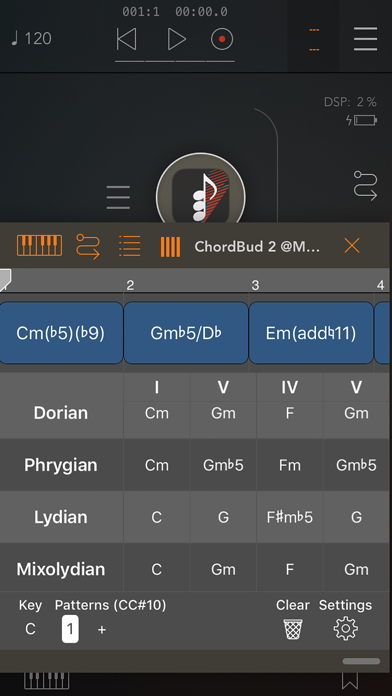
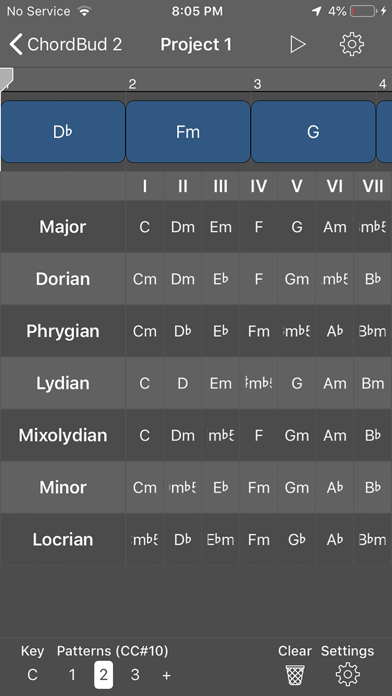
ChordBud 2 is a MIDI chord sequencer that makes it easy for you to create unique chord progressions quickly. The app has a powerful music theory engine that supports more than 40 scales. You can select the scales you want to use and view them all on one screen. Alongside the scales, you can see the chords available within them, allowing for easy comparison or even borrowing chords through a process called modal interchange.
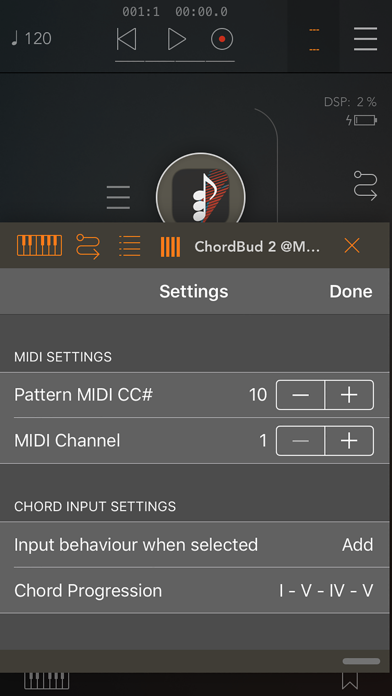
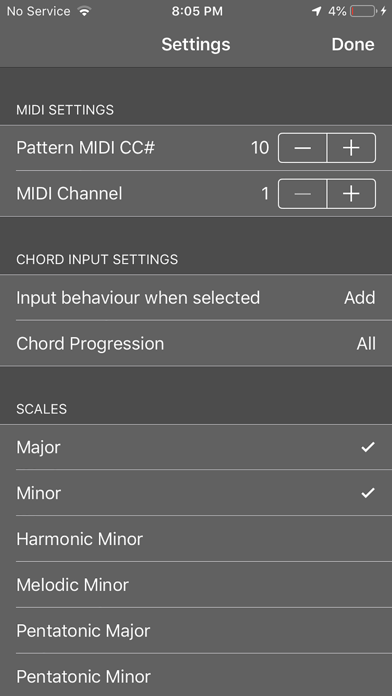
When you start, ChordBud 2 shows all the chords available in the scale you’re working with. You can change this key whenever you want. In the settings menu, you can select specific chord progressions, helping you see the chords you need for your music.
With ChordBud 2, you can create as many patterns as you desire. Each pattern can have different keys, scales, and chord progressions. If you want to reorganize your patterns, you can easily copy, paste, or delete them by long-pressing. The app also allows patterns to be triggered with MIDI CC messages, which helps you build automation or set up a song mode.
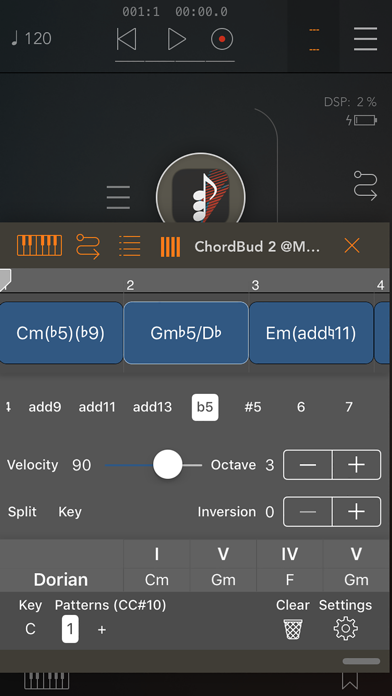
You’re not limited to only triad chords; ChordBud 2 allows for various chord modifications, including add, sus, and extended chords like 6, 7, 9, 11, and 13. After adding a chord to your timeline, you can tap on it to open the chord editor. In this editor, you can adjust the chord mode, change the velocity, select the octave, set inversion settings, and modify the key and chord subdivisions. The great part is that you can make these edits while the sequencer is playing, so you hear your changes right away.
In the timeline, you can easily move your chords to change their position. You can also drag chords from their right edge to adjust their duration. If you want to be more precise, you can pinch to zoom in or out. This feature lets you focus on the subdivisions to get everything just right.
ChordBud 2 provides its core components for free on GitHub, making it easier for you to explore or modify the app. You can fork these open-source components to create your own music application. The standalone app's MIDI layer is built using the AudioKit framework, giving you a solid foundation for your music creation.
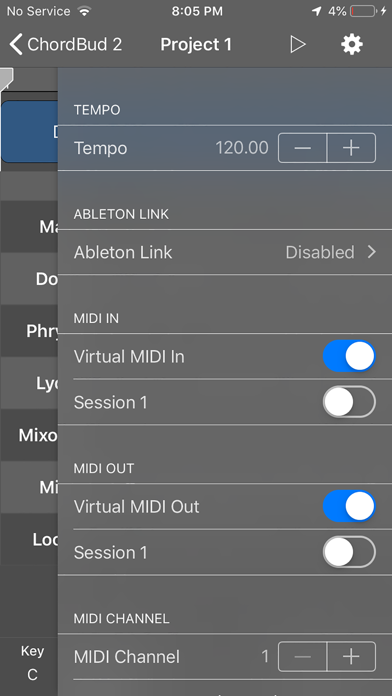
Keep in mind that ChordBud 2 is a MIDI sequencer app and does not produce sound on its own. To hear your music, you will need to connect it to an audio app. Simply route ChordBud 2’s MIDI Out to the MIDI In of your audio app and arm the sequencer to start playing.
With its user-friendly interface, ChordBud 2 is a fantastic tool for music composition. It allows for seamless chord selection and real-time changes in an interactive timeline. Enjoy advanced music creation with features that facilitate easy pattern management, duration modification, and effective MIDI input processing. Whether you're a beginner or an experienced musician, ChordBud 2 is designed to support your music app development journey.
When you start, ChordBud 2 shows all the chords available in the scale you’re working with. You can change this key whenever you want. In the settings menu, you can select specific chord progressions, helping you see the chords you need for your music.
With ChordBud 2, you can create as many patterns as you desire. Each pattern can have different keys, scales, and chord progressions. If you want to reorganize your patterns, you can easily copy, paste, or delete them by long-pressing. The app also allows patterns to be triggered with MIDI CC messages, which helps you build automation or set up a song mode.
You’re not limited to only triad chords; ChordBud 2 allows for various chord modifications, including add, sus, and extended chords like 6, 7, 9, 11, and 13. After adding a chord to your timeline, you can tap on it to open the chord editor. In this editor, you can adjust the chord mode, change the velocity, select the octave, set inversion settings, and modify the key and chord subdivisions. The great part is that you can make these edits while the sequencer is playing, so you hear your changes right away.
In the timeline, you can easily move your chords to change their position. You can also drag chords from their right edge to adjust their duration. If you want to be more precise, you can pinch to zoom in or out. This feature lets you focus on the subdivisions to get everything just right.
ChordBud 2 provides its core components for free on GitHub, making it easier for you to explore or modify the app. You can fork these open-source components to create your own music application. The standalone app's MIDI layer is built using the AudioKit framework, giving you a solid foundation for your music creation.
Keep in mind that ChordBud 2 is a MIDI sequencer app and does not produce sound on its own. To hear your music, you will need to connect it to an audio app. Simply route ChordBud 2’s MIDI Out to the MIDI In of your audio app and arm the sequencer to start playing.
With its user-friendly interface, ChordBud 2 is a fantastic tool for music composition. It allows for seamless chord selection and real-time changes in an interactive timeline. Enjoy advanced music creation with features that facilitate easy pattern management, duration modification, and effective MIDI input processing. Whether you're a beginner or an experienced musician, ChordBud 2 is designed to support your music app development journey.

RP-1 Delay
Kai Aras
$5.99
$2.99

RhythmBud – AUv3 MIDI FX
Cem Olcay
$4.99
$3.99

Poison-202 Vintage Synthesizer
Dmitrij Pavlov
$9.99
$4.99