

$4.99
$3.99
20% Off
RhythmBud – AUv3 MIDI FX
Cem Olcay

About the App
RhythmBud is a user-friendly MIDI effect application that transforms incoming MIDI messages into rhythmic patterns through its intuitive editor. It supports the AUv3 Audio Unit plugin, making it compatible with various audio apps. You can also connect with Audiobus and Inter-App Audio (IAA), and it works seamlessly with Ableton Link and Core MIDI for standalone use.
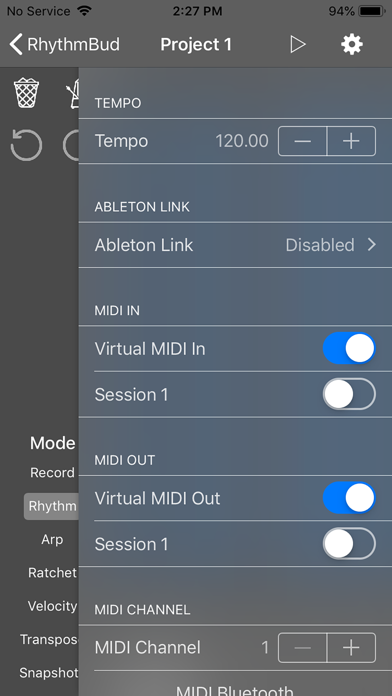
The app acts as a bridge between a MIDI sender, like an external hardware device or any MIDI controller, and a MIDI receiver, such as an audio app or external hardware. Simply connect its MIDI input and output, and you're ready to go.
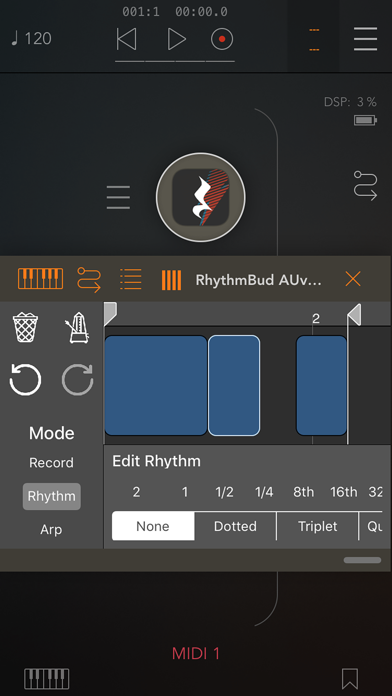
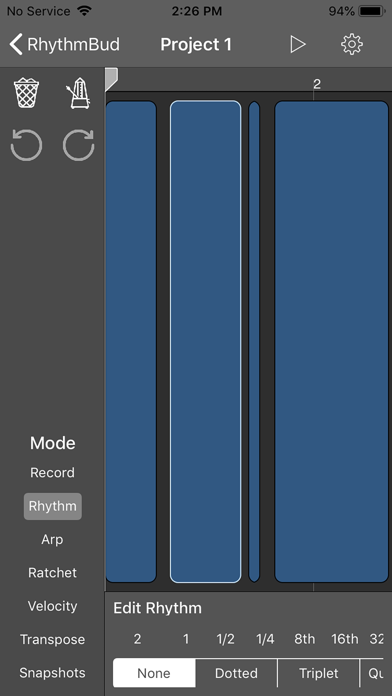
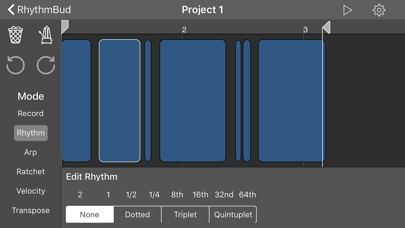
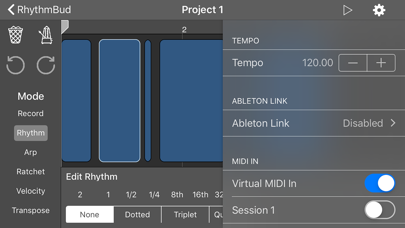
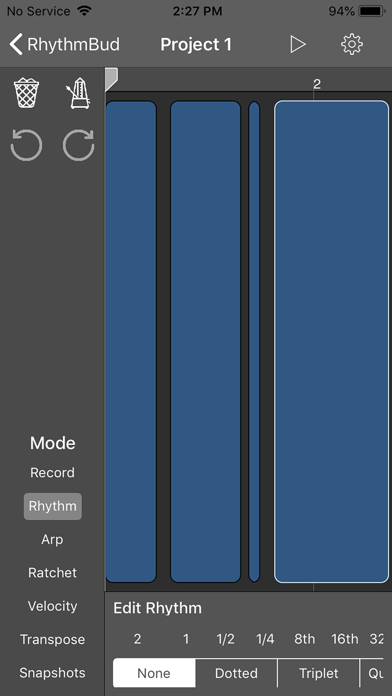
One of the standout features of RhythmBud is its timeline editor, which makes rhythm patterns creation straightforward. You can add various effects to each pattern by tapping on the timeline. These effects include strumming effects, arpeggios manipulation, transposition effects, velocity manipulation, and ratchets effect, all designed to enhance your rhythms.
When you're ready to start, just press the play button to activate the RhythmBud engine. It will generate your chosen rhythm pattern as it receives MIDI notes and send them to your assigned MIDI output port. What's great is that if you change a note or chord, the app offers real-time rhythm generation with instant adaptation.
RhythmBud also includes a convenient MIDI snapshots feature, allowing you to save your current configuration easily and return to it later. You can even control these snapshots through MIDI CC messages or Audio Unit Parameters, making it simple to create song projects.
Another exciting feature is the Record Mode, which lets you record a pattern by tapping the toolbar. This can be as simple as clapping your hands or snapping your fingers. When you’re finished, just press the "Done" button to save your recording.
If you want to make changes, RhythmBud provides undo/redo actions for your convenience. You can also quantize patterns to different timing levels for precise editing. If you wish to start fresh, the clear pattern options will let you wipe everything clean quickly.
Under the hood, RhythmBud uses the open-source AudioKit framework to enhance its functionality. It also incorporates other open-source libraries, like the MusicTheorySwift library and the MIDIEventKit library. Plus, it utilizes the RBEditorViewController framework, all of which you can check out on GitHub.
Keep in mind that RhythmBud is not an audio app; it focuses solely on MIDI. It does not generate audio until you create a rhythm pattern and press the play button. This ensures that you have a powerful tool to work with when composing and manipulating MIDI data.
The app acts as a bridge between a MIDI sender, like an external hardware device or any MIDI controller, and a MIDI receiver, such as an audio app or external hardware. Simply connect its MIDI input and output, and you're ready to go.
One of the standout features of RhythmBud is its timeline editor, which makes rhythm patterns creation straightforward. You can add various effects to each pattern by tapping on the timeline. These effects include strumming effects, arpeggios manipulation, transposition effects, velocity manipulation, and ratchets effect, all designed to enhance your rhythms.
When you're ready to start, just press the play button to activate the RhythmBud engine. It will generate your chosen rhythm pattern as it receives MIDI notes and send them to your assigned MIDI output port. What's great is that if you change a note or chord, the app offers real-time rhythm generation with instant adaptation.
RhythmBud also includes a convenient MIDI snapshots feature, allowing you to save your current configuration easily and return to it later. You can even control these snapshots through MIDI CC messages or Audio Unit Parameters, making it simple to create song projects.
Another exciting feature is the Record Mode, which lets you record a pattern by tapping the toolbar. This can be as simple as clapping your hands or snapping your fingers. When you’re finished, just press the "Done" button to save your recording.
If you want to make changes, RhythmBud provides undo/redo actions for your convenience. You can also quantize patterns to different timing levels for precise editing. If you wish to start fresh, the clear pattern options will let you wipe everything clean quickly.
Under the hood, RhythmBud uses the open-source AudioKit framework to enhance its functionality. It also incorporates other open-source libraries, like the MusicTheorySwift library and the MIDIEventKit library. Plus, it utilizes the RBEditorViewController framework, all of which you can check out on GitHub.
Keep in mind that RhythmBud is not an audio app; it focuses solely on MIDI. It does not generate audio until you create a rhythm pattern and press the play button. This ensures that you have a powerful tool to work with when composing and manipulating MIDI data.

Surface Builder
4Pockets.com
$14.99
$7.99

Lanota – Music game with story
Noxy Games Inc.
$1.99

Fugue Machine : MIDI Sequencer
Alexandernaut
$19.99
$9.99