
$1.49
$0.75
50% Off
Chocolate KWGT
Raj Arya Designs



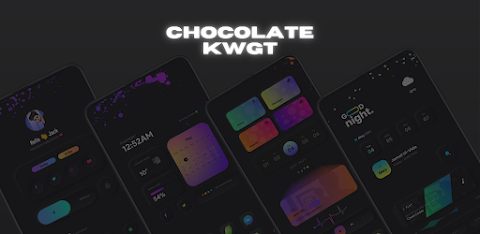
About the App
Chocolate KWGT is a unique app designed for creating stunning, customizable home screens. However, it is important to note that Chocolate KWGT is not a standalone app; it requires the KWGT PRO version to function properly. If you want to transform your home screen, you’ll need to ensure you have this in place.
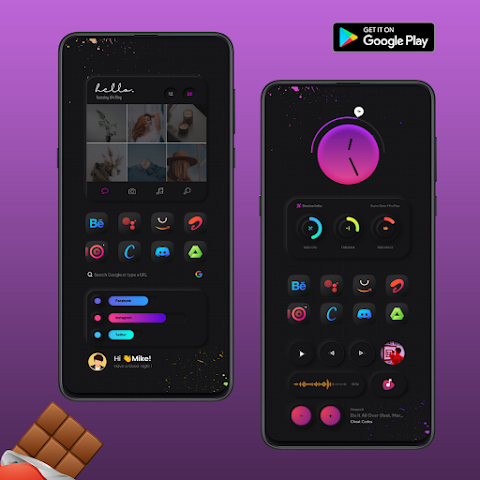
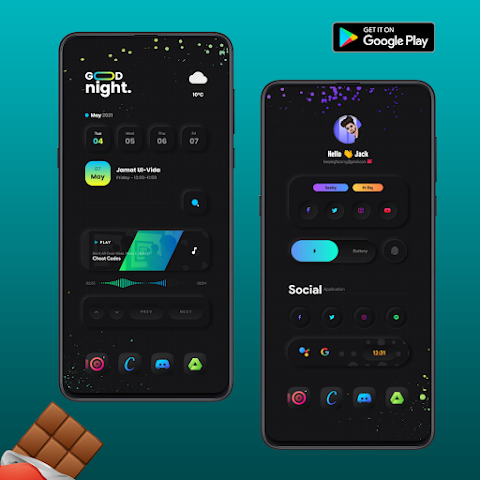
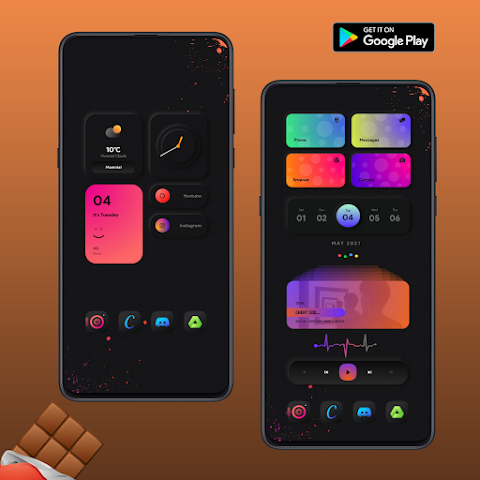
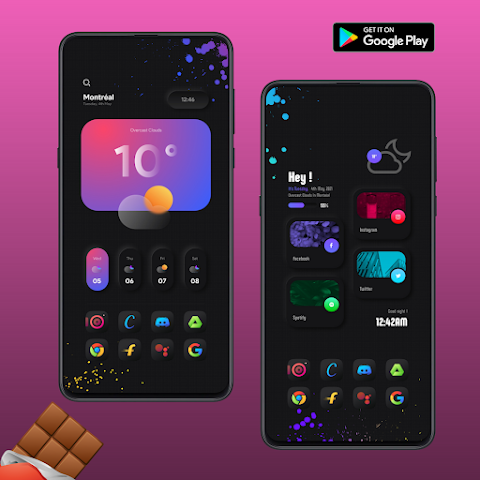
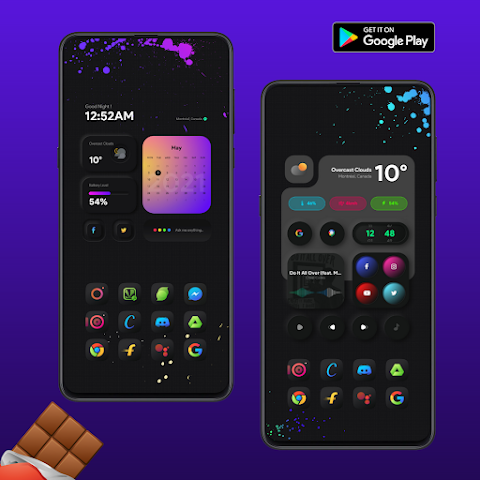
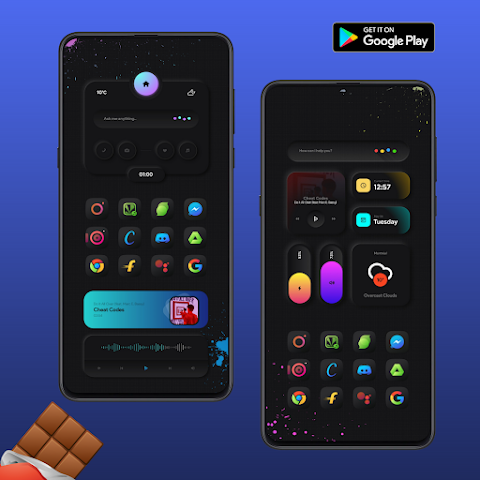
This app features dark neumorphism widgets, which are known for their soft, raised designs. The dark neumorphism widgets come in a variety of beautiful gradient colors, perfect for anyone who loves vibrant visuals. If you are an AMOLED lover, chocolate is definitely for you, as the rich colors and crisp designs make your screen come alive.
At its initial release, Chocolate KWGT offers 35 beautiful widgets, with constant updates to keep your home screen fresh and exciting. These beautiful widget designs are crafted with great attention to detail, ensuring that each piece not only looks fantastic but also enhances your interaction with your device.
To get started with Chocolate KWGT, you'll need the KWGT application installed on your device. It is also highly recommended to have a custom launcher, such as Nova Launcher, to fully utilize the features of this app. Custom launcher support makes it easy to personalize your home screen experience.
Installing widgets from Chocolate KWGT is user-friendly. To do this, start by downloading both the Chocolate and KWGT PRO applications. Then, you can long tap on your homescreen to choose a widget. After selecting the KWGT Widget, tap on it to choose from the installed Chocolate options. From there, simply select the widget you like and enjoy your newly customized screen!
If the widget doesn’t fit your screen properly, there are widget sizing options in the KWGT settings that allow you to resize it easily. This way, you can make sure everything looks just right.
The app's combination of dynamic widget designs and advanced widget styling allows for a lot of flexibility. With Chocolate KWGT, user engagement features help you to interact with your home screen in innovative ways, ensuring that everything runs smoothly.
Experience the beauty of stylish home screen themes with the vibrant gradient effects that make every design pop. The app integrates well with KWGT and various KWGT compatible launchers, giving you plenty of options for customization.
Whether you wish to create minimalist widget designs or showcase more elaborate creative widget layouts, Chocolate KWGT has you covered. The high-quality widget graphics make sure that your app not only looks good but also feels integrated with your entire mobile interface design.
If you have any questions, you can reach out via email or send a direct message on Twitter. Your feedback is important, and filling out a negative rating should only be considered as a last resort. Enjoy the experience of turning your home screen into a personalized masterpiece with Chocolate KWGT!
This app features dark neumorphism widgets, which are known for their soft, raised designs. The dark neumorphism widgets come in a variety of beautiful gradient colors, perfect for anyone who loves vibrant visuals. If you are an AMOLED lover, chocolate is definitely for you, as the rich colors and crisp designs make your screen come alive.
At its initial release, Chocolate KWGT offers 35 beautiful widgets, with constant updates to keep your home screen fresh and exciting. These beautiful widget designs are crafted with great attention to detail, ensuring that each piece not only looks fantastic but also enhances your interaction with your device.
To get started with Chocolate KWGT, you'll need the KWGT application installed on your device. It is also highly recommended to have a custom launcher, such as Nova Launcher, to fully utilize the features of this app. Custom launcher support makes it easy to personalize your home screen experience.
Installing widgets from Chocolate KWGT is user-friendly. To do this, start by downloading both the Chocolate and KWGT PRO applications. Then, you can long tap on your homescreen to choose a widget. After selecting the KWGT Widget, tap on it to choose from the installed Chocolate options. From there, simply select the widget you like and enjoy your newly customized screen!
If the widget doesn’t fit your screen properly, there are widget sizing options in the KWGT settings that allow you to resize it easily. This way, you can make sure everything looks just right.
The app's combination of dynamic widget designs and advanced widget styling allows for a lot of flexibility. With Chocolate KWGT, user engagement features help you to interact with your home screen in innovative ways, ensuring that everything runs smoothly.
Experience the beauty of stylish home screen themes with the vibrant gradient effects that make every design pop. The app integrates well with KWGT and various KWGT compatible launchers, giving you plenty of options for customization.
Whether you wish to create minimalist widget designs or showcase more elaborate creative widget layouts, Chocolate KWGT has you covered. The high-quality widget graphics make sure that your app not only looks good but also feels integrated with your entire mobile interface design.
If you have any questions, you can reach out via email or send a direct message on Twitter. Your feedback is important, and filling out a negative rating should only be considered as a last resort. Enjoy the experience of turning your home screen into a personalized masterpiece with Chocolate KWGT!
PRADO 46 Shortcuts
PRADO DESIGN ® Watch Faces
$1.99
$0.60
Real3D – Icon Pack
Olivera Onias Design
$1.99
$1.00

Square Clear White Icon Pack
GomoTheGom
$1.49
$0.29