
$1.99
$1.00
50% Off
CELEST5571 Data Hub Watch
CELEST Watches


About the App
CELEST5571 Data Hub Watch is a stylish watch face made by CELEST Watches, designed to enhance your Wear OS device. It gives your smartwatch a modern look and makes it a pleasure to wear.
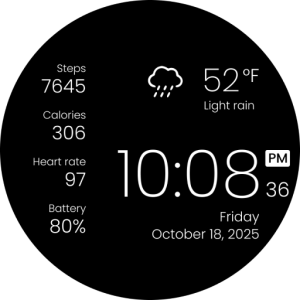
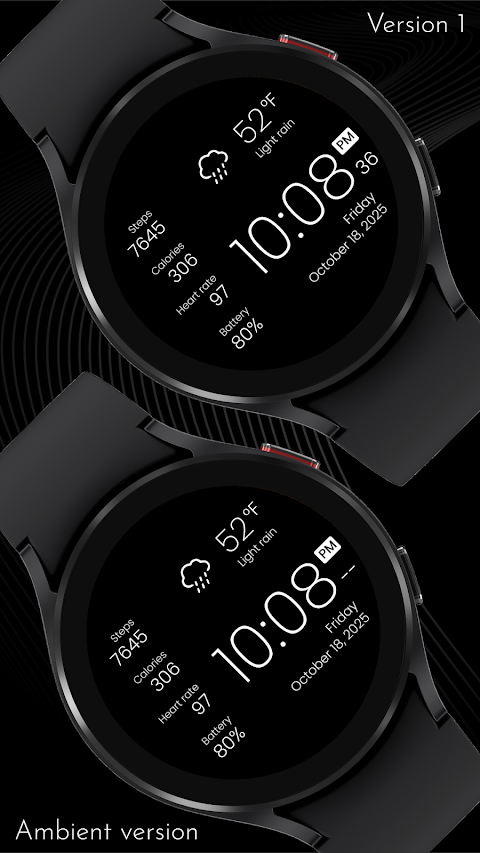
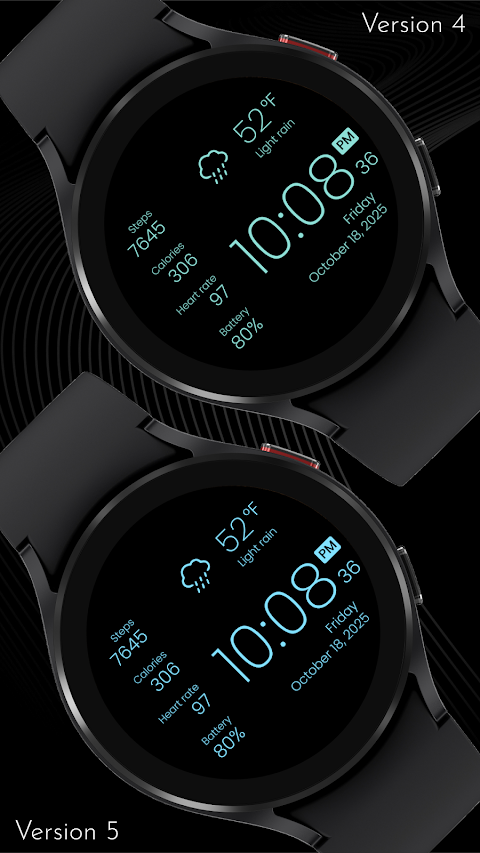
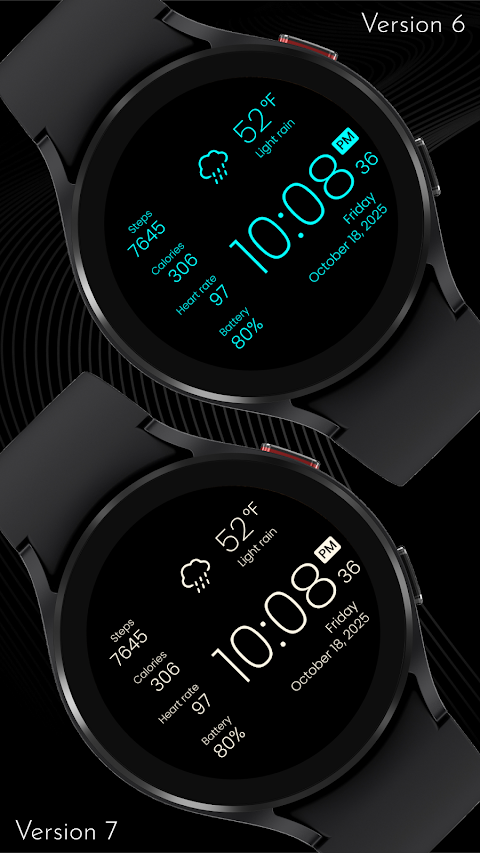
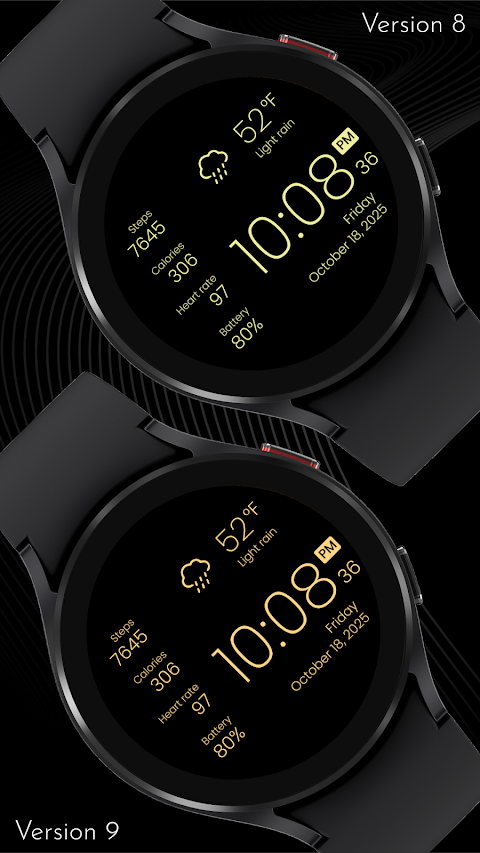
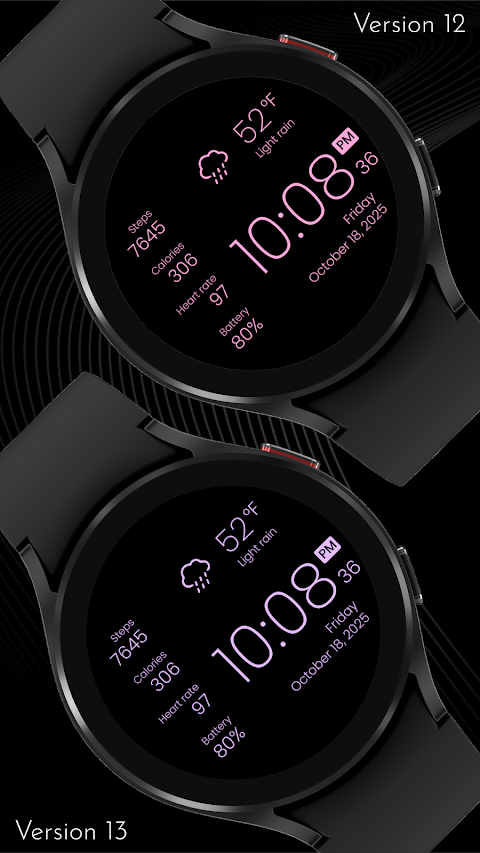
The watch face features a minimalist design, perfect for those who appreciate simplicity. With a clean display, you can view essential information at a glance. This includes your steps, an estimation of calories burned based on your activity, your current heart rate, and your battery level. You can also keep track of the temperature and get quick weather updates without any hassle. Plus, the time and date are clearly shown, making it easy to stay organized.
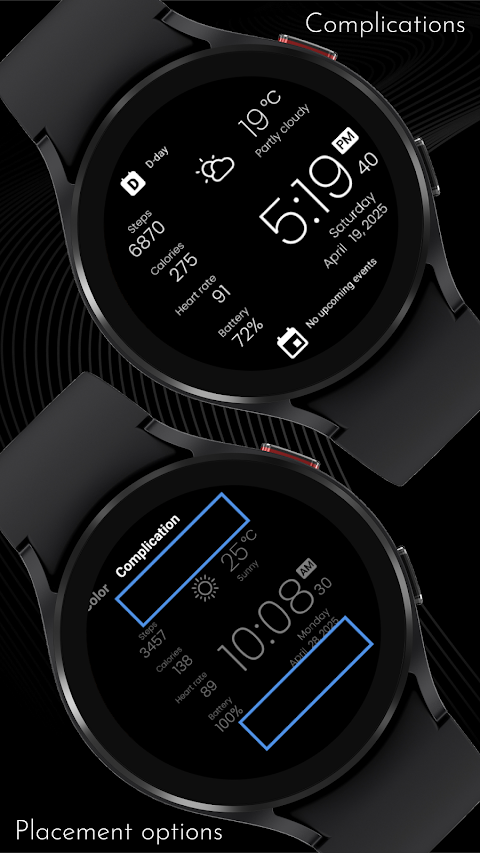
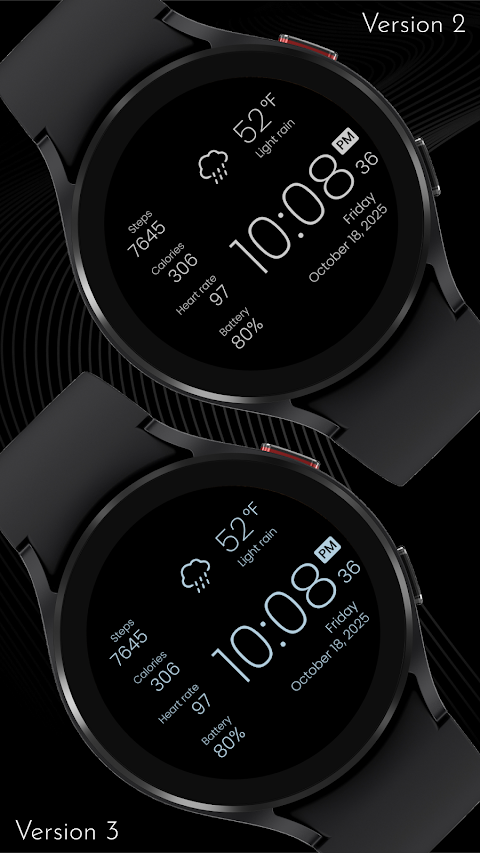
One of the great things about CELEST5571 Data Hub Watch is its personalization options. You can choose from 20 vibrant design options and two wide-box complications. These features let you display important information, like your next calendar event. The streamlined organization keeps everything neat and allows you to access key data without any distractions.
It’s worth noting that the caloric burn estimation is based on your step tracking. If you use a fitness app, it may show a different, more accurate value.
If you encounter any trouble while installing the watch face from the Google Play Store, don’t worry! There are easy steps to follow. First, if the watch face appears installed on your phone but not on your watch, this could be because the Play Store may have installed a companion app instead. To fix this, you can use the Play Store on your watch. Just open Google Play, search for the CELEST5571 Data Hub Watch name and install it directly. Alternatively, on your phone, tap the small triangular icon next to the "Install" button in the dropdown menu and select your watch as the target device. You can also use a web browser to access the Play Store on your PC, Mac, or laptop to manually choose your watch.
If the watch face is still not showing, you can check the downloaded section in your watch's companion app, like the Samsung Galaxy Wearable app, to find and install it. For any additional help, feel free to reach out to us at info@celest-watches.com, and we’ll be glad to assist you.
When it comes to customization, CELEST5571 Data Hub Watch offers a variety of colorful watch backgrounds, including nine vibrant options. You can choose from two wide-box complications and three invisible line complications to create custom app shortcuts for features like weather, steps, and calories. This flexibility allows you to tailor your watch face to suit your needs.
For those interested in discovering more, CELEST offers an extensive catalog of watch faces compatible with Wear OS. You can also find exclusive discounts available on the Google Play site.
Stay connected with CELEST Watches through various social media platforms such as Instagram, Facebook, Twitter, Threads, Pinterest, TikTok, Tumblr, and Telegram. Here, you can find the latest updates and more about our wearable technology.
With CELEST5571 Data Hub Watch, you get a blend of modern watch design and real-time data access that enhances your smartwatch experience, making it both functional and stylish. Enjoy the benefits of this unique watch face and elevate your device with stylish functionalities.
The watch face features a minimalist design, perfect for those who appreciate simplicity. With a clean display, you can view essential information at a glance. This includes your steps, an estimation of calories burned based on your activity, your current heart rate, and your battery level. You can also keep track of the temperature and get quick weather updates without any hassle. Plus, the time and date are clearly shown, making it easy to stay organized.
One of the great things about CELEST5571 Data Hub Watch is its personalization options. You can choose from 20 vibrant design options and two wide-box complications. These features let you display important information, like your next calendar event. The streamlined organization keeps everything neat and allows you to access key data without any distractions.
It’s worth noting that the caloric burn estimation is based on your step tracking. If you use a fitness app, it may show a different, more accurate value.
If you encounter any trouble while installing the watch face from the Google Play Store, don’t worry! There are easy steps to follow. First, if the watch face appears installed on your phone but not on your watch, this could be because the Play Store may have installed a companion app instead. To fix this, you can use the Play Store on your watch. Just open Google Play, search for the CELEST5571 Data Hub Watch name and install it directly. Alternatively, on your phone, tap the small triangular icon next to the "Install" button in the dropdown menu and select your watch as the target device. You can also use a web browser to access the Play Store on your PC, Mac, or laptop to manually choose your watch.
If the watch face is still not showing, you can check the downloaded section in your watch's companion app, like the Samsung Galaxy Wearable app, to find and install it. For any additional help, feel free to reach out to us at info@celest-watches.com, and we’ll be glad to assist you.
When it comes to customization, CELEST5571 Data Hub Watch offers a variety of colorful watch backgrounds, including nine vibrant options. You can choose from two wide-box complications and three invisible line complications to create custom app shortcuts for features like weather, steps, and calories. This flexibility allows you to tailor your watch face to suit your needs.
For those interested in discovering more, CELEST offers an extensive catalog of watch faces compatible with Wear OS. You can also find exclusive discounts available on the Google Play site.
Stay connected with CELEST Watches through various social media platforms such as Instagram, Facebook, Twitter, Threads, Pinterest, TikTok, Tumblr, and Telegram. Here, you can find the latest updates and more about our wearable technology.
With CELEST5571 Data Hub Watch, you get a blend of modern watch design and real-time data access that enhances your smartwatch experience, making it both functional and stylish. Enjoy the benefits of this unique watch face and elevate your device with stylish functionalities.
Ultra Analog Watch Face
amoledwatchfaces™
$1.99
$1.39
ClassicWIN Sport V2 Watch face
WinWatchfaces
$1.29
$0.84
Material You Style Watch Face
Gadget Liv
$1.49
$0.75