
$1.89
$0.57
70% Off
Active Wear Watchface 2
Bloomfield Watchfaces

About the App
Active Wear Watchface 2 is a versatile watch face designed for use with Wear OS devices. It supports all devices running API Level 34 or later, including Wear OS 4. This watch face is perfect for those who want to keep track of essential data while adding a personal touch to their watch.
If you are a Galaxy Watch User, it's important to know that the Samsung Wearable app can sometimes struggle to sync and load complex watch faces. While this is a known issue and not a flaw in the watch face itself, you can still customize your watch face directly on the watch until Samsung provides a fix.
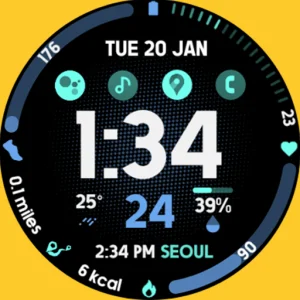
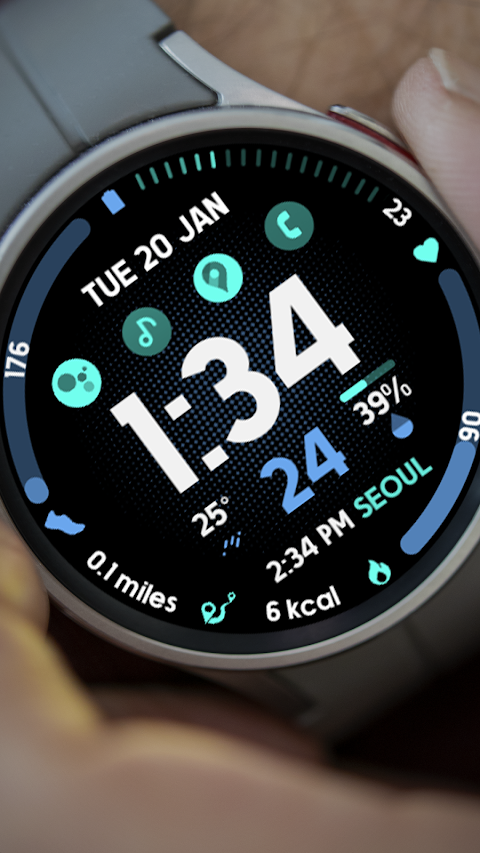
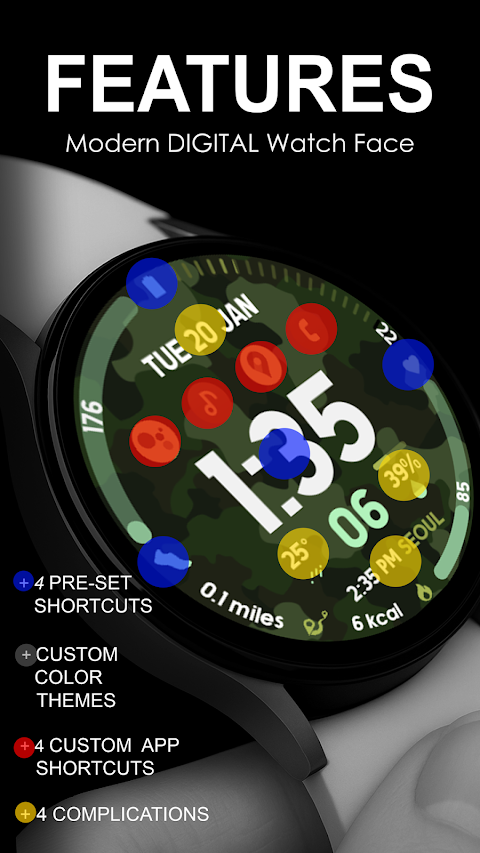
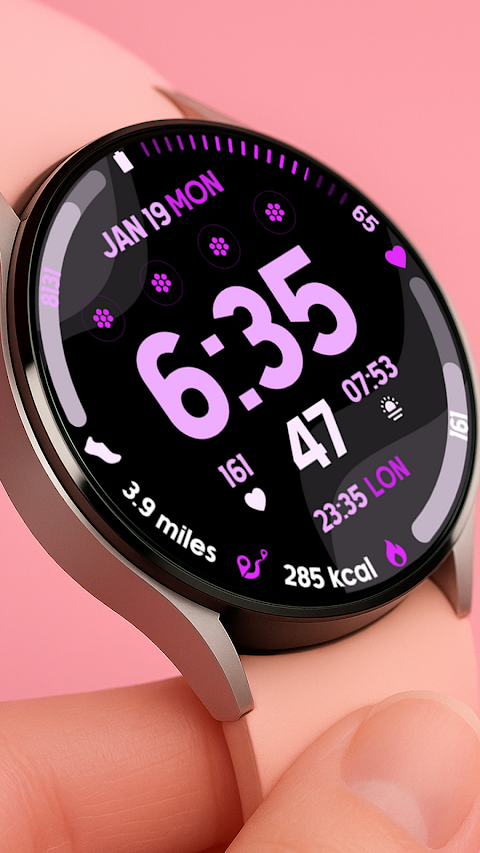
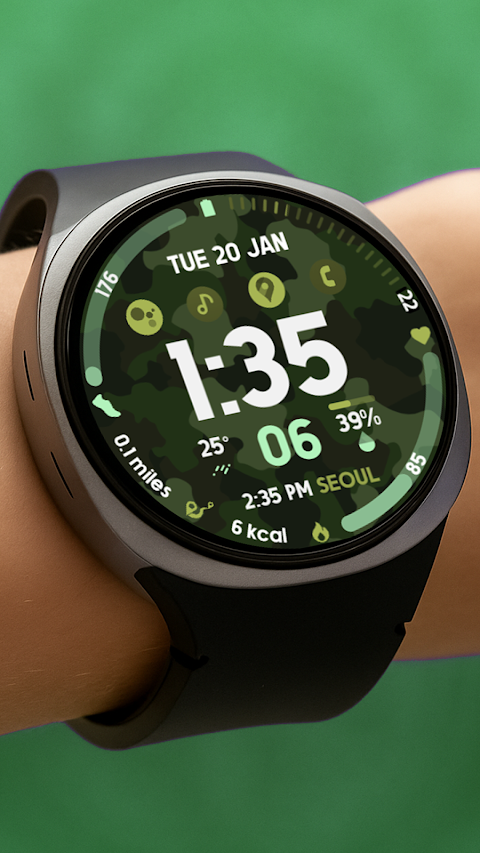
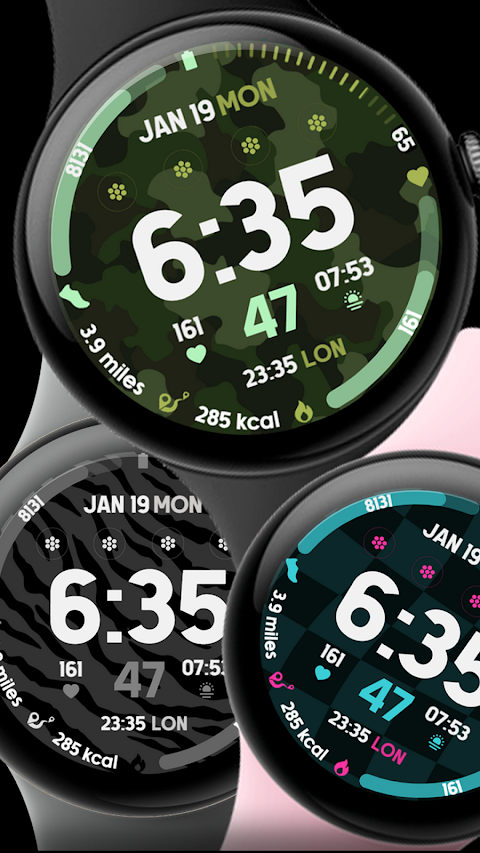
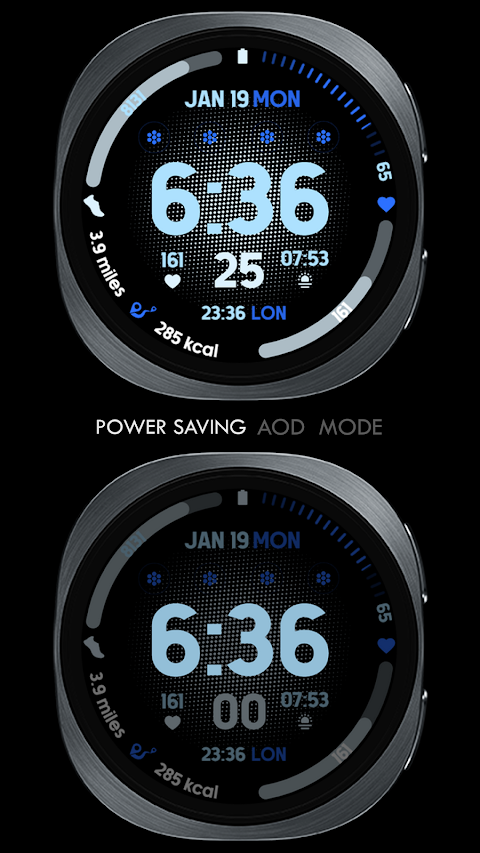
Active Wear Watchface 2 features a Digital Clock and Date Display at its core, giving you the basic information you need at a glance. It also includes four pre-set complications: Battery Complication, Steps Count Complication, Heart Rate Complication, and Burned Calories Complication based on your activity. These fixed complications help you keep track of your health and fitness easily.
One of the standout features of Active Wear Watchface 2 is its ability to provide Custom App Shortcuts. You can add quick links to your favorite apps for easy access. Furthermore, the watch face allows for four Custom Complications, letting you choose data that matters most to you. You can select from options like Weather Data Complication, World Clock Complication, Sunset Sunrise Data, Next Appointment Reminder, or Distance Walked Measurement. For added flexibility, you may need to install additional third-party complications.
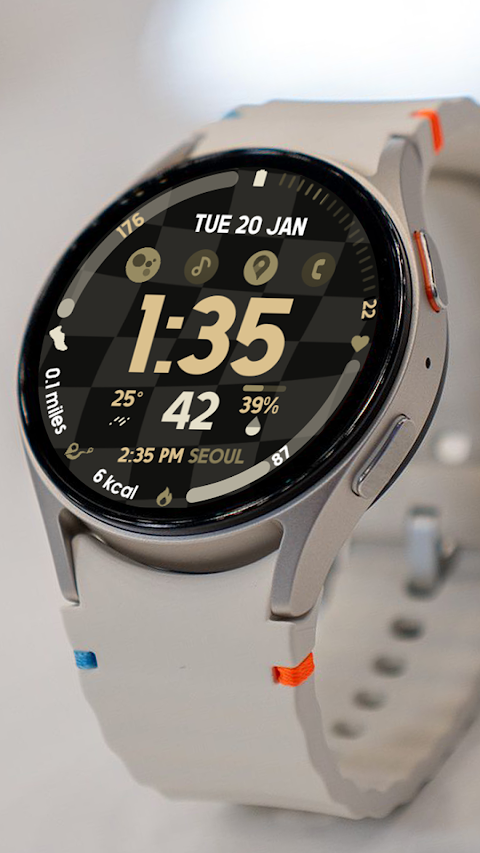
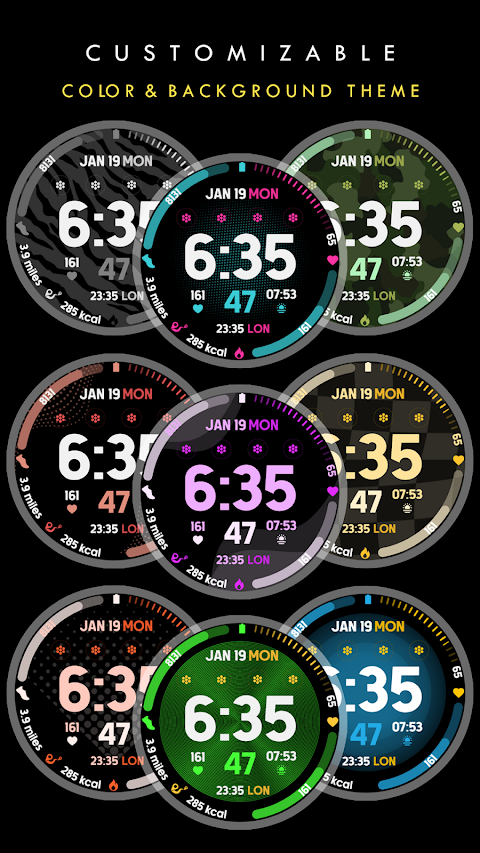
The Custom Color Palette allows you to personalize the look of your watch face. You can choose your favorite colors to match your style or mood.
To ensure a smooth experience, please remember a few important installation notes. The watch faces will automatically install on your Wear OS watch. Make sure that your watch is synced to your phone using the same email address for seamless installation. After downloading, you will need to wait a few minutes for the watch face to be transferred to your device. You will receive installation notifications on your watch if the transfer is successful. If you don’t see a notification, you can go to the Playstore on your watch and search for "Active Wear Watchface 2."
After successful installation, the watch face may not change automatically. You can manage your home display by tapping and holding the display, swiping until you reach the end, and then tapping the + icon to add the watch face. You can rotate the bezel or scroll to find your newly installed watch face.
For any functionality to work smoothly, it’s essential to allow and manage all necessary permissions through your settings.
Lastly, please note that the refund policy only allows for refunds within 24 hours of purchase. Should you have any questions or need assistance, feel free to reach out to bloomfieldwatchfaces@gmail.com. For a detailed guide on installation, you can watch our Installation Tutorial Video available on YouTube.
Active Wear Watchface 2 is tailored for anyone looking to combine style with useful features on their watch. With these elements combined, you can enjoy both functionality and a personalized appearance on your Wear OS device.
If you are a Galaxy Watch User, it's important to know that the Samsung Wearable app can sometimes struggle to sync and load complex watch faces. While this is a known issue and not a flaw in the watch face itself, you can still customize your watch face directly on the watch until Samsung provides a fix.
Active Wear Watchface 2 features a Digital Clock and Date Display at its core, giving you the basic information you need at a glance. It also includes four pre-set complications: Battery Complication, Steps Count Complication, Heart Rate Complication, and Burned Calories Complication based on your activity. These fixed complications help you keep track of your health and fitness easily.
One of the standout features of Active Wear Watchface 2 is its ability to provide Custom App Shortcuts. You can add quick links to your favorite apps for easy access. Furthermore, the watch face allows for four Custom Complications, letting you choose data that matters most to you. You can select from options like Weather Data Complication, World Clock Complication, Sunset Sunrise Data, Next Appointment Reminder, or Distance Walked Measurement. For added flexibility, you may need to install additional third-party complications.
The Custom Color Palette allows you to personalize the look of your watch face. You can choose your favorite colors to match your style or mood.
To ensure a smooth experience, please remember a few important installation notes. The watch faces will automatically install on your Wear OS watch. Make sure that your watch is synced to your phone using the same email address for seamless installation. After downloading, you will need to wait a few minutes for the watch face to be transferred to your device. You will receive installation notifications on your watch if the transfer is successful. If you don’t see a notification, you can go to the Playstore on your watch and search for "Active Wear Watchface 2."
After successful installation, the watch face may not change automatically. You can manage your home display by tapping and holding the display, swiping until you reach the end, and then tapping the + icon to add the watch face. You can rotate the bezel or scroll to find your newly installed watch face.
For any functionality to work smoothly, it’s essential to allow and manage all necessary permissions through your settings.
Lastly, please note that the refund policy only allows for refunds within 24 hours of purchase. Should you have any questions or need assistance, feel free to reach out to bloomfieldwatchfaces@gmail.com. For a detailed guide on installation, you can watch our Installation Tutorial Video available on YouTube.
Active Wear Watchface 2 is tailored for anyone looking to combine style with useful features on their watch. With these elements combined, you can enjoy both functionality and a personalized appearance on your Wear OS device.
TVV02 Elegant Watch Face
ThemeVerse Visuals
$1.49
$0.52

Hexaring – Icon Pack
GomoTheGom
$1.49
$0.29

Galaxy Widgets: One UI
AppsLab Co.
$1.99
$1.23