

$1.49
$0.29
81% Off
Hexaring – Icon Pack
GomoTheGom




About the App
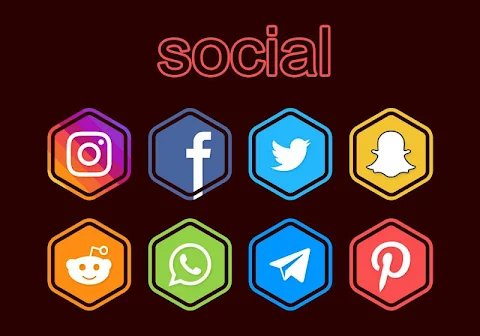
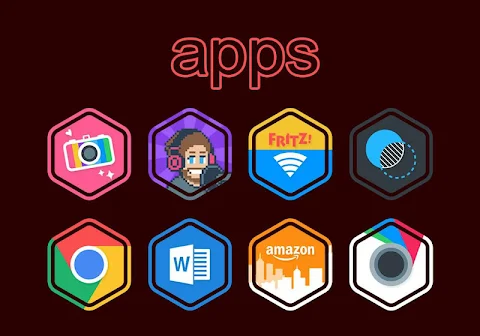
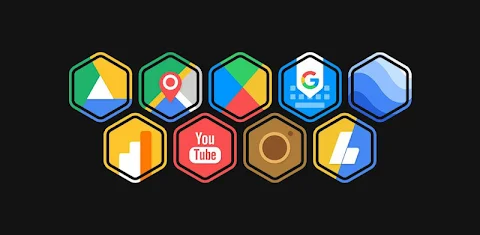
Hexaring is a unique hexagonal icon pack that features a blend of vibrant flat colors. It’s designed for anyone who wants to give their device a fresh new look with stylish icons.
To apply the Hexaring hexa icon pack, you will need a compatible launcher. This iconic pack supports many popular launchers including Nova Launcher and Evie Launcher. Here’s how you can easily use the icon pack:
1. Open the Hexaring hexa Icon Pack app on your device.
2. Go to the "Apply Icon Pack" screen.
3. You will see a list of supported launchers. Simply select the Nova Launcher installed on your phone to apply the icons from this icon pack.
4. Once selected, the app will automatically apply the icons for Nova Launcher.
If you don’t see your launcher listed, try applying the pack directly from the launcher settings instead.
For users with a Sony Xperia Home Launcher, you can also apply this icon pack, but you’ll need to follow different steps:
1. Long press on the main screen.
2. Open the settings menu.
3. Scroll down to the appearance icon setting.
4. Choose the Hexaring hexa icon pack.
5. Your Sony Xperia will now be using the Hexaring hexa icon pack.
Please note that the Pixel Ring Icon pack only supports Sony Xperia Home Launcher version 10.0.A.0.8 or newer.
Hexaring has wide-ranging compatibility, including support for launchers like Apex Launcher, ADW Launcher, and ABC Launcher. You can also use it with Next Launcher, Holo Launcher, and Lucid Launcher. Other options include M Launcher, N Launcher, Arrow Launcher, and Action Launcher. Additionally, it works with Aviate Launcher, KK Launcher, Nine Launcher, Blur Launcher, Trebuchet Launcher, and Unicon Launcher. For Go Launcher and Zero Launcher, please note that they do not support icon masking.
To use the Hexaring icon pack, you may need a 3rd party launcher if your default launcher doesn’t support icon packs. If that’s the case, apps like Awesome Icons or Unicon can help you change your icons without needing a different launcher.
Hexaring offers over 5000 icons and counting, ensuring you have plenty of options for customization. It includes a backup for unthemed icons, 36+ HD wallpapers, and the ability to choose alternate icons. There’s also an option to request new icons based on your needs. Each icon is designed in high resolution, with a size of 192x192px.
This icon pack is really great for those who enjoy personalizing their devices and want a stylish yet functional look. You can find more design information and updates on social media platforms like Google+, Instagram, and Twitter.
With Hexaring, transforming the appearance of your device into something beautiful and modern is easier than ever. Enjoy the experience of customization with one of the best hexagonal icon packs available!
To apply the Hexaring hexa icon pack, you will need a compatible launcher. This iconic pack supports many popular launchers including Nova Launcher and Evie Launcher. Here’s how you can easily use the icon pack:
1. Open the Hexaring hexa Icon Pack app on your device.
2. Go to the "Apply Icon Pack" screen.
3. You will see a list of supported launchers. Simply select the Nova Launcher installed on your phone to apply the icons from this icon pack.
4. Once selected, the app will automatically apply the icons for Nova Launcher.
If you don’t see your launcher listed, try applying the pack directly from the launcher settings instead.
For users with a Sony Xperia Home Launcher, you can also apply this icon pack, but you’ll need to follow different steps:
1. Long press on the main screen.
2. Open the settings menu.
3. Scroll down to the appearance icon setting.
4. Choose the Hexaring hexa icon pack.
5. Your Sony Xperia will now be using the Hexaring hexa icon pack.
Please note that the Pixel Ring Icon pack only supports Sony Xperia Home Launcher version 10.0.A.0.8 or newer.
Hexaring has wide-ranging compatibility, including support for launchers like Apex Launcher, ADW Launcher, and ABC Launcher. You can also use it with Next Launcher, Holo Launcher, and Lucid Launcher. Other options include M Launcher, N Launcher, Arrow Launcher, and Action Launcher. Additionally, it works with Aviate Launcher, KK Launcher, Nine Launcher, Blur Launcher, Trebuchet Launcher, and Unicon Launcher. For Go Launcher and Zero Launcher, please note that they do not support icon masking.
To use the Hexaring icon pack, you may need a 3rd party launcher if your default launcher doesn’t support icon packs. If that’s the case, apps like Awesome Icons or Unicon can help you change your icons without needing a different launcher.
Hexaring offers over 5000 icons and counting, ensuring you have plenty of options for customization. It includes a backup for unthemed icons, 36+ HD wallpapers, and the ability to choose alternate icons. There’s also an option to request new icons based on your needs. Each icon is designed in high resolution, with a size of 192x192px.
This icon pack is really great for those who enjoy personalizing their devices and want a stylish yet functional look. You can find more design information and updates on social media platforms like Google+, Instagram, and Twitter.
With Hexaring, transforming the appearance of your device into something beautiful and modern is easier than ever. Enjoy the experience of customization with one of the best hexagonal icon packs available!
ProCaptain: Analog Pilot Watch
Rayan's
$0.99
$0.50
Radar Watch Face by Nodeshaper
NodeShaper
$0.99
$0.49

Gem Icon Pack
JustNewDesigns
$1.59
$0.19