

$14.99
$9.99
33% Off
StopTheMadness Pro
Jeff Johnson

About the App
StopTheMadness Pro is a helpful web browser extension designed to make your online experience smoother and safer. This tool works by stopping websites from making your browser harder to use while also providing privacy protection. Unlike ad blockers, StopTheMadness Pro offers a variety of unique features that enhance how you interact with the web. Developed by indie creator Jeff Johnson, this extension includes support for Safari on iOS and iPadOS, as well as for Chrome and Firefox on macOS.
The latest version of StopTheMadness Pro is an important update to the beloved original extension. It includes iCloud sync settings, which allow you to access your preferences seamlessly across all your devices. With this enhancement, you can enjoy a consistent browsing experience no matter where you are.
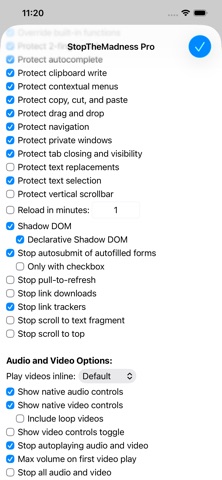
One standout feature is its ability to stop text selection blocking on websites. This means you can freely select, copy, and paste text without interruptions. It also prevents drag and drop restrictions, ensuring that you can easily move items around as needed. You won’t have to worry about contextual menus being disabled either, which makes navigation much easier.
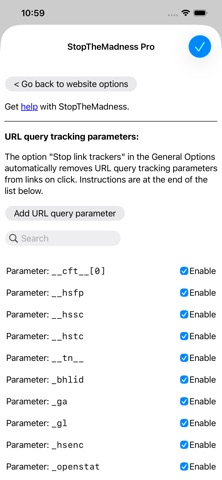
StopTheMadness Pro effectively blocks Google AMP, an interface that can slow down your browsing. It automatically removes URL query tracking parameters, which helps protect your privacy. The extension also takes safety seriously, offering clickjacking prevention. This feature secures your browsing on platforms like Google Search, Gmail, Facebook, and DuckDuckGo.
Another highlight is its ability to block hyperlink auditing, ensuring that your clicks remain private. It also features tracking beacons blockage, preventing websites from monitoring your actions through beacons. Plus, it provides a URL shorteners bypass, so you can easily access content without being redirected to shortened links.
If you often find videos playing automatically, StopTheMadness Pro offers autoplay blocking, giving you control over what plays when you visit a site. You can always rely on native video controls, including the handy Picture-in-Picture feature. The extension can even automatically unmute videos when you play them for the first time and allows you to set a custom video playback speed.
You won't lose control of background audio either. Background audio control ensures that audio from apps like Apple Music won't get interrupted. Social media is simplified, too; StopTheMadness Pro hides “Get the app” banners on various platforms, along with the “Sign in with Google” prompts on all websites. It also manages notification requests, hiding those distracting messages that often pop up.
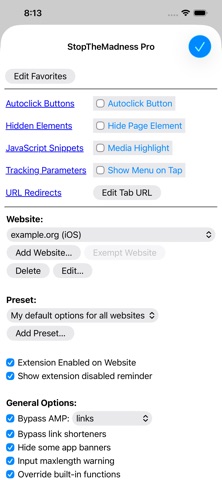
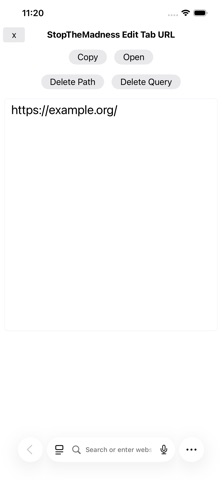
With webpage element hiding features, you can elements that you don’t want to see on any page, making your browsing experience more streamlined. You can also easily edit the tab URL in a larger separate window rather than struggling with the small address bar in Safari.
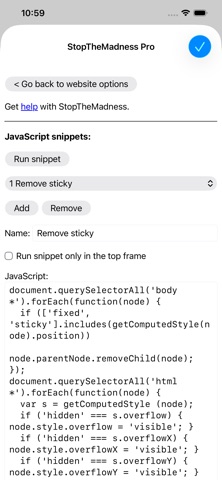
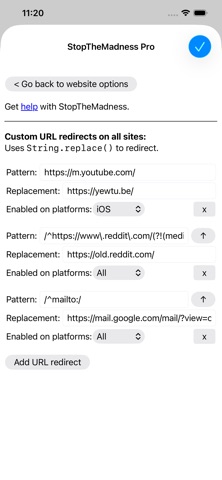
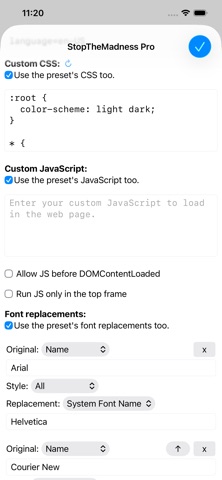
The extension offers a font substitution feature, allowing you to change the text appearance on webpages. If you love customizing your web experience, you’ll appreciate the website-specific CSS and the ability to run custom JavaScript snippets whenever you want. You can also set URL redirects to manage where links send you.
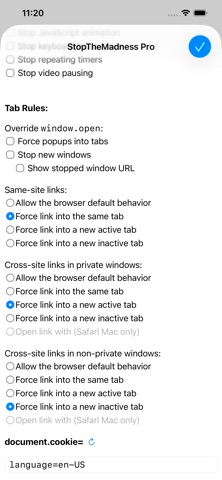
If you’ve encountered issues with maxlength password fields in the past, StopTheMadness Pro includes a fix for that, helping you avoid losing any characters when entering passwords. It provides tab opening control too, letting you decide whether links open in the current tab or a new one.
For those who need image manipulation support, the extension makes it easier to drag images, use the contextual menu, and save them. You can stop annoying web animations that can distract you while browsing. StopTheMadness Pro will also ensure that websites cannot overwrite your system clipboard.
When it comes to password fields, you’ll benefit from password field visibility, allowing you to see your password while typing. Text replacement support means you can still use your shortcuts even if websites attempt to disable them. The extension prevents cursor alteration, ensuring your pointer behaves as expected, and it maintains scrollbar visibility control for a better browsing experience.
Zoom capability prevention ensures that the software keyboard won't zoom in on your web pages unexpectedly. If you prefer to refresh your page, you can set it to a timer for automatic web page auto-reload. Lastly, you can even view and edit web page HTML, allowing for more in-depth customization.
In summary, StopTheMadness Pro is built to enhance your browsing by preventing distractions and protecting your privacy. With its wide array of unique features, using the web becomes much easier and more enjoyable.

Data Widget: remaining data
大胜 纪
$1.99

App Secret Pro
Felix Yew
$3.99

MTG Trades
Michael Wybrow
$6.99
Free