
$1.49
$0.45
70% Off
S4U Shift – Analog watch face
styles4you

About the App
S4U Shift - Analog Watch Face is a specially designed app for Wear OS smartwatches. It is tailored for devices running Wear OS 5 or higher, ensuring users can enjoy a seamless experience. This includes popular models like the Samsung Galaxy Watch 4, Google Pixel Watch, and various other Wear OS 4+ smartwatches.
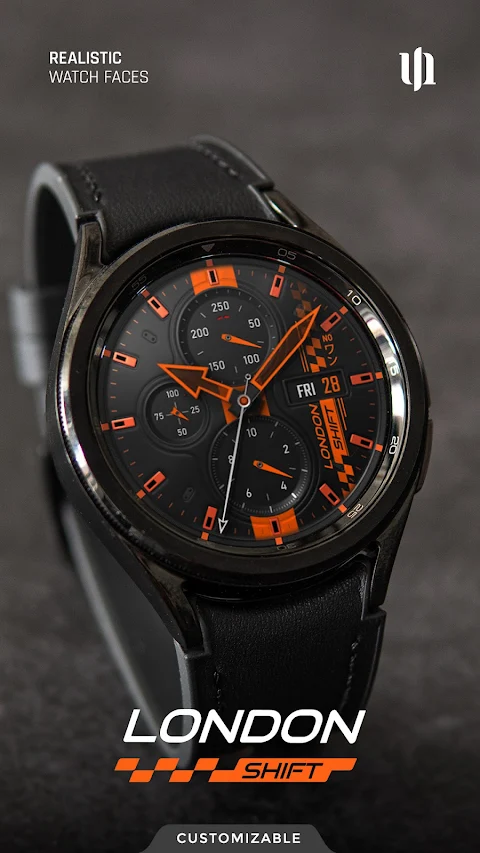
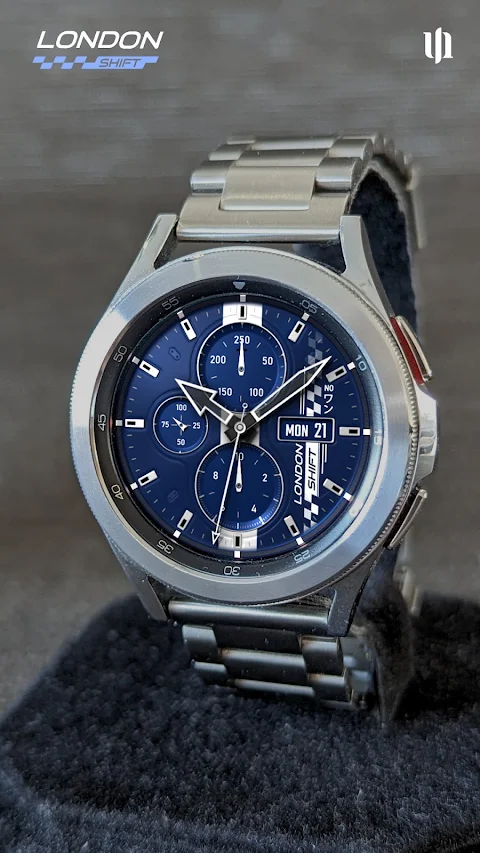
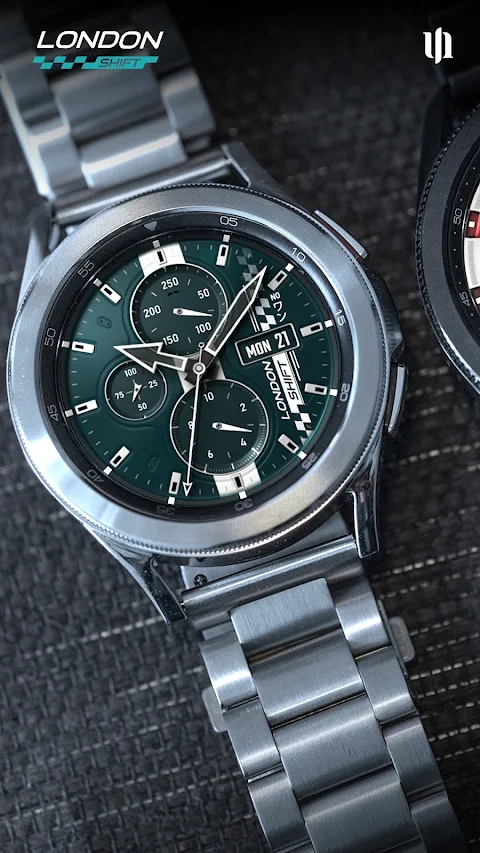
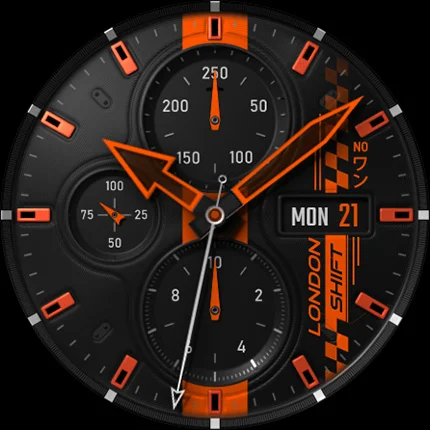
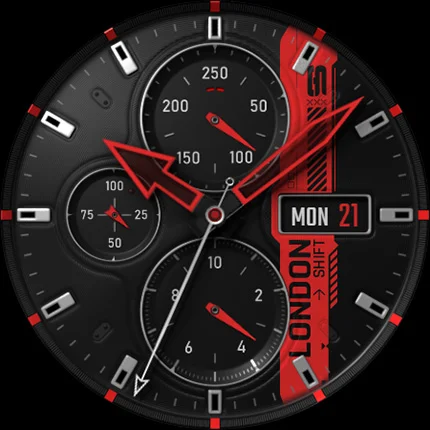
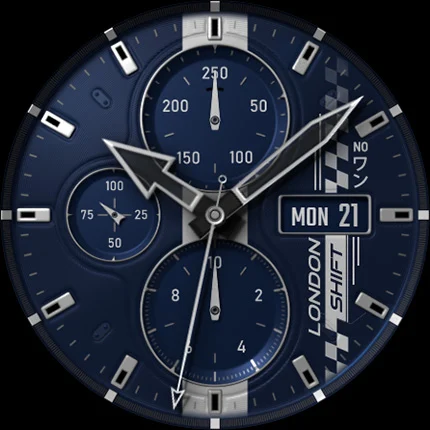
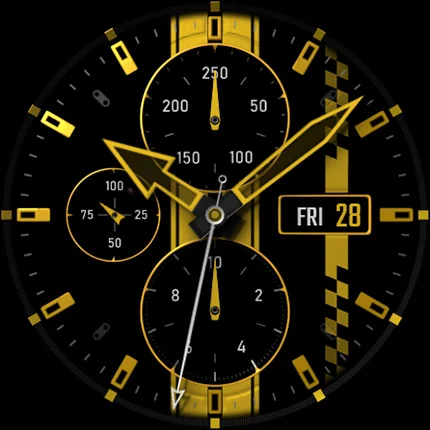
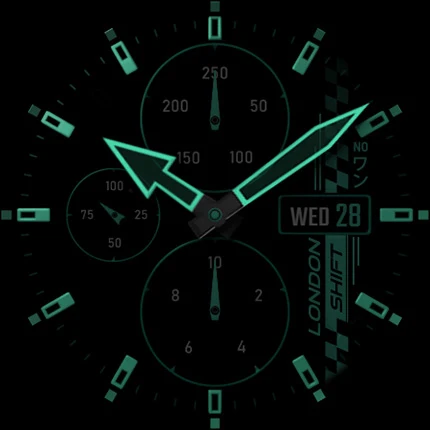
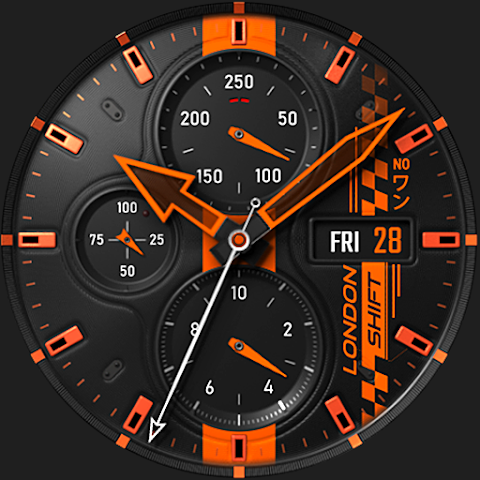
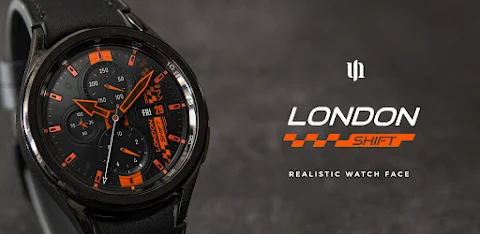
When you use S4U Shift, you get an ultra-realistic analog watch face that feels like wearing a real watch. The app focuses on high-quality customization and offers a striking 3D effect display. This watch face will impress anyone who takes a glance at it. You can explore its features and see more visuals in the watch face gallery.
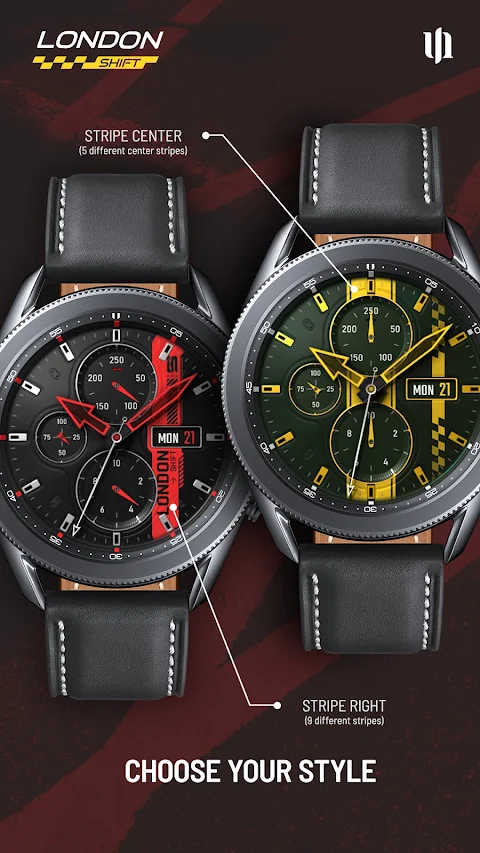
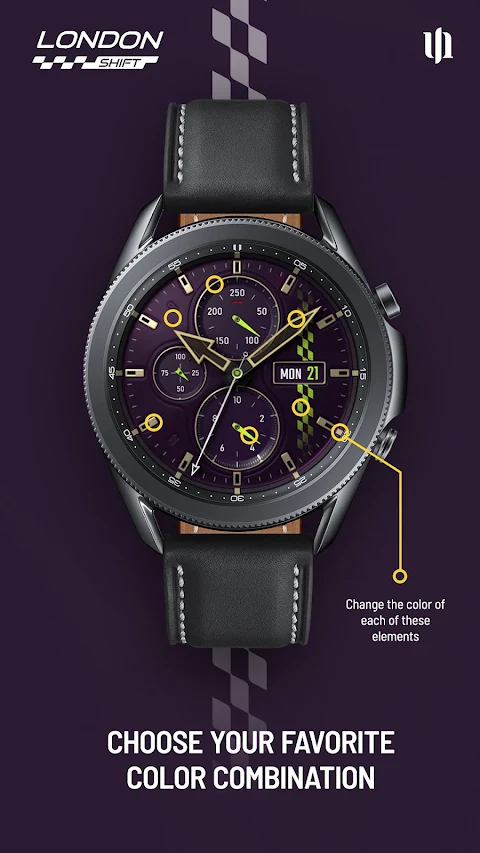
S4U Shift stands out with its many color customization options. You can change the background and the stripes, along with the hands and indexes, to create a unique look that suits your style. The watch also provides the Day of the week display and Day of the month display right on the screen, making it easy to keep track of time and dates.
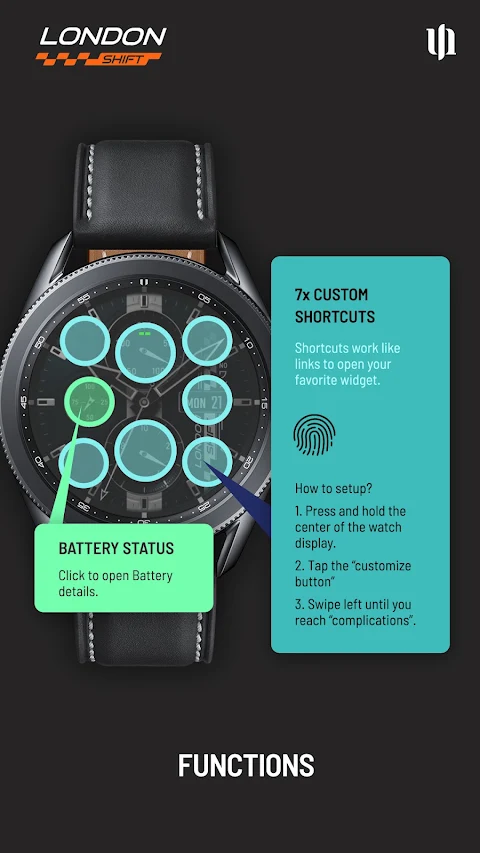
This analog watch face also includes a battery status display that shows your battery level from 0 to 100. You can tap the battery indicator to open battery details and see more about your watch's power. Additionally, there’s pedometer functionality that tracks steps up to 39,999, as well as an automatic heart rate measurement feature. You can set the intervals for heart rate tracking in your watch health settings, giving you reliable data without needing manual input.
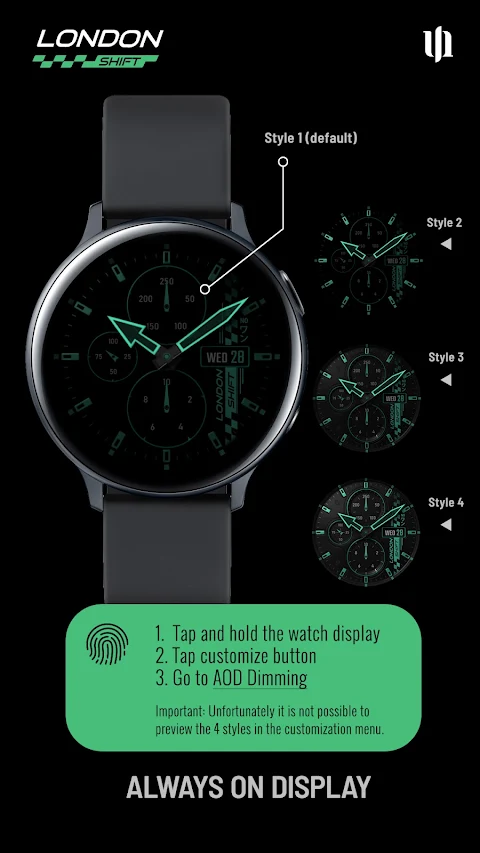
Another key feature of S4U Shift is its always-on display (AOD). There are four different AOD dimming options available. The first style is recommended for better battery conservation. Users should be aware that the brighter styles can consume more battery, so it’s best to adjust them according to your preferences. Though you can't preview these AOD styles in the customization menu, you can always explore them once applied.
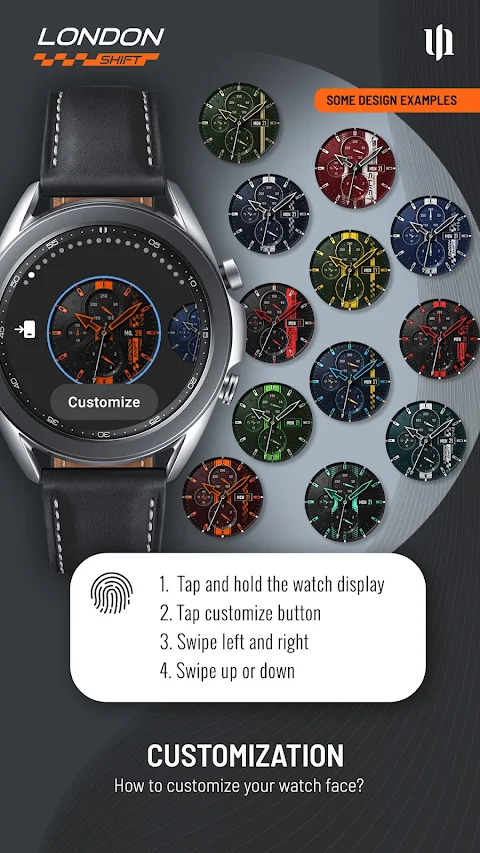
Personalizing your watch face is straightforward. Just press and hold your finger on the watch display to access the customization menu. You will find options to change the color of various items. You can swipe left or right to select what to customize, and swipe up or down to choose different options or colors. This level of customization makes S4U Shift a favorite for many users.
The app also includes customizable shortcuts, allowing you to set up to seven shortcuts for your favorite widgets. To set these, simply hold down the watch display and go to the complications settings. This simple process lets you quickly access what you need most.
If you ever face any install issues, don’t worry. The app provides an install issues guide that takes you through troubleshooting steps. You can also email support at wear@s4u-watches.com for assistance if needed.
As you explore the S4U Shift - Analog Watch Face, remember that it is part of a larger collection. If you enjoy the design, check out other creations and future designs that will be available for Wear OS.
Stay up to date with new features and designs by following on social media platforms like Instagram, Facebook, YouTube, and Twitter. Your feedback is always welcomed, so feel free to share your thoughts about the watch face in the app store.
When you use S4U Shift, you get an ultra-realistic analog watch face that feels like wearing a real watch. The app focuses on high-quality customization and offers a striking 3D effect display. This watch face will impress anyone who takes a glance at it. You can explore its features and see more visuals in the watch face gallery.
S4U Shift stands out with its many color customization options. You can change the background and the stripes, along with the hands and indexes, to create a unique look that suits your style. The watch also provides the Day of the week display and Day of the month display right on the screen, making it easy to keep track of time and dates.
This analog watch face also includes a battery status display that shows your battery level from 0 to 100. You can tap the battery indicator to open battery details and see more about your watch's power. Additionally, there’s pedometer functionality that tracks steps up to 39,999, as well as an automatic heart rate measurement feature. You can set the intervals for heart rate tracking in your watch health settings, giving you reliable data without needing manual input.
Another key feature of S4U Shift is its always-on display (AOD). There are four different AOD dimming options available. The first style is recommended for better battery conservation. Users should be aware that the brighter styles can consume more battery, so it’s best to adjust them according to your preferences. Though you can't preview these AOD styles in the customization menu, you can always explore them once applied.
Personalizing your watch face is straightforward. Just press and hold your finger on the watch display to access the customization menu. You will find options to change the color of various items. You can swipe left or right to select what to customize, and swipe up or down to choose different options or colors. This level of customization makes S4U Shift a favorite for many users.
The app also includes customizable shortcuts, allowing you to set up to seven shortcuts for your favorite widgets. To set these, simply hold down the watch display and go to the complications settings. This simple process lets you quickly access what you need most.
If you ever face any install issues, don’t worry. The app provides an install issues guide that takes you through troubleshooting steps. You can also email support at wear@s4u-watches.com for assistance if needed.
As you explore the S4U Shift - Analog Watch Face, remember that it is part of a larger collection. If you enjoy the design, check out other creations and future designs that will be available for Wear OS.
Stay up to date with new features and designs by following on social media platforms like Instagram, Facebook, YouTube, and Twitter. Your feedback is always welcomed, so feel free to share your thoughts about the watch face in the app store.
Peak Shadow Watch Face
amoledwatchfaces™
$1.99
$1.39

Paddon Icon Pack
Reacstor
$2.69
$1.39

Expressive Shapes Icon Pack
PizzApp Design
$0.99
$0.69