
$1.99
$1.39
30% Off
Peak Shadow Watch Face
amoledwatchfaces™

About the App
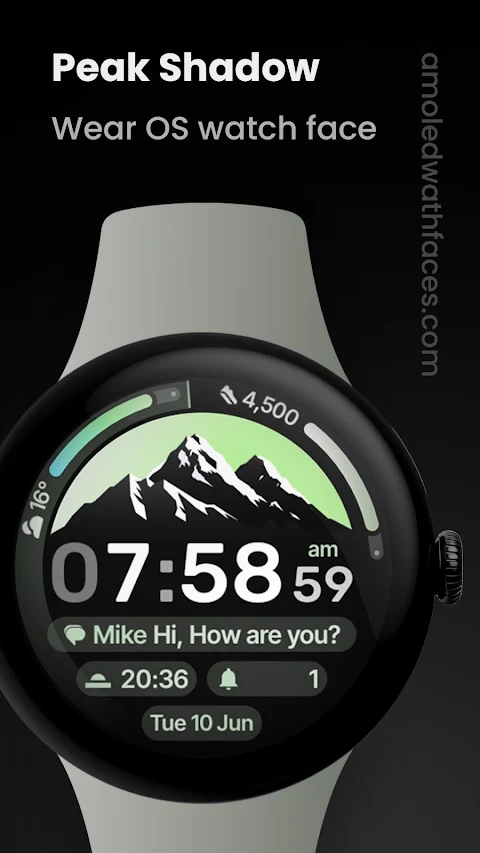
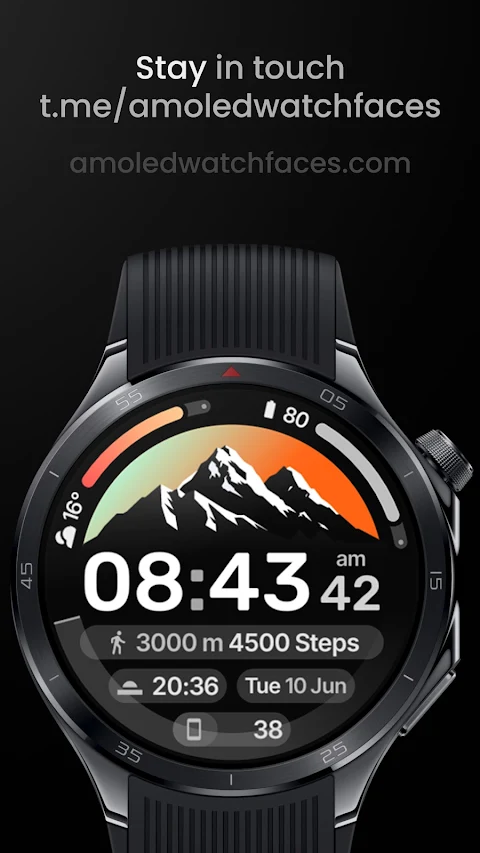
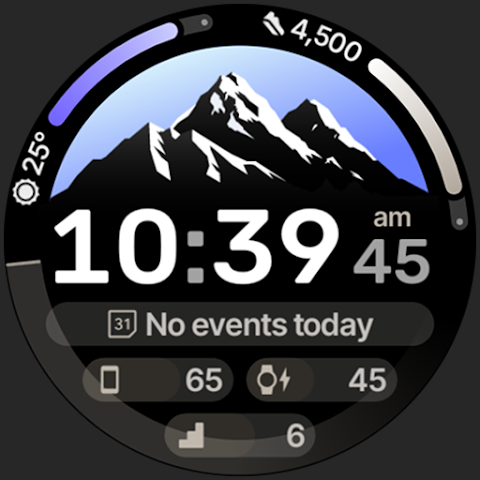
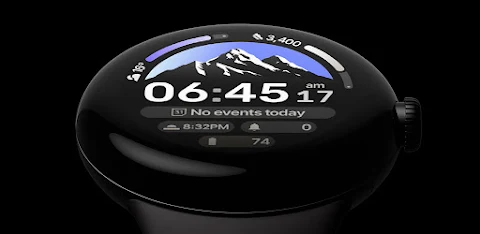
Peak Shadow Watch Face is designed specifically for Wear OS 4+ devices. It's not suitable for rectangular watches. This app is powered by the Watch Face Format, ensuring a high-quality user experience.
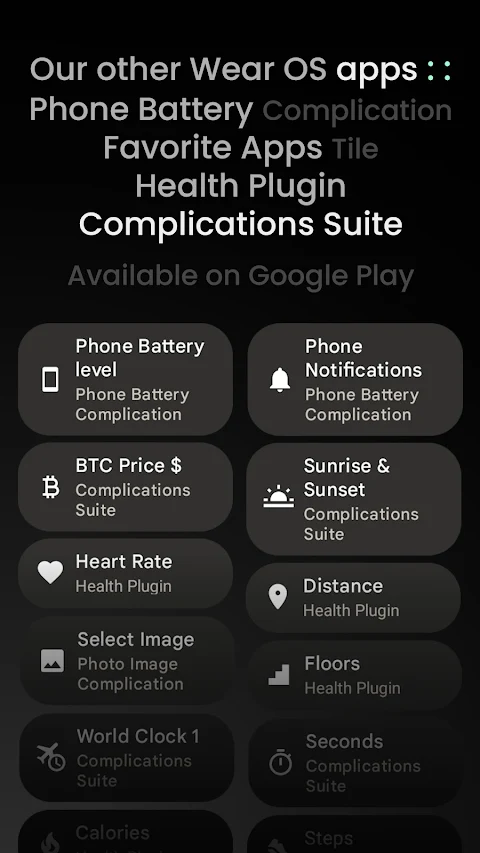
One exciting promotion to check out is the Buy One Get One Offer available on amoledwatchfaces.com. Along with the watch face, you can explore various custom complication apps to enhance your experience.
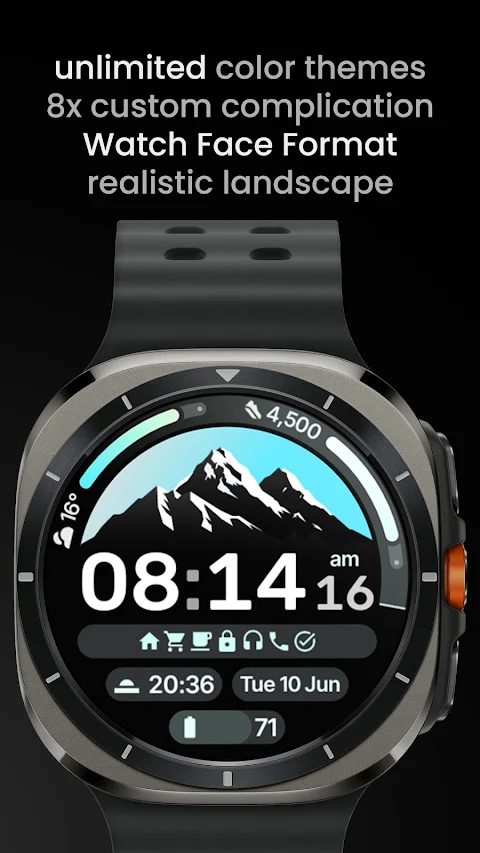
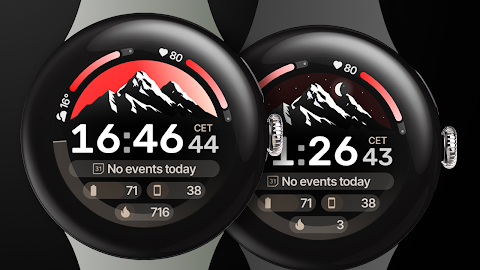
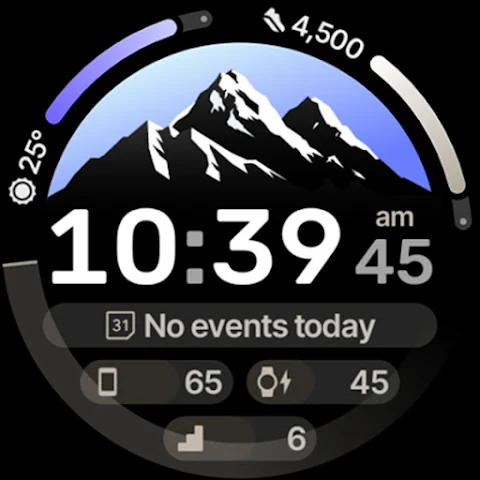
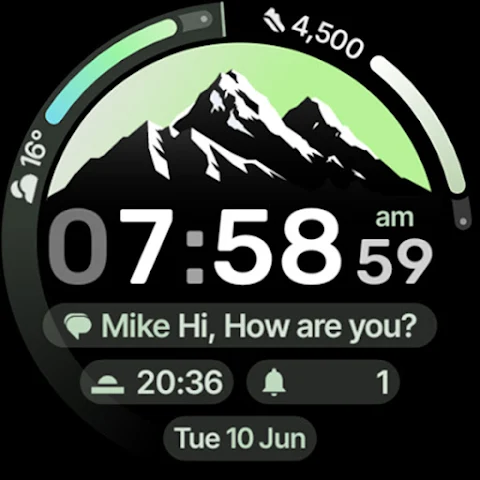
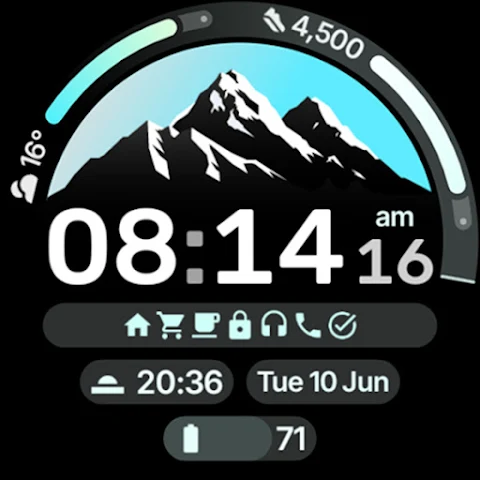
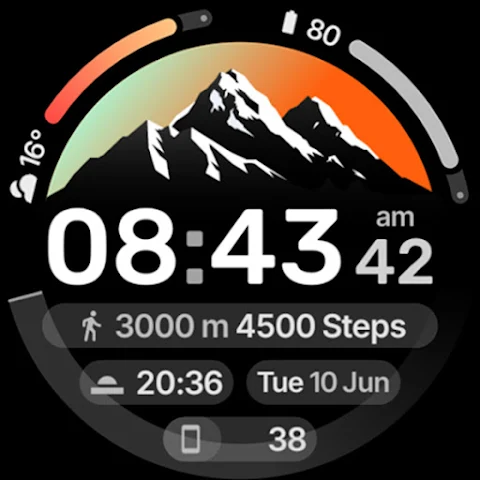
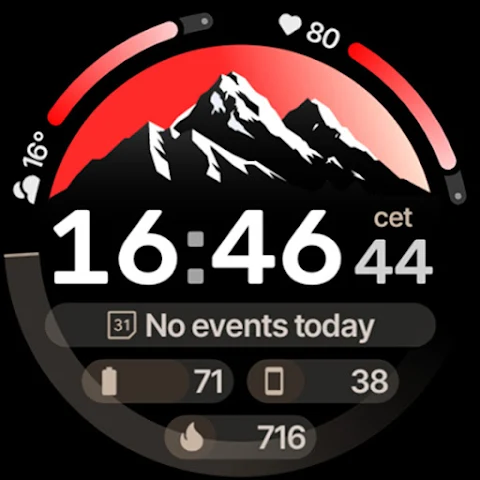
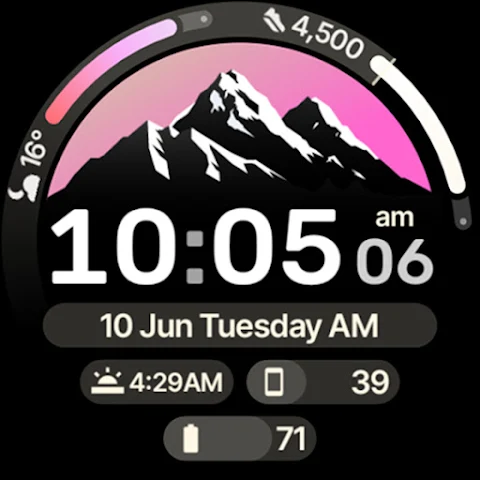
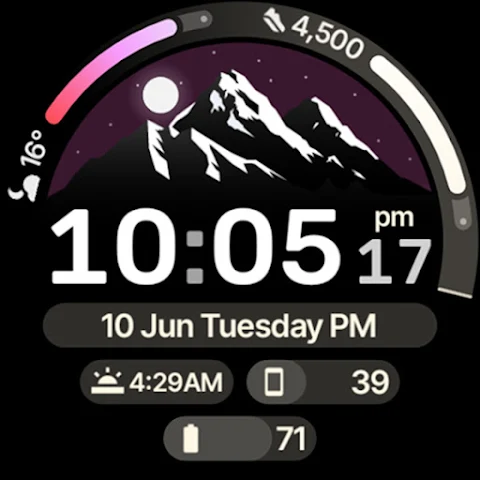
This watch face includes several notable features. It supports the latest Watch Face Format 3 and comes with watch face presets, or flavors, for those using Wear OS 5 and above. You can easily track the sun's position with the real-time sun indicator and the moon's position with the real-time moon indicator.
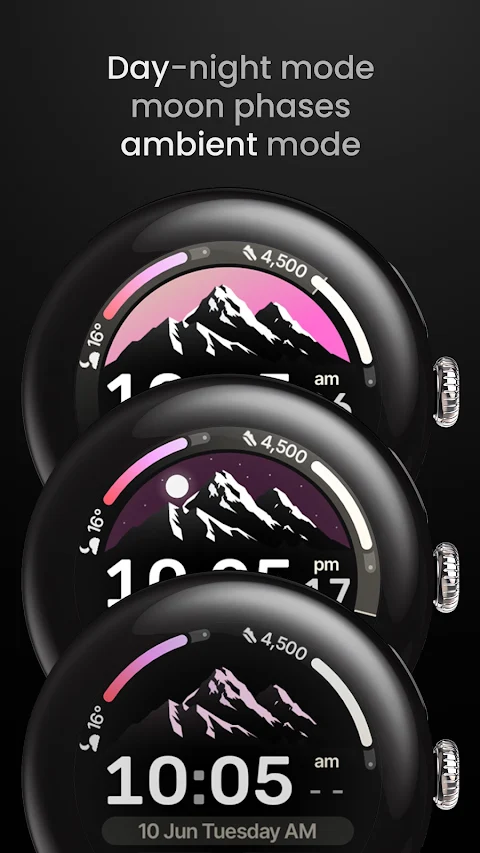
Additionally, Peak Shadow Watch Face offers day and night sky movement, providing a visually appealing way to see time pass. You have access to 8 custom complication slots—this is the maximum allowed, which includes two APP_SHORTCUT slots. The app supports various complication types, such as SHORT_TEXT complication, LONG_TEXT complication, RANGED_VALUE complication, MONOCHROMATIC_ICON complication, and small image complication. You can even use unique RANGED_VALUE indicators to display information more effectively.
If you want to stay updated, the Peak Shadow Watch Face features phone notifications support, along with dual battery complication support. You will also find multilanguage support, making it useful for a wider range of users. The true black background enhances the elegant design, while the material color themes offer a stylish palette to choose from.
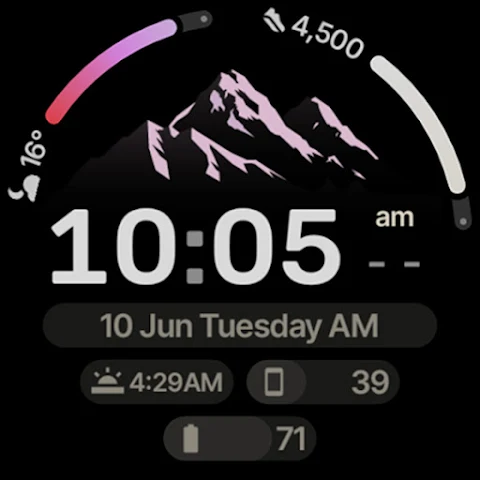
To customize your watch face even more, you can toggle the optional seconds indicator. Additionally, there are three ambient mode styles to help save battery life while still showing the time. The design is also battery friendly, ensuring your watch lasts longer throughout the day. Weather support is on the way, adding yet another useful feature to this watch face.
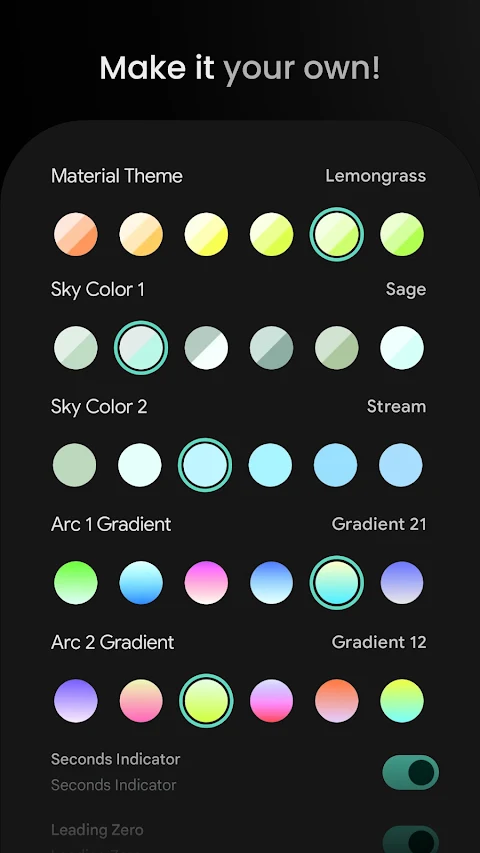
The user configurations are impressive. You can select from over 60 material themes and 60 sky color options, along with 20+ arc gradient options. There are even three AOD styles to pick from, and you can customize complications with up to 8 different options. The toggle for the seconds indicator is available, as is a leading zero toggle for those who prefer it.
For installation and troubleshooting, you'll find a helpful guide at amoledwatchfaces.com/guide. If you have any issues or need assistance, feel free to contact support at support@amoledwatchfaces.com.
You can also join our live support Telegram group at t.me/amoledwatchfaces for real-time discussions. Finally, consider subscribing to our newsletter on amoledwatchfaces.com to stay updated on new features and offers.
Enjoy making Peak Shadow Watch Face your own by mixing themes and sky gradients!
One exciting promotion to check out is the Buy One Get One Offer available on amoledwatchfaces.com. Along with the watch face, you can explore various custom complication apps to enhance your experience.
This watch face includes several notable features. It supports the latest Watch Face Format 3 and comes with watch face presets, or flavors, for those using Wear OS 5 and above. You can easily track the sun's position with the real-time sun indicator and the moon's position with the real-time moon indicator.
Additionally, Peak Shadow Watch Face offers day and night sky movement, providing a visually appealing way to see time pass. You have access to 8 custom complication slots—this is the maximum allowed, which includes two APP_SHORTCUT slots. The app supports various complication types, such as SHORT_TEXT complication, LONG_TEXT complication, RANGED_VALUE complication, MONOCHROMATIC_ICON complication, and small image complication. You can even use unique RANGED_VALUE indicators to display information more effectively.
If you want to stay updated, the Peak Shadow Watch Face features phone notifications support, along with dual battery complication support. You will also find multilanguage support, making it useful for a wider range of users. The true black background enhances the elegant design, while the material color themes offer a stylish palette to choose from.
To customize your watch face even more, you can toggle the optional seconds indicator. Additionally, there are three ambient mode styles to help save battery life while still showing the time. The design is also battery friendly, ensuring your watch lasts longer throughout the day. Weather support is on the way, adding yet another useful feature to this watch face.
The user configurations are impressive. You can select from over 60 material themes and 60 sky color options, along with 20+ arc gradient options. There are even three AOD styles to pick from, and you can customize complications with up to 8 different options. The toggle for the seconds indicator is available, as is a leading zero toggle for those who prefer it.
For installation and troubleshooting, you'll find a helpful guide at amoledwatchfaces.com/guide. If you have any issues or need assistance, feel free to contact support at support@amoledwatchfaces.com.
You can also join our live support Telegram group at t.me/amoledwatchfaces for real-time discussions. Finally, consider subscribing to our newsletter on amoledwatchfaces.com to stay updated on new features and offers.
Enjoy making Peak Shadow Watch Face your own by mixing themes and sky gradients!

WAW022 Swanky Digital Watch
WAW Watch Faces
$3.49
$0.49
WIN Nuclear BP Mod
WinWatchfaces
$0.99
$0.64
Dash Digital: Watch face
amoledwatchfaces™
$1.49