
$0.99
$0.40
60% Off
Gamers GLTool Pro
Trilokia Inc.

About the App
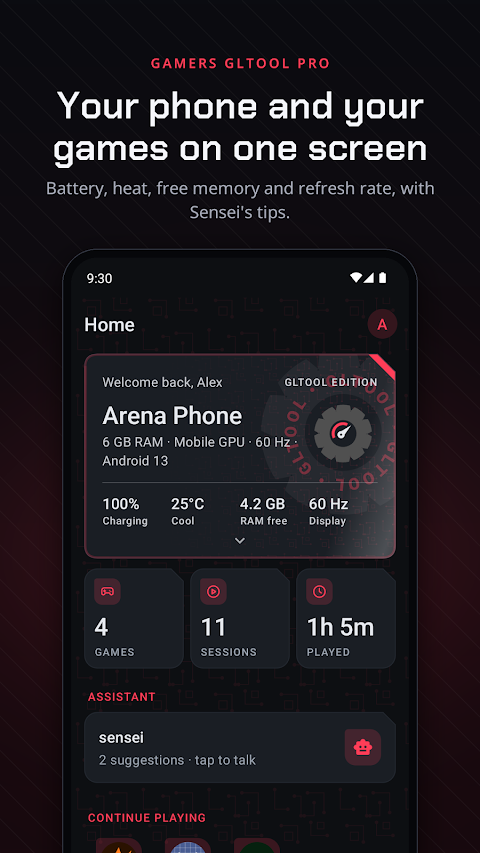
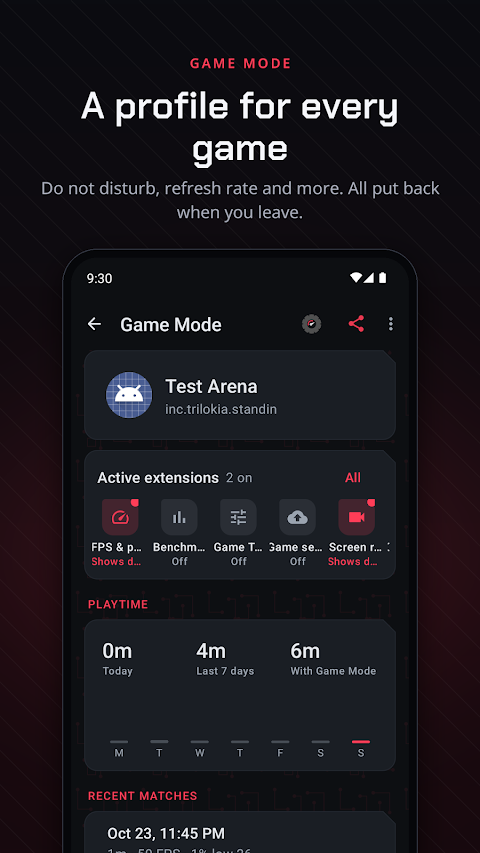
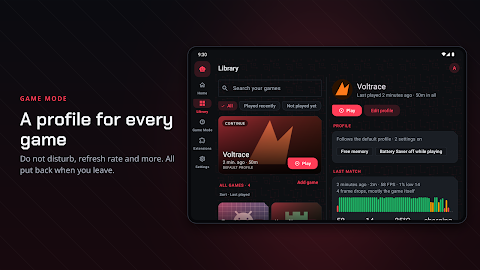
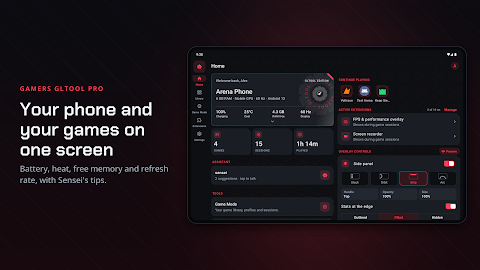
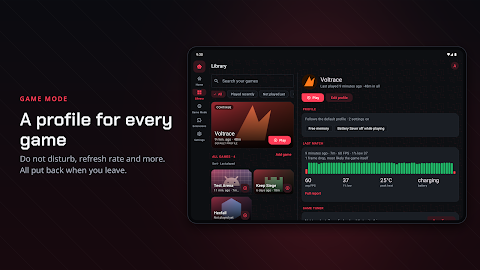
Gamers GLTool Pro is a handy toolkit designed for enhancing your gaming experience on mobile. This app comes packed with useful features to help you get the most out of the games you love. One of its standout features is **Game Mode**. When you launch a game, Game Mode automatically sets up your phone with the best settings, like a **Private DNS**, a **Battery Saver Feature**, and a brightness lock. When you're finished, everything goes back to normal, even if you closed the app mid-game. There’s a handy option called "Revert everything," which undoes any changes the app has made.
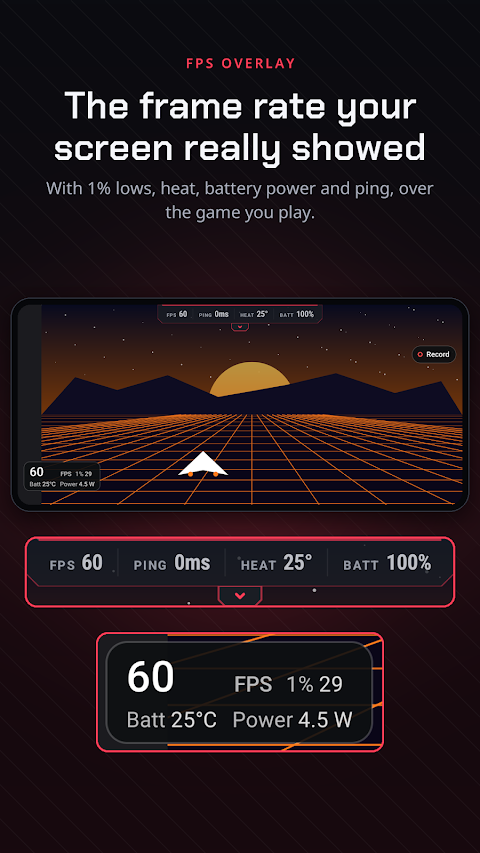
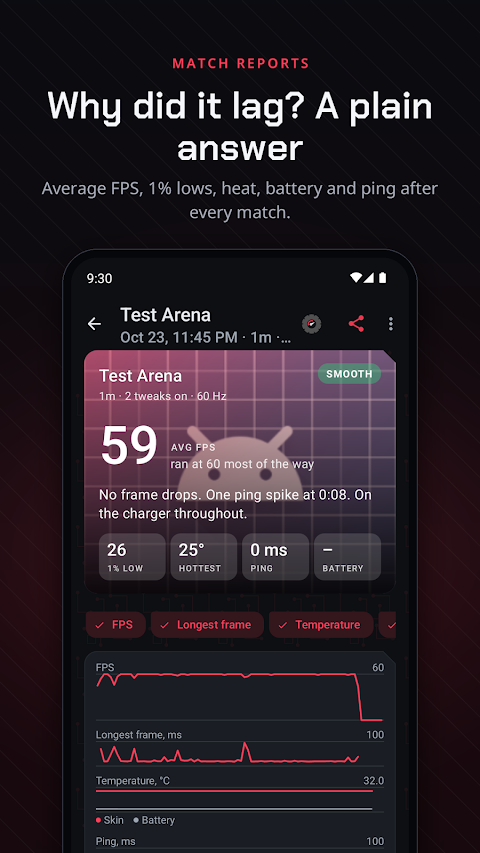
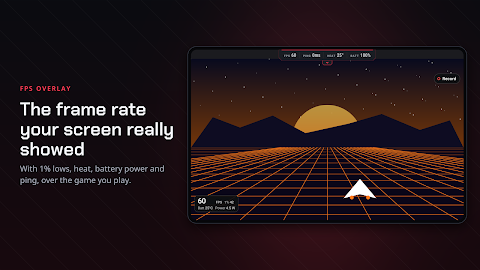
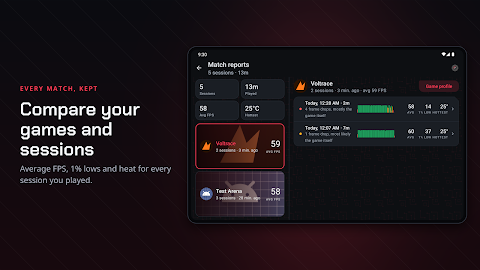
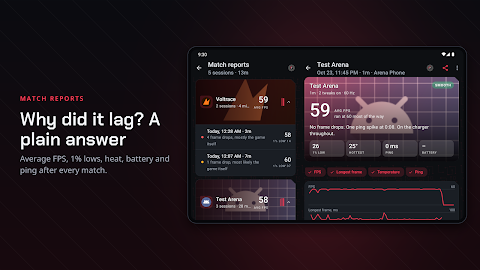
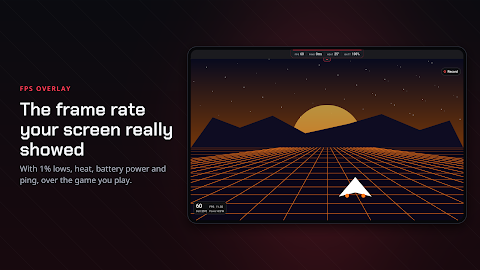
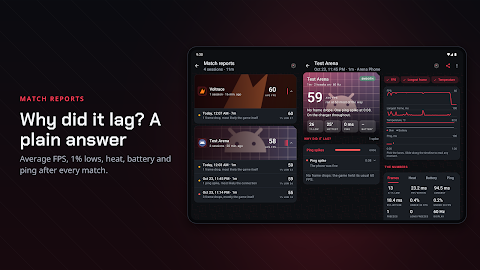
Another key feature of Gamers GLTool Pro is the **FPS Overlay**. This overlay shows you exactly how many frames per second your game is running, giving you a clear view of your performance. After each match, you receive a **Match Report** that explains why you may have experienced lag, including average FPS, 1% lows, and a **Frame Time Graph**. You can also keep track of your **Match Playtime** over the last week.
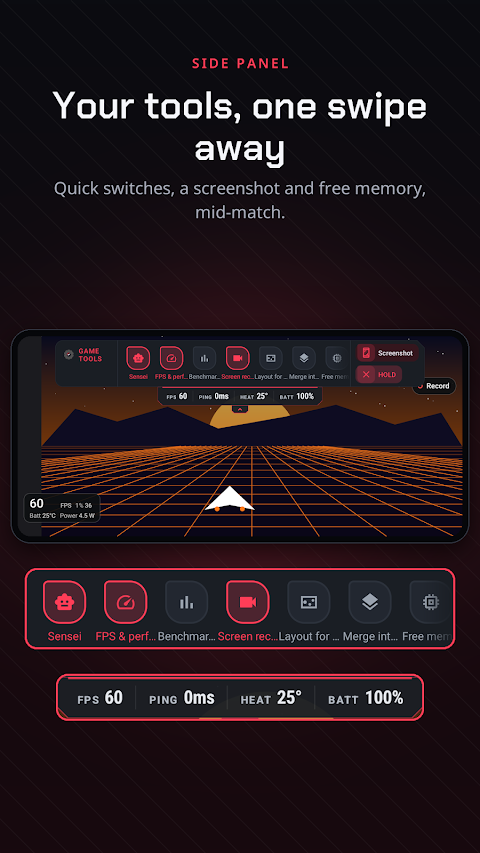
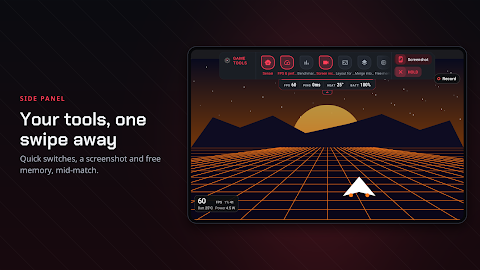
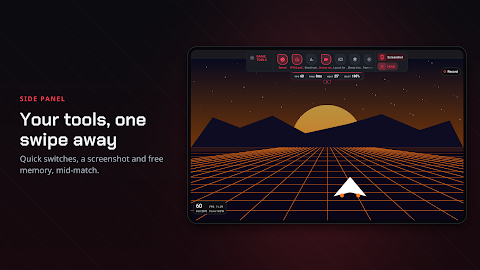
The app includes a side panel that you can swipe in from the edge during gameplay. This panel provides quick access to options for switching settings, taking screenshots, and managing background apps with its **Background App Management** feature. You can even use a **Quick Settings Tile** to start a gaming session without opening the app.
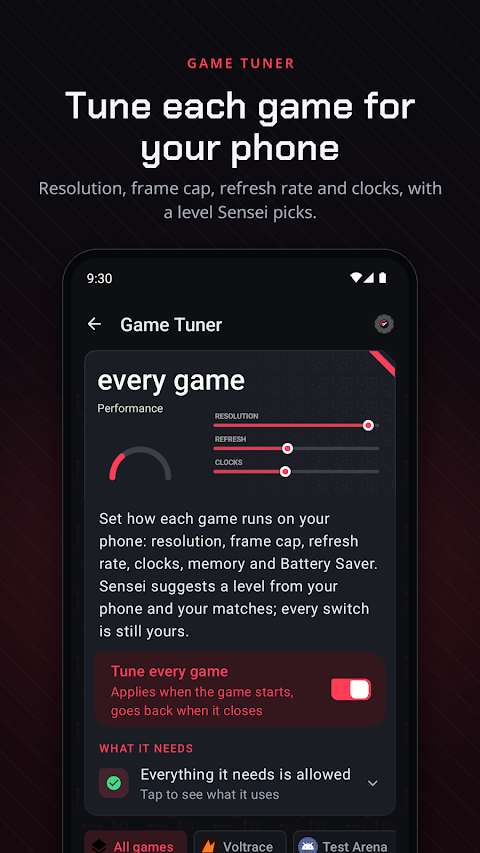
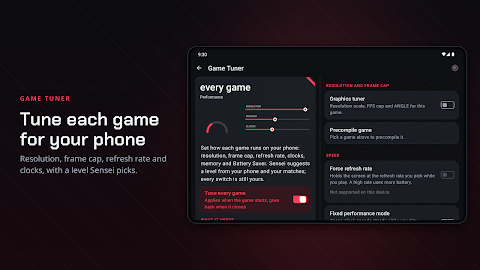
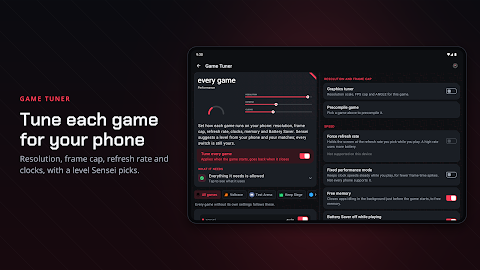
Inside **Game Tuner**, you can adjust settings like **Resolution and Frame Cap**, refresh rates, and your device's CPU clock. The app's assistant, Sensei, offers suggestions based on your phone's specifications and gaming habits. Your adjustments will remain yours, ensuring your personalized gaming experience.
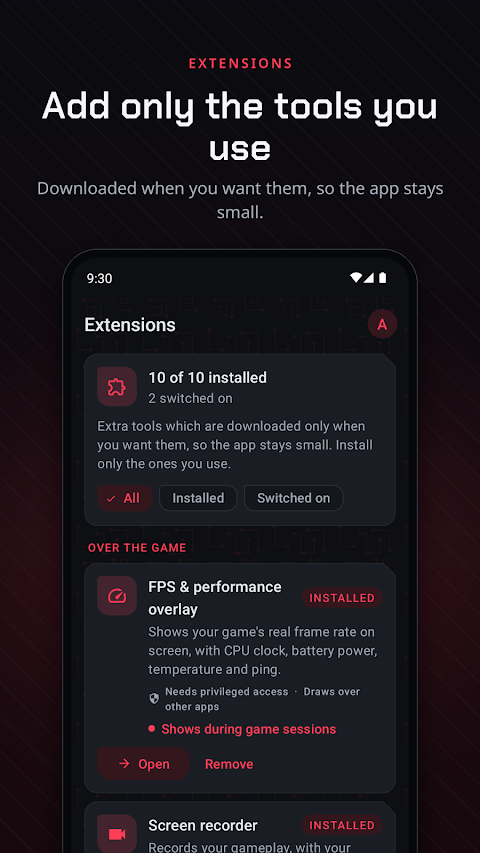
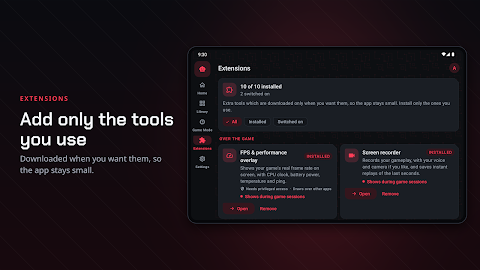
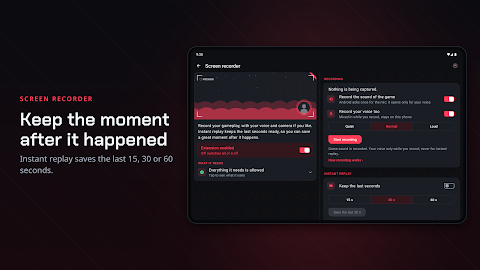
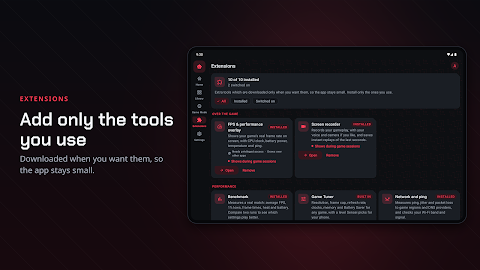
For those who want more features, there are downloadable **extensions**, which keep the app lightweight until you need them. The **Screen Recorder Functionality** allows you to record gameplay at up to 120 FPS, along with game sound, your voice, and even a facecam if desired. The **Instant Replay Feature** will save the last 15, 30, or 60 seconds of gameplay just after the moment occurs, letting you capture those awesome plays.
You can also use the **Performance Analyzer** to benchmark your matches, comparing current performance against earlier ones. This feature tracks stutters, battery usage, and temperature monitoring, ensuring you understand how your phone performs under load.
The **Audio Presets for Gaming** and **Five-Band Equaliser** enable you to adjust game sounds, allowing you to customize what you hear while playing. You can tweak sounds for footsteps, voices, and much more to enhance your overall experience. Along with this, **Network Monitoring Tools** help you analyze ping, jitter, and signal quality, giving you insights into your connection.
To keep your settings safe, the app offers a **Game Settings Backup** which saves your configurations. This means after reinstalling or switching to a new phone, you can restore your settings without hassle. The **Color Boost Feature** makes gameplay visually stunning by enhancing the colors of your display during gaming sessions.
Gamers GLTool Pro also includes **Gaming Themes and Artwork**, letting you customize the look of the app. There are 17 themes available, each with unique colors, artwork, and sounds. You can even create your own themes and share them as files.
If you're looking for advanced access, reading frame rates and changing settings like refresh rates may require options like **Wireless Debugging Access**. This functionality is built into the app for Android 11 and newer, but you can still enjoy most features without it.
When it comes to privacy, Gamers GLTool Pro emphasizes user control. There are no accounts, ads, or analytics involved. Your profiles, match reports, and recordings stay on your device unless you decide to share them. The **User-Generated Setup Sharing** feature allows you to share setups with others, but only when you choose to do so. The app’s microphone activates only during recordings, and the camera opens solely for facecam use.
In summary, Gamers GLTool Pro is a versatile tool designed to elevate your gaming experience on mobile. With features like the **FPS Overlay**, **Performance Monitoring**, and custom **Gaming Themes and Artwork**, it caters to gamers looking for detailed performance insights and customizable settings. Whether you want to analyze your gameplay or simply enjoy a visually stunning experience, Gamers GLTool Pro has you covered.

QR and Barcode Scanner PRO
Apps360 Team
$9.99

Limit app usage – screen time
Yogesh Dama
$0.99
FREE

Basic language practice
ananshop
$1.99