
$0.99
FREE
100% Off
Varwil Pink – Icon Pack
Panoto Gomo




About the App
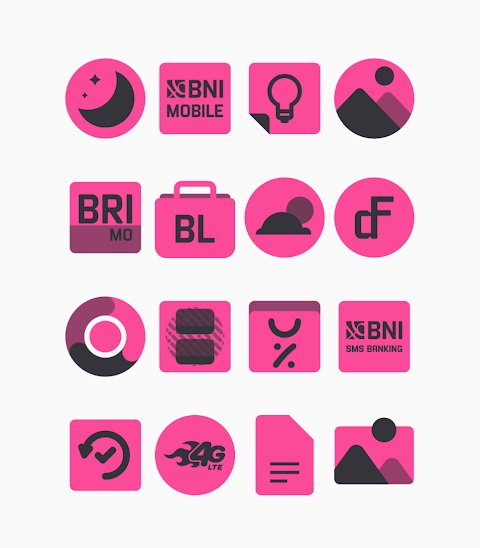
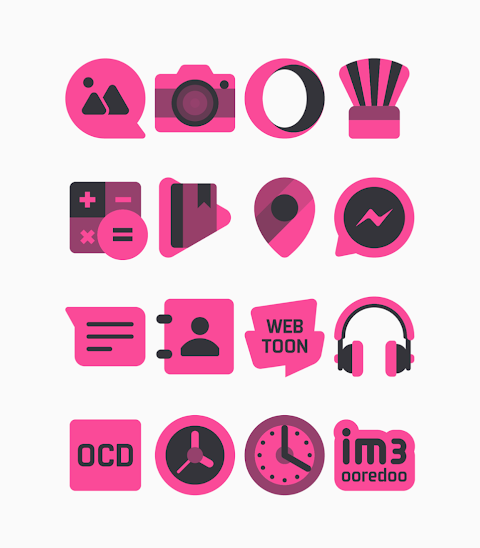
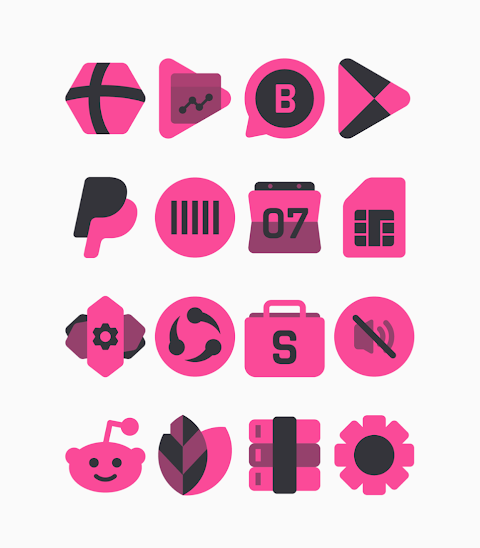
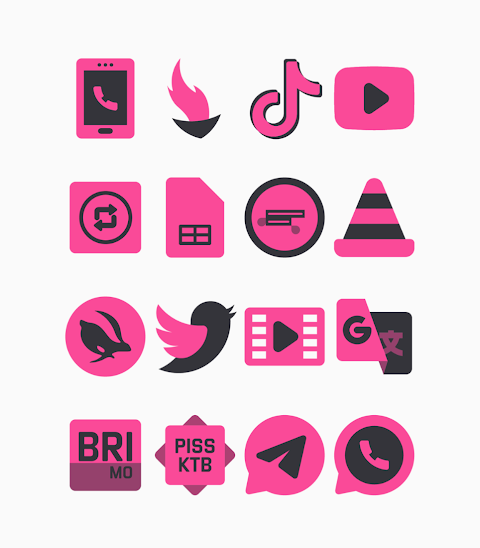
Varwil Pink is a unique black and pink themed icon pack that brings a stylish touch to your device. With over 3000 icons and counting, this icon pack is designed with shapeless designs, offering a fresh aesthetic for your home screen.
One of the key features of Varwil Pink is its HD icon resolution of 256x256px, ensuring that your icons look crisp and vibrant. You’ll also find a collection of wallpapers that complement the theme perfectly. Plus, if you have specific icons in mind that you wish to see, the icon request feature allows you to suggest new additions.
Applying the Varwil Pink icon pack is straightforward, thanks to its compatibility with many popular launchers. It supports Nova Launcher, Evie Launcher, Apex Launcher, ADW Launcher, ABC Launcher, Next Launcher, Holo Launcher, Lucid Launcher, M Launcher, Action Launcher, Sony Xperia Home Launcher, Aviate Launcher, Smart Launcher, Go Launcher, and Zero Launcher. Each of these launchers lets you customize your device easily using the Varwil Pink icons.
To apply the Varwil Pink icon pack, simply follow these steps:
1. Open the Varwil Pink icon Pack app on your device.
2. Navigate to the Apply Icon Pack screen within the app.
3. You will see a list of supported launchers. Choose Nova Launcher, or any other launcher you have installed.
4. The app will automatically apply the icons from the Varwil Pink icon pack for your selected launcher.
If your chosen launcher doesn't appear when you try to apply the icons from the app, you can also apply them directly from the launcher’s settings.
For those using the Sony Xperia Home Launcher, specific settings must be followed, as it might not show up in the icon pack application options. To apply the Varwil Pink icon pack on Sony Xperia, do this:
1. Long press on your main screen.
2. Open the settings.
3. Scroll down to find the appearance icon setting.
4. Select the Varwil Pink icon pack from there.
5. Now your Sony Xperia will showcase the Varwil Pink icons!
Keep in mind, the icon pack is only compatible with Sony Xperia Home Launcher version 10.0.A.0.8 or higher.
Throughout your experience with Varwil Pink, you’ll find smooth integration with various launchers, allowing for easy icon pack customization. Explore the applicable launcher list to see which one works best for you.
While using Go Launcher and Zero Launcher, note that there are some icon masking limitations. So, you may not see all icons exactly as intended in these launchers.
Experience the Varwil Pink aesthetic and transform your device with custom icon themes that reflect your personal style. Whether you want to create custom icons or simply enjoy the existing 3000+ icons, this icon pack is perfect for anyone looking to refresh their home screen.
For more design inspiration and updates, you can follow Varwil Pink’s journey on social media platforms like Google+, Instagram, and Twitter. Special thanks to Dani Mahardika for contributing the Candybar Dashboard, which enhances our icon pack experience. Enjoy customizing your device with Varwil Pink!
One of the key features of Varwil Pink is its HD icon resolution of 256x256px, ensuring that your icons look crisp and vibrant. You’ll also find a collection of wallpapers that complement the theme perfectly. Plus, if you have specific icons in mind that you wish to see, the icon request feature allows you to suggest new additions.
Applying the Varwil Pink icon pack is straightforward, thanks to its compatibility with many popular launchers. It supports Nova Launcher, Evie Launcher, Apex Launcher, ADW Launcher, ABC Launcher, Next Launcher, Holo Launcher, Lucid Launcher, M Launcher, Action Launcher, Sony Xperia Home Launcher, Aviate Launcher, Smart Launcher, Go Launcher, and Zero Launcher. Each of these launchers lets you customize your device easily using the Varwil Pink icons.
To apply the Varwil Pink icon pack, simply follow these steps:
1. Open the Varwil Pink icon Pack app on your device.
2. Navigate to the Apply Icon Pack screen within the app.
3. You will see a list of supported launchers. Choose Nova Launcher, or any other launcher you have installed.
4. The app will automatically apply the icons from the Varwil Pink icon pack for your selected launcher.
If your chosen launcher doesn't appear when you try to apply the icons from the app, you can also apply them directly from the launcher’s settings.
For those using the Sony Xperia Home Launcher, specific settings must be followed, as it might not show up in the icon pack application options. To apply the Varwil Pink icon pack on Sony Xperia, do this:
1. Long press on your main screen.
2. Open the settings.
3. Scroll down to find the appearance icon setting.
4. Select the Varwil Pink icon pack from there.
5. Now your Sony Xperia will showcase the Varwil Pink icons!
Keep in mind, the icon pack is only compatible with Sony Xperia Home Launcher version 10.0.A.0.8 or higher.
Throughout your experience with Varwil Pink, you’ll find smooth integration with various launchers, allowing for easy icon pack customization. Explore the applicable launcher list to see which one works best for you.
While using Go Launcher and Zero Launcher, note that there are some icon masking limitations. So, you may not see all icons exactly as intended in these launchers.
Experience the Varwil Pink aesthetic and transform your device with custom icon themes that reflect your personal style. Whether you want to create custom icons or simply enjoy the existing 3000+ icons, this icon pack is perfect for anyone looking to refresh their home screen.
For more design inspiration and updates, you can follow Varwil Pink’s journey on social media platforms like Google+, Instagram, and Twitter. Special thanks to Dani Mahardika for contributing the Candybar Dashboard, which enhances our icon pack experience. Enjoy customizing your device with Varwil Pink!
CELEST5468 Artistic Watch
CELEST Watches
$1.99
$1.00

Peek Display – Always On
heitezy
$2.99
$1.05
CFS124 ModernEdge
CFS Creative Face Studio
$1.99
$0.89