

$0.99
FREE
100% Off
Time-lapse Calculator
Dax Mackenzie Roggio

About the App
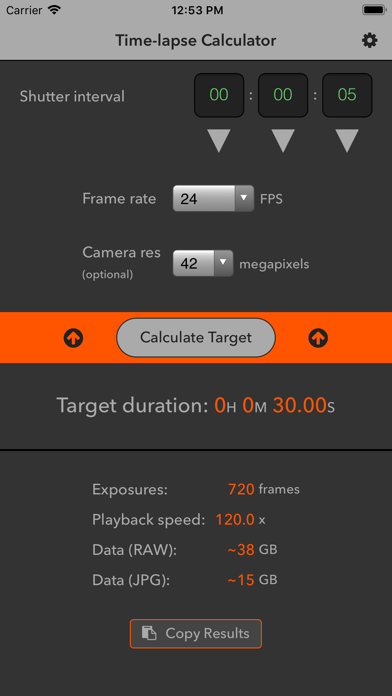
The Time-lapse Calculator is a simple and effective tool for anyone interested in creating time-lapse videos. It offers three easy-to-use modes that let you calculate important aspects of your video, making it suitable for both beginners and professionals.
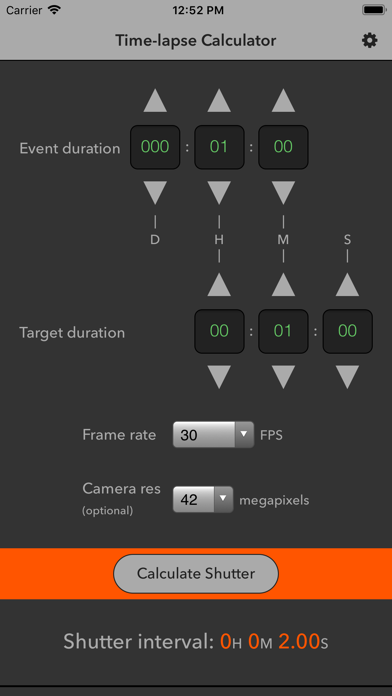
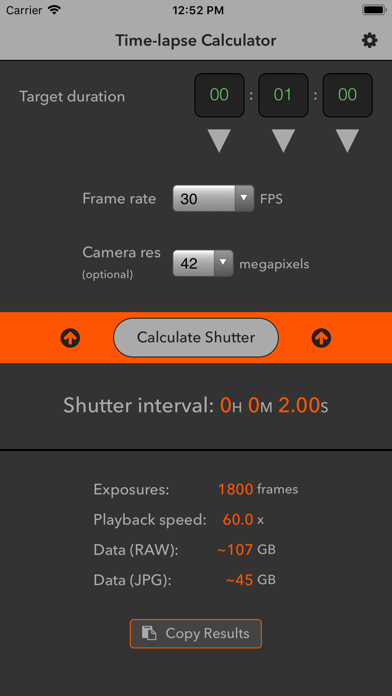
In the default mode, you can determine the shutter interval, which is the time between shots needed to achieve your desired video clip length for a given recording duration. This is helpful when you know how long you want your final clip to be, your video frame rate, and how long you plan to record to capture all necessary images.
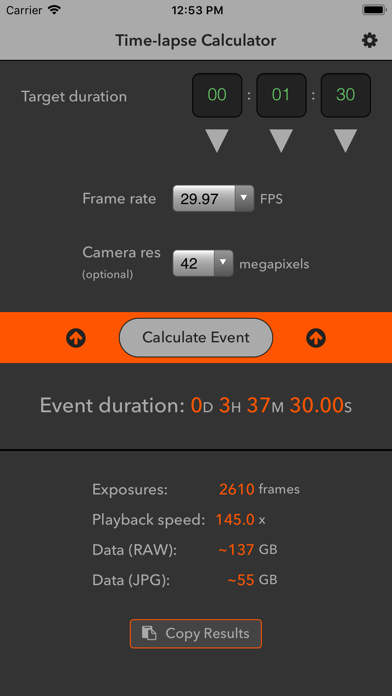
If you want to know how long you need to record based on your chosen shutter interval and target duration, the Time-lapse Calculator can also do event duration calculation. It allows you to see the recording time required for your video, making planning much easier.
Many other time-lapse utilities only let you enter the recording duration and shutter interval, and then they provide the resulting video clip duration. However, this may not be particularly useful for everyone. In contrast, the Time-lapse Calculator focuses on your specific needs, providing tailored calculations.
Another great feature is the ability to estimate memory card storage capacity. Using the megapixel count of your camera, it tells you how much space you'll need for high-quality JPG files or RAW image files. This is especially valuable for videographers and photographers who want to avoid running out of space.
The app supports all standard NTSC, PAL, and film frame rates, which include options like 15, 24, 30, and even 120 FPS. This flexibility helps you tailor your video to the desired look and style.
For quick access, the Time-lapse Calculator offers 3D Touch quick actions right from your home screen. You can easily switch between shutter interval, event duration, or target duration mode without searching through menus. Plus, the clipboard copy functionality allows you to save both inputs and results with just one touch, enhancing your workflow.
Designed with an intuitive user interface, the app is easy to navigate. Whether you're a professional photographers tool or a videographers utility, the clean and simple layout makes it user-friendly.
This universal app is optimized for both iPhone and iPad, ensuring a smooth experience across all device sizes. From the iPhone SE to the iPad Pro, you’ll find a responsive layout design that fits your screen perfectly.
The maximum recording time supported is an impressive 999 days, meaning you can capture extended events with ease. Whether you're planning a long-term project or a quick shoot, the Time-lapse Calculator provides all the necessary tools.
Overall, this app is a robust tool for anyone interested in video production or photography utilities. With the Time-lapse Calculator, you can effectively manage your projects, making your time-lapse videos easier to plan and produce.

ProCam – Pro Camera
Tinkerworks Apps
$9.99

PXL – mosaic art
Norikazu Muramoto
$3.99

iCPainter
Enrique Garcia
$1.99