
$9.99
FREE
100% Off
ProCam – Pro Camera
Tinkerworks Apps

About the App
ProCam - Pro Camera is a versatile camera app that makes capturing photos and videos easy and enjoyable. Whether you are a seasoned photographer or just starting, ProCam provides the tools you need for stunning results.
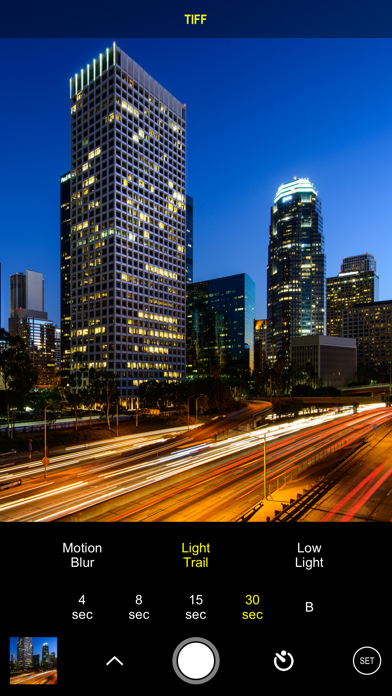
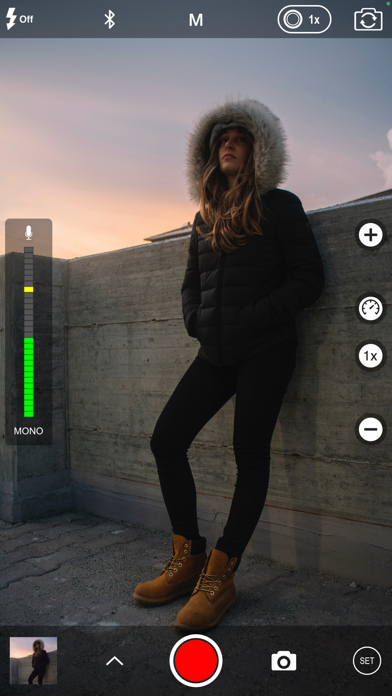
With various shooting modes, this app allows you to choose exactly how you want to take your photos and videos. You can use standard photo mode, burst mode photography for capturing action shots, or even slow shutter photography for those artistic long exposure effects. If you own a dual lens camera system like the iPhone XR or iPhone SE 2020, you can explore portrait mode for beautiful, focused portraits. For a more dynamic touch, you can create a 3D photo, though this feature requires a dual lens setup. There’s also video time lapse, allowing you to create mesmerizing videos that show a long process in just a few minutes.
When it comes to capturing those perfect shots, ProCam offers several photo shutter release options. You can set a self-timer release for group photos, use the anti-shake feature to keep your shots steady, or take advantage of interval shooting for artistic sequences.
ProCam supports high-quality video recordings with various resolutions. You can record in 1080p video resolution, meaning your videos will look sharp and clear. If you want even more detail, you can access 4K ultra HD recording. There are plenty of frame rate options as well, providing flexibility for different scenes. For example, you can capture high frame rate video at a stunning 240 fps for smooth motion. Additionally, ProCam includes real-time video stabilization, ensuring your videos stay steady even when you’re moving.
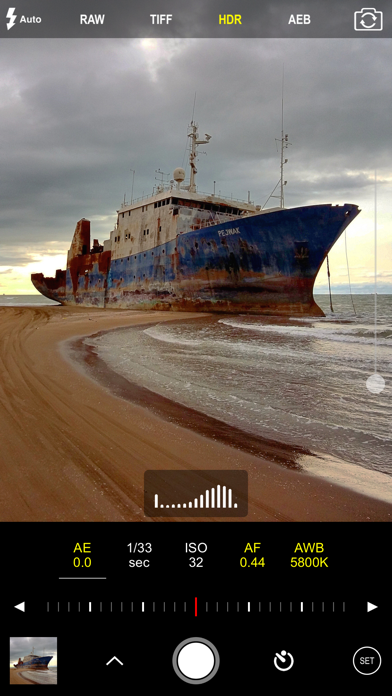
For those who like to have control over their photography, ProCam provides manual exposure controls. You can adjust shutter speed, configure white balance settings, and manage ISO control to fine-tune your images. The app also features tap location manual focus, so you can focus precisely where you want. This is particularly useful for challenging lighting conditions, and the intelligent 3-shot HDR along with auto exposure bracketing ensures you will have high-quality results even in high contrast situations.
Another important feature of ProCam is its ability to work with RAW file support and lossless TIFF format. This means your pictures maintain their quality, allowing for more detailed edits later on. You can also check the live light level histogram, which provides real-time insights into your lighting conditions.
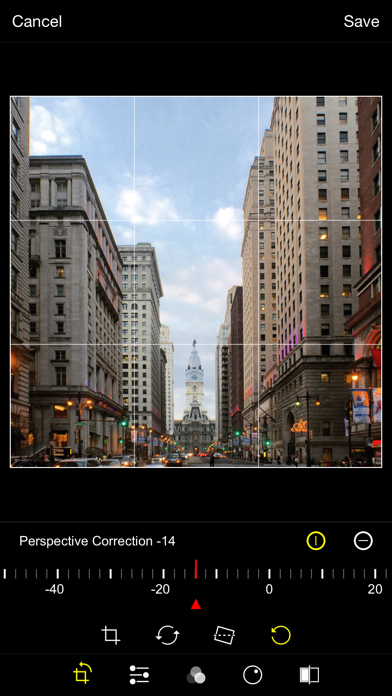
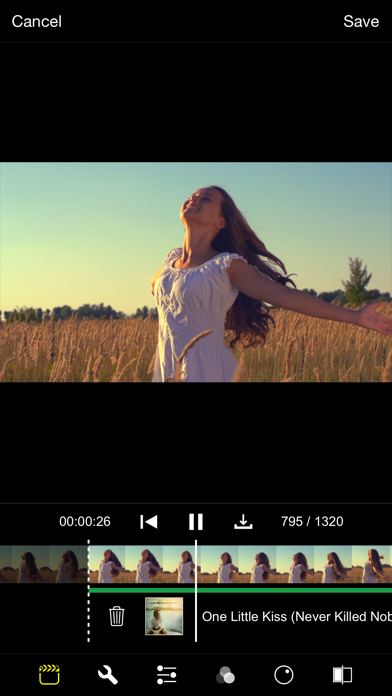
Editing your photos and videos is just as straightforward with ProCam's photo editing extension. You benefit from nondestructive photo editing, allowing you to make all adjustments with flexibility. There’s a selection of expertly crafted filters to enhance your images, as well as a variety of filter lenses that add special effects like fisheye or tilt-shift. The app includes comprehensive photo editor tools that let you trim, crop, rotate, and correct perspectives easily.
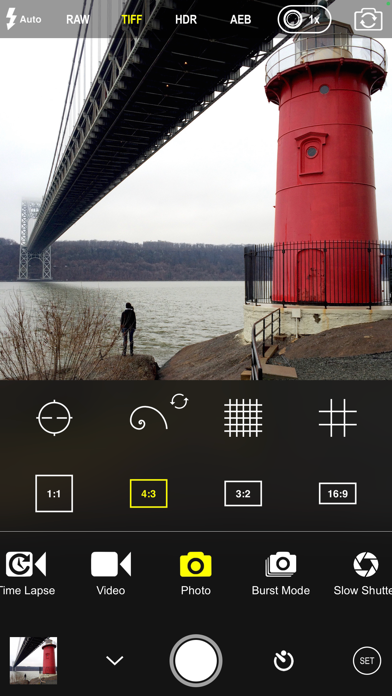
ProCam lets you modify your image’s aspect ratio, choosing from options like 4:3, 3:2, 16:9, or 1:1 for social media. When working with videos, you can pause and resume recording whenever needed. The app also features a video audio meter, so you can keep track of sound levels while filming. While recording, ProCam allows photo capture during video, so you can snap extra shots on the fly.
For added convenience, a date/time/location stamp can be included in your images, providing useful context. You’ll never run out of storage space with the video disk space indicator, helping you manage your media better. Additionally, the app comes with a thirds grid overlay and a horizontal tiltmeter to help you frame your shots perfectly.
Finally, ProCam offers the ability to preview video frame by frame and even integrate background music to create a more dynamic viewing experience with your videos. This comprehensive set of features makes ProCam - Pro Camera a must-have tool for anyone looking to elevate their photography and videography skills.
With various shooting modes, this app allows you to choose exactly how you want to take your photos and videos. You can use standard photo mode, burst mode photography for capturing action shots, or even slow shutter photography for those artistic long exposure effects. If you own a dual lens camera system like the iPhone XR or iPhone SE 2020, you can explore portrait mode for beautiful, focused portraits. For a more dynamic touch, you can create a 3D photo, though this feature requires a dual lens setup. There’s also video time lapse, allowing you to create mesmerizing videos that show a long process in just a few minutes.
When it comes to capturing those perfect shots, ProCam offers several photo shutter release options. You can set a self-timer release for group photos, use the anti-shake feature to keep your shots steady, or take advantage of interval shooting for artistic sequences.
ProCam supports high-quality video recordings with various resolutions. You can record in 1080p video resolution, meaning your videos will look sharp and clear. If you want even more detail, you can access 4K ultra HD recording. There are plenty of frame rate options as well, providing flexibility for different scenes. For example, you can capture high frame rate video at a stunning 240 fps for smooth motion. Additionally, ProCam includes real-time video stabilization, ensuring your videos stay steady even when you’re moving.
For those who like to have control over their photography, ProCam provides manual exposure controls. You can adjust shutter speed, configure white balance settings, and manage ISO control to fine-tune your images. The app also features tap location manual focus, so you can focus precisely where you want. This is particularly useful for challenging lighting conditions, and the intelligent 3-shot HDR along with auto exposure bracketing ensures you will have high-quality results even in high contrast situations.
Another important feature of ProCam is its ability to work with RAW file support and lossless TIFF format. This means your pictures maintain their quality, allowing for more detailed edits later on. You can also check the live light level histogram, which provides real-time insights into your lighting conditions.
Editing your photos and videos is just as straightforward with ProCam's photo editing extension. You benefit from nondestructive photo editing, allowing you to make all adjustments with flexibility. There’s a selection of expertly crafted filters to enhance your images, as well as a variety of filter lenses that add special effects like fisheye or tilt-shift. The app includes comprehensive photo editor tools that let you trim, crop, rotate, and correct perspectives easily.
ProCam lets you modify your image’s aspect ratio, choosing from options like 4:3, 3:2, 16:9, or 1:1 for social media. When working with videos, you can pause and resume recording whenever needed. The app also features a video audio meter, so you can keep track of sound levels while filming. While recording, ProCam allows photo capture during video, so you can snap extra shots on the fly.
For added convenience, a date/time/location stamp can be included in your images, providing useful context. You’ll never run out of storage space with the video disk space indicator, helping you manage your media better. Additionally, the app comes with a thirds grid overlay and a horizontal tiltmeter to help you frame your shots perfectly.
Finally, ProCam offers the ability to preview video frame by frame and even integrate background music to create a more dynamic viewing experience with your videos. This comprehensive set of features makes ProCam - Pro Camera a must-have tool for anyone looking to elevate their photography and videography skills.

Chaos Lens
Nikolay Kharlamov
$0.99
Free

Parachute Backup Mobile
Leitmotif GmbH
$9.99
$7.99

Vostok — Story Maker
Dmitry Mashkin
$0.29