

$34.99
$24.99
29% Off
Groove Rider 2
Dmitrij Pavlov

About the App
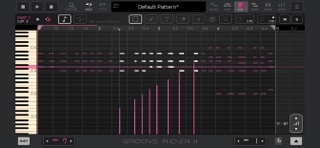
Groove Rider 2 is a powerful app designed for mobile music production. It combines the ease of a groovebox with the features of a digital audio workstation (DAW), opening up new ways to create music. Whether you're composing full tracks or experimenting with beats, Groove Rider 2 can boost your creative inspiration.
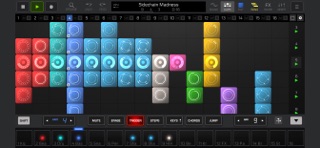
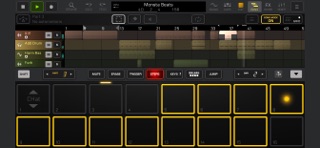
With Groove Rider 2, performing live sets becomes exciting and intuitive. The app features a 16 x 16 clip launch grid that lets you easily launch your clips and sounds. Thanks to the Ableton Link feature, you can synchronize Groove Rider 2 with other music apps and hardware. You can also connect your midi controllers for direct control over the app's parameters. This setup allows you to crossfade between patterns like a DJ, utilizing onscreen EQ controls for a smooth transition.
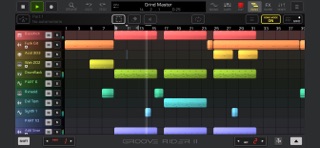
When it comes to creating full-length tracks, Groove Rider 2 shines with its timeline-based song editor. Here, you can arrange and edit midi clips just like you would in a professional DAW. The app supports parameter automation recording, making it easy to bring your ideas to life. You can copy, paste, and duplicate clips or entire sections of your track. When you’re finished, you can export your work either as a master audio file or separate stems for further editing.
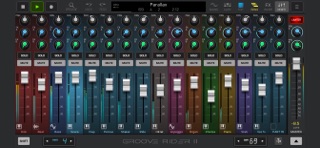
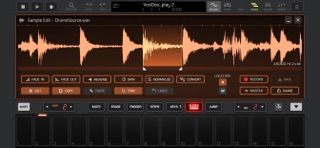
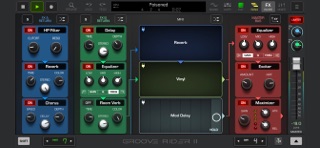
Groove Rider 2 also allows you to sketch your musical ideas effortlessly. You can layer instruments with up to three layers per part, letting you create rich and complex sounds. The app includes realtime insert effects, giving you three effects per part to enhance your sound. You can tweak your sound with a 3-band EQ that features visual controls, helping you make precise adjustments. For even more creativity, Groove Rider 2 has MFX master effects to apply across your patterns, and you can take advantage of Send/Return FX busses with up to three effect slots in each bus. If you want to manipulate what you hear, the built-in Sample Editor allows you to resample directly and make edits right there.
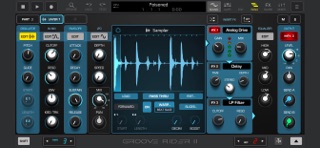
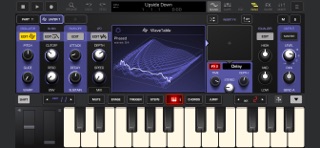
You also have access to built-in instruments that will enrich your music-making experience. The app features a sampler that includes realtime beat time stretching and slicing options, supporting stereo samples of various bit depths. There’s a 2-oscillator synthesizer with over 280 preset programs, complete with Filter, ADSR, and LFO modules. Groove Rider 2 allows you to work with a WaveTable synthesizer that supports user wave table imports, such as Serum .wav formats. Additionally, it integrates seamlessly with JimAudio's Poison-202 and Pure Acid apps without overloading your system resources.
Groove Rider 2 supports important features like AUv3 Audio Units hosting, allowing you to incorporate various audio units into your projects. The app also has AudioBus support and Core MIDI integration, enhancing how you interact with other devices and software. The multi-core audio rendering ensures that your audio quality remains high, no matter how complex your project gets. You’ll find a convenient sample and preset browser, which allows for instant previews of sounds. The app comes with an internal library of samples, presets, and patterns, perfect for getting started.
You can easily export and import Midi files, making sharing and collaborating simple. Groove Rider 2 supports controllers such as the Akai APC40 mkII and Novation Launchpad, giving you full access to your session clip grid and the various modes the app offers. It's designed for both iPad and iPhone, and requires Apple iOS or iPadOS 16 or later. For the best experience, using an iPad Pro (2nd generation or newer) is recommended.
If you're eager to learn how to make the most out of Groove Rider 2, a user manual is available for download, providing helpful guidance to get started on your music creation journey. With its flexible sound design options and audio preview support, Groove Rider 2 can help you realize your musical vision with ease.
With Groove Rider 2, performing live sets becomes exciting and intuitive. The app features a 16 x 16 clip launch grid that lets you easily launch your clips and sounds. Thanks to the Ableton Link feature, you can synchronize Groove Rider 2 with other music apps and hardware. You can also connect your midi controllers for direct control over the app's parameters. This setup allows you to crossfade between patterns like a DJ, utilizing onscreen EQ controls for a smooth transition.
When it comes to creating full-length tracks, Groove Rider 2 shines with its timeline-based song editor. Here, you can arrange and edit midi clips just like you would in a professional DAW. The app supports parameter automation recording, making it easy to bring your ideas to life. You can copy, paste, and duplicate clips or entire sections of your track. When you’re finished, you can export your work either as a master audio file or separate stems for further editing.
Groove Rider 2 also allows you to sketch your musical ideas effortlessly. You can layer instruments with up to three layers per part, letting you create rich and complex sounds. The app includes realtime insert effects, giving you three effects per part to enhance your sound. You can tweak your sound with a 3-band EQ that features visual controls, helping you make precise adjustments. For even more creativity, Groove Rider 2 has MFX master effects to apply across your patterns, and you can take advantage of Send/Return FX busses with up to three effect slots in each bus. If you want to manipulate what you hear, the built-in Sample Editor allows you to resample directly and make edits right there.
You also have access to built-in instruments that will enrich your music-making experience. The app features a sampler that includes realtime beat time stretching and slicing options, supporting stereo samples of various bit depths. There’s a 2-oscillator synthesizer with over 280 preset programs, complete with Filter, ADSR, and LFO modules. Groove Rider 2 allows you to work with a WaveTable synthesizer that supports user wave table imports, such as Serum .wav formats. Additionally, it integrates seamlessly with JimAudio's Poison-202 and Pure Acid apps without overloading your system resources.
Groove Rider 2 supports important features like AUv3 Audio Units hosting, allowing you to incorporate various audio units into your projects. The app also has AudioBus support and Core MIDI integration, enhancing how you interact with other devices and software. The multi-core audio rendering ensures that your audio quality remains high, no matter how complex your project gets. You’ll find a convenient sample and preset browser, which allows for instant previews of sounds. The app comes with an internal library of samples, presets, and patterns, perfect for getting started.
You can easily export and import Midi files, making sharing and collaborating simple. Groove Rider 2 supports controllers such as the Akai APC40 mkII and Novation Launchpad, giving you full access to your session clip grid and the various modes the app offers. It's designed for both iPad and iPhone, and requires Apple iOS or iPadOS 16 or later. For the best experience, using an iPad Pro (2nd generation or newer) is recommended.
If you're eager to learn how to make the most out of Groove Rider 2, a user manual is available for download, providing helpful guidance to get started on your music creation journey. With its flexible sound design options and audio preview support, Groove Rider 2 can help you realize your musical vision with ease.

Kronecker – AUv3 Plug-in Synth
iceWorks, Inc.
$9.99
$8.00

iDensity
apeSoft
$9.99
$5.99

Magellan Synthesizer 2
Yonac Inc.
$14.99
$3.49