

$7.99
$4.99
38% Off
CropSize: Image Resizer Editor
Aliaksei Khutarshchykau

About the App
CropSize: Image Resizer Editor is the perfect app for anyone who needs precise image resizing and editing. With CropSize, you can easily make your photos just the right size and quality for your photo library, social media, and various projects. The app allows you to enhance your images with accurate color adjustments and manage photo metadata effectively. You can automate your editing tasks with batch processing and workflows, making the whole process quick and simple. Sharing and printing your creations is straightforward, ensuring they are in the right format and dimensions.
In the world of photo editing, CropSize stands out. Unlike many other apps that offer only approximate solutions, CropSize lets you specify exact sizes and positions for both cropping and resizing images. This clarity brings you an intuitive editing experience. The app supports various units of measurement, helping to streamline your workflows effectively.
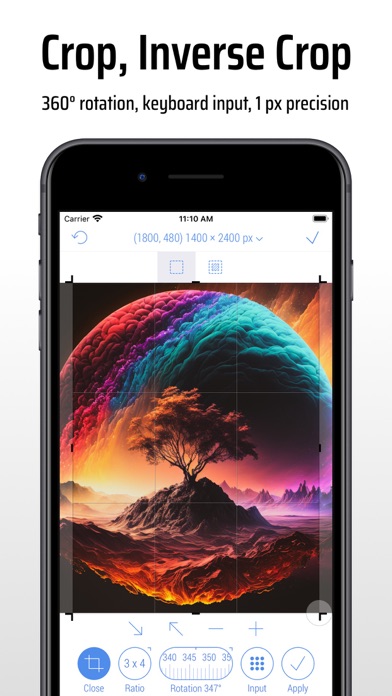
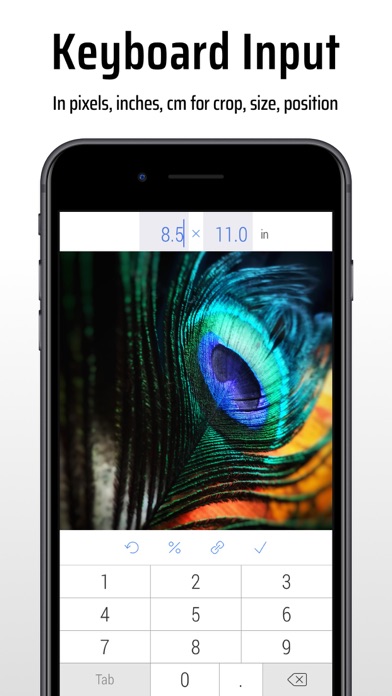
CropSize offers a variety of features to help you achieve your editing goals. You can crop photos in both standard crop mode and inverse crop mode, using pixels, inches, centimeters, or percentages. Adjusting the crop frame size and position is easy through gestures or by typing values on your keyboard. You can rotate your images smoothly within a range of 0 to 360 degrees, whether using a slider or specifying the angle with the keyboard. Additionally, you can select customizable crop presets for changing the crop aspect ratio. If you need to make fine adjustments, the correction mode allows you to change the crop position and size by a single pixel.
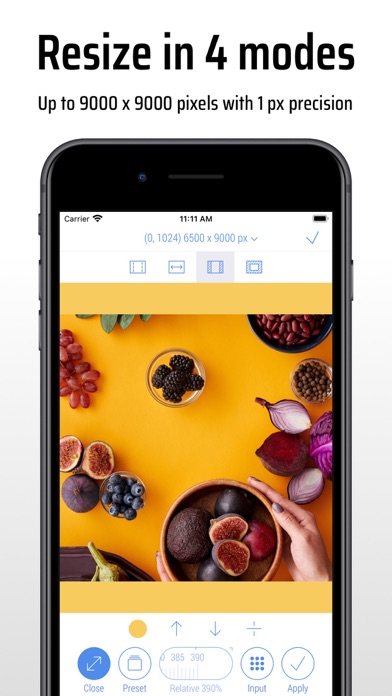
When it comes to image resizing, CropSize makes it simple. You can resize images in various modes, including Stretch, Insert, Clip, and Canvas Size, using the same units of measurement. Specify an exact image size directly via your keyboard or by using customizable presets, which can support sizes up to 9000 x 9000 pixels—equivalent to 81 megapixels. You can resize your images proportionally with a percentage slider or type in a relative size, and you can even preview image changes in their actual size. CropSize also provides crucial size adjustments in pixels and resize-specific image details to keep you informed.
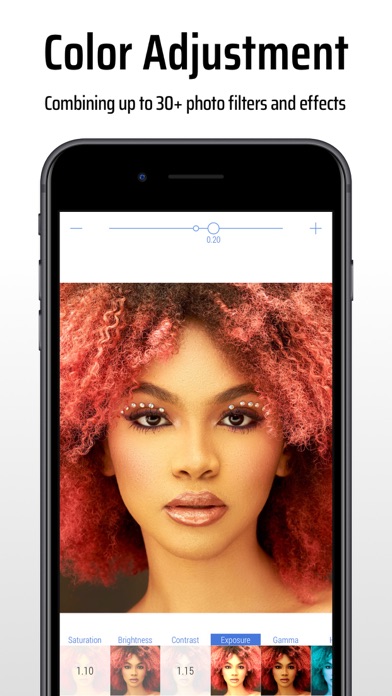
Photo editing is not just about resizing and cropping; applying photo filters and effects is also essential. CropSize offers many options, including Chrome, Bloom, Vignette, Sepia, Sharpen, and Blur. You can adjust the photo filter intensity using a slider or gestures, and you can view changes side by side with a simple two-finger gesture.
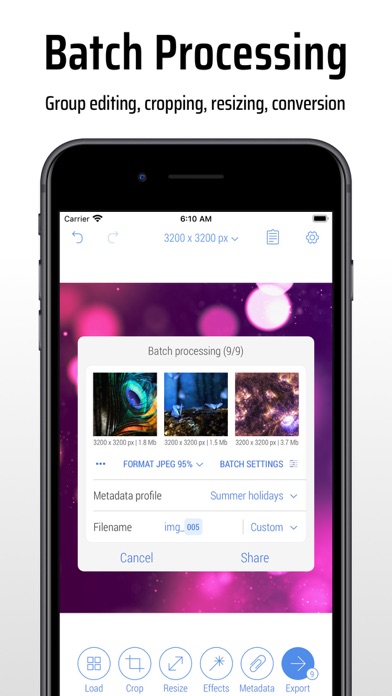
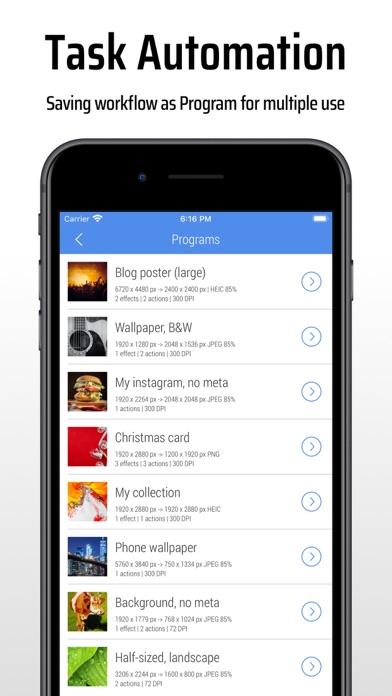
For those looking to edit multiple images at once, batch processing and workflows make it convenient. With CropSize, you can edit up to 50 photos simultaneously, applying the same combinations of crop, resize, color, orientation, and metadata changes to all of them. You can even save entire editing sessions as reusable programs, making the batch workflows management effortless.
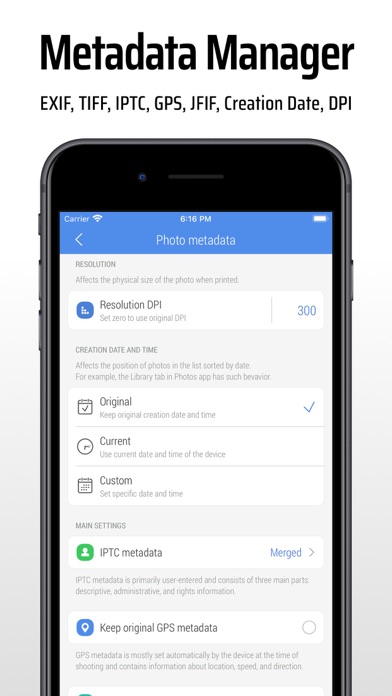
Managing photo metadata is another strength of CropSize. You can view image details on the Load and Metadata screen, update photo DPI settings, and manage multiple metadata profiles for better organization. The app lets you provide information and copyrights with up to 25 fields of IPTC metadata. You also have the option to remove original GPS, EXIF, TIFF, and JFIF details from your photos.
CropSize offers intuitive image orientation options as well. With simple one-finger swipe gestures, you can flip and rotate images using the Main and Batch Processing screens.
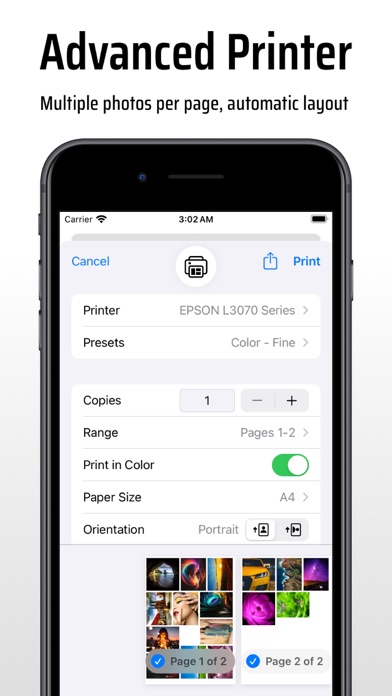
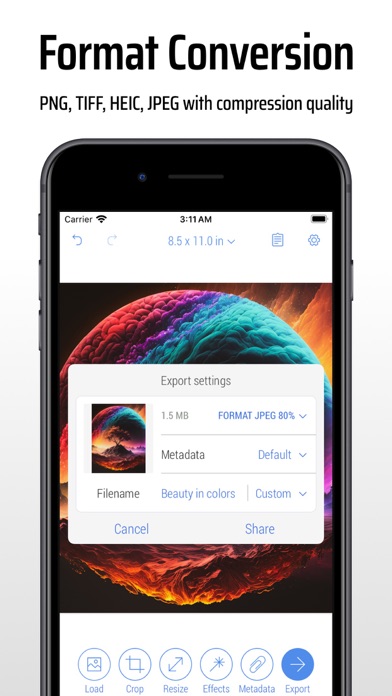
Once you’ve worked on your images, sharing photo creations is easy. You can choose from various export formats like Auto, PNG, TIFF, JPEG, and HEIC, adjusting the JPEG export settings to fit your needs. You can also specify metadata settings using one of your previously created metadata profiles. Configuring export filenames is just as simple; you can use the original values, custom entries, or custom filename patterns. CropSize even organizes images into a convenient album structure, automatically saving your results and originals to the Photo Library. If you want to print your images, the exclusive “Print Plus” option allows you to print multiple photos on A4, Letter, and other page sizes.
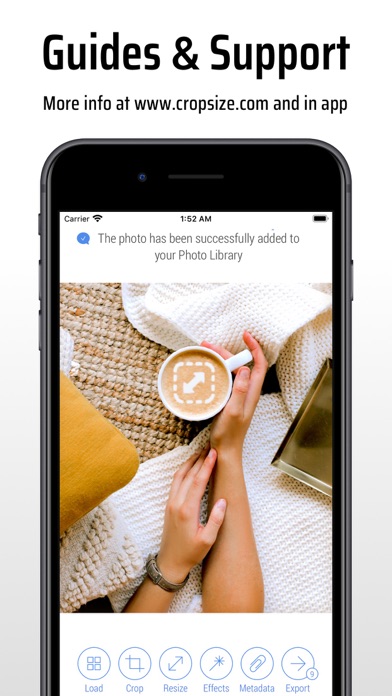
For more detailed guides or feature overviews, you can explore step-by-step resources on their website or watch video tutorials. CropSize delivers a comprehensive photo editing toolkit that meets all your needs, making your photo editing experience seamless and enjoyable.
In the world of photo editing, CropSize stands out. Unlike many other apps that offer only approximate solutions, CropSize lets you specify exact sizes and positions for both cropping and resizing images. This clarity brings you an intuitive editing experience. The app supports various units of measurement, helping to streamline your workflows effectively.
CropSize offers a variety of features to help you achieve your editing goals. You can crop photos in both standard crop mode and inverse crop mode, using pixels, inches, centimeters, or percentages. Adjusting the crop frame size and position is easy through gestures or by typing values on your keyboard. You can rotate your images smoothly within a range of 0 to 360 degrees, whether using a slider or specifying the angle with the keyboard. Additionally, you can select customizable crop presets for changing the crop aspect ratio. If you need to make fine adjustments, the correction mode allows you to change the crop position and size by a single pixel.
When it comes to image resizing, CropSize makes it simple. You can resize images in various modes, including Stretch, Insert, Clip, and Canvas Size, using the same units of measurement. Specify an exact image size directly via your keyboard or by using customizable presets, which can support sizes up to 9000 x 9000 pixels—equivalent to 81 megapixels. You can resize your images proportionally with a percentage slider or type in a relative size, and you can even preview image changes in their actual size. CropSize also provides crucial size adjustments in pixels and resize-specific image details to keep you informed.
Photo editing is not just about resizing and cropping; applying photo filters and effects is also essential. CropSize offers many options, including Chrome, Bloom, Vignette, Sepia, Sharpen, and Blur. You can adjust the photo filter intensity using a slider or gestures, and you can view changes side by side with a simple two-finger gesture.
For those looking to edit multiple images at once, batch processing and workflows make it convenient. With CropSize, you can edit up to 50 photos simultaneously, applying the same combinations of crop, resize, color, orientation, and metadata changes to all of them. You can even save entire editing sessions as reusable programs, making the batch workflows management effortless.
Managing photo metadata is another strength of CropSize. You can view image details on the Load and Metadata screen, update photo DPI settings, and manage multiple metadata profiles for better organization. The app lets you provide information and copyrights with up to 25 fields of IPTC metadata. You also have the option to remove original GPS, EXIF, TIFF, and JFIF details from your photos.
CropSize offers intuitive image orientation options as well. With simple one-finger swipe gestures, you can flip and rotate images using the Main and Batch Processing screens.
Once you’ve worked on your images, sharing photo creations is easy. You can choose from various export formats like Auto, PNG, TIFF, JPEG, and HEIC, adjusting the JPEG export settings to fit your needs. You can also specify metadata settings using one of your previously created metadata profiles. Configuring export filenames is just as simple; you can use the original values, custom entries, or custom filename patterns. CropSize even organizes images into a convenient album structure, automatically saving your results and originals to the Photo Library. If you want to print your images, the exclusive “Print Plus” option allows you to print multiple photos on A4, Letter, and other page sizes.
For more detailed guides or feature overviews, you can explore step-by-step resources on their website or watch video tutorials. CropSize delivers a comprehensive photo editing toolkit that meets all your needs, making your photo editing experience seamless and enjoyable.

Designs for Google Documents
Jumsoft
$19.99
$4.99

Qiyasy | قياسي
Nirah Digital
$1.99
PDF Reader & Editor (PRO)
Apps360 Team
$9.99
FREE