
$9.99
FREE
100% Off
PDF Reader & Editor (PRO)
Apps360 Team





About the App
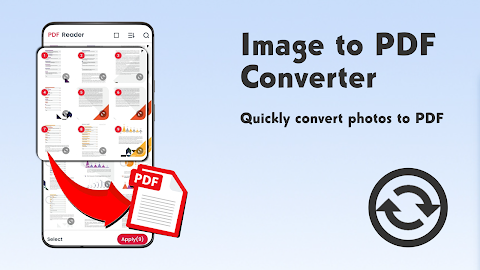
Are you searching for a handy PDF viewer or a PDF converter that makes it easy to convert images into a PDF? Look no further. The PDF Reader & Editor (PRO) is a simple yet effective document reading app designed to help you read and manage your PDF files with ease.
With the PDF Reader & Editor (PRO), you get a complete PDF toolkit. This means you can not only read your PDFs but also edit PDF documents, compress PDF files to save space, lock PDFs for security, and annotate PDFs to highlight important information. You can even convert various file types into PDFs, print PDF documents, and add watermarks to your files.
When you download the PDF Reader & Editor (PRO), you can enjoy all these features in one place. The app automatically detects and lists all your PDF files on your device, allowing you to view PDFs in a clean and easy-to-navigate layout. If you want to bookmark pages for quick reference, you can do that too. You can also easily search text in PDFs, making it simple to find exactly what you need.
Reading your PDFs is a pleasure with our dark mode and color inversion feature, which enhances your overall reading experience. You can sort your PDF files by name, date, or size. Plus, advanced search tools help you instantly locate PDFs by name.
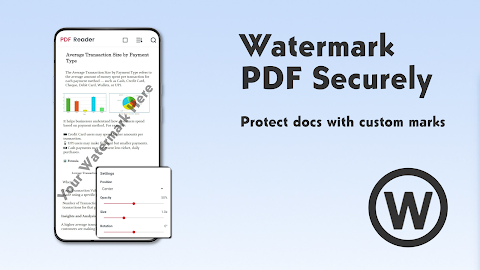
If you are looking for a lightweight yet powerful PDF editor, the PDF Reader & Editor (PRO) is the right choice. You can add text to PDFs and images without hassle. Highlight information in PDFs using vibrant colors, and effortlessly underline text or strike through it. You can even draw and annotate on any page, making it easy to add your thoughts or comments. Adding e-signatures to documents is quick and straightforward, and you can insert watermarks into your PDFs with ease.
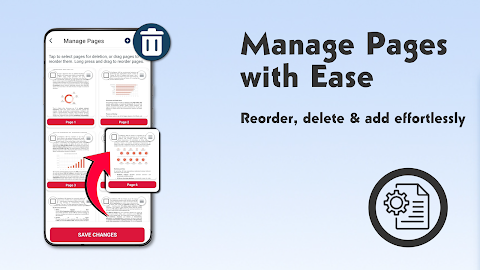
The advanced PDF manager feature allows you to manage your documents efficiently. You can extract text from PDFs, print PDF documents directly from your device, and merge PDF files as needed. If you want to split PDF files, rename PDF files, or delete pages in PDF, this app covers it all. You can also reorder pages in any PDF document and ensure password protection for your PDFs to keep them secure. Quickly access your recently opened files and share them with just one tap; teamwork is easy with our one-tap PDF sharing feature.
To use the PDF Reader & Editor (PRO), users with Android 11 and above must grant the MANAGE_EXTERNAL_STORAGE permission. This permission is necessary to read and edit documents on your device. Rest assured, your data remains secure and private at all times.
Download the PDF Reader & Editor (PRO) now and take full control of your PDF documents! If you have any questions or suggestions, feel free to reach out to us at team.apps360@gmail.com. We're here to help!
With the PDF Reader & Editor (PRO), you get a complete PDF toolkit. This means you can not only read your PDFs but also edit PDF documents, compress PDF files to save space, lock PDFs for security, and annotate PDFs to highlight important information. You can even convert various file types into PDFs, print PDF documents, and add watermarks to your files.
When you download the PDF Reader & Editor (PRO), you can enjoy all these features in one place. The app automatically detects and lists all your PDF files on your device, allowing you to view PDFs in a clean and easy-to-navigate layout. If you want to bookmark pages for quick reference, you can do that too. You can also easily search text in PDFs, making it simple to find exactly what you need.
Reading your PDFs is a pleasure with our dark mode and color inversion feature, which enhances your overall reading experience. You can sort your PDF files by name, date, or size. Plus, advanced search tools help you instantly locate PDFs by name.
If you are looking for a lightweight yet powerful PDF editor, the PDF Reader & Editor (PRO) is the right choice. You can add text to PDFs and images without hassle. Highlight information in PDFs using vibrant colors, and effortlessly underline text or strike through it. You can even draw and annotate on any page, making it easy to add your thoughts or comments. Adding e-signatures to documents is quick and straightforward, and you can insert watermarks into your PDFs with ease.
The advanced PDF manager feature allows you to manage your documents efficiently. You can extract text from PDFs, print PDF documents directly from your device, and merge PDF files as needed. If you want to split PDF files, rename PDF files, or delete pages in PDF, this app covers it all. You can also reorder pages in any PDF document and ensure password protection for your PDFs to keep them secure. Quickly access your recently opened files and share them with just one tap; teamwork is easy with our one-tap PDF sharing feature.
To use the PDF Reader & Editor (PRO), users with Android 11 and above must grant the MANAGE_EXTERNAL_STORAGE permission. This permission is necessary to read and edit documents on your device. Rest assured, your data remains secure and private at all times.
Download the PDF Reader & Editor (PRO) now and take full control of your PDF documents! If you have any questions or suggestions, feel free to reach out to us at team.apps360@gmail.com. We're here to help!

Countdown Widget Pro
Lean Bytes
$1.99
$1.29

Length Converter
Anna Filobok
$1.99

Solid Notes
Solid Apps S.R.L.
$2.99