
$1.19
$0.19
84% Off
Adaptive You IconPack
JustNewDesigns


About the App
Enhance your mobile screen with the Adaptive You Icon Pack, a collection designed to transform the look of your device. Each icon is crafted with a blend of creativity and passion, adding a vibrant touch to your daily interactions. Why settle for a plain screen when you can infuse it with creativity using the Adaptive You Icon Pack?
Using the icon pack is straightforward. First, if your default launcher doesn't support icon packs, make sure to install a compatible one. Then, open the Adaptive You Icon Pack, head to the Apply section, and select your launcher to apply the new icons. If your launcher isn't listed, you can still apply the icons through your launcher settings.
We recommend a few launchers for the best experience with the Adaptive You Icon Pack. Nova Launcher is a top choice, along with Lawnchair and Hyperion. If you use OneUI, you can integrate your icons with Theme Park to customize colors and icons. Pixel Launcher users can apply the pack with the app Shortcut Maker. This icon pack has been tested with these launchers, though it may also work with others. If you don’t see an apply section, you can try applying the icon pack through your theme settings.
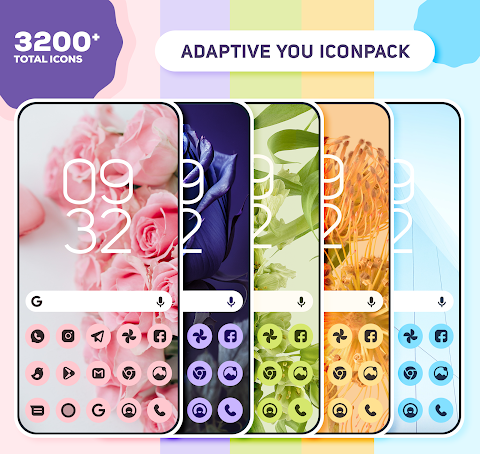
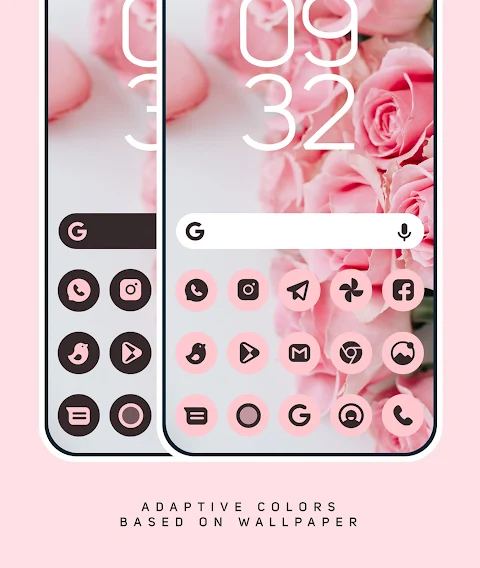
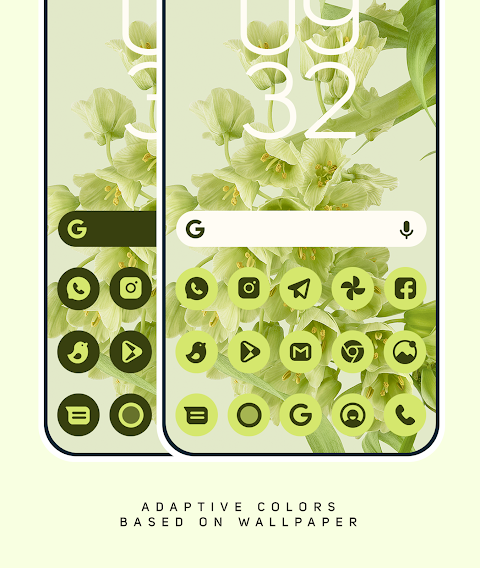
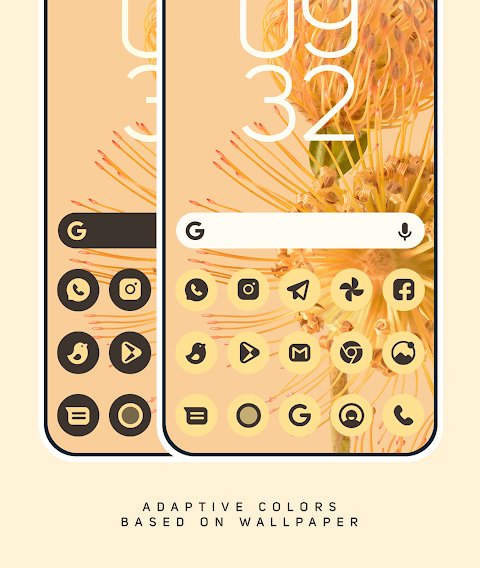
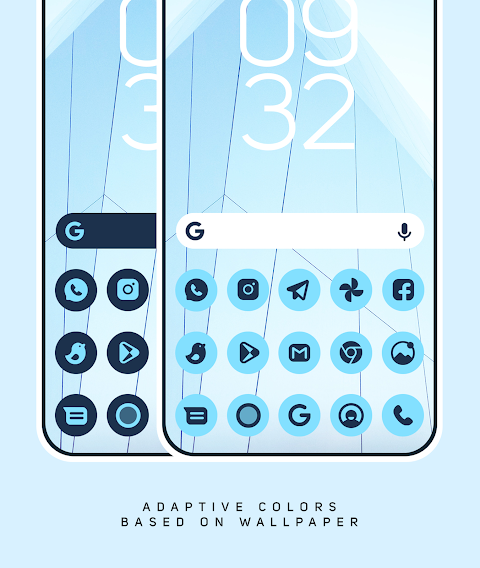
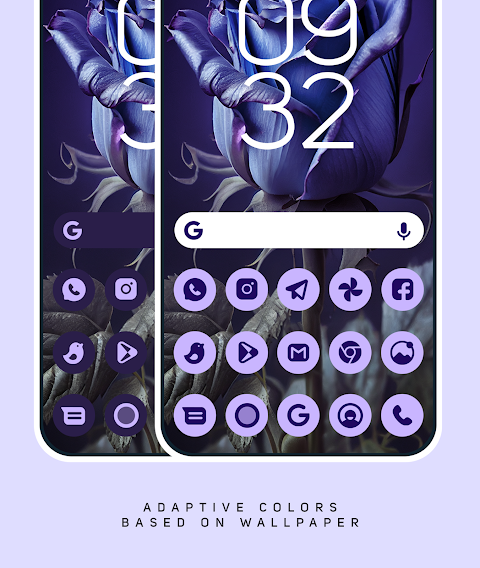
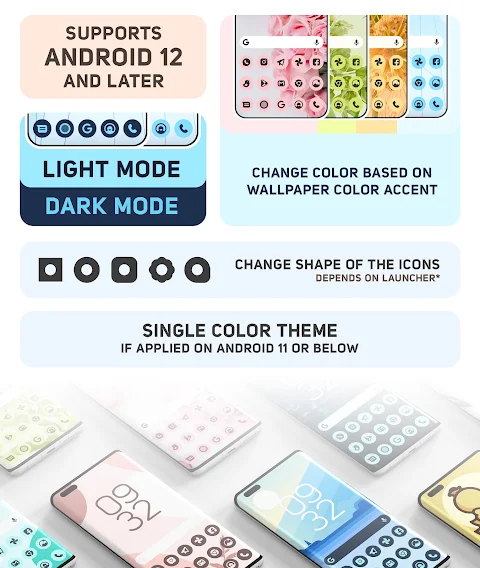
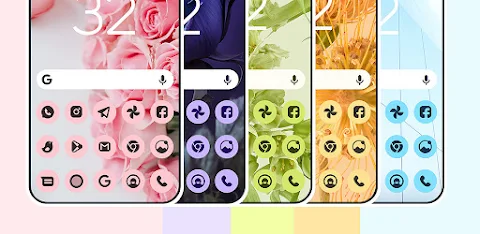
The Adaptive You Icon Pack stands out for several reasons. It features over 3200 icons, all made with top-notch quality. The colors of the adaptive icons can change based on your wallpaper, creating a harmonious look that enhances your device's aesthetics. Additionally, you'll find more than 100 matching wallpapers to choose from, as well as over 10 KWGT widgets for extra customization.
Other features of the Adaptive You Icon Pack include an easy icon preview and search option, dynamic calendar icons, and a material dashboard. There are custom folder icons and category-based icons available, along with custom app drawer icons. If you have a specific icon in mind that is missing, you can easily use the icon request feature to submit your suggestions.
If you’re still unsure, we take pride in providing a great experience for customization enthusiasts. We offer a user satisfaction guarantee, so if you’re not completely happy with your purchase, you can request a full refund. Try the Adaptive You Icon Pack risk-free and enjoy its beautiful designs on your device.
Please note that color changing works only on Android 12, 13, and later versions. In some cases, you might need to apply the icon pack again to adjust the icon colors. If you're looking for icons that maintain their stock colors and don’t change with wallpapers, check out our other packs. Make sure to use a supported launcher, as it's necessary for the icon pack to function properly. For answers to common questions, we have a detailed FAQ section within the app; be sure to check it before reaching out for help.
This pack supports various launchers, including Action Launcher, ADW Launcher, Apex Launcher, and many more. Some launchers might not be found in the Apply section but can still be used with the Adaptive You Icon Pack. If you encounter any issues while using the icon pack, feel free to get in touch via email for support.
With the Adaptive You Icon Pack, transform how you view your device. Millions check their phones multiple times a day; make those moments enjoyable with stunning designs and vibrant colors. Why wait? Discover the beauty of the Adaptive You Icon Pack today!
Using the icon pack is straightforward. First, if your default launcher doesn't support icon packs, make sure to install a compatible one. Then, open the Adaptive You Icon Pack, head to the Apply section, and select your launcher to apply the new icons. If your launcher isn't listed, you can still apply the icons through your launcher settings.
We recommend a few launchers for the best experience with the Adaptive You Icon Pack. Nova Launcher is a top choice, along with Lawnchair and Hyperion. If you use OneUI, you can integrate your icons with Theme Park to customize colors and icons. Pixel Launcher users can apply the pack with the app Shortcut Maker. This icon pack has been tested with these launchers, though it may also work with others. If you don’t see an apply section, you can try applying the icon pack through your theme settings.
The Adaptive You Icon Pack stands out for several reasons. It features over 3200 icons, all made with top-notch quality. The colors of the adaptive icons can change based on your wallpaper, creating a harmonious look that enhances your device's aesthetics. Additionally, you'll find more than 100 matching wallpapers to choose from, as well as over 10 KWGT widgets for extra customization.
Other features of the Adaptive You Icon Pack include an easy icon preview and search option, dynamic calendar icons, and a material dashboard. There are custom folder icons and category-based icons available, along with custom app drawer icons. If you have a specific icon in mind that is missing, you can easily use the icon request feature to submit your suggestions.
If you’re still unsure, we take pride in providing a great experience for customization enthusiasts. We offer a user satisfaction guarantee, so if you’re not completely happy with your purchase, you can request a full refund. Try the Adaptive You Icon Pack risk-free and enjoy its beautiful designs on your device.
Please note that color changing works only on Android 12, 13, and later versions. In some cases, you might need to apply the icon pack again to adjust the icon colors. If you're looking for icons that maintain their stock colors and don’t change with wallpapers, check out our other packs. Make sure to use a supported launcher, as it's necessary for the icon pack to function properly. For answers to common questions, we have a detailed FAQ section within the app; be sure to check it before reaching out for help.
This pack supports various launchers, including Action Launcher, ADW Launcher, Apex Launcher, and many more. Some launchers might not be found in the Apply section but can still be used with the Adaptive You Icon Pack. If you encounter any issues while using the icon pack, feel free to get in touch via email for support.
With the Adaptive You Icon Pack, transform how you view your device. Millions check their phones multiple times a day; make those moments enjoyable with stunning designs and vibrant colors. Why wait? Discover the beauty of the Adaptive You Icon Pack today!

Sagon: Dark Icon Pack
Bandot
$1.99
$1.00
Chronograph Hybrid Wear OS 5+
OQ Watchfaces
$1.39
$0.29
Hike ONE Watch face
amoledwatchfaces™
$0.99
$0.30