
$0.89
$0.27
70% Off
Active Edge Watch Face
Bloomfield Watchfaces

About the App
The Active Edge Watch Face is designed for users who want a stylish and functional watch face for their Wear OS devices. This watch face goes well with all Wear OS devices that support API Level 34 or higher, including those running on Wear OS 4 and later versions.
For those using Galaxy Watch devices, it's important to note that there may be sync issues when using the Samsung Wearable app. Sometimes, the app doesn't load complex watch faces properly. To avoid this, it is recommended to customize the Active Edge Watch Face directly on your watch until any issues are resolved.
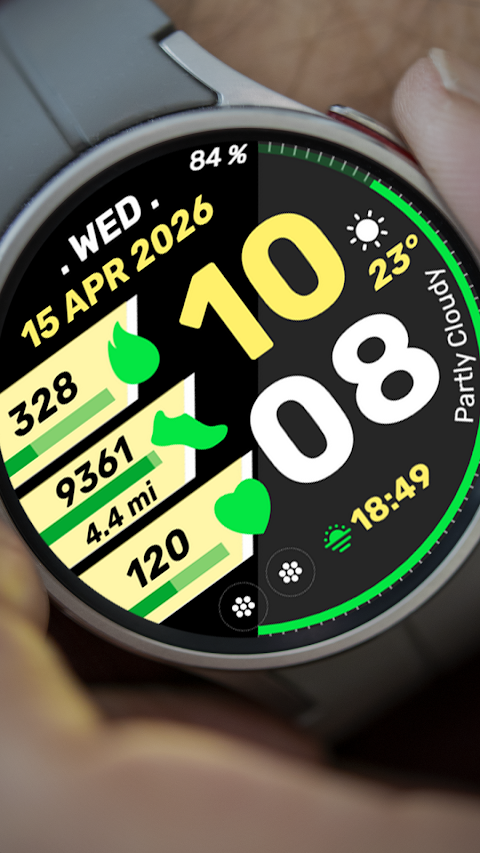
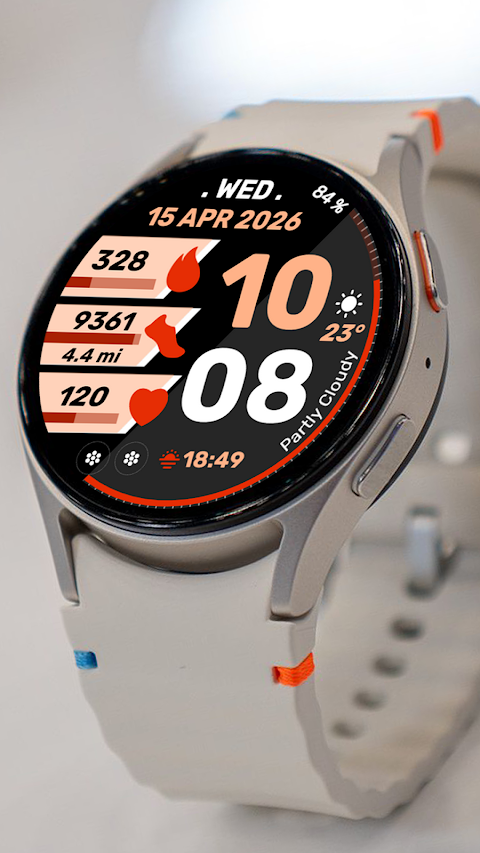
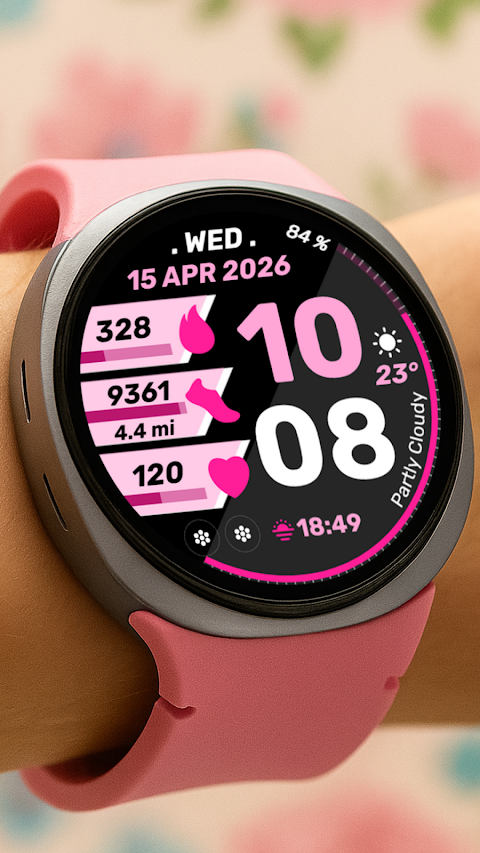
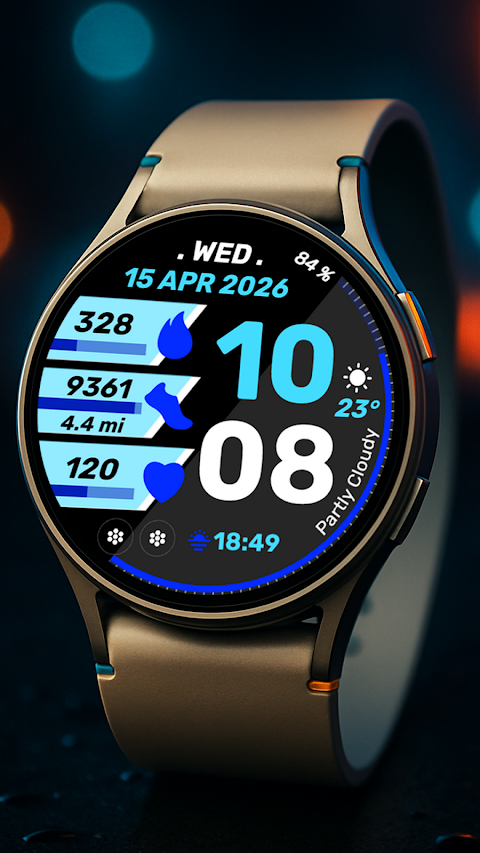
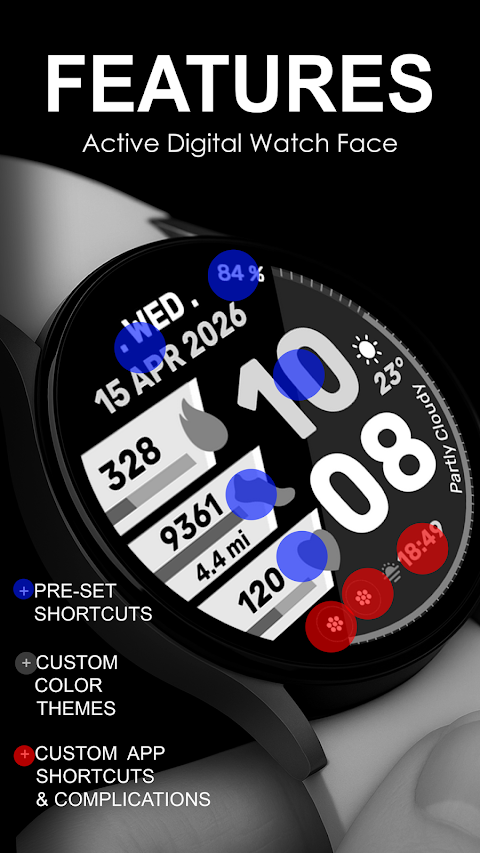
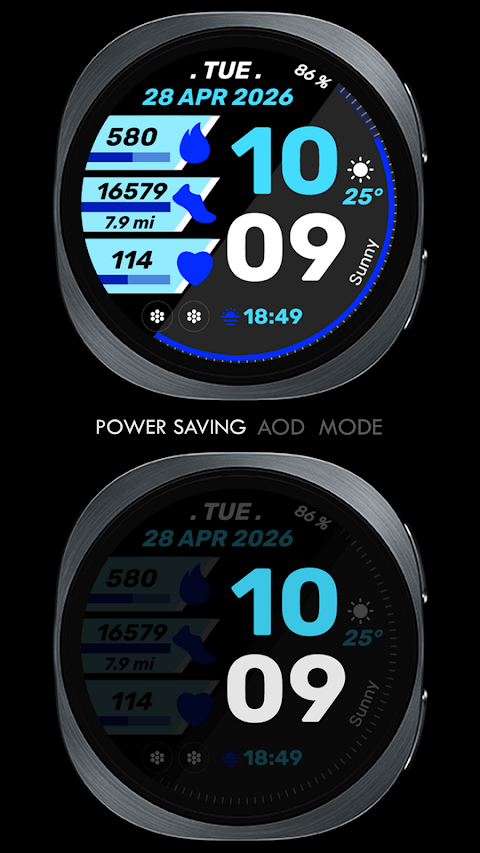
The Active Edge Watch Face has a modern digital clock design that not only looks great but also keeps you informed at a glance. You will find pre-set app shortcuts that include essential functions like an alarm app shortcut, calendar app shortcut, battery level indicator, and tracking for heart rate and steps. Additionally, you have two custom app shortcuts and one custom complication feature to personalize your watch face. This custom complication allows you to choose from various data options, such as the weather, world clock display, sunset/sunrise times, next appointment reminders, and distance walked tracking. However, you may need to install additional third-party complications in order to access some of these features.
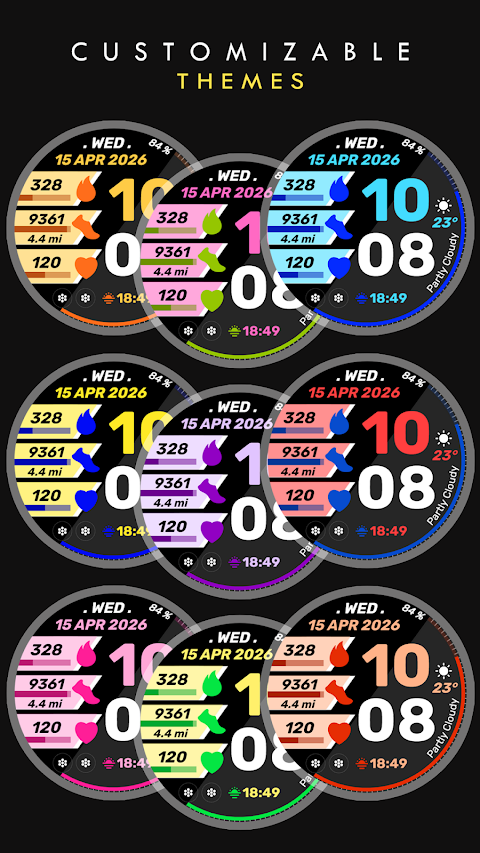
One of the standout features of the Active Edge Watch Face is the custom color palette, letting you adjust the colors to match your style or preferences. This allows for a high degree of watch face customization, making it perfectly suited for anyone looking to personalize their smartwatch.
When you download the Active Edge Watch Face, it automatically installs on your Wear OS watch. To ensure a seamless installation process, make sure your watch is synced to your phone using the same user email. After downloading, you will need to wait a few minutes for the watch face to be transferred. If you don’t see a notification on your watch indicating the installation was successful, go to the Play Store on your watch. Simply type "Active Edge Watch Face" in the search box to find and install it.
After installation, please keep in mind that watch faces might not automatically display or change. If that happens, go back to your home display. You can tap and hold on the screen, swipe until you reach the end, and then tap the plus icon to add the Active Edge Watch Face. You can rotate the bezel or scroll to find it easily.
Don’t forget to allow and enable all necessary permissions in settings under applications and permissions.
Lastly, if for any reason you are not satisfied with your purchase, please remember there is a refund policy in place that only allows refunds within 24 hours of your purchase.
For any questions, you can contact us at bloomfieldwatchfaces@gmail.com. If you need help with installation, you can also check out our installation tutorial video linked in the description. Enjoy using your Active Edge Watch Face, the perfect blend of style and performance on your smartwatch!
For those using Galaxy Watch devices, it's important to note that there may be sync issues when using the Samsung Wearable app. Sometimes, the app doesn't load complex watch faces properly. To avoid this, it is recommended to customize the Active Edge Watch Face directly on your watch until any issues are resolved.
The Active Edge Watch Face has a modern digital clock design that not only looks great but also keeps you informed at a glance. You will find pre-set app shortcuts that include essential functions like an alarm app shortcut, calendar app shortcut, battery level indicator, and tracking for heart rate and steps. Additionally, you have two custom app shortcuts and one custom complication feature to personalize your watch face. This custom complication allows you to choose from various data options, such as the weather, world clock display, sunset/sunrise times, next appointment reminders, and distance walked tracking. However, you may need to install additional third-party complications in order to access some of these features.
One of the standout features of the Active Edge Watch Face is the custom color palette, letting you adjust the colors to match your style or preferences. This allows for a high degree of watch face customization, making it perfectly suited for anyone looking to personalize their smartwatch.
When you download the Active Edge Watch Face, it automatically installs on your Wear OS watch. To ensure a seamless installation process, make sure your watch is synced to your phone using the same user email. After downloading, you will need to wait a few minutes for the watch face to be transferred. If you don’t see a notification on your watch indicating the installation was successful, go to the Play Store on your watch. Simply type "Active Edge Watch Face" in the search box to find and install it.
After installation, please keep in mind that watch faces might not automatically display or change. If that happens, go back to your home display. You can tap and hold on the screen, swipe until you reach the end, and then tap the plus icon to add the Active Edge Watch Face. You can rotate the bezel or scroll to find it easily.
Don’t forget to allow and enable all necessary permissions in settings under applications and permissions.
Lastly, if for any reason you are not satisfied with your purchase, please remember there is a refund policy in place that only allows refunds within 24 hours of your purchase.
For any questions, you can contact us at bloomfieldwatchfaces@gmail.com. If you need help with installation, you can also check out our installation tutorial video linked in the description. Enjoy using your Active Edge Watch Face, the perfect blend of style and performance on your smartwatch!