
$0.99
$0.20
80% Off
Plax – Icon Pack
Olivera Onias Design







About the App
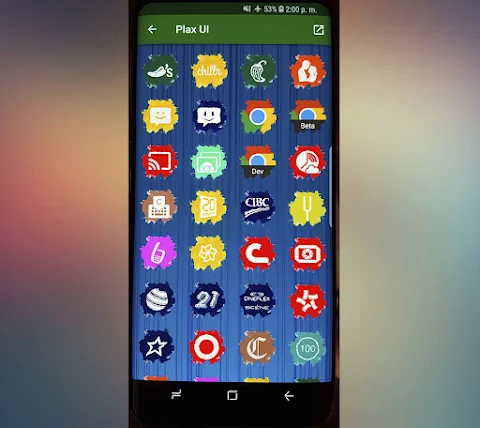
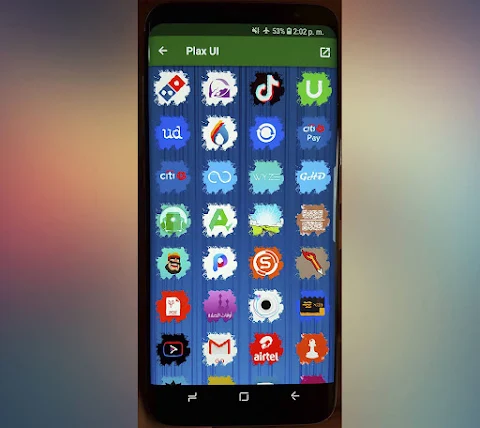
Plax - Icon Pack is a beautifully designed collection of icons that can give your device a fresh new look. With over 4400 custom icons, Plax offers a wide range of choices to personalize your home screen. You can also enjoy more than 80 wallpapers that complement the icons perfectly.
To use Plax, you will need to have a compatible launcher. Some of the popular options include Nova launcher and Smart launcher, but there are many others available too. The installation process is simple. Just open the Plax UI application and look for the menu in the upper left corner. From there, you can select "set" or "apply" to view the launchers supported. The app will show you the launchers you have installed on your device. If you don't have any launchers installed, you can select one, and it will take you to the download link.
Along with the stunning collection of icons, you get high-resolution icons at a size of 192x192 pixels. Plax is designed to work with many launchers such as Abc launcher, Action launcher, ADW launcher, Apex launcher, Aviate launcher, CM themes, Evie launcher, Go launcher, Holo launcher, Lucid launcher, M launcher, Mini launcher, Next launcher, Nougat launcher, Solo launcher, V launcher, ZenUI launcher, and Zero launcher. However, please note that it is not compatible with the default launcher on Samsung or Huawei phones.
One of the useful features of Plax is the icon request via email. If you have a specific icon you would like to see added, you can easily make your request and expect an immediate response. This makes Plax a customizable icon pack that adapts to your style.
Plax also uses the CandyBar board, which ensures a smooth experience while using the app. Additionally, it supports Muzei, allowing you to enjoy live wallpapers if you choose.
The interface of the app is available in several languages, making it easy for users worldwide to navigate and enjoy the features. Whether you want an attractive icon design or launcher-specific features, Plax - Icon Pack has everything you need to enhance your device's appearance.
To use Plax, you will need to have a compatible launcher. Some of the popular options include Nova launcher and Smart launcher, but there are many others available too. The installation process is simple. Just open the Plax UI application and look for the menu in the upper left corner. From there, you can select "set" or "apply" to view the launchers supported. The app will show you the launchers you have installed on your device. If you don't have any launchers installed, you can select one, and it will take you to the download link.
Along with the stunning collection of icons, you get high-resolution icons at a size of 192x192 pixels. Plax is designed to work with many launchers such as Abc launcher, Action launcher, ADW launcher, Apex launcher, Aviate launcher, CM themes, Evie launcher, Go launcher, Holo launcher, Lucid launcher, M launcher, Mini launcher, Next launcher, Nougat launcher, Solo launcher, V launcher, ZenUI launcher, and Zero launcher. However, please note that it is not compatible with the default launcher on Samsung or Huawei phones.
One of the useful features of Plax is the icon request via email. If you have a specific icon you would like to see added, you can easily make your request and expect an immediate response. This makes Plax a customizable icon pack that adapts to your style.
Plax also uses the CandyBar board, which ensures a smooth experience while using the app. Additionally, it supports Muzei, allowing you to enjoy live wallpapers if you choose.
The interface of the app is available in several languages, making it easy for users worldwide to navigate and enjoy the features. Whether you want an attractive icon design or launcher-specific features, Plax - Icon Pack has everything you need to enhance your device's appearance.
DM156 Informative Modern Face
Dominus Mathias | Watch Faces
$3.49
$1.49

React 2: Watch face
amoledwatchfaces™
$1.49
FREE

Fluffy Icon Pack
Game tunes
$1.49
$0.99