

$4.99
$2.99
40% Off
Quick Fav Dial – Smart Dialer
Klaus Schöffmann


About the App
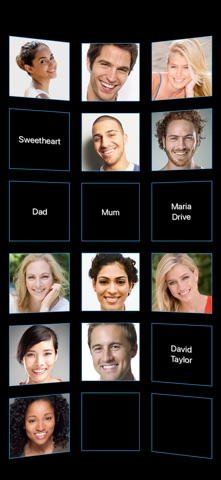
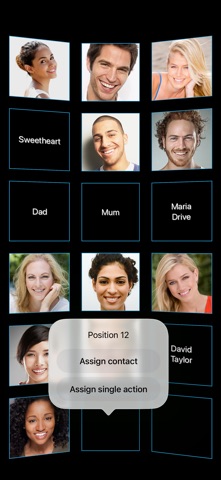
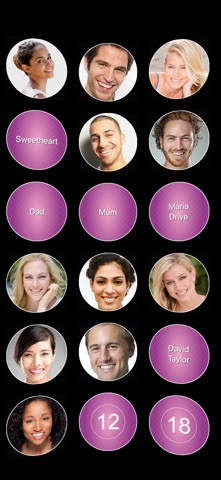
Quick Fav Dial - Smart Dialer lets you reach the people who matter most with just one tap on their photo. It brings back the classic speed dial feature, redesigned for your iPhone. With this app, you can assign your favorite contacts to positions on a rotatable 3D wall and contact them instantly, whether you want to call, text, send a WhatsApp message, use Signal messaging, or email them.
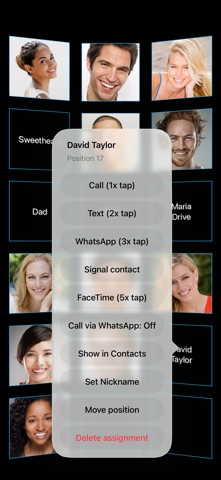
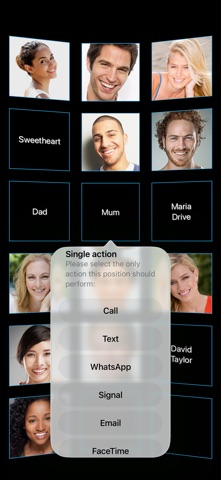
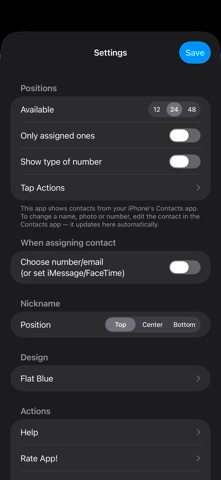
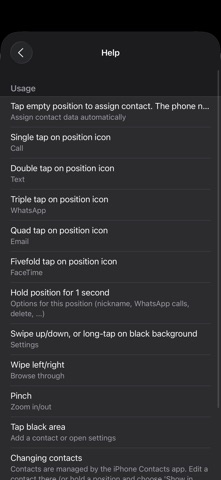
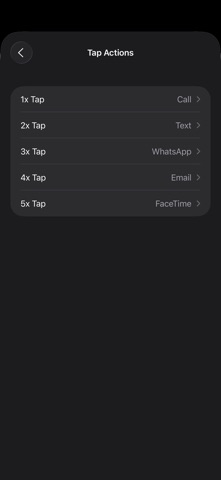
The app is quick and easy to use. You can tap once to call a contact, twice to send a quick text, three times for WhatsApp, four times to email, or five times to FaceTime. You can even customize these tap actions in the Settings to fit what you need, including options for Signal. If you want to dedicate a single action to a contact, like “always WhatsApp Grandma,” the Single Action Assignment feature makes this simple.
One of the best things about Quick Fav Dial is that it doesn’t require you to input numbers or emails again. It reuses the contacts already on your iPhone, so you don't have to retype anything. If you update a contact in your iPhone’s Contacts app, the 3D wall updates automatically. However, for the app to work properly, it needs access to your contacts. Without this access, all assignments will be lost after you restart the app, but you can allow access later in your iPhone's Privacy settings.
With the ability to assign up to 48 positions on the wall, you'll have enough space for visual grouping of family, friends, and colleagues. The fast horizontal scrolling feature allows you to quickly navigate through your contacts, and it now works in landscape mode as well.
Quick Fav Dial also supports multiple assignments for the same contact. The app typically stores the first phone number and email address, but if you need a different one, you can enable the manual field selection option in Settings. This allows you to choose from various numbers or emails that you’ve assigned, making contact management even easier. Email texting also lets you use iMessage instead of SMS, making instant messaging even more accessible.
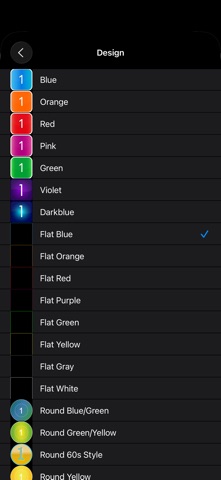
To match your style, Quick Fav Dial comes with various color themes and dark mode support. You can choose from twenty-one designs to personalize your display. If you or someone you know prefers extra-large photo buttons, especially for elderly user accessibility or those with visual impairments, there’s an option called Quick Fav Dial XL.
Overall, Quick Fav Dial - Smart Dialer provides an inclusive design option for anyone. The customizable user interface, favorites wall display, and capability to group contacts by type make it a convenient tool for quick communication. Whether you want a home screen shortcut for easy access or need help with contact number reassignment, this app is built to enhance your calling experience.
The app is quick and easy to use. You can tap once to call a contact, twice to send a quick text, three times for WhatsApp, four times to email, or five times to FaceTime. You can even customize these tap actions in the Settings to fit what you need, including options for Signal. If you want to dedicate a single action to a contact, like “always WhatsApp Grandma,” the Single Action Assignment feature makes this simple.
One of the best things about Quick Fav Dial is that it doesn’t require you to input numbers or emails again. It reuses the contacts already on your iPhone, so you don't have to retype anything. If you update a contact in your iPhone’s Contacts app, the 3D wall updates automatically. However, for the app to work properly, it needs access to your contacts. Without this access, all assignments will be lost after you restart the app, but you can allow access later in your iPhone's Privacy settings.
With the ability to assign up to 48 positions on the wall, you'll have enough space for visual grouping of family, friends, and colleagues. The fast horizontal scrolling feature allows you to quickly navigate through your contacts, and it now works in landscape mode as well.
Quick Fav Dial also supports multiple assignments for the same contact. The app typically stores the first phone number and email address, but if you need a different one, you can enable the manual field selection option in Settings. This allows you to choose from various numbers or emails that you’ve assigned, making contact management even easier. Email texting also lets you use iMessage instead of SMS, making instant messaging even more accessible.
To match your style, Quick Fav Dial comes with various color themes and dark mode support. You can choose from twenty-one designs to personalize your display. If you or someone you know prefers extra-large photo buttons, especially for elderly user accessibility or those with visual impairments, there’s an option called Quick Fav Dial XL.
Overall, Quick Fav Dial - Smart Dialer provides an inclusive design option for anyone. The customizable user interface, favorites wall display, and capability to group contacts by type make it a convenient tool for quick communication. Whether you want a home screen shortcut for easy access or need help with contact number reassignment, this app is built to enhance your calling experience.

Marklist – Manage Later Things
思朴 宋
$0.99
JARVIS: AI Voice Assistant
itoolapk
$5.99
$3.00

iVerify Basic
iVerify
$0.99