
$14.99
$6.99
53% Off
EvolverFX AUv3 Audio Plugin
4Pockets.com

About the App
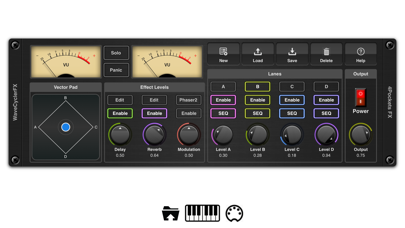
EvolverFX AUv3 Audio Plugin is a powerful tool designed for musicians and sound creators. It helps you make multi-layered evolving sequences of sound. At its core, EvolverFX is a 4 lane sequencer. This means it can take notes and chords from your MIDI keyboard and turn them into automatic accompaniment while you play.
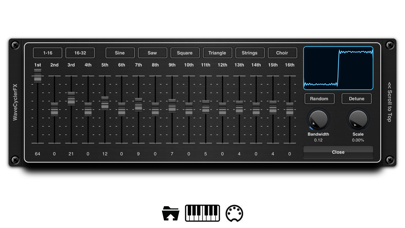
You can use EvolverFX to create elastic evolving soundscapes. These soundscapes allow audio samples to blend smoothly, helping you craft complex and original sounds. The app has a sophisticated wave synthesizer and sequencing engine. This feature can help you produce dramatic sound transitions, allowing sounds to merge seamlessly and evolve in time with the beat.
Each of the 4 sequencer lanes can work independently. With real-time controls, you can mix sounds together, adjusting settings over MIDI. For example, when you play a chord on your MIDI keyboard, each lane will take your MIDI notes and create a musical sequence. This will all sync up to provide automatic accompaniment.
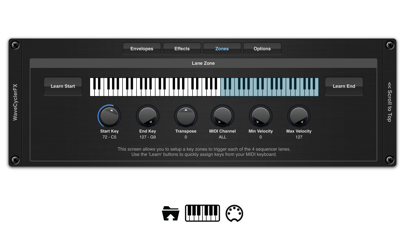
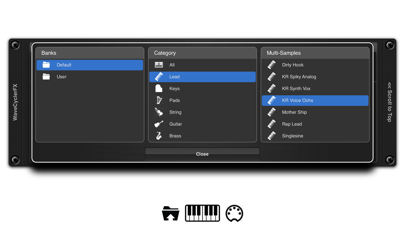
EvolverFX can load its own multi-layer patches or import them directly from Chameleon. You have the option to layer these patches across the 4 sequencer lanes or use a virtual keyboard split. You can assign MIDI channel assignments, set transpose options, and adjust key zones as needed. It also supports one-shot samples, which you can lay out to craft evolving atmospheres or backing soundscapes. With the non-destructive editor, you can loop samples or set specific start and end points.
The app includes a unique third sound source that allows you to build sounds instantly by overlaying harmonics. You can create anything from traditional waveform synthesis like sine and square waves to complex detuned oscillators. These sounds can be combined with multi-sample or one-shot samples within the same sequencer lane. If you want, you can even randomize a whole sequence of harmonic sounds to create truly unique voices.
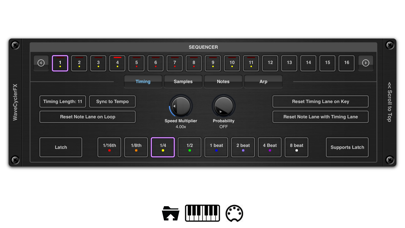
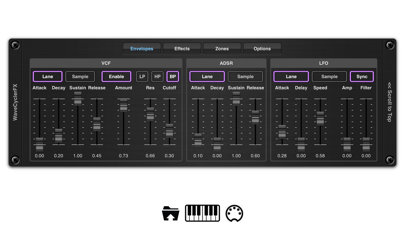
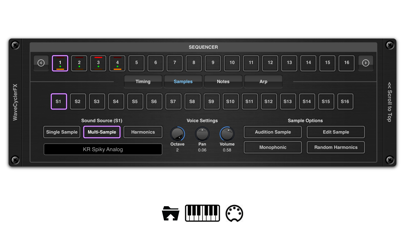
Each sequencer lane can have up to 64 steps in length. With independent timing control for pitch, volume, gate, and probability for each step, the possibilities are immense. You can apply ADSR envelope control, VCF filter modulation, and LFO modulation to every sound in a lane. These tools allow you to tweak sounds to your liking.
EvolverFX also features a built-in arpeggiator. You can use one of its default modes or create custom fingering patterns to match your playing style. This makes it easier to build sequences, and as you lay down MIDI notes in your DAW, EvolverFX will play along with your chords and stay in sync with the host tempo.
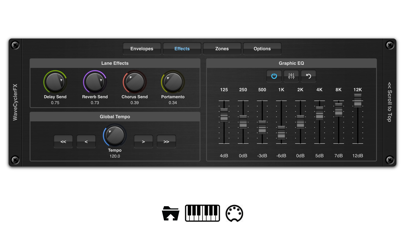
Sequencer events can be fixed or transposed, making it simple to create percussive drum backing using just a single lane. The app also includes 5 different effect types such as reverb, delay, phaser, flanger, and chorus, giving you more control over your sound. There’s an 8 band EQ for fine-tuning, and the Latch feature helps hold chords and notes.
You can import files easily, whether you’re loading samples from iTunes or using the Files App drag and drop feature to bring in specific sounds. EvolverFX supports various file import options, including an experimental SFZ format.
Finally, comprehensive help pages are included to assist you as you explore all these features. Whether you are creating evolving soundscapes or intricate sequences, EvolverFX AUv3 Audio Plugin is designed to enhance your audio performance experience.
You can use EvolverFX to create elastic evolving soundscapes. These soundscapes allow audio samples to blend smoothly, helping you craft complex and original sounds. The app has a sophisticated wave synthesizer and sequencing engine. This feature can help you produce dramatic sound transitions, allowing sounds to merge seamlessly and evolve in time with the beat.
Each of the 4 sequencer lanes can work independently. With real-time controls, you can mix sounds together, adjusting settings over MIDI. For example, when you play a chord on your MIDI keyboard, each lane will take your MIDI notes and create a musical sequence. This will all sync up to provide automatic accompaniment.
EvolverFX can load its own multi-layer patches or import them directly from Chameleon. You have the option to layer these patches across the 4 sequencer lanes or use a virtual keyboard split. You can assign MIDI channel assignments, set transpose options, and adjust key zones as needed. It also supports one-shot samples, which you can lay out to craft evolving atmospheres or backing soundscapes. With the non-destructive editor, you can loop samples or set specific start and end points.
The app includes a unique third sound source that allows you to build sounds instantly by overlaying harmonics. You can create anything from traditional waveform synthesis like sine and square waves to complex detuned oscillators. These sounds can be combined with multi-sample or one-shot samples within the same sequencer lane. If you want, you can even randomize a whole sequence of harmonic sounds to create truly unique voices.
Each sequencer lane can have up to 64 steps in length. With independent timing control for pitch, volume, gate, and probability for each step, the possibilities are immense. You can apply ADSR envelope control, VCF filter modulation, and LFO modulation to every sound in a lane. These tools allow you to tweak sounds to your liking.
EvolverFX also features a built-in arpeggiator. You can use one of its default modes or create custom fingering patterns to match your playing style. This makes it easier to build sequences, and as you lay down MIDI notes in your DAW, EvolverFX will play along with your chords and stay in sync with the host tempo.
Sequencer events can be fixed or transposed, making it simple to create percussive drum backing using just a single lane. The app also includes 5 different effect types such as reverb, delay, phaser, flanger, and chorus, giving you more control over your sound. There’s an 8 band EQ for fine-tuning, and the Latch feature helps hold chords and notes.
You can import files easily, whether you’re loading samples from iTunes or using the Files App drag and drop feature to bring in specific sounds. EvolverFX supports various file import options, including an experimental SFZ format.
Finally, comprehensive help pages are included to assist you as you explore all these features. Whether you are creating evolving soundscapes or intricate sequences, EvolverFX AUv3 Audio Plugin is designed to enhance your audio performance experience.

REAMP
Klevgränd produkter AB
$19.99
$7.99

Relic Waves
Alexander Zolotov
$1.99
$0.99
WoodSynth
Woodman's Immaculate Maple Syrup Studio
$15.99
$7.99