
$74.99
$37.50
50% Off
Net Blocker Pro
The Simple Apps



About the App
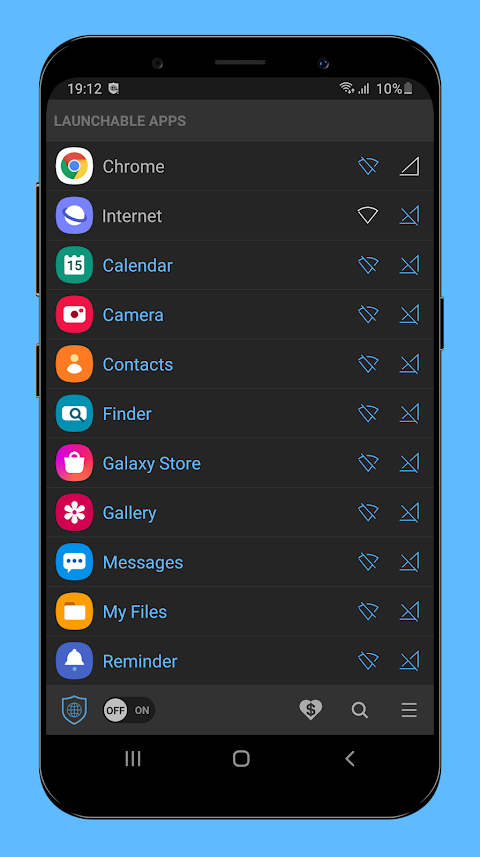
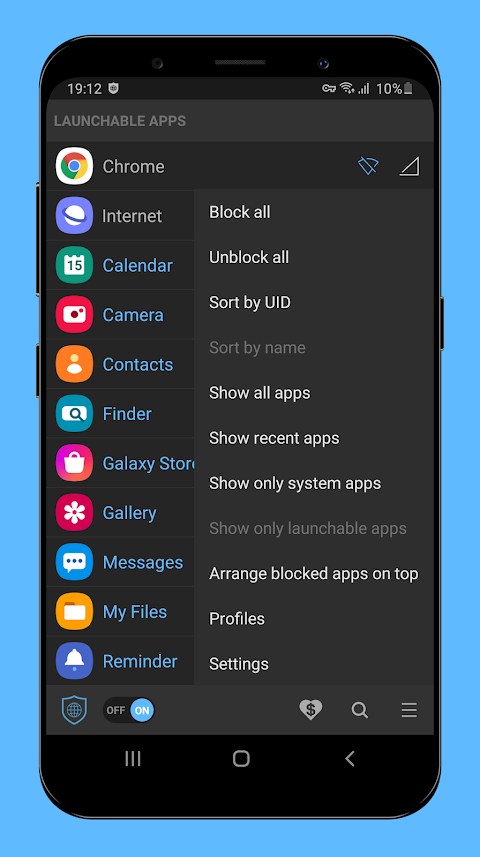
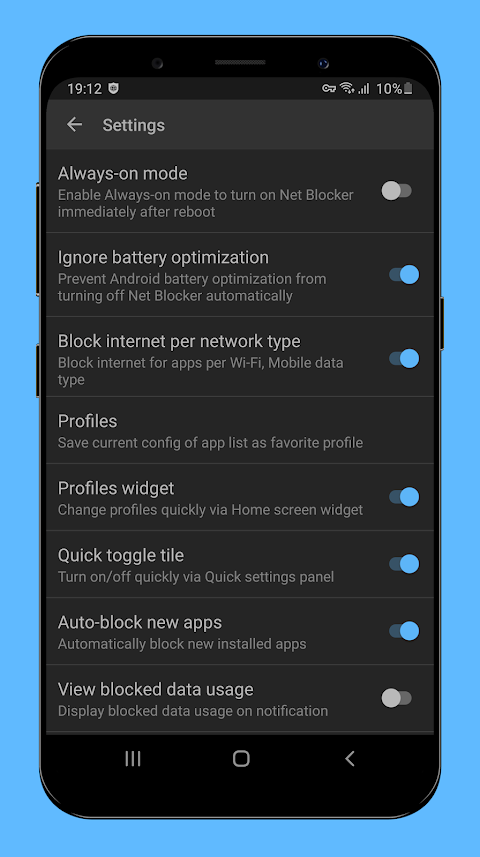
Net Blocker Pro is an advanced version of the popular "Net Blocker - Firewall per app." While it shares many features with the free version, it stands out by having a smaller app size and being completely ad-free. This pro version also offers unique features such as blocking the internet per network type and using app blocking profiles for more tailored control.
With Net Blocker Pro, you can easily block specific apps from accessing the internet without needing any root access. This makes it a safe and user-friendly choice for anyone concerned about their data privacy protection. Many apps may use the internet solely to display ads or even to steal your personal data. They can also keep running services in the background, even after you exit the app. By using Net Blocker Pro, you can reduce data usage, increase your privacy, and save battery life.
The app is incredibly easy to use, requiring no complicated setup. It doesn’t need any dangerous permissions, such as Location or Contacts, and it supports Android devices running version 5.1 and up. This allows you to take control of your network traffic without worrying about unwanted intrusions.
Net Blocker Pro establishes a local VPN interface to manage network traffic effectively. It does not connect to any remote servers, ensuring your privacy data is kept safe. As it operates based on the VPN framework of the Android operating system, be aware that you cannot use other VPN apps simultaneously. Also, keep in mind that it may drain your battery a bit more than usual during use.
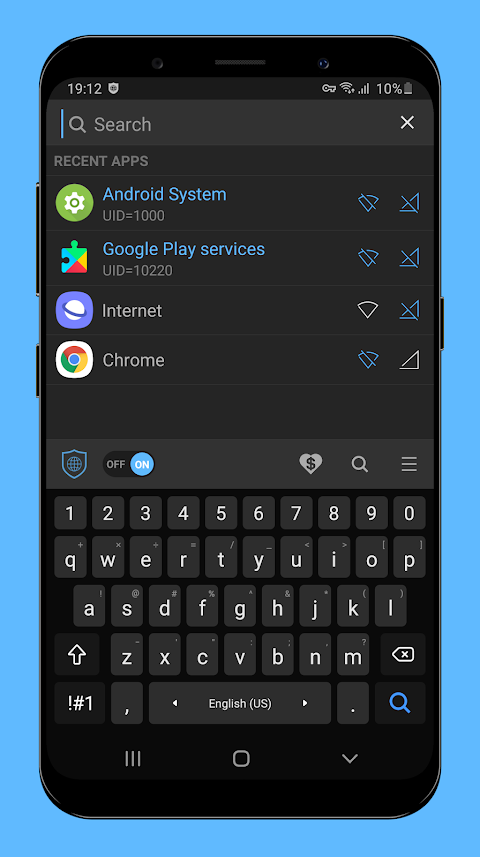
For those who use Instant Messaging apps, like Skype, it’s important to note that some may try to connect through Google Play services to receive messages even without an internet connection. To completely block incoming messages for these apps, you also might need to manage the settings for "Google Play services."
To keep Net Blocker Pro working efficiently, you may need to add it to the whitelist for battery optimization features of Android. This is important as the system may automatically disconnect VPN apps, including Net Blocker Pro, when your device goes into sleep mode to preserve battery life.
It's also crucial to understand that this app cannot block Dual Messenger apps, as this feature is specific to Samsung devices and does not fully support the VPN framework.
If you have questions or suggestions, feel free to reach out at thesimpleapps.dev@gmail.com.
Here’s an FAQ to help you:
If you're unable to press the “OK” button within the app, it might be due to overlay issues caused by other applications, like blue light filters. These apps can interfere with the VPN dialog. This is a known bug in the Android OS that requires a fix from Google. If you're experiencing this, try disabling such overlay apps and try again.
In summary, Net Blocker Pro is a privacy-oriented app designed for safe browsing and effective network control. With its specific app blocking features, users can enhance their privacy, secure unauthorized access, and enjoy an ad-free experience while managing background internet access easily. Whether you want to reduce data usage or prevent battery drainage, this app is geared to meet your needs without compromising on your digital safety.
With Net Blocker Pro, you can easily block specific apps from accessing the internet without needing any root access. This makes it a safe and user-friendly choice for anyone concerned about their data privacy protection. Many apps may use the internet solely to display ads or even to steal your personal data. They can also keep running services in the background, even after you exit the app. By using Net Blocker Pro, you can reduce data usage, increase your privacy, and save battery life.
The app is incredibly easy to use, requiring no complicated setup. It doesn’t need any dangerous permissions, such as Location or Contacts, and it supports Android devices running version 5.1 and up. This allows you to take control of your network traffic without worrying about unwanted intrusions.
Net Blocker Pro establishes a local VPN interface to manage network traffic effectively. It does not connect to any remote servers, ensuring your privacy data is kept safe. As it operates based on the VPN framework of the Android operating system, be aware that you cannot use other VPN apps simultaneously. Also, keep in mind that it may drain your battery a bit more than usual during use.
For those who use Instant Messaging apps, like Skype, it’s important to note that some may try to connect through Google Play services to receive messages even without an internet connection. To completely block incoming messages for these apps, you also might need to manage the settings for "Google Play services."
To keep Net Blocker Pro working efficiently, you may need to add it to the whitelist for battery optimization features of Android. This is important as the system may automatically disconnect VPN apps, including Net Blocker Pro, when your device goes into sleep mode to preserve battery life.
It's also crucial to understand that this app cannot block Dual Messenger apps, as this feature is specific to Samsung devices and does not fully support the VPN framework.
If you have questions or suggestions, feel free to reach out at thesimpleapps.dev@gmail.com.
Here’s an FAQ to help you:
If you're unable to press the “OK” button within the app, it might be due to overlay issues caused by other applications, like blue light filters. These apps can interfere with the VPN dialog. This is a known bug in the Android OS that requires a fix from Google. If you're experiencing this, try disabling such overlay apps and try again.
In summary, Net Blocker Pro is a privacy-oriented app designed for safe browsing and effective network control. With its specific app blocking features, users can enhance their privacy, secure unauthorized access, and enjoy an ad-free experience while managing background internet access easily. Whether you want to reduce data usage or prevent battery drainage, this app is geared to meet your needs without compromising on your digital safety.

Volume Control per app
Yogesh Dama
$0.99
$0.20

Game Booster 4x Faster Pro
G19 Mobile
$2.69
$0.49

Aura144
LIN WEITING
$0.99