
$3.99
FREE
100% Off
PDFMagic: PDF Editor & Scanner
iCubemedia Inc.

About the App
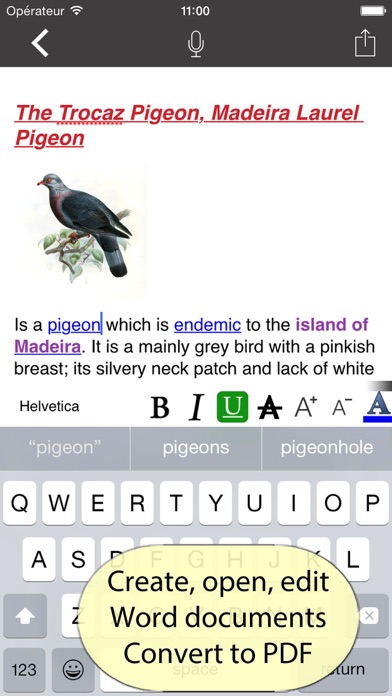
PDFMagic: PDF Editor & Scanner is your complete PDF toolbox, available directly on your iPhone. With PDFMagic, you can manage your PDFs without needing an internet connection. Your documents stay on your device, ensuring privacy and security.
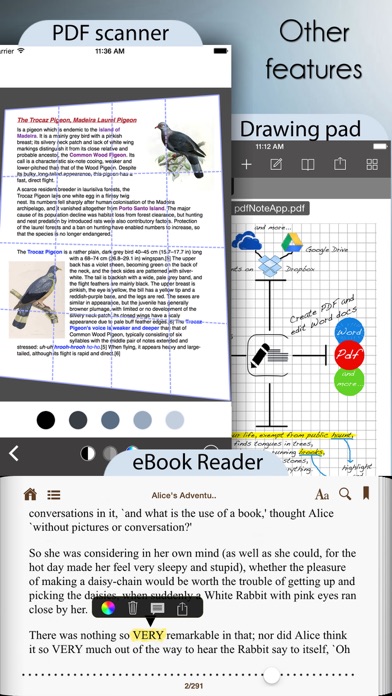
PDFMagic offers a range of powerful tools for organizing your documents. You can easily merge and split PDFs, reorder pages, rotate, crop, or delete them as needed. It even lets you create a PDF from photos, text, or scans. You can also start from a template, such as lined paper or planners, to make your work easier.
When it comes to optimizing your documents, PDFMagic provides PDF compression to help reduce file sizes. If you have a damaged PDF, you can repair it right on your device. Thanks to the on-device processing, the OCR technology makes your scans searchable, allowing for easy access to information. You can also enhance your scans by auto-straightening them or adjusting the color settings to grayscale or black and white.
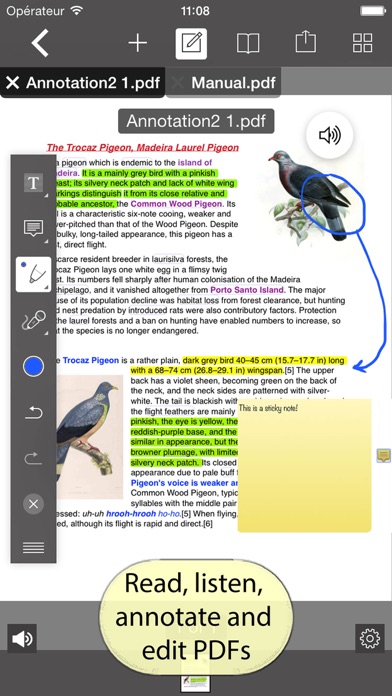
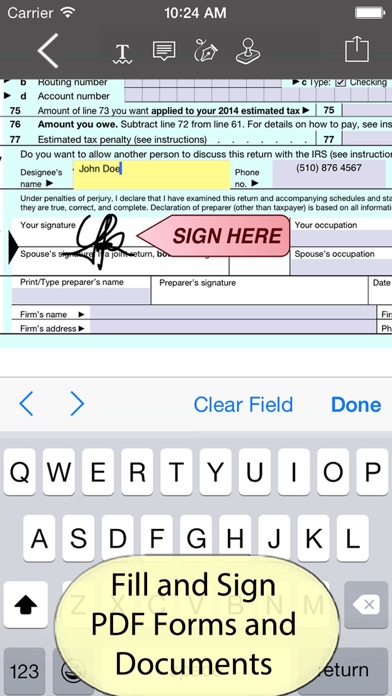
PDFMagic features robust editing options. You can edit PDF text, add drawings, highlights, and even page numbers. Filling in forms is simple, as is placing your signature and flattening the document. You can also add watermarks or use Bates numbering for legal documents.
With PDF conversion tools, PDFMagic allows users to convert various formats efficiently. You can transform Word and Excel files into PDFs, and return PDFs back into editable Word or Excel formats. Additionally, you can convert images, text, RTF, Markdown, and HTML documents to PDF. If needed, there's also a PDF to JPG conversion option.
Security is a top priority with PDFMagic. You can apply password protection to lock your PDFs, ensuring only authorized users can open them. The app provides true redaction, which permanently removes sensitive text rather than just covering it. Features like the document privacy check scan for sensitive information, such as emails or phone numbers, and auto-redact them if needed. Plus, you can sanitize metadata before sharing any document.
PDFMagic also includes advanced AI features right on your device. You can summarize PDF content in your chosen length, extract contacts, totals, dates, and addresses. This app helps you track deadlines, pull out action items, and even proofread or rewrite text. The ability to classify and tag documents makes it easy to auto-file your information for quick retrieval at any time.
For images, PDFMagic provides tools to resize, compress, convert, and upscale them. You can seamlessly convert images to and from PDF formats as well. Additionally, the document scanner features edge detection, ensuring clear scans for better results.
With PDFMagic, everything is managed on your device, so you never have to worry about internet connectivity. There’s no account or sign-up required, making it simple and straightforward to use. The core PDF tools are free, and you can access more advanced features by watching a short ad or opting for a premium subscription. PDFMagic Premium offers a weekly or yearly auto-renewable subscription model or a one-time lifetime purchase, giving you flexibility in managing your subscription.
Try PDFMagic today to experience the best PDF tools for your iPhone — your personal PDF editor and scanner that keeps everything secure and efficient right in your pocket.
PDFMagic offers a range of powerful tools for organizing your documents. You can easily merge and split PDFs, reorder pages, rotate, crop, or delete them as needed. It even lets you create a PDF from photos, text, or scans. You can also start from a template, such as lined paper or planners, to make your work easier.
When it comes to optimizing your documents, PDFMagic provides PDF compression to help reduce file sizes. If you have a damaged PDF, you can repair it right on your device. Thanks to the on-device processing, the OCR technology makes your scans searchable, allowing for easy access to information. You can also enhance your scans by auto-straightening them or adjusting the color settings to grayscale or black and white.
PDFMagic features robust editing options. You can edit PDF text, add drawings, highlights, and even page numbers. Filling in forms is simple, as is placing your signature and flattening the document. You can also add watermarks or use Bates numbering for legal documents.
With PDF conversion tools, PDFMagic allows users to convert various formats efficiently. You can transform Word and Excel files into PDFs, and return PDFs back into editable Word or Excel formats. Additionally, you can convert images, text, RTF, Markdown, and HTML documents to PDF. If needed, there's also a PDF to JPG conversion option.
Security is a top priority with PDFMagic. You can apply password protection to lock your PDFs, ensuring only authorized users can open them. The app provides true redaction, which permanently removes sensitive text rather than just covering it. Features like the document privacy check scan for sensitive information, such as emails or phone numbers, and auto-redact them if needed. Plus, you can sanitize metadata before sharing any document.
PDFMagic also includes advanced AI features right on your device. You can summarize PDF content in your chosen length, extract contacts, totals, dates, and addresses. This app helps you track deadlines, pull out action items, and even proofread or rewrite text. The ability to classify and tag documents makes it easy to auto-file your information for quick retrieval at any time.
For images, PDFMagic provides tools to resize, compress, convert, and upscale them. You can seamlessly convert images to and from PDF formats as well. Additionally, the document scanner features edge detection, ensuring clear scans for better results.
With PDFMagic, everything is managed on your device, so you never have to worry about internet connectivity. There’s no account or sign-up required, making it simple and straightforward to use. The core PDF tools are free, and you can access more advanced features by watching a short ad or opting for a premium subscription. PDFMagic Premium offers a weekly or yearly auto-renewable subscription model or a one-time lifetime purchase, giving you flexibility in managing your subscription.
Try PDFMagic today to experience the best PDF tools for your iPhone — your personal PDF editor and scanner that keeps everything secure and efficient right in your pocket.

My PTO
David Brown
$3.99

Drywall Contractor
Pete Wilson
$10.99
Scan It All Pro
BitsAbound Inc
$1.99
$0.99