
$2.99
$1.94
35% Off
LED Blinker Notification Light
Mario Ostwald




About the App
With the LED Blinker Notification Light, you’ll never miss an important message or call again. This app turns your phone into a notification center by displaying alerts as a blinking LED light or through an Always On Display (AOD), even if your device doesn’t have a physical LED. It helps you stay informed about everything, whether it’s missed call alerts, messages from WhatsApp, Telegram, Signal, SMS, emails, or updates from social media.
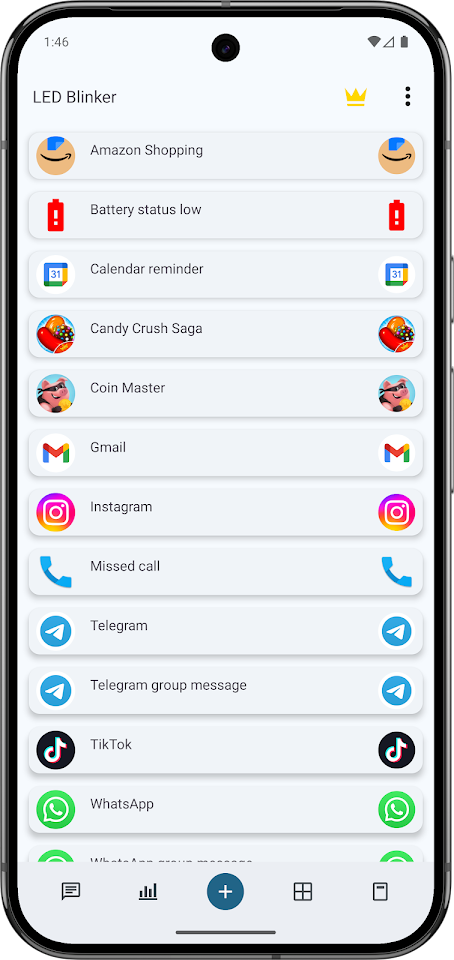
One of the reasons to choose LED Blinker is its compatibility with all Android versions, from KitKat to Android 17. The app offers customizable options, allowing you to set custom colors for notifications based on your apps and contacts. Whether you want to highlight messages from popular messengers or phone calls, it’s all possible.
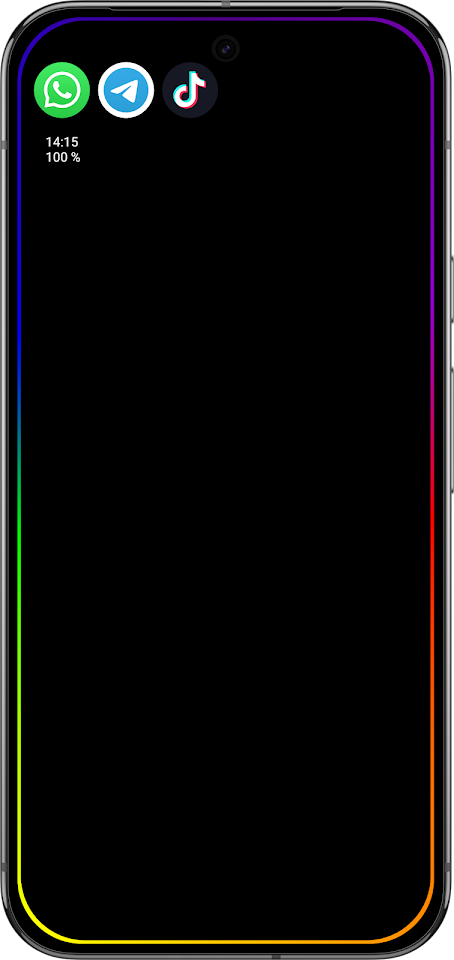
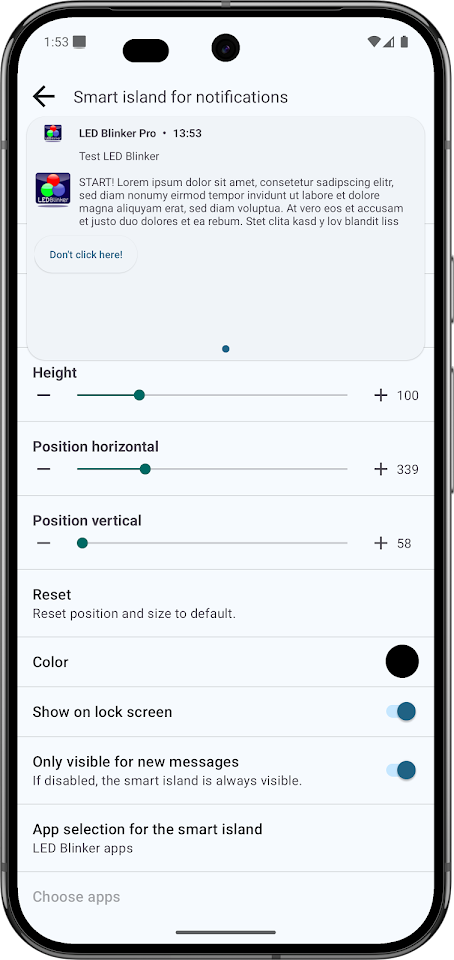
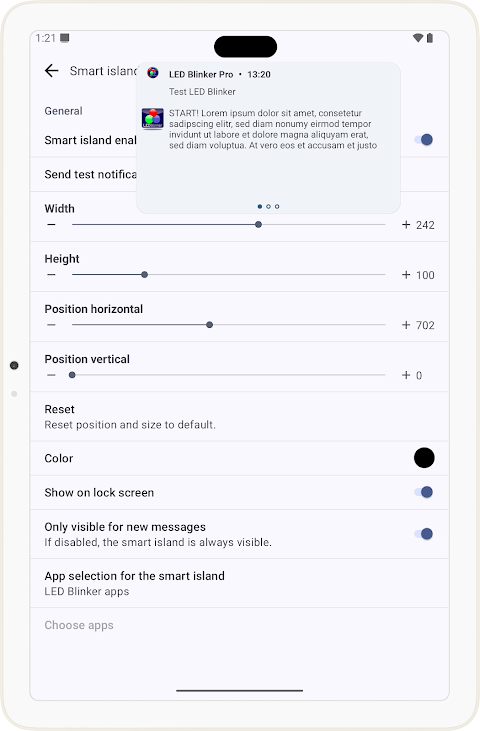
The LED Blinker Notification Light also features smart filters, which allow you to receive notifications only when they contain specific text. With the smart island feature, you can view floating notifications directly, even from the lock screen. It also includes visual effects like edge lighting to make notifications more appealing.
For each app, you can access per-app settings, where you can adjust the blink speed, colors, sounds, vibrations, and flash alerts. The app can also use your camera flash as an additional alert, which makes sure you don’t miss anything important. If you prefer to have some quiet time, you can easily set Do Not Disturb schedules for specific days of the week, ensuring that you are not disturbed at night.
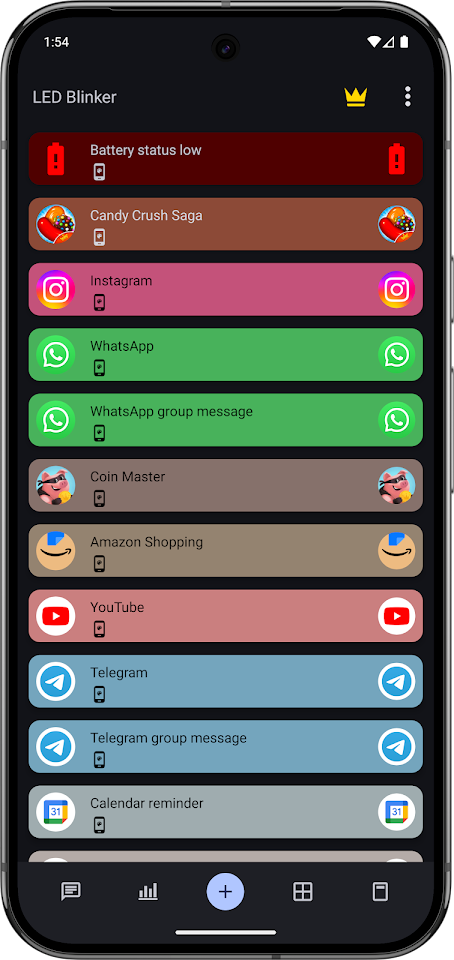
LED Blinker comes with both light mode and dark mode options, allowing you to choose a display that suits your preference. You can also save your settings and restore them later with the import/export feature. For those who like quick access, there is a widget that lets you turn the app on or off easily.
This app supports all major applications. You’ll receive notifications for phone calls, SMS, WhatsApp, Telegram, Signal, and Threema, along with email notifications from Gmail, Outlook, or any default mail app. You can also get reminders from your calendar and your battery status directly through the app.
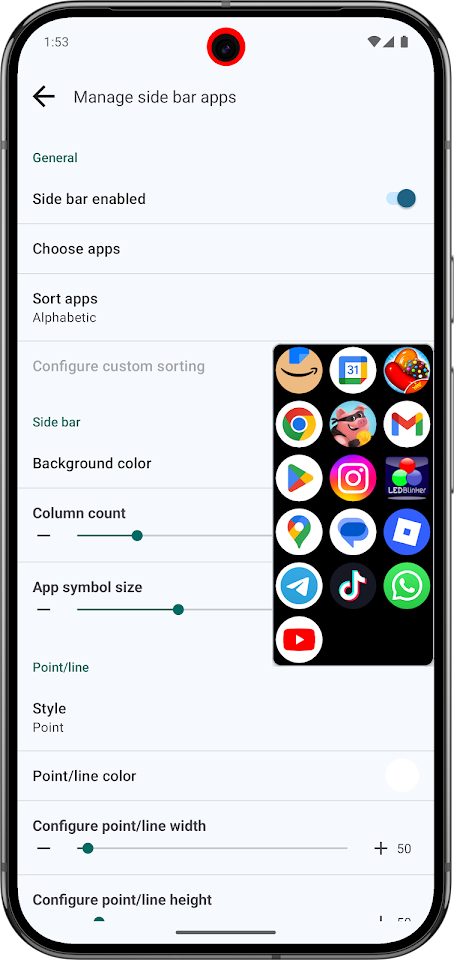
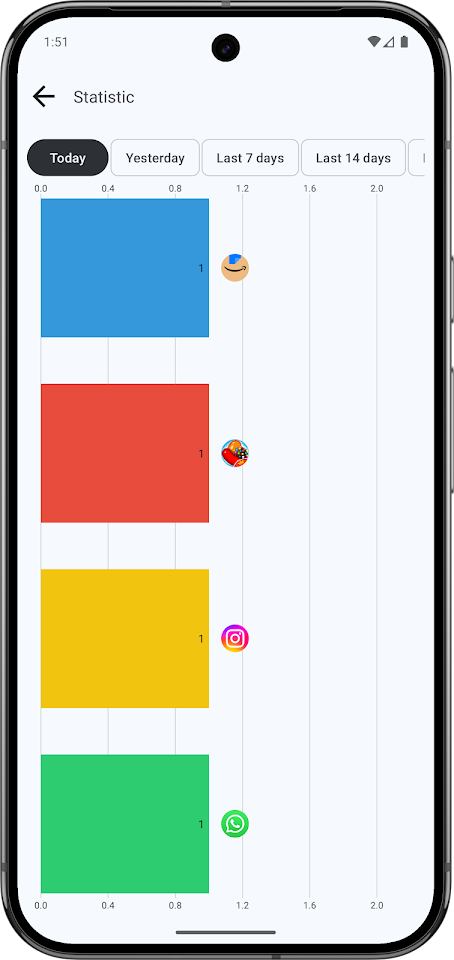
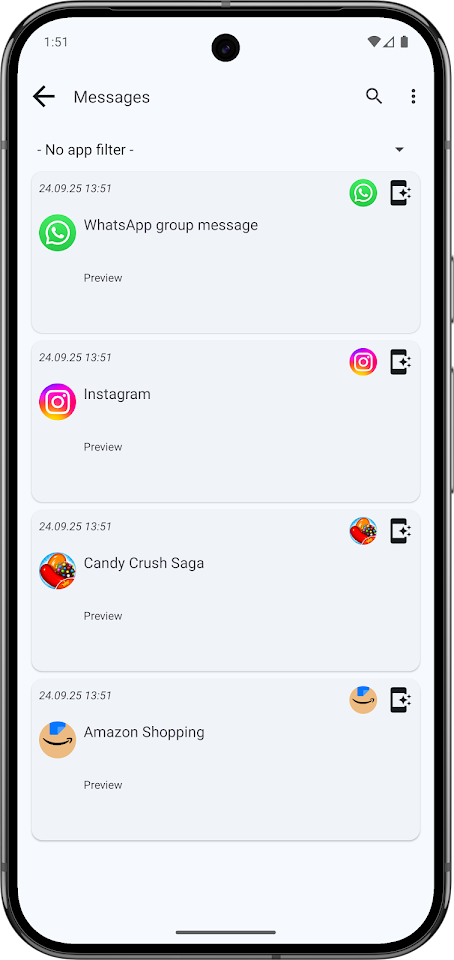
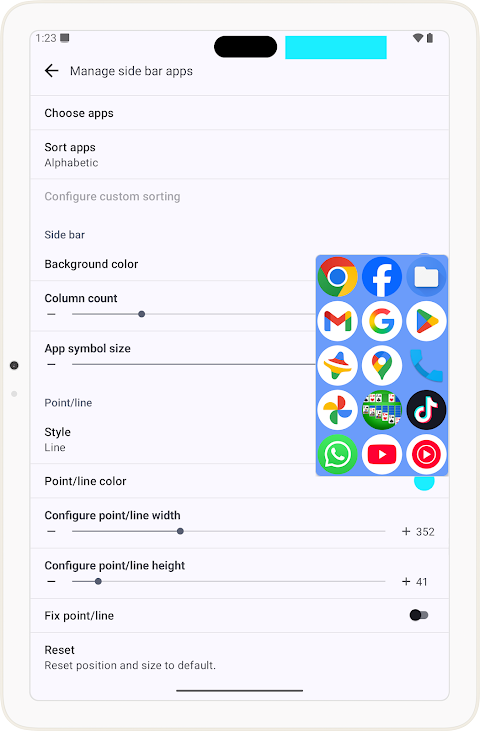
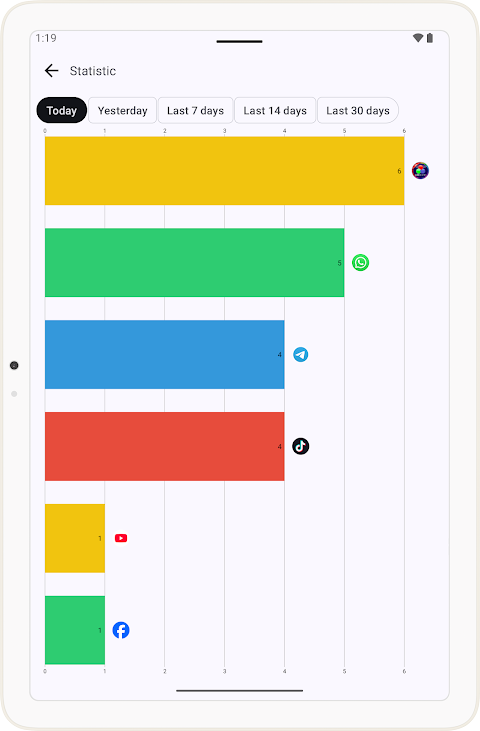
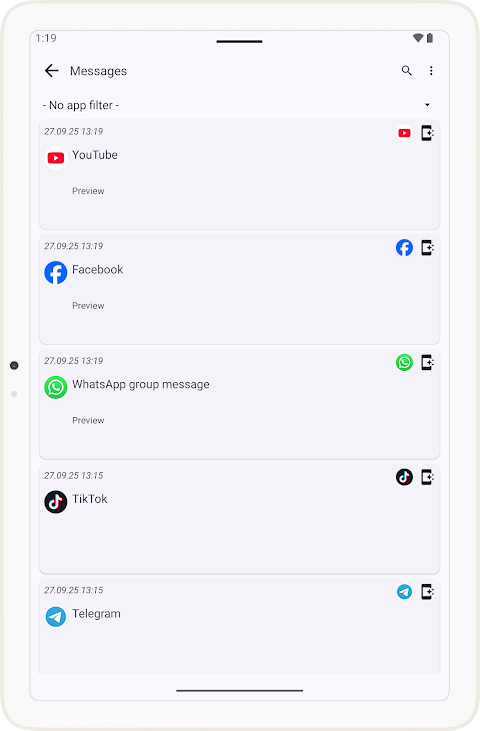
If you decide to go for premium features, you can access options such as notification statistics, clickable app icons, message history (including deleted messages), and even a quick-launch sidebar for better multitasking. All future premium features will also be included when you choose to upgrade.
One of the standout advantages of LED Blinker is that it does not require root access, making it easy to install and use. It has minimal battery usage, so you don’t have to worry about draining your phone quickly. Privacy is also taken seriously; the app does not collect any data or share information, as all processing is done locally on your device.
The app uses the AccessibilityService API purely for its functionality. It can start services that improve usability, like displaying notifications on the Always On Display. It also supports users with hearing or visual impairments through screen LED alerts, vibration patterns, and notification sounds. Additionally, the app allows for quick access to your apps with a sidebar feature and shows a floating pop-up with recent notifications.
If you encounter any issues after an update, try reinstalling or restarting your device first. The developer offers fast support, so you can reach out via Facebook or email if you need assistance.
Try LED Blinker Notification Light today. It’s a simple solution to make sure you never miss another important notification, with full support for any apps you commonly use and full customization options to fit your needs.
One of the reasons to choose LED Blinker is its compatibility with all Android versions, from KitKat to Android 17. The app offers customizable options, allowing you to set custom colors for notifications based on your apps and contacts. Whether you want to highlight messages from popular messengers or phone calls, it’s all possible.
The LED Blinker Notification Light also features smart filters, which allow you to receive notifications only when they contain specific text. With the smart island feature, you can view floating notifications directly, even from the lock screen. It also includes visual effects like edge lighting to make notifications more appealing.
For each app, you can access per-app settings, where you can adjust the blink speed, colors, sounds, vibrations, and flash alerts. The app can also use your camera flash as an additional alert, which makes sure you don’t miss anything important. If you prefer to have some quiet time, you can easily set Do Not Disturb schedules for specific days of the week, ensuring that you are not disturbed at night.
LED Blinker comes with both light mode and dark mode options, allowing you to choose a display that suits your preference. You can also save your settings and restore them later with the import/export feature. For those who like quick access, there is a widget that lets you turn the app on or off easily.
This app supports all major applications. You’ll receive notifications for phone calls, SMS, WhatsApp, Telegram, Signal, and Threema, along with email notifications from Gmail, Outlook, or any default mail app. You can also get reminders from your calendar and your battery status directly through the app.
If you decide to go for premium features, you can access options such as notification statistics, clickable app icons, message history (including deleted messages), and even a quick-launch sidebar for better multitasking. All future premium features will also be included when you choose to upgrade.
One of the standout advantages of LED Blinker is that it does not require root access, making it easy to install and use. It has minimal battery usage, so you don’t have to worry about draining your phone quickly. Privacy is also taken seriously; the app does not collect any data or share information, as all processing is done locally on your device.
The app uses the AccessibilityService API purely for its functionality. It can start services that improve usability, like displaying notifications on the Always On Display. It also supports users with hearing or visual impairments through screen LED alerts, vibration patterns, and notification sounds. Additionally, the app allows for quick access to your apps with a sidebar feature and shows a floating pop-up with recent notifications.
If you encounter any issues after an update, try reinstalling or restarting your device first. The developer offers fast support, so you can reach out via Facebook or email if you need assistance.
Try LED Blinker Notification Light today. It’s a simple solution to make sure you never miss another important notification, with full support for any apps you commonly use and full customization options to fit your needs.
Active Wear Watchface 2
Bloomfield Watchfaces
$1.89
$0.57

Pixly Material You – Icon Pack
Cris87
$1.89
$0.39

Verticons Icon Pack
SpaceMan
$1.79
$0.90