
$2.69
$0.59
78% Off
Smart Pdf Pro – All In One App
Ankit_Singh





About the App
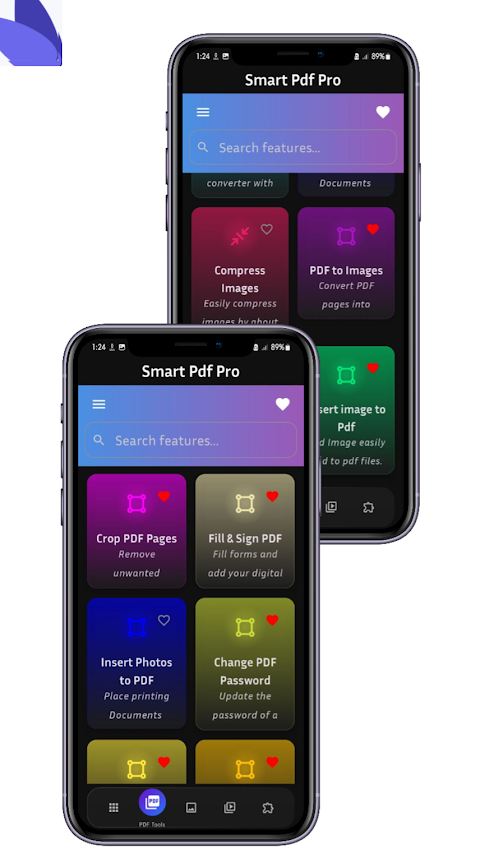
Smart PDF Pro – All-in-One PDF & Document Master is more than just a regular PDF app. It serves as your complete document and productivity solution. With over 38 powerful tools and 11 new advanced features, this super app replaces more than 30 separate applications.
You can edit, convert, protect, view, and manage your documents all in a secure, lightning-fast environment. Whether you need it for office tasks, studying, or personal projects, Smart PDF Pro is designed to make your work simple and efficient. Why clutter your device with multiple apps when one can do it all?
Smart PDF Pro includes everything you need in one place. It is both an all-in-one super app and a PDF utility app, combining PDF, images, and productivity tools into a single package. You can enjoy offline PDF editing, meaning you can work without needing an internet connection, keeping your files secure since they never leave your device.
The app features a simple, modern user interface that is easy to navigate. It's designed for everyone, from beginners to advanced users, so you won't feel overwhelmed by its capabilities.
Let’s explore some of the core features of Smart PDF Pro:
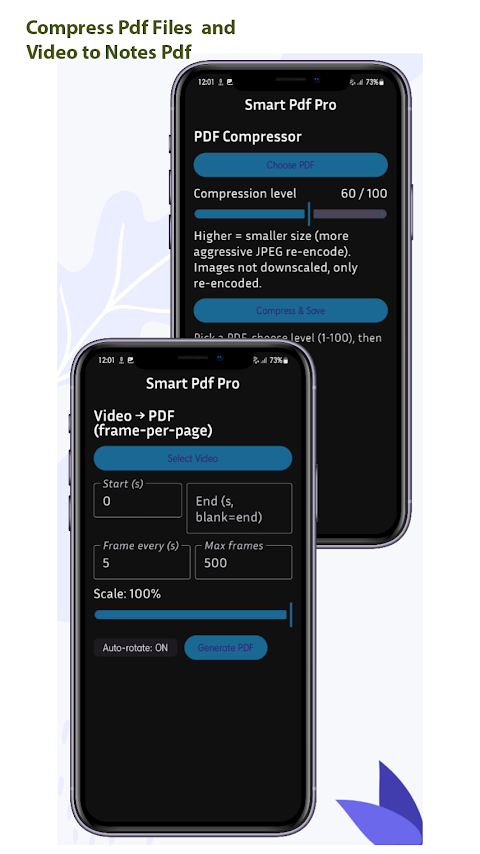
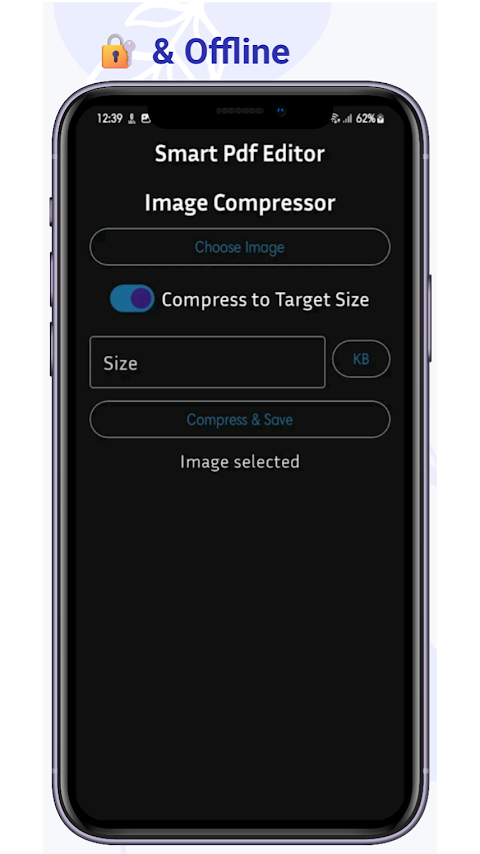
PDF Compression Tools allow you to reduce PDF file sizes without losing quality. You can also use image compression features to adjust the resolution and quality of images easily.
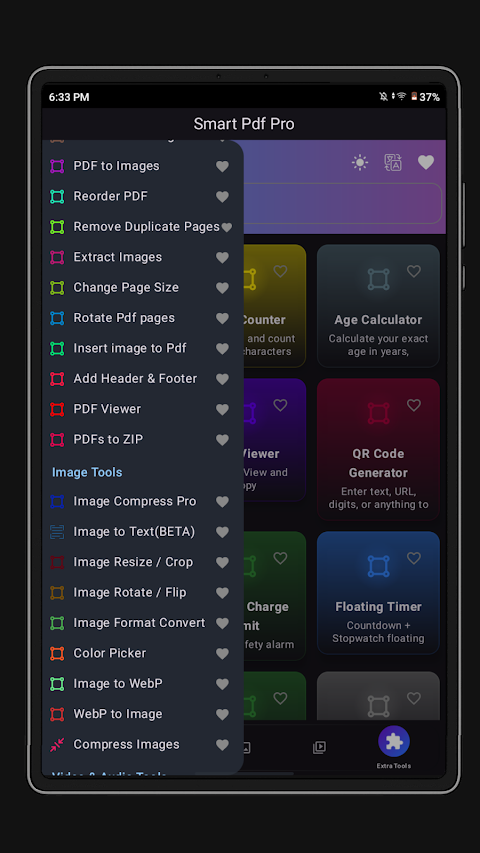
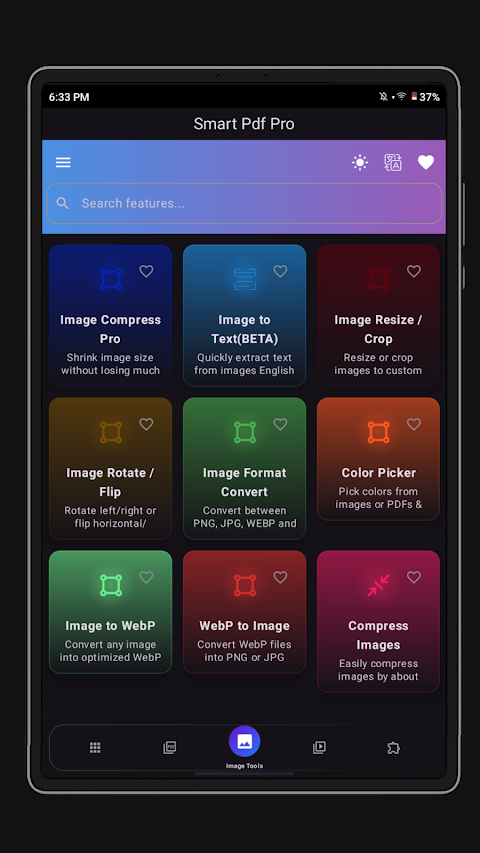
With the app’s PDF and image conversion tools, you can convert images to PDF in various formats, including A4, letter, portrait, and landscape. You can also transform PDF pages into high-definition images. Smart PDF Pro supports OCR text extraction, which helps you convert images of text into editable text files.
Using the webpage to PDF saving feature, you can instantly save online pages as PDFs. The scan to PDF functionality enables you to scan documents using your camera, complete with cropping, filters, and auto-enhancement features.
You’ll find several PDF security options available. For instance, you can add password protection to sensitive PDFs or change the password anytime to keep your documents secure.
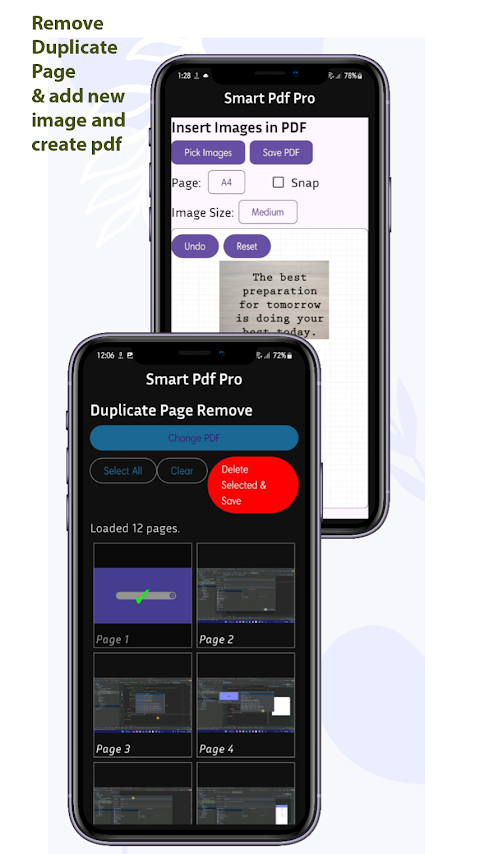
When it comes to PDF page manipulation, Smart PDF Pro includes tools to merge and split PDFs, reorder pages, rotate them, delete unnecessary pages, and remove duplicates automatically. You can also change the page size and even extract or insert images into any PDF file.
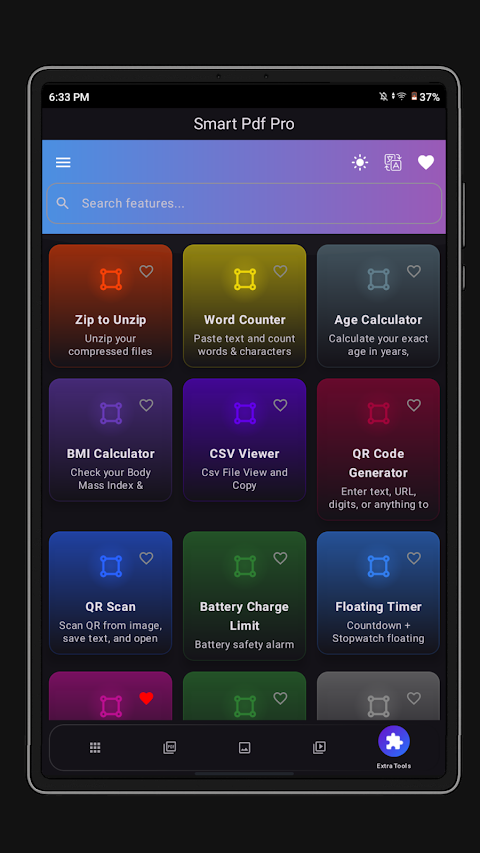
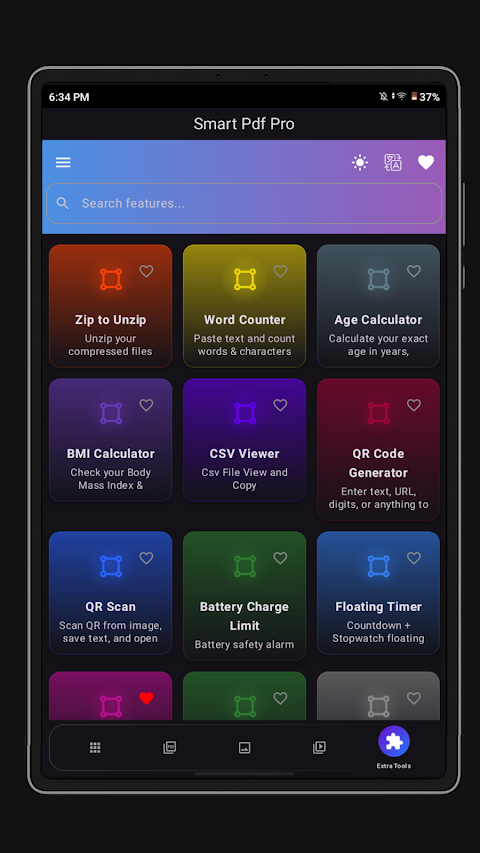
For file management, the app allows you to convert PDF files to ZIP format and unzip any ZIP files instantly. There’s also an integrated CSV viewer and a word counter for added convenience.
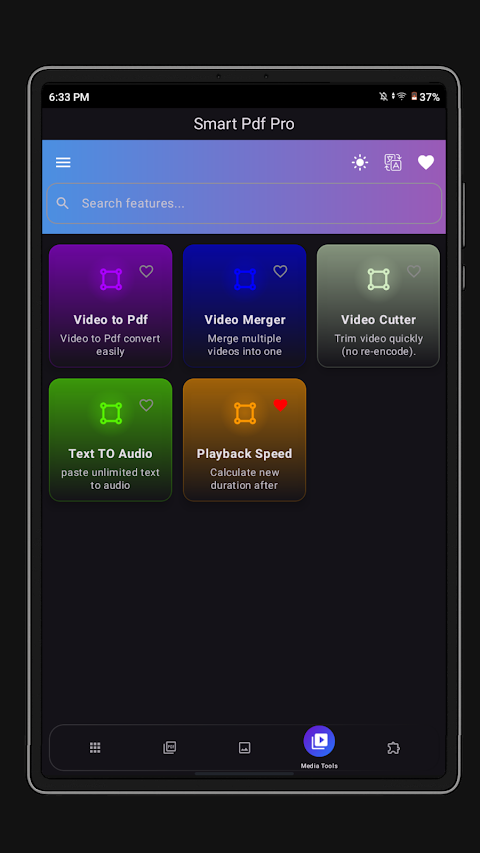
Smart PDF Pro has extra utilities like a customizable timer creator. You can enjoy features like a Pomodoro timer functionality which helps you stay focused by managing your work and break intervals efficiently. There’s also a video to PDF notes feature that assists in combining visuals with your notes.
In addition, you have access to a battery charge limit tool that helps manage your device's battery settings. Use the color picker and mixer to instantly pick HEX and RGB codes for your design needs.
For added customization, the app comes with quick access shortcuts and allows unlimited timer creation with custom labels. Whether you need a stopwatch or a loop timer, Smart PDF Pro can adjust to your requirements.
With advanced PDF features, you can bookmark pages in the PDF viewer for easy access later. Whether you need to resize or crop images, convert image formats, or even create custom shapes for your timers, Smart PDF Pro offers it all.
The app supports multiple languages to cater to a wide audience, including English, Hindi, Spanish, French, and many others. This makes it suitable for a diverse user base.
Smart PDF Pro is perfect for students, professionals, and anyone who needs to manage documents effectively. You get lifetime access once purchased, with no ads or subscription fees. This means all premium tools are unlocked forever, ensuring that you have everything you need to enhance your productivity right at your fingertips.
With Smart PDF Pro, you will have everything required for PDF editing tools, document management solutions, and image conversion features in a lightweight and powerful package. You can replace multiple apps with this one, ensuring data privacy and security every step of the way.
Step into a world of efficiency and simplicity with Smart PDF Pro, your go-to app for all your document and productivity needs.
You can edit, convert, protect, view, and manage your documents all in a secure, lightning-fast environment. Whether you need it for office tasks, studying, or personal projects, Smart PDF Pro is designed to make your work simple and efficient. Why clutter your device with multiple apps when one can do it all?
Smart PDF Pro includes everything you need in one place. It is both an all-in-one super app and a PDF utility app, combining PDF, images, and productivity tools into a single package. You can enjoy offline PDF editing, meaning you can work without needing an internet connection, keeping your files secure since they never leave your device.
The app features a simple, modern user interface that is easy to navigate. It's designed for everyone, from beginners to advanced users, so you won't feel overwhelmed by its capabilities.
Let’s explore some of the core features of Smart PDF Pro:
PDF Compression Tools allow you to reduce PDF file sizes without losing quality. You can also use image compression features to adjust the resolution and quality of images easily.
With the app’s PDF and image conversion tools, you can convert images to PDF in various formats, including A4, letter, portrait, and landscape. You can also transform PDF pages into high-definition images. Smart PDF Pro supports OCR text extraction, which helps you convert images of text into editable text files.
Using the webpage to PDF saving feature, you can instantly save online pages as PDFs. The scan to PDF functionality enables you to scan documents using your camera, complete with cropping, filters, and auto-enhancement features.
You’ll find several PDF security options available. For instance, you can add password protection to sensitive PDFs or change the password anytime to keep your documents secure.
When it comes to PDF page manipulation, Smart PDF Pro includes tools to merge and split PDFs, reorder pages, rotate them, delete unnecessary pages, and remove duplicates automatically. You can also change the page size and even extract or insert images into any PDF file.
For file management, the app allows you to convert PDF files to ZIP format and unzip any ZIP files instantly. There’s also an integrated CSV viewer and a word counter for added convenience.
Smart PDF Pro has extra utilities like a customizable timer creator. You can enjoy features like a Pomodoro timer functionality which helps you stay focused by managing your work and break intervals efficiently. There’s also a video to PDF notes feature that assists in combining visuals with your notes.
In addition, you have access to a battery charge limit tool that helps manage your device's battery settings. Use the color picker and mixer to instantly pick HEX and RGB codes for your design needs.
For added customization, the app comes with quick access shortcuts and allows unlimited timer creation with custom labels. Whether you need a stopwatch or a loop timer, Smart PDF Pro can adjust to your requirements.
With advanced PDF features, you can bookmark pages in the PDF viewer for easy access later. Whether you need to resize or crop images, convert image formats, or even create custom shapes for your timers, Smart PDF Pro offers it all.
The app supports multiple languages to cater to a wide audience, including English, Hindi, Spanish, French, and many others. This makes it suitable for a diverse user base.
Smart PDF Pro is perfect for students, professionals, and anyone who needs to manage documents effectively. You get lifetime access once purchased, with no ads or subscription fees. This means all premium tools are unlocked forever, ensuring that you have everything you need to enhance your productivity right at your fingertips.
With Smart PDF Pro, you will have everything required for PDF editing tools, document management solutions, and image conversion features in a lightweight and powerful package. You can replace multiple apps with this one, ensuring data privacy and security every step of the way.
Step into a world of efficiency and simplicity with Smart PDF Pro, your go-to app for all your document and productivity needs.

Zener Cards Test – WOS
Wind Of Softwing
$1.49
Countdown Widget – Time Until
Neelam Govind Bhanushali
$0.99
Automator – Smart Macro Tool
Vasyl Lietov
$4.99
$0.50