
$4.99
$0.50
90% Off
Automator – Smart Macro Tool
Vasyl Lietov

About the App
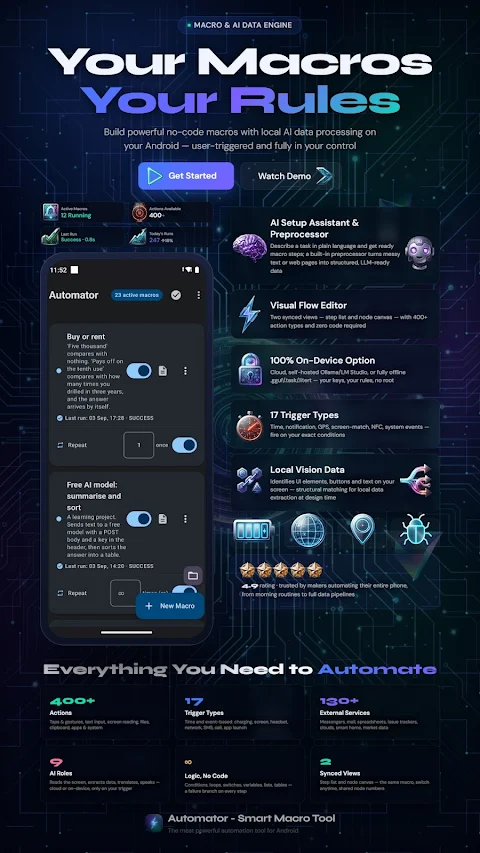
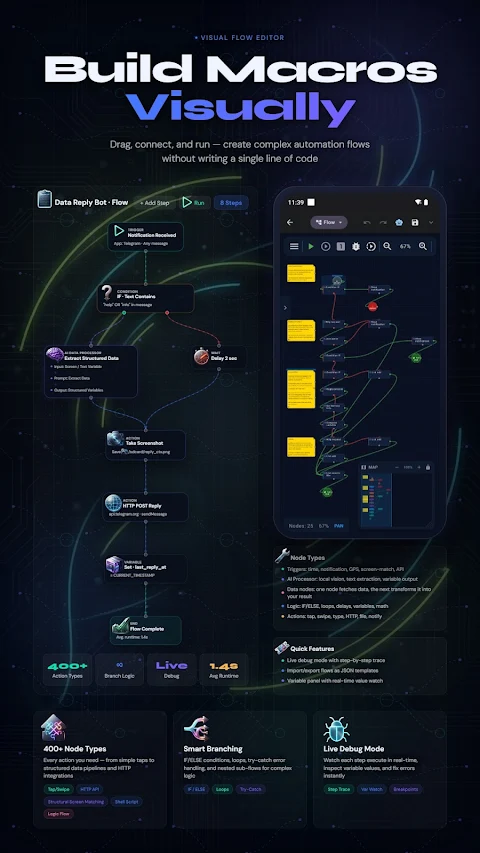
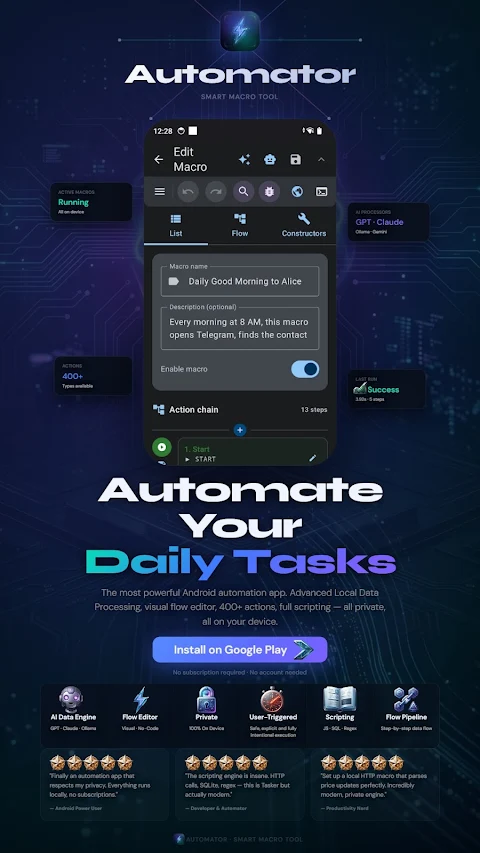
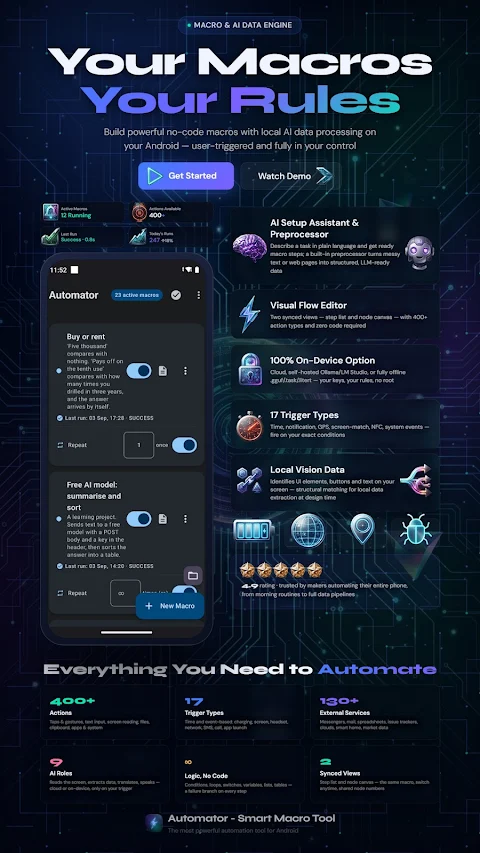
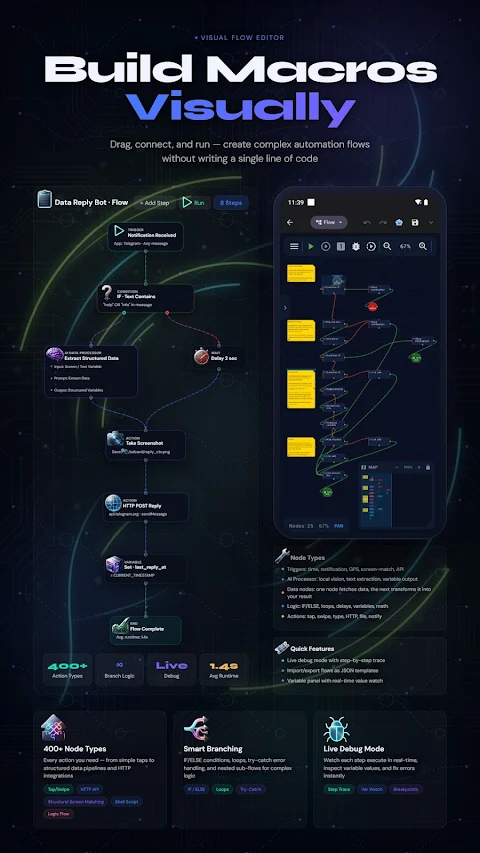
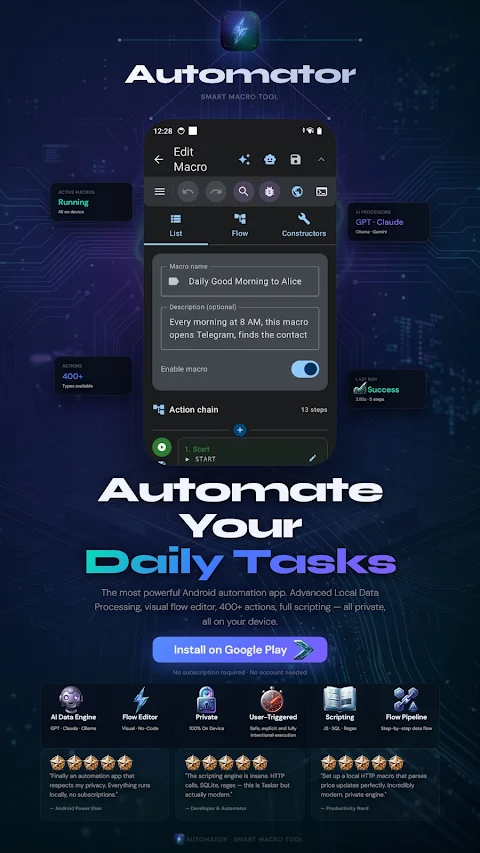
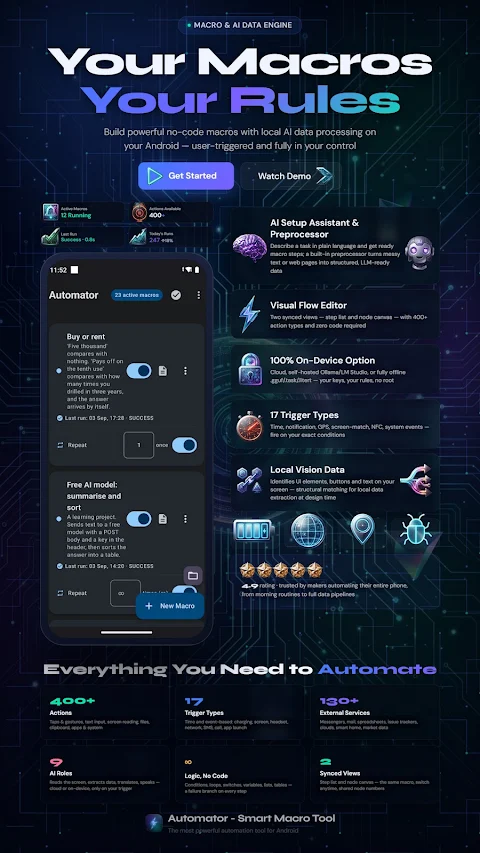
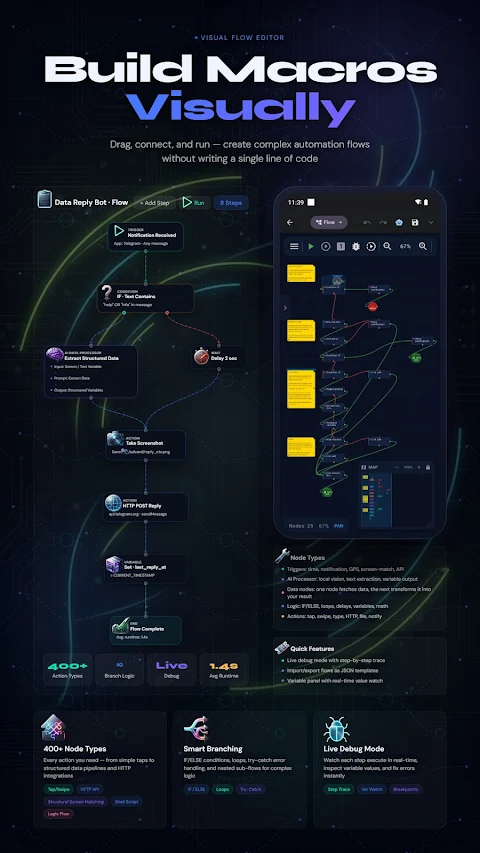
Automator – Smart Macro Tool is an amazing Android automation toolkit that lets you automate many tasks without any coding. With this easy-to-use app, you can build workflows that include tapping, swiping, and typing, all while using a visual drag-and-drop editor. Whether you're looking for simple tasks or complex ones, Automator has powerful options for you.
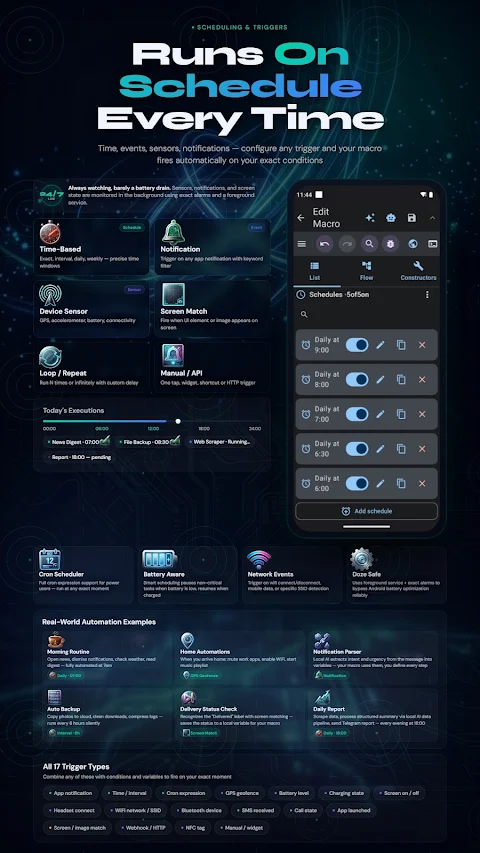
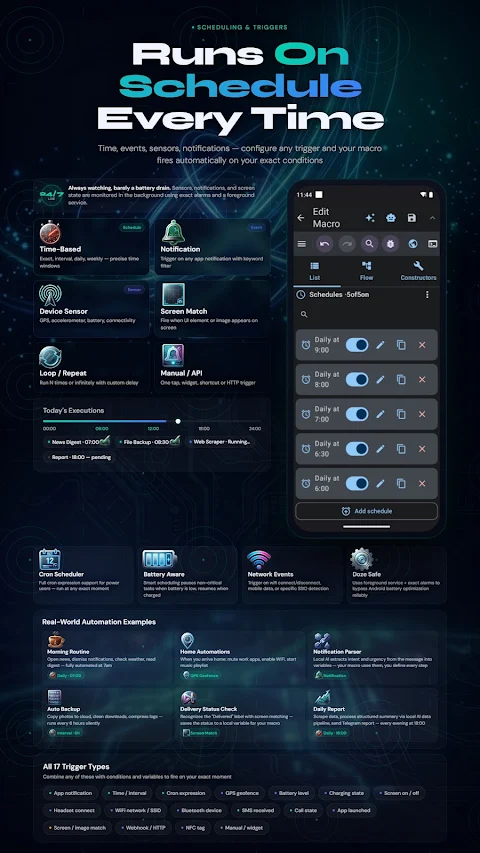
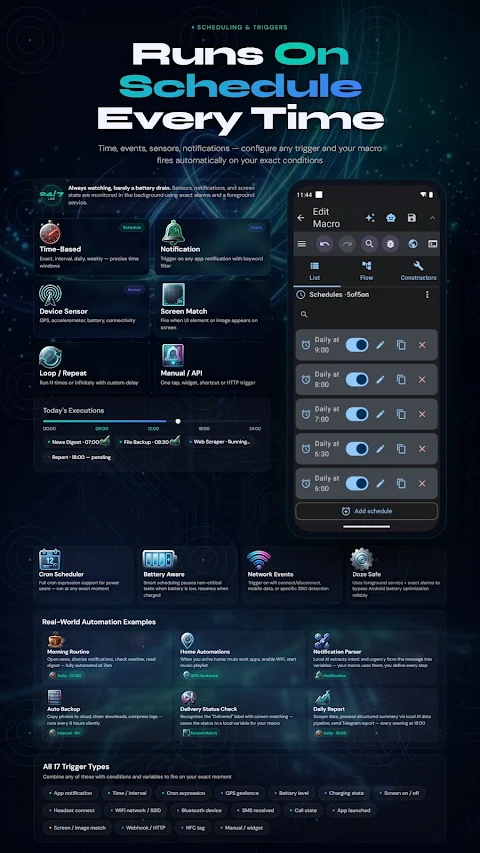
You can automate various tasks on your Android device. For example, you can open apps, fill out forms, and send reminders. You can set specific triggers for your macros, such as notifications, location changes, battery levels, and network changes. There's also macro chaining, which allows you to link multiple tasks together seamlessly, creating multi-app workflows. This means that one step can influence the next, thanks to advanced AI-powered features.
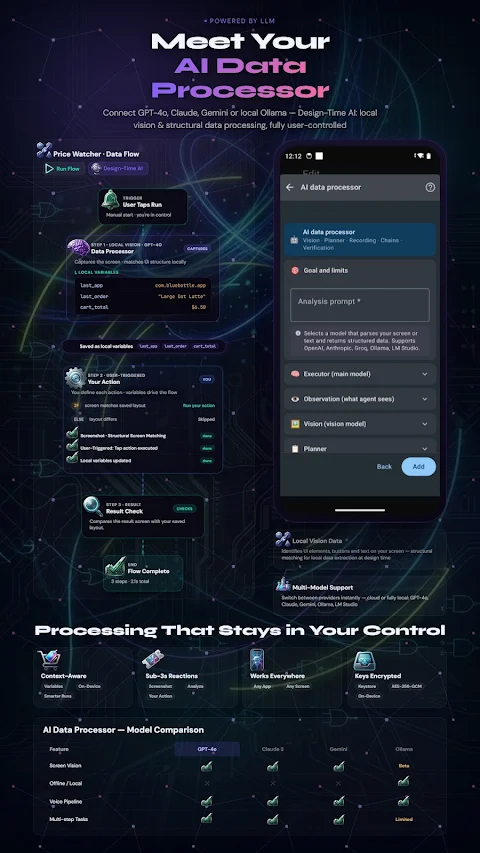
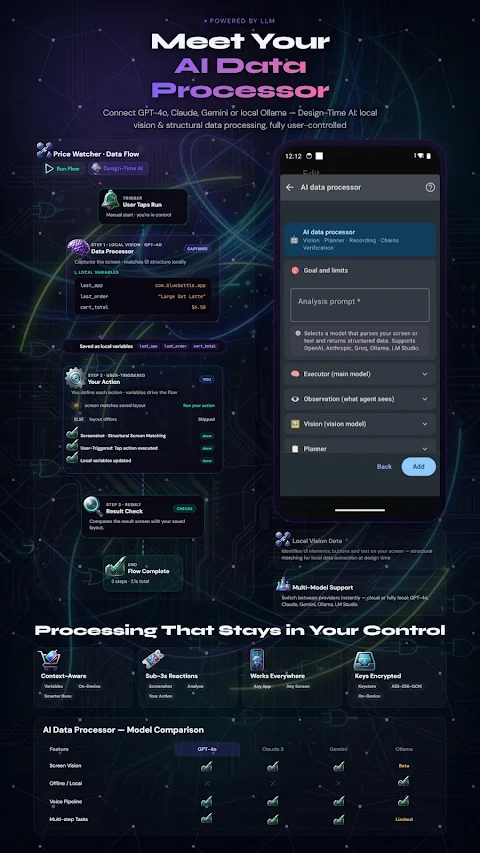
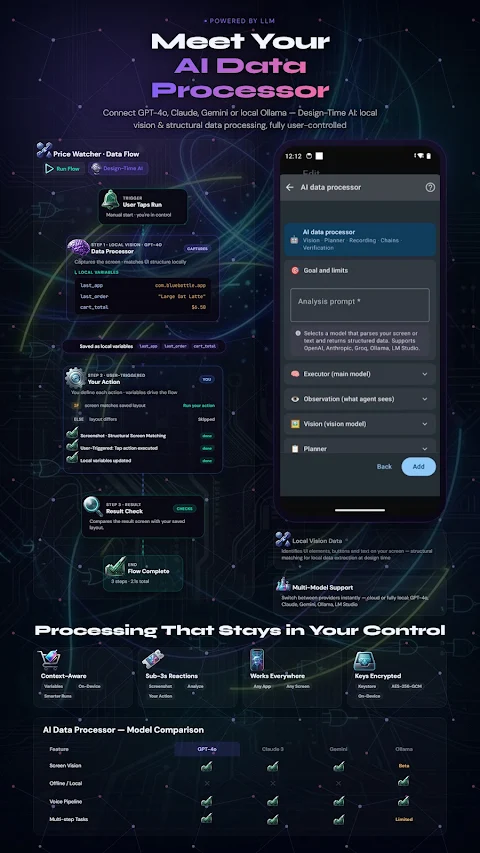
Automator is equipped with a range of smart features. It offers OCR support to read on-screen text, allowing you to easily recognize information in Latin and Cyrillic scripts. Image matching triggers let you start actions when certain visual elements appear on your screen. With the AI setup assistant, you can describe what you want, and it will help you create a ready macro. Additionally, the AI data preprocessor can convert messy screen text or web pages into structured data for more efficient automation.
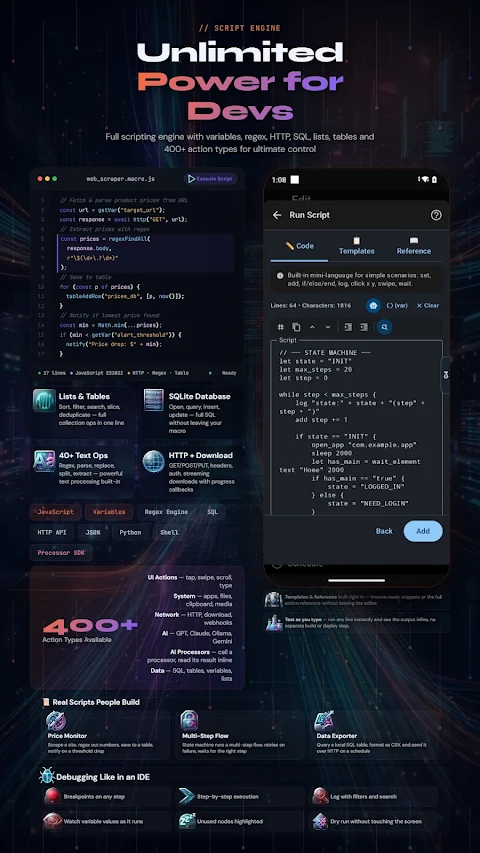
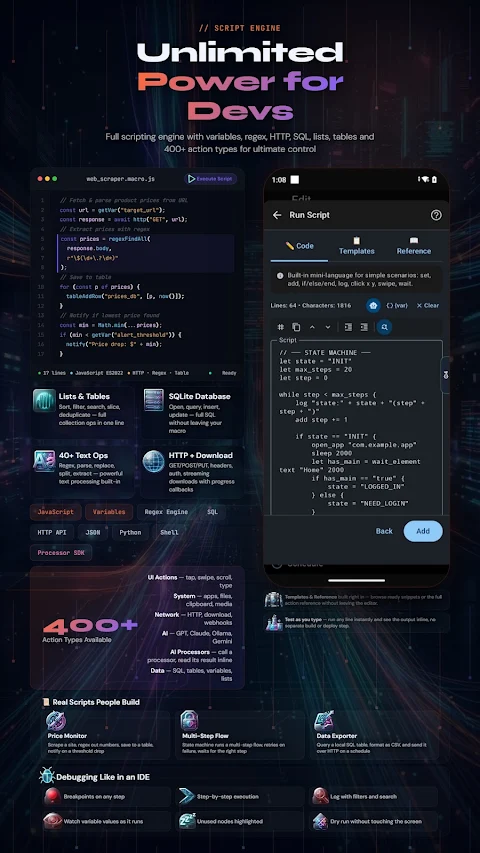
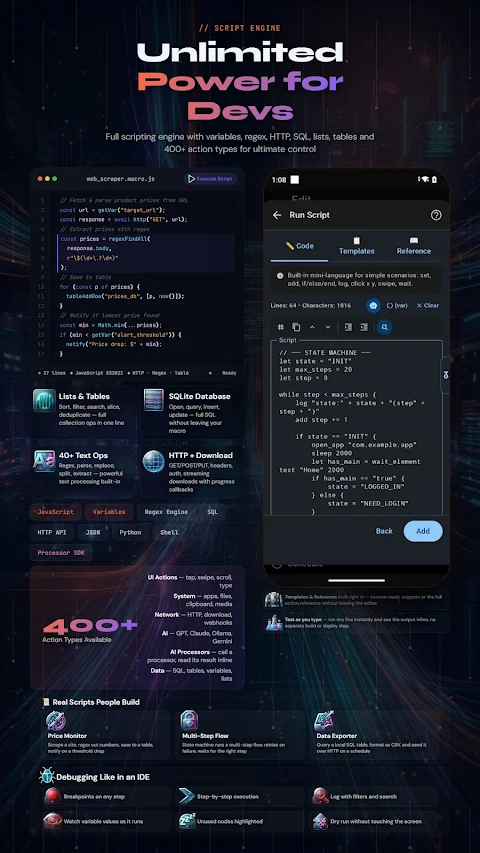
The app also supports zero code automation, making it perfect for beginners. However, if you need more customization, Automator includes a full scripting engine for advanced users. You can write scripts using variables, regular expressions, and even languages like JavaScript and Python. With features like IF/ELSE conditions and loops, you can create precise logic for your automations. Plus, you can debug your scripts easily, thanks to tools that offer a live variable watch and step-by-step execution.
When it comes to connectivity, Automator lets you integrate with over 130 ready integrations, including messengers, cloud storage, and smart home devices. You can set up a local HTTP server to trigger macros from your PC or browser, and even transfer data between devices on the same network.
For productivity, Automator includes features like the ability to edit DOCX and PDF files directly from your macros. You can also take and analyze screenshots and control media playback, all within the app. If you want to add custom UI overlays, you can create buttons or info panels that appear over any app.
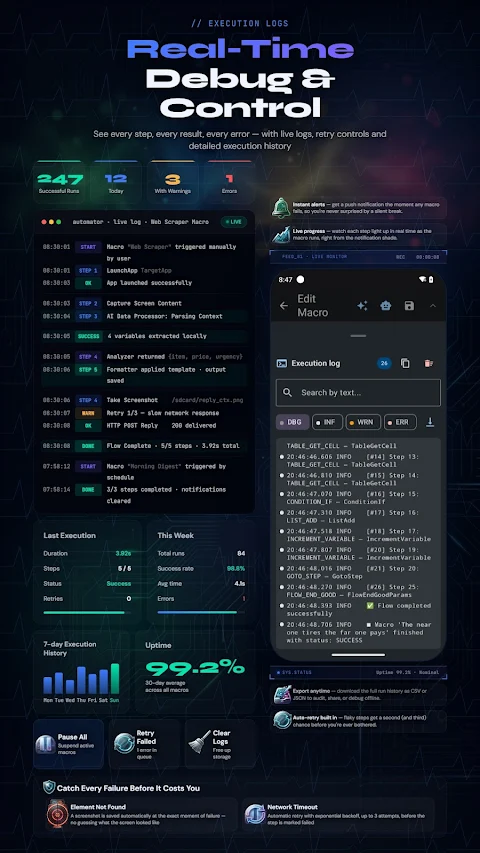
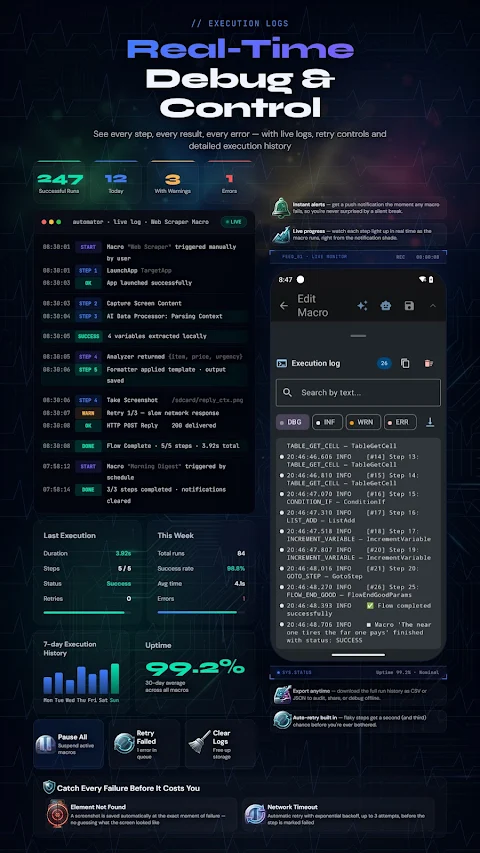
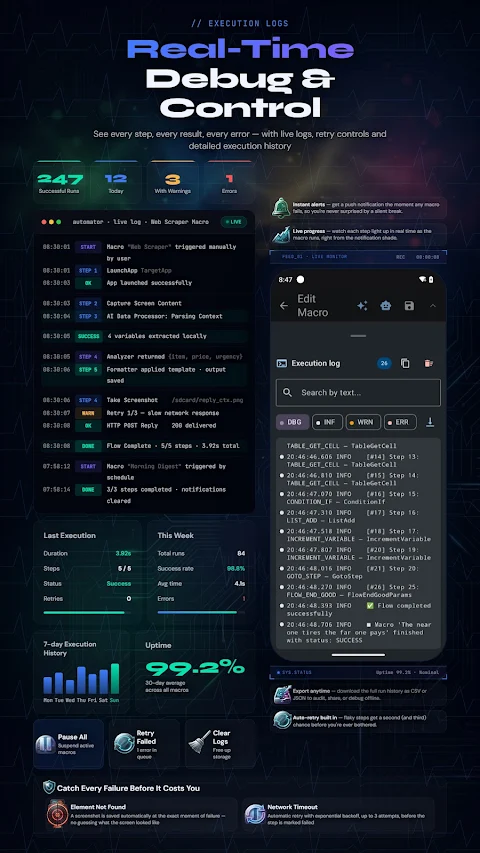
Automator is designed for power users who want more control. You can import and export macros to share with others. The app keeps detailed execution logs, showing you what action ran, when it happened, and why. You can also use global variables across your macros and choose from multiple languages, including English, Russian, German, and more.
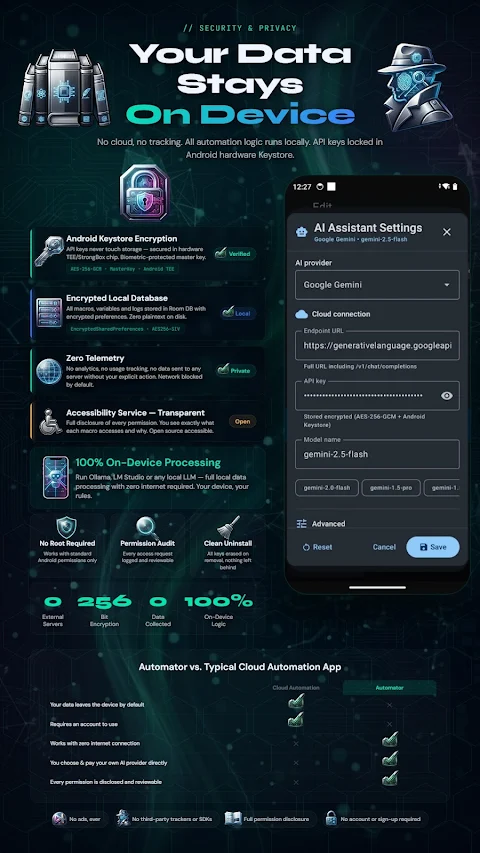
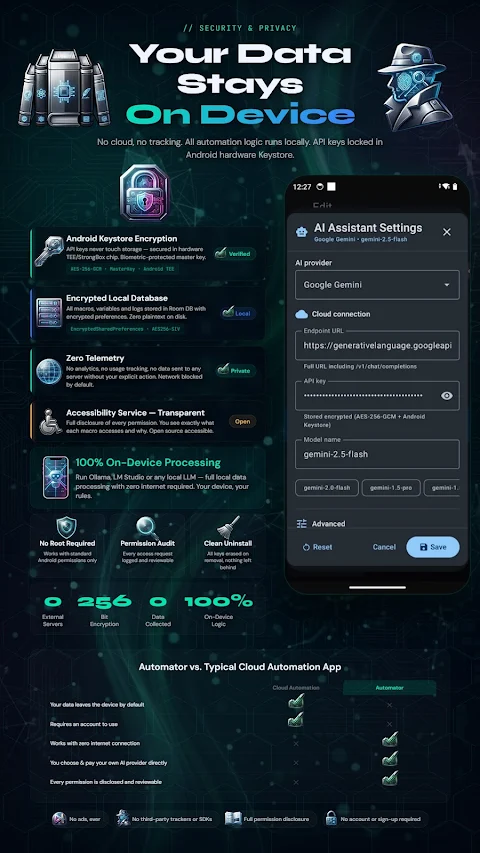
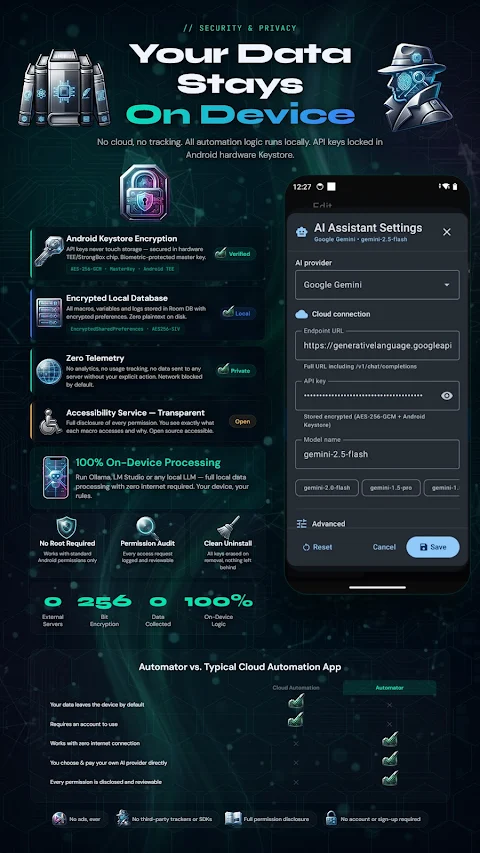
Privacy and security are crucial with Automator. API keys are locked in the Android hardware Keystore, ensuring they are never stored in plain text. The app runs everything locally on your device, safeguarding your data. There’s no telemetry, no ads, and no hidden tracking, providing peace of mind for users.
Getting started is simple. You don't need any coding experience, as the visual editor and AI setup assistant guide you through the process. Most automations can run with standard Android permissions, meaning you don't need to root your device. However, if you decide to grant root access, a few advanced automation actions can be utilized, but only with your permission.
Automator uses the Android Accessibility Service to simulate gestures and read layout elements, similar to how screen readers operate. It only reads what's visible on the screen during actions and doesn’t log keystrokes or access secure passwords.
With just one purchase, you get full access to Automator forever—there are no subscriptions or ads involved. If you have any questions or need assistance, the support team is ready to respond to your inquiries.
Experience the full potential of automation on your Android device with Automator, your go-to solution for seamless workflow building and much more.
You can automate various tasks on your Android device. For example, you can open apps, fill out forms, and send reminders. You can set specific triggers for your macros, such as notifications, location changes, battery levels, and network changes. There's also macro chaining, which allows you to link multiple tasks together seamlessly, creating multi-app workflows. This means that one step can influence the next, thanks to advanced AI-powered features.
Automator is equipped with a range of smart features. It offers OCR support to read on-screen text, allowing you to easily recognize information in Latin and Cyrillic scripts. Image matching triggers let you start actions when certain visual elements appear on your screen. With the AI setup assistant, you can describe what you want, and it will help you create a ready macro. Additionally, the AI data preprocessor can convert messy screen text or web pages into structured data for more efficient automation.
The app also supports zero code automation, making it perfect for beginners. However, if you need more customization, Automator includes a full scripting engine for advanced users. You can write scripts using variables, regular expressions, and even languages like JavaScript and Python. With features like IF/ELSE conditions and loops, you can create precise logic for your automations. Plus, you can debug your scripts easily, thanks to tools that offer a live variable watch and step-by-step execution.
When it comes to connectivity, Automator lets you integrate with over 130 ready integrations, including messengers, cloud storage, and smart home devices. You can set up a local HTTP server to trigger macros from your PC or browser, and even transfer data between devices on the same network.
For productivity, Automator includes features like the ability to edit DOCX and PDF files directly from your macros. You can also take and analyze screenshots and control media playback, all within the app. If you want to add custom UI overlays, you can create buttons or info panels that appear over any app.
Automator is designed for power users who want more control. You can import and export macros to share with others. The app keeps detailed execution logs, showing you what action ran, when it happened, and why. You can also use global variables across your macros and choose from multiple languages, including English, Russian, German, and more.
Privacy and security are crucial with Automator. API keys are locked in the Android hardware Keystore, ensuring they are never stored in plain text. The app runs everything locally on your device, safeguarding your data. There’s no telemetry, no ads, and no hidden tracking, providing peace of mind for users.
Getting started is simple. You don't need any coding experience, as the visual editor and AI setup assistant guide you through the process. Most automations can run with standard Android permissions, meaning you don't need to root your device. However, if you decide to grant root access, a few advanced automation actions can be utilized, but only with your permission.
Automator uses the Android Accessibility Service to simulate gestures and read layout elements, similar to how screen readers operate. It only reads what's visible on the screen during actions and doesn’t log keystrokes or access secure passwords.
With just one purchase, you get full access to Automator forever—there are no subscriptions or ads involved. If you have any questions or need assistance, the support team is ready to respond to your inquiries.
Experience the full potential of automation on your Android device with Automator, your go-to solution for seamless workflow building and much more.
Sound Meter – Wear OS dB Meter
Nebulae Apps
$5.99
$2.10

Number to word convert offline
Power Mind Apps
$0.99
FREE
Northly: Digital Compass
Inspector Studios
$9.99