

$0.99
$0.49
51% Off
Everything Line:Adaptive icons
NARIK DESIGN


About the App
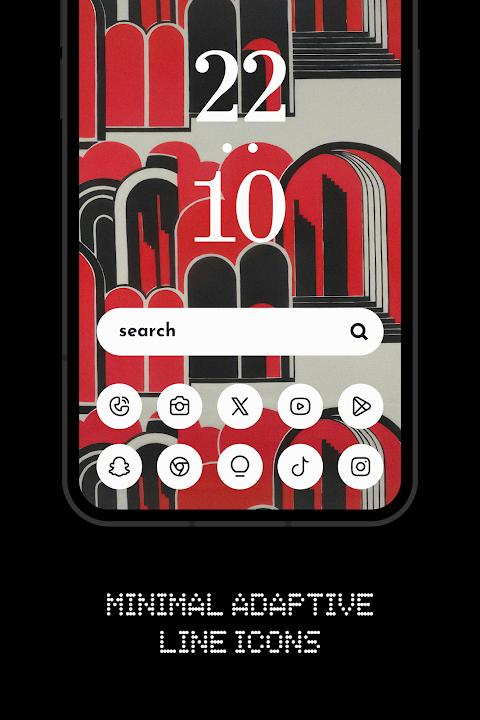
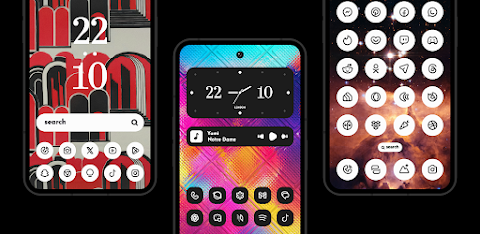
Everything Line: Adaptive Icons is a premium icon pack that brings a unique touch to your device. Designed for customization lovers, this app transforms your home screen into an eye-catching display. With a blend of sleek black and pure white, it complements a minimalist style, making your device aesthetically pleasing.
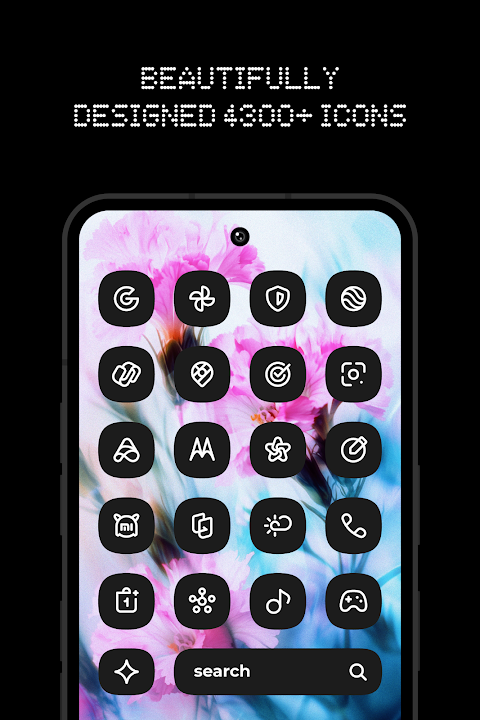
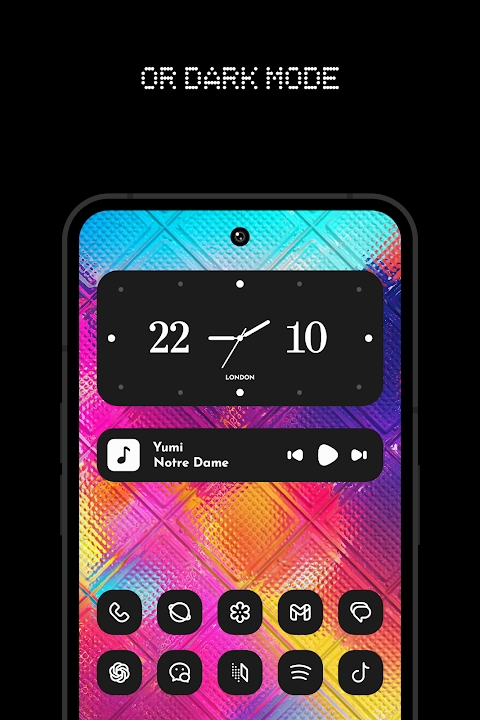
This icon pack offers over 4,600 adaptive icons that feature clean lines and a cohesive form. Whether you are looking for a fresh look or want to enhance your device, Everything Line: Adaptive Icons provides exactly what you need. In addition to its impressive icons, you get access to 13 Kustom widgets. These widgets add various styles and functionalities to your home screen, allowing for further personalization.
One of the standout features is the cloud-based wallpapers. They match perfectly with the icons to create a visually cohesive experience. If there are specific icons you wish to see, the icon request tool allows you to submit your requests. The team is dedicated to adding new icons regularly, ensuring that you always have fresh content to choose from.
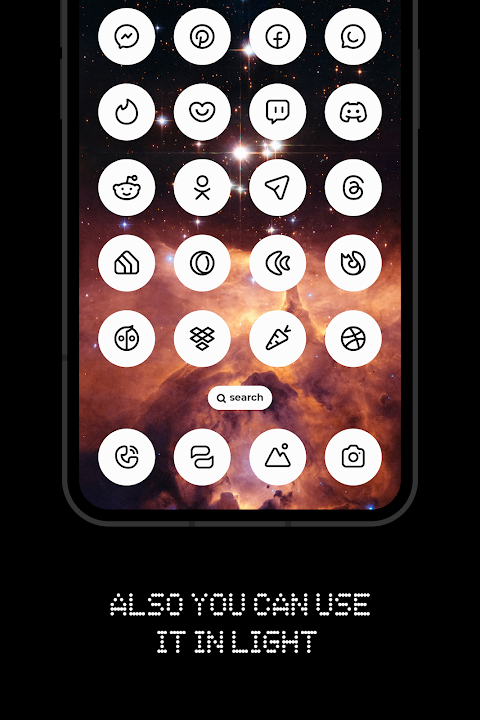
To get started with Everything Line: Adaptive Icons, you need to install a compatible launcher. This is important for enjoying the full range of customization options. Once installed, open the app and navigate to the "Apply" section to choose your desired launcher. It’s also easy to switch between light and dark modes. Just reapply the icon pack after changing your device theme.
Everything Line: Adaptive Icons supports several launchers, including Nothing Launcher, Nova Launcher, Lawnchair Launcher v2, Niagara Launcher, Smart Launcher 6, Rootless Pixel Launcher, Shade Launcher, Lean Launcher, Hyperion Launcher, Posidon Launcher, Action Launcher, Stario Launcher, and Ruthless Launcher.
For users of the latest dev version of Lawnchair 12.1, Hyperion, Niagara Launcher, Stario Launcher, and Smart Launcher 6, you can enjoy the automatic color changing feature. This adds an extra layer of dynamism to your home screen.
It's worth noting that to use dark mode, your device should be running Android 10 or higher. If you wish to switch between light and dark modes, just reapply the icon pack, unless you are using supported launchers. Custom launchers are necessary for icon shape customization. If you're using Pixel Launcher, be sure to have App Shortcut Maker installed. For One UI Launcher users, you'll need Theme Park. Additionally, Kustom widgets require KWGT and KWGT PRO for full functionality.
Feel free to reach out with any questions or to connect with the team via Twitter, Telegram, or Instagram.
Unlock the true potential of your phone with Everything Line: Adaptive Icons. Experience the perfect harmony of design and functionality, and elevate your home screen to a captivating work of art.
This icon pack offers over 4,600 adaptive icons that feature clean lines and a cohesive form. Whether you are looking for a fresh look or want to enhance your device, Everything Line: Adaptive Icons provides exactly what you need. In addition to its impressive icons, you get access to 13 Kustom widgets. These widgets add various styles and functionalities to your home screen, allowing for further personalization.
One of the standout features is the cloud-based wallpapers. They match perfectly with the icons to create a visually cohesive experience. If there are specific icons you wish to see, the icon request tool allows you to submit your requests. The team is dedicated to adding new icons regularly, ensuring that you always have fresh content to choose from.
To get started with Everything Line: Adaptive Icons, you need to install a compatible launcher. This is important for enjoying the full range of customization options. Once installed, open the app and navigate to the "Apply" section to choose your desired launcher. It’s also easy to switch between light and dark modes. Just reapply the icon pack after changing your device theme.
Everything Line: Adaptive Icons supports several launchers, including Nothing Launcher, Nova Launcher, Lawnchair Launcher v2, Niagara Launcher, Smart Launcher 6, Rootless Pixel Launcher, Shade Launcher, Lean Launcher, Hyperion Launcher, Posidon Launcher, Action Launcher, Stario Launcher, and Ruthless Launcher.
For users of the latest dev version of Lawnchair 12.1, Hyperion, Niagara Launcher, Stario Launcher, and Smart Launcher 6, you can enjoy the automatic color changing feature. This adds an extra layer of dynamism to your home screen.
It's worth noting that to use dark mode, your device should be running Android 10 or higher. If you wish to switch between light and dark modes, just reapply the icon pack, unless you are using supported launchers. Custom launchers are necessary for icon shape customization. If you're using Pixel Launcher, be sure to have App Shortcut Maker installed. For One UI Launcher users, you'll need Theme Park. Additionally, Kustom widgets require KWGT and KWGT PRO for full functionality.
Feel free to reach out with any questions or to connect with the team via Twitter, Telegram, or Instagram.
Unlock the true potential of your phone with Everything Line: Adaptive Icons. Experience the perfect harmony of design and functionality, and elevate your home screen to a captivating work of art.

Dock 3D – Icon Pack
GomoTheGom
$1.49
FREE

PER27 Digital Watch Face
PERSONA Watch Face
$2.99
Free
Rolex Sky-Dweller Watch face
Sagur Studio
$1.49
$0.39